All Categories
- ATEN
- EPSON
- HISENSE
-
AV Signal Distribution
In AV Signal Distribution
- JK
-
Screens
In Screens
-
Projector
-
Cables
In Cables
- DTECH
- Business
- VISION
-
Projector Bracket
In Projector Bracket
-
Digital Signage Solutions
In Digital Signage Solutions
Brands
-
Audio
In Audio














All Categories
- ATEN
- EPSON
- HISENSE
-
AV Signal Distribution
In AV Signal Distribution
- JK
-
Screens
In Screens
-
Projector
-
Cables
In Cables
- DTECH
- Business
- VISION
-
Projector Bracket
In Projector Bracket
-
Digital Signage Solutions
In Digital Signage Solutions
Brands
-
Audio
In Audio

BROWSE CATEGORIES
Help
EPSON
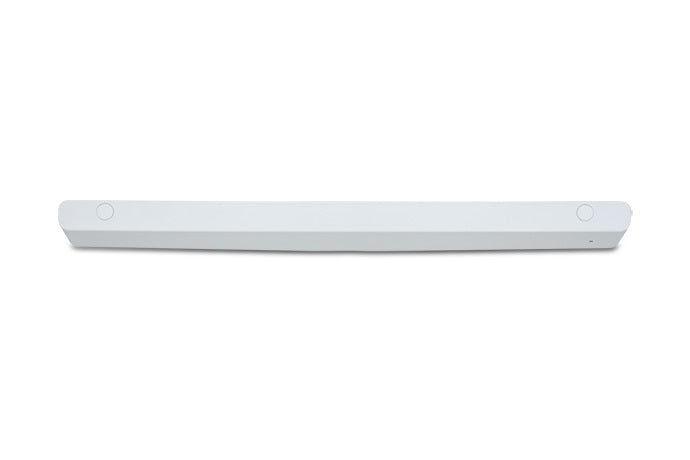
Epson Camera Module – ELPEC01
R11,055.69
A USB camera that lets compatible Epson laser projectors align, stack and blend their images automatically; fit one to each projector.
- Simple Stacking and Simple Blending of two projectors from the projector menu
- Up to 15 projectors blended or 6 stacked with Epson Projector Professional Tool
- Listed for EB-L690, EB-L790, EB-L890, EB-PU and EB-PQ models
- Powered over USB: 5 V, under 1.5 W, about 150 g
- Brand :Epson
- SKU :EPSON-ELPEC01
- Category :EPSON
- Availability :Out of Stock
Out of stock
The Epson ELPEC01 (Epson part V12HA46010) is a small USB camera that clips onto a compatible Epson laser projector, or onto an Epson ELPLX ultra-short-throw lens, and photographs the projected image so that projectors can line up and match their pictures automatically.
Each projector in the setup needs its own camera. With two fitted, a pair of supported projectors can stack or blend from their own menus, with no computer.
What the camera automates
Without cameras, a stack or blend is aligned by hand on each projector in turn: focus, zoom, lens shift and geometry correction. With them fitted:
- Simple Stacking overlays two projectors on the same screen area for a brighter picture. Link the two by LAN cable, with DHCP switched on in each projector’s Network menu.
- Simple Blending joins two projectors side by side into one wide image, in shapes that include 21:9, 32:10 and 32:9. Both projectors must take the same source through a distributor, such as an HDMI splitter, and Screen Matching then evens out brightness and tint between the two halves.
- Epson Projector Professional Tool, run on a computer, uses the cameras to blend up to 15 projectors or stack up to 6.
Which Epson projectors take the ELPEC01
Epson’s accessory page for the camera lists these main units:
- EB-L690, EB-L790 and EB-L890 series: EB-L690SE, EB-L690SU, EB-L690U, EB-L695SE, EB-L695SU, EB-L790SU, EB-L790U, EB-L795SE, EB-L890E, EB-L890U and EB-L895U
- WUXGA EB-PU models: EB-PU1006W, EB-PU1007B and W, EB-PU1008B and W, EB-PU2010B and W, EB-PU2113W, EB-PU2116W, EB-PU2120W, EB-PU2213B, EB-PU2216B and EB-PU2220B
- 4K models: EB-PQ2008B and W, EB-PQ2010B and W, EB-PQ2213B, EB-PQ2216B and W, EB-PQ2220B and EB-XQ2030B
- Also the EB-L570U, EB-L770U and EB-L775U
The EB-L690E, EB-L790SE and EB-L895E are missing from that list, but Epson’s shared user’s guide for the series covers them, camera connection steps included, and Epson’s US spec sheet for the L690E offers the ELPEC01 as an accessory. Models on AV Supply from these lists include the Epson EB-L690SE, Epson EB-L790U, Epson EB-L890E and Epson EB-PU2010B.
Fitting the camera and its cable
Switch the projector off first. The camera clips into its mount by two tabs, and the mount locates the same way on the camera point of the projector, or of an ultra-short-throw lens using the second mount in the box; some of those lenses come with their own USB cable for it. The supplied 1.5 m USB cable plugs into the projector. On the EB-L690, EB-L790 and EB-L890 series it runs along a path under the projector and is tied to the cable holder with a cable tie you supply.
A steady status light means ready, slow flashing means it is capturing, and fast flashing means an error, which also stops any adjustment in progress, Screen Matching included. Epson warns not to hold the camera when moving the projector, as it can come off.
Screen and room conditions for automatic alignment
Epson recommends a flat, even, matte white diffusion screen, each projector square to it with nothing blocking camera or picture, the same native resolution on every projector, and projection set to Front or Front/Ceiling. The screen’s white-to-black illuminance ratio should be 8:1 or more. Where the screen sits at 40 lux or less, Epson suggests 50 to 200-inch images for projectors up to 9,900 lumens and 60 to 300 inches from 10,000 to 14,900 lumens. Wait two minutes after power-on before starting Simple Stacking.
Key specifications of the Epson ELPEC01
| Epson part number | V12HA46010 |
|---|---|
| Dimensions | 103 x 49 x 47 mm |
| Mass | Approx. 150 g |
| Power | 5 V from the projector’s USB port |
| Power consumption | Less than 1.5 W (300 mA) in operation |
| Operating conditions | 0 to 50 °C, 20 to 80% humidity, no condensation |
| Menu functions | Simple Stacking, Simple Blending (two projectors) |
| In the box | Camera, mount for normal lenses, mount for ultra-short-throw lenses, 1.5 m USB cable, 10 cable fixing tapes |
Questions about the Epson ELPEC01
Do I need a computer to stack or blend with the ELPEC01?
Not for two projectors: Simple Stacking and Simple Blending run from the projector’s own menu once both units have a camera and share a LAN link. Three or more projectors need Epson Projector Professional Tool on a computer.
How long does automatic alignment take?
Simple Stacking from the projector menu takes up to about 5 minutes, depending on the layout. With Epson Projector Professional Tool, Epson quotes up to about 9 minutes for a stack, about 8 minutes for the tiling stage of a blend and about 18 minutes for Screen Matching.
Does the ELPEC01 need its own power supply?
No. It runs on 5 V from the projector through the supplied USB cable and draws less than 1.5 W (300 mA) while operating, so there is no mains adaptor to place.
Can the camera align a rear-projection setup?
Not within Epson’s recommended conditions, which list only Front or Front/Ceiling projection. For a rear-screen stack or blend, set focus, zoom, lens shift and geometry correction on each projector by hand, the method Epson gives for setups without the camera.
You must be logged in to post a review.
You may also like these
Epson
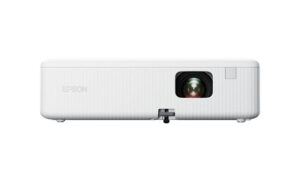
Epson Business Projector, 4100 Ansi Lumens, 1080P resolution, 16:9 Aspect Ratio - EB770F
R48,039.51
EB770F Out of Stock
Epson
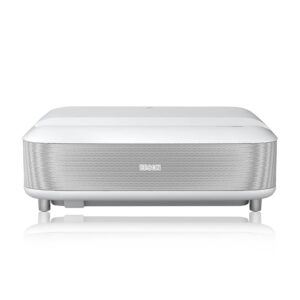
Epson Home Cinema Projector, 3600 Ansi Lumens, 4K PRO-UHD resolution, 16:9 Aspect Ratio - EHLS650W
R47,435.23
EHLS650W Out of Stock
Epson
Reviews
There are no reviews yet.