All Categories
- ATEN
- EPSON
- HISENSE
-
AV Signal Distribution
In AV Signal Distribution
- JK
-
Screens
In Screens
-
Projector
-
Cables
In Cables
- DTECH
- Business
- VISION
-
Projector Bracket
In Projector Bracket
-
Digital Signage Solutions
In Digital Signage Solutions
Brands
-
Audio
In Audio














All Categories
- ATEN
- EPSON
- HISENSE
-
AV Signal Distribution
In AV Signal Distribution
- JK
-
Screens
In Screens
-
Projector
-
Cables
In Cables
- DTECH
- Business
- VISION
-
Projector Bracket
In Projector Bracket
-
Digital Signage Solutions
In Digital Signage Solutions
Brands
-
Audio
In Audio

BROWSE CATEGORIES
Help
Business
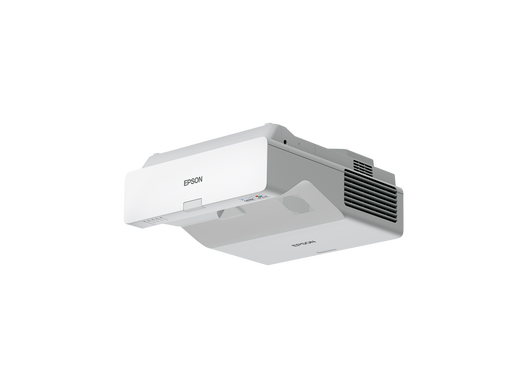
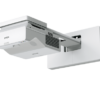
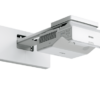
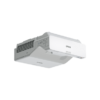
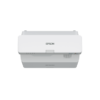
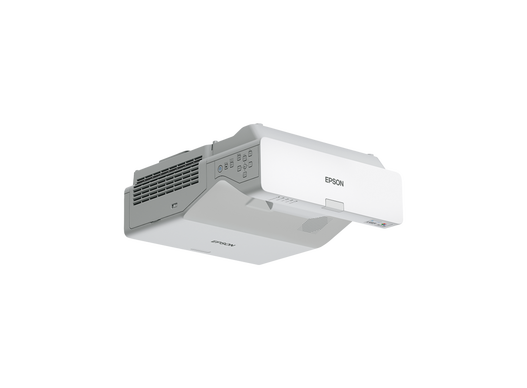
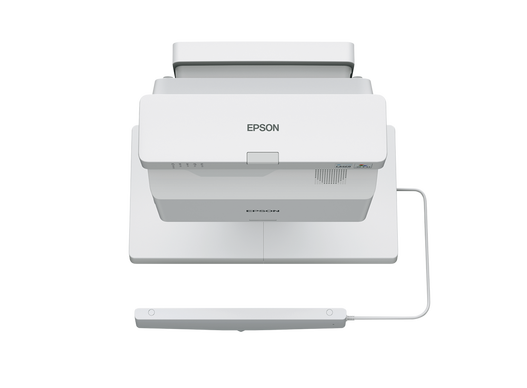
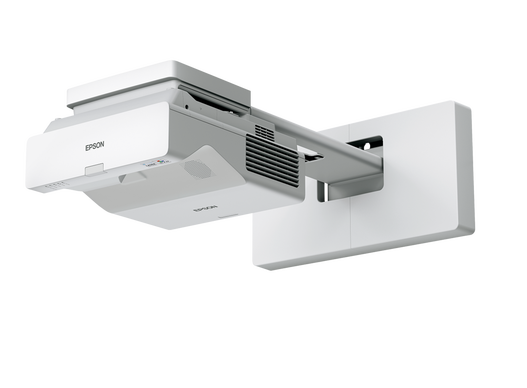
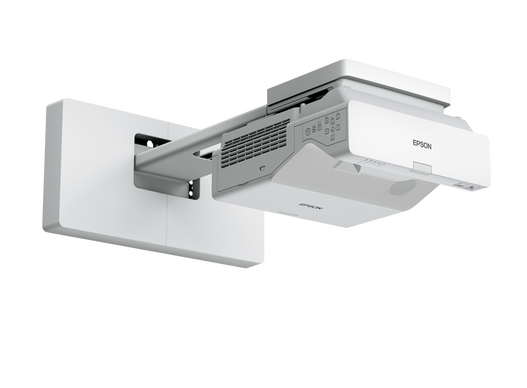
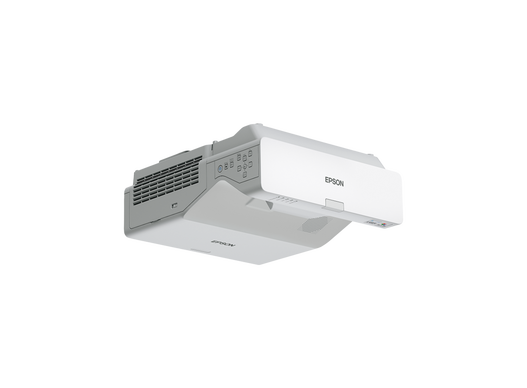
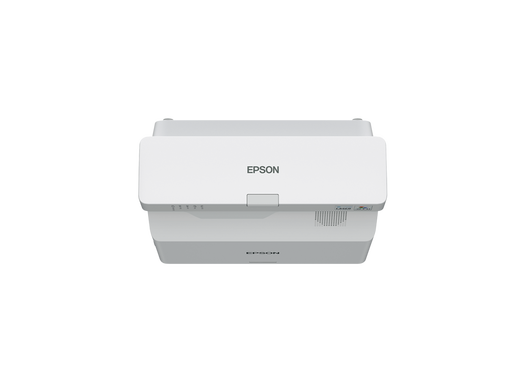
Epson Business Projector, 4100 Ansi Lumens, 1080P resolution, 16:9 Aspect Ratio – EB770Fi
R63,448.35
The interactive version of the Epson EB-770F, for classrooms and training rooms where people write on the projected board.
- Two pens in the box, both usable at once
- Finger touch with the optional ELPFT01 unit
- Interactive picture from 59.9" to 100"
- 4,100 lumens, 1920 x 1080, laser light source
- Writes with or without a computer
- Brand :Epson
- SKU :EPSON-EB770FI
- Category :Business
- Availability :Out of Stock
Out of stock
The Epson EB-770Fi (EB770Fi) is the interactive model of Epson’s Full HD ultra short throw laser line: a 4,100 lumen, 1920 x 1080 projector that ships with two digital pens and accepts Epson’s optional finger touch unit. Epson supports writing on pictures from 59.9″ to 100″ (152 to 254 cm), with projection distances of 34.8 to 61.7 cm, so plan the board within that range.
Pens, finger touch and the parts each needs
Both supplied pens work at the same time, so two people can write on the board together. Epson lists the orange ELPPN05A and the blue Epson ELPPN05B interactive pen as extra or replacement pens for this projector.
Writing with a finger needs the Epson ELPFT01 finger touch unit, a 600 g module using a Class 1 infrared laser, which plugs into the projector’s Mini DIN 8-pin touch port. Epson sells the Epson ELPMB63 wall bracket to hold that unit on the wall.
When several interactive projectors share a room and the pens respond erratically, Epson’s support advice is to link them through the 3.5 mm sync in and sync out ports and set Sync of Projectors to Wired in the Pen/Touch menu. Without a cable, Epson suggests setting Infrared Intensity to Strong.
Writing with and without a computer
No computer is needed for basic writing. The projector’s own annotation tool lets both pens draw over the projected picture or on a blank whiteboard page, and the pens also work the projector’s menus and interactive home screen. Epson lists whiteboard sharing and screen sharing among the built-in functions.
With a computer attached, Epson’s Easy Interactive Tools software, listed for Windows and macOS, lets the pens operate the computer from the board and adds its own drawing tools. Epson’s support advice is to carry the picture over HDMI or VGA and the pen data over USB, using the 5 m cable supplied with the projector. For a Mac, Epson’s support page also points to its Easy Interactive Driver.
Interactive picture size and mounting position
Without pens in use, the 0.25 to 0.35:1 lens fills anything from 60″ to 150″, but Epson’s user’s guide stops pen and touch input at 100″. On Epson’s own ELPMB62 wall bracket, listed for this model, the same guide gives a smallest picture of 70.8″. An interactive board on that mount therefore falls between roughly 71″ and 100″.
Manual keystone is limited to ±3° each way, so mount the EB-770Fi square to the board. The box includes corner markers, with a magnet, for the projector’s automatic setup. The projector weighs 6 kg and is 356 mm wide, 395 mm deep and 133 mm high.
Inputs, sharing and sound
Sources plug into three HDMI inputs, a pair of VGA inputs (plus a VGA output) or a composite input, and audio has three 3.5 mm inputs, a mic socket and a line output, with a 16 W speaker built in. An RJ45 port and RS-232C serve control systems, Wi-Fi with Miracast and iProjection is built in, and a streaming stick can draw its power (5 V, 2 A) from the rear USB-A socket.
EB-770Fi or EB-770F
Pick the EB-770Fi only when people will write on the image. Brightness, resolution and lens match the Epson EB-770F, which leaves out the pens, the touch port and the sync ports, and runs to 150″ with no interactive limit. Both lasers carry the same rating, 20,000 hours, or 30,000 with Eco switched on, which drops output from 4,100 to 2,800 lumens.
What comes with the EB-770Fi
Besides the projector, Epson packs two interactive pens with batteries, a pen stand, four soft and two hard spare tips, a 5 m USB cable, the mains lead (1.8 m), the remote and its two AA cells, the corner markers and magnet, projector feet and a quick start guide. The finger touch unit, its bracket and the wall mount are extra.
Key specifications of the Epson EB-770Fi
| Interactivity | 2 pens included; finger touch with optional ELPFT01 |
|---|---|
| Interactive picture | 59.9″ to 100″ at 34.8 to 61.7 cm |
| Picture without pens | Up to 150″ |
| Light output | 4,100 lm (Eco: 2,800 lm) |
| Resolution | Full HD, 1920 x 1080 |
| Laser rated life | 20,000 hours (Eco: 30,000 hours) |
| Lens | 0.25 to 0.35:1 with digital zoom 1.35x |
| Inputs | HDMI x 3, VGA x 2, composite, microphone |
| Control and network | RS-232C, RJ45, Wi-Fi with Miracast |
| Interactive ports | Touch unit (Mini DIN 8-pin), sync in and out |
| Weight | 6 kg |
Questions about the Epson EB-770Fi
Is finger touch included with the EB-770Fi?
No, only the pens are. Epson’s box list has two pens and no touch unit, so finger touch means adding the ELPFT01, and the ELPMB63 if you want it held on the wall. Epson’s ELPFT01 compatibility list names the EB-770Fi but not the non-interactive EB-770F, so the touch unit is no route to touch on the plain model.
What batteries do the pens take, and do they switch off?
Each pen takes one AA battery, and Epson includes batteries for both. The pens switch themselves off when they are not being used, and picking one up turns it back on.
Does the EB-770Fi work with a Chromebook?
For showing the screen, yes: Epson lists a projection app for Chromebook, and iProjection has a Chrome version. For pen control of the computer, Epson’s specification names Easy Interactive Tools for Windows and macOS only, so a Chromebook gets the projector’s built-in annotation instead.
Can the board control an Epson visualiser?
Yes, with an Epson visualiser connected. Epson’s datasheet says the optional camera can be operated from the projected display while it shows a document or object from the desk to the whole room. The datasheet does not name which Epson visualiser models this covers.
| Projection System | 3LCD Technology, RGB liquid crystal shutter |
|---|---|
| LCD Panel | 0,62 inch with C2 Fine |
| Colour Light Output | 4.100 Lumen- 2.800 Lumen (economy) In accordance with IDMS15.4 |
| 4.100 Lumen - 2.800 Lumen (economy) In accordance with ISO 21118 | 2020 |
| Resolution | 1080p |
| High Definition | Full HD |
| 16 | 9 |
| Over 2.500.000 | 1 |
| Light source | Laser |
| Laser Light source | 20.000 hours Durability High, 30.000 hours Durability Eco |
| Manual vertical | ± 3 °, Manual horizontal ± 3 ° |
| Colour Video Processing | 10 Bits |
| 2D Vertical Refresh Rate | 192 Hz - 240 Hz |
| Colour Reproduction | Up to 1.07 billion colours |
| 0, 25 - 0,35 | 1 |
| Digital, Factor | 1 - 1, 35 |
| Lens | Optical |
| Screen Size | 60 inches - 100 inches |
| Projection Lens F Number | 1, 6 |
| Projection Lens Focal Length | 3, 7 mm |
| Projection Lens Focus | Manual |
| Offset | 5: 1 |
| Interfaces | USB 2.0-A (2x), USB 2.0 Type B (Service Only) (2x), RS-232C, Ethernet interface (100 Base-TX / 10 Base-T), Wireless LAN IEEE 802.11a/b/g/n/ac, Wi-Fi Direct, VGA in (2x), VGA out, HDMI in (3x), Composite in, Miracast, Jack plug out, Jack plug in (3x), Microphone input, Sync. In, Sync. Out, Multi-Touch interface (optional) |
| Network Protocol | HTTPS, IPv4, IPv6, SNMP, ESC/VP.net, PJLink |
| Security | Kensington lock, Control panel lock, Password lock, Padlock, Security cable hole, Wireless LAN unit lock, Wireless LAN security, Password protection |
| 21 | 9 aspect ratio support, A/V mute, Arc Correction, Auto Power On, Auto source search, Built-in speaker, CEC compatible, Digital zoom, Direct Power on/off, Document Camera Compatible, Dual Pen Support, Easy OSD pre-setting, Email notification, Finger-touch support, Home Screen, Horizontal and vertical keystone correction, Image Shift, Instant on/off, Interactive, Interactive Home Screen, Interactive OSD menu, Mail notification function, Microphone input, Network administration, Network projection, OSD copy function, PC Interactive, PC free annotation, Projection App for Chromebook, Quick Corner, Schedule Function, Screen Mirroring, Screen share, Split-Screen-Function, Ultra-wide display (16:6), Web Control, Web Remote, Whiteboard sharing function, Wireless LAN capable, iProjection App, iProjecton set-up by QR code |
| Interactivity | Yes - pen and finger-touch |
| Video Colour Modes | Blackboard, Cinema, Dynamic, Presentation, sRGB, DICOM SIM |
| Via | Crestron Integrated Partner, Crestron RoomView, Extron IP Link, AMX Device Discovery, Control4 Simple Device Discovery Protocol |
| Power consumption | 197 Watt - On mode power consumption (Normal) 263 Watt (Peak), 199 Watt (Eco), 0,5 Watt (Energy saving standby) |
| Heat Dissipation | 895 BTU/hour (max) |
| Supply Voltage | AC 100 V - 240 V, 50 Hz - 60 Hz |
| Product dimensions | 356 x 395 x 133 mm (Width x Depth x Height) |
| Product weight | 6 kg |
| Normal | 37 dB (A) - Economy: 27 dB (A) |
| Supported Temperature | Storage -10° C - 60° C |
| Supported Humidity | Operation 20% - 80%, Storage 10% - 90% If the projector is suspended from a ceiling or wall mount and installed in an environment with heavy oil smoke or places where oils or chemicals are volatilized, places where a lot of smoke or bubbles are used for event staging, or where aroma oils are frequently burned, it can make certain parts of our products susceptible to a material degradation which over time could break and cause the projector to drop from the ceiling. If you are concerned about the environment in which your projector is installed, or if you have any other questions, please contact our support department and they can provide additional assistance. |
| Included Software | Easy Interactive Tools, EasyMP Multi PC Projection, Epson Projector Management |
| Options | Air filter, Ceiling mount, Connection and control box, External Speaker, Finger Touch Unit, Finger Touch Unit Wall Bracket, Pen tip(Felt), Pen tip(Teflon), Safety wire set, Visualizer camera, WP System - ELPWP10, Wall mount, Wireless LAN unit, Wireless transmitter - ELPWT01 |
| Loudspeaker | 16 Watt |
| What's in the box? | 2 x Pen tip (Teflon), 4 x Pen tip(Felt), Interactive pens, Pen Holder/Stand, Power cable, Quick Start Guide, Remote control incl. batteries, USB cable |
| Room Type / Application | Meeting room / Classroom |
| Positioning | Ceiling Mounted, Desktop, Wall Mounted |
| Colour | White |
| Warranty | 60 months Carry in or 12.000 h |
You must be logged in to post a review.
You may also like these
Epson
 In Stock
Epson Business Projector, 5200 Ansi Lumens, WUXGA resolution, 16:10 Aspect Ratio - EBL530U
R54,710.25
EBL530U In Stock
Epson
Epson Laser Projection TV, 4000 Ansi Lumens, 4k UHD resolution, Bose, Google TV - EHLS970B
R85,202.13
EHLS970B Out of Stock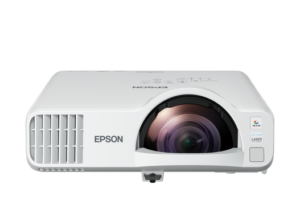
Epson
Low stock (3 left)
Epson Business Projector, 4000 Ansi Lumens, 1080P resolution, 16:9 Aspect Ratio - EBL210SF
R40,837.65
EBL210SF Low stock (3 left)
Epson
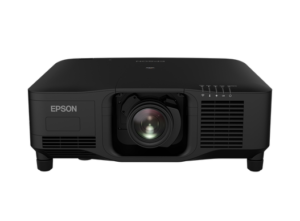
Epson Professional Projector, 16000 Ansi Lumens, WUXGA resolution, 16:10 Aspect Ratio - EBPU2216B
R434,706.60
EBPU2216B Out of Stock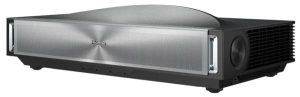
Hisense
Low stock (1 left)
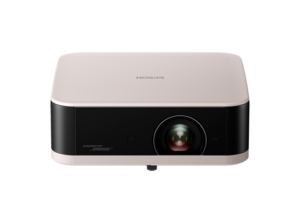
Hisense Laser Projection TV, 3500 Ansi Lumens, 4K resolution, UST - PX4PRO
R47,919.54
PX4PRO Low stock (1 left)
Epson
Reviews
There are no reviews yet.