All Categories
- ATEN
- EPSON
- HISENSE
-
AV Signal Distribution
In AV Signal Distribution
- JK
-
Screens
In Screens
-
Projector
-
Cables
In Cables
- DTECH
- Business
- VISION
-
Projector Bracket
In Projector Bracket
-
Digital Signage Solutions
In Digital Signage Solutions
Brands
-
Audio
In Audio














All Categories
- ATEN
- EPSON
- HISENSE
-
AV Signal Distribution
In AV Signal Distribution
- JK
-
Screens
In Screens
-
Projector
-
Cables
In Cables
- DTECH
- Business
- VISION
-
Projector Bracket
In Projector Bracket
-
Digital Signage Solutions
In Digital Signage Solutions
Brands
-
Audio
In Audio

BROWSE CATEGORIES
Help
Business
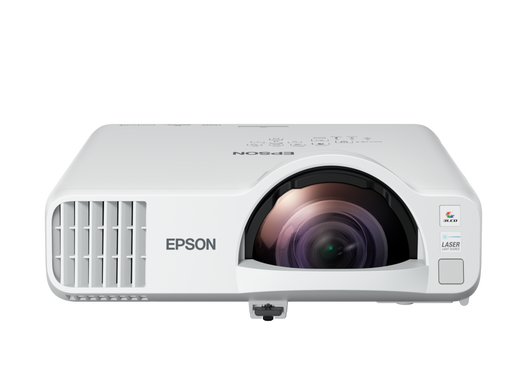
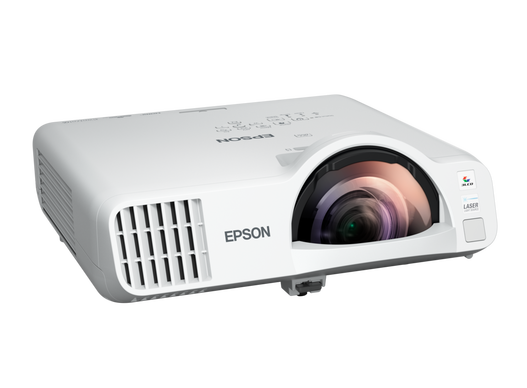
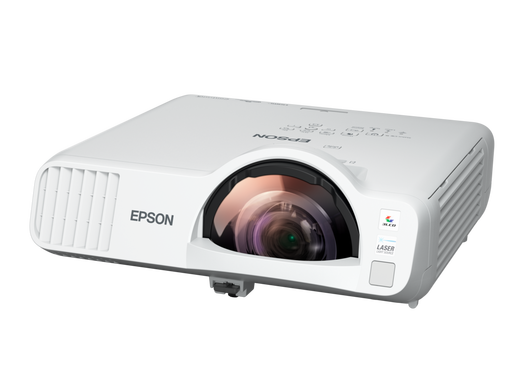
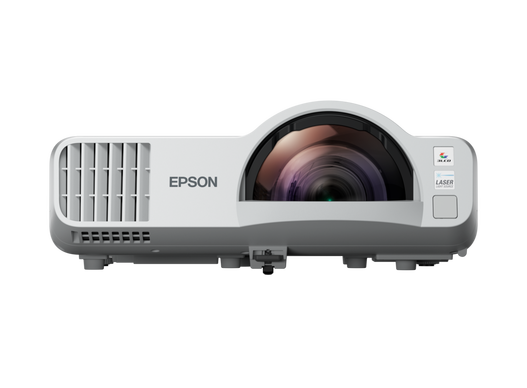
Epson Business Projector, 4000 Ansi Lumens, WXGA resolution, 16:10 Aspect Ratio – EBL210SW
R37,153.26
A WXGA short-throw laser projector for classrooms and meeting rooms with 16:10 screens and little depth in front of the wall.
- 1280 x 800 (16:10), 4,000 lumens
- 0.48:1 throw: 87 inches from 0.91 m, up to 120 inches
- Built-in wireless LAN, Miracast and iProjection
- Laser reaches half brightness after about 20,000 hours in normal mode
- Brand :Epson
- SKU :EPSON-EBL210SW
- Category :Business
- Availability :
 In Stock
3 in stock
The Epson EB-L210SW (EBL210SW) is a short-throw laser projector with a 1280 x 800 (WXGA) picture in 16:10 and 4,000 lumens of light. Its 0.48:1 throw ratio puts an 87-inch picture on the wall from 0.91 m, and Epson’s rating for the laser is 20,000 hours before its brightness halves. Two HDMI and two VGA inputs, built-in Wi-Fi with Miracast and a 16 W speaker cover the usual classroom sources.
Throw distance for 16:10 screens up to 120 inches
Epson’s distance figures for the SW, measured with the digital zoom at its widest setting:
- 53-inch: 0.54 m
- 87-inch: 0.91 m
- 120-inch: 1.26 m
Each extra inch of diagonal adds a little over 1 cm, which puts the JK F10106 106-inch 16:10 fixed frame screen (picture area 228 x 142.5 cm) at about 1.1 m. Epson’s brochure and the datasheet text start the range at 53 inches; the datasheet’s spec table says 55.
Zoom is digital only, from 1 to 1.35x. Zooming in raises the throw ratio to 0.65:1 but projects from a smaller part of the panel, so the mounting distance should decide the picture size. Vertical keystone correction is automatic and horizontal correction is manual, each up to 15 degrees.
When the SW suits better than the Full HD EB-L210SF
The Epson EB-L210SF is the same projector with a Full HD panel. The SW is the better match when:
- the screen or whiteboard is 16:10, which the SW fills edge to edge; a 16:9 source uses a 1280 x 720 area of its panel, with black bands above and below
- the content is mainly slides and documents rather than Full HD video
- 120 inches is large enough; the SF reaches 125 inches and has a slightly shorter throw (0.45:1)
The SF also adds edge blending, a 21:9 setting and a DICOM SIM colour mode, none of which Epson lists for the SW. Brightness, laser life, connections, weight and accessories are the same on both.
Wireless sharing and wired inputs
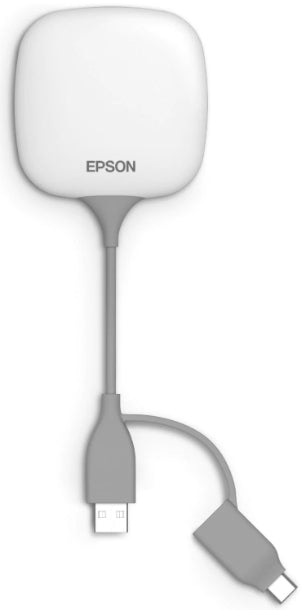
Built-in wireless LAN (802.11a/b/g/n/ac) supports Miracast screen mirroring and Epson’s iProjection app for Windows, Mac and Chromebook computers and for phones and tablets. Through iProjection, Epson says a teacher can show up to four students’ screens at once, with up to 50 devices on the connection list. Guests who would rather not install the app can use the optional Epson ELPWP10 wireless presentation kit: plug in its dongle and press the connect button.
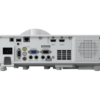
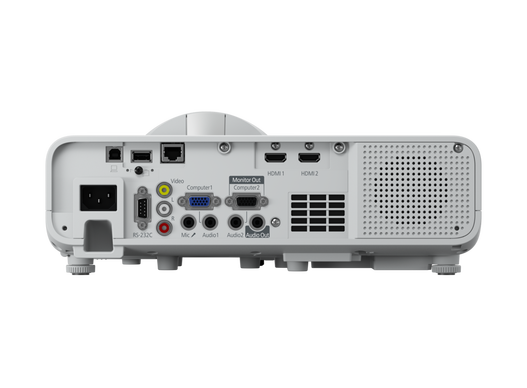
Wired, the SW offers two HDMI inputs (HDCP 2.3), two VGA inputs and a VGA output, USB-A with 5 V/2 A power for a streaming stick, a service-only USB-B port, RJ45 LAN, RS-232C, audio inputs and output and a microphone input. Crestron, Extron, AMX and Control4 are listed for control. Beyond the 16 W speaker, the audio output can feed the Epson ELPSP02 speaker pair, which Epson lists as compatible with the EB-L210SW.
Laser life, filter and power use
In Eco mode the 4,000 lumens drop to 2,800; Epson quotes contrast as over 2,500,000:1. The 20,000-hour rating applies to normal and quiet modes; extended mode stretches it to 30,000 hours, with no lamp changes along the way. The electrostatic filter is due for maintenance every 20,000 hours in office conditions, and Epson sells the ELPAF60 as its replacement. In normal operation the SW draws 201 W, standby with network communication off is 0.5 W, and fan noise falls to 27 dB(A) in Eco.
Wall and ceiling mounting
The SW weighs 4.6 kg in a 325 x 337 x 90 mm body. Epson’s brochure lists two short-throw wall mounts for it, the Epson ELPMB64 and the earlier ELPMB45, plus the ELPMB23 for ceilings. In the carton Epson packs a 1.8 m HDMI lead, the mains cable, the remote and its two AA batteries, and a Quick Start Guide; the matching soft case is the ELPKS71.
Key specifications of the Epson EB-L210SW
| Native resolution | WXGA 1280 x 800 (16:10) on 0.59-inch panels |
|---|---|
| Light output | 4,000 lumens (2,800 lumens Eco) |
| Contrast ratio | Over 2,500,000:1 |
| Laser life | 30,000 h in extended mode, 20,000 h in normal |
| Throw ratio | 0.48 (wide) to 0.65 (digital zoom) |
| Screen size | Up to 120 inches; 87 inches from 0.91 m |
| Keystone correction | ±15° vertical, automatic; ±15° horizontal, manual |
| Wireless | 802.11a/b/g/n/ac built in; Miracast; iProjection |
| Wired connections | HDMI x2, VGA in x2, VGA out, USB-A, LAN, RS-232C, audio, mic |
| Speaker | 16 W mono |
| Weight | 4.6 kg |
Questions about the Epson EB-L210SW
How far from a whiteboard should the EB-L210SW sit for a 100-inch picture?
About 1.05 m for a 100-inch 16:10 picture. That sits between Epson’s published points of 0.91 m for 87 inches and 1.26 m for 120 inches. Because the figure is interpolated, check it with the projector running against the actual board before drilling for a mount.
Is the EB-L210SW an interactive projector?
No. Epson’s datasheet lists interactivity as No, so there is no pen or finger-touch function on the projected image. It shows whatever the connected computer or document camera sends, so drawing on the image has to happen on the source device, for example in the iProjection app, which Epson says can annotate displayed content.
Does the EB-L210SW need a setting change in Johannesburg?
Yes: switch on High Altitude Mode, which Epson’s brochure calls for above 1,500 m; Johannesburg is at about 1,750 m. With that mode on, Epson rates the SW for operation up to 3,048 m.
Can the EB-L210SW show content without a computer?
Yes. The USB-A port reads image and video files from a flash drive (Epson calls this PC Free), and Epson presents its Content Playback function as a way to run signage, such as a welcome display in an office reception. For live content, an HDMI streaming stick can run off the same port’s 5 V supply.
| Projection System | 3LCD Technology, Consists of LCD/Back lighting |
|---|---|
| LCD Panel | 0,59 inch with C2 Fine |
| Colour Light Output | 4.000 Lumen- 2.800 Lumen (economy) |
| White Light Output | 4.000 Lumen - 2.800 Lumen (economy) |
| Resolution | WXGA 2 |
| High Definition | HD ready |
| 16 | 10 |
| Over 2.500.000 | 1 |
| Light source | Laser |
| Laser Light source | 20.000 hours Durability High, 30.000 hours Durability Eco |
| Auto vertical | ± 15 °, Manual horizontal ± 15 ° |
| Colour Video Processing | 10 Bits |
| 2D Vertical Refresh Rate | 100 Hz - 120 Hz |
| Colour Reproduction | up to 1.07 billion colours |
| 0,48 - 0,65 | 1 |
| Digital, Factor | 1 - 1,35 |
| Lens | Optical |
| Screen Size | 55 inches - 120 inches |
| Projection Lens Focal Length | 9,5 mm |
| Interfaces | USB 2.0, USB 2.0 Type B (Service Only), RS-232C, Ethernet Interface (1000 Base-T/ 100-Base TX/ 10-Base-T), Wireless LAN IEEE 802.11a/b/g/n/ac, Wi-Fi Direct, VGA in (2x), VGA out, HDMI in (2x), Miracast, Jack plug out, Jack plug in (2x), Microphone input |
| Epson iProjection App | Ad-Hoc / Infrastructure |
| Network Protocol | HTTPS, IPv4, IPv6, SNMP, ESC/VP.net, PJLink |
| Security | Kensington lock, Control panel lock, Password lock, Padlock, Security cable hole, Wireless LAN unit lock, Wireless LAN security, Password protection |
| 2D Colour Modes | Dynamic, Cinema, Presentation, sRGB, Blackboard |
| Other features | Arc Correction, Auto Power On, Auto source search, Built-in speaker, CEC compatible, Digital zoom, Direct Power on/off, Document Camera Compatible, Easy OSD pre-setting, Email notification, Home Screen, Horizontal and vertical keystone correction, Instant on/off, Long light source life, Mail notification function, Microphone input, Network administration, Network projection, OSD copy function, Quick Corner, Screen Mirroring, Set-up wizard, Split-Screen-Function, Web Control, Web Remote, Wireless LAN capable, iProjection App |
| Interactivity | No |
| Video Colour Modes | Blackboard, Cinema, Dynamic, Presentation, sRGB |
| via | AMX, Crestron, Extron, Crestron (RS-232c only), Crestron Integrated Partner, Crestron RoomView, Extron IP Link, Extron XTP, AMX Device Discovery, Control4 Simple Device Discovery Protocol |
| Power consumption | 201 Watt - On mode power consumption (Normal) 260 Watt (Peak), 191 Watt (Eco), 0,5 Watt (Energy saving standby) |
| Heat Dissipation | 884 BTU/hour (max) |
| Supply Voltage | AC 100 V - 240 V, 50 Hz - 60 Hz |
| Product dimensions | 325 x 337 x 90 mm (Width x Depth x Height) |
| Product weight | 4,6 kg |
| Normal | 37 dB (A) - Economy: 27 dB (A) |
| Supported Temperature | Storage -10° C - 60° C |
| Supported Humidity | Operation 20% - 80%, Storage 10% - 90% |
| Included Software | EasyMP Multi PC Projection, Epson Projector Content Manager, Epson Projector Management |
| Options | Ceiling mount, Connection and control box, External Speaker, Visualizer camera, Wall mount |
| Loudspeaker | 16 Watt |
| What's in the box | HDMI Cable 1.8m, Power cable, Quick Start Guide, Remote control incl. batteries |
| Room Type / Application | Meeting room / Classroom |
| Positioning | Ceiling Mounted, Table Mounted, Wall Mounted |
| Colour | White |
| Warranty | 60 months Carry in or 12.000 h |
You must be logged in to post a review.
You may also like these
Epson
Low stock (1 left)
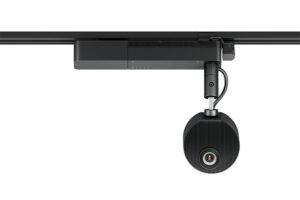
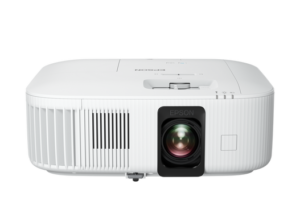
Epson Business Projector, 2000 Ansi Lumens, WXGA resolution, 16:10 Aspect Ratio - EV105
R36,217.45
EV105 Low stock (1 left)
Epson
Epson Home Cinema Projector, 2800 Ansi Lumens, 4K PRO-UHD resolution, 16:9 Aspect Ratio - TW6250
R27,192.18
TW6250 Out of Stock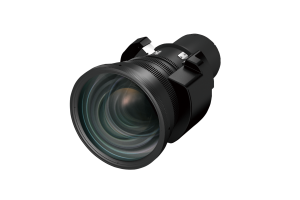
Hisense
Low stock (1 left)
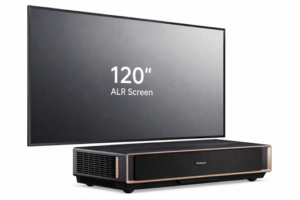
Hisense Laser Projection TV, 2500 Ansi Lumens, 4K resolution, UST, Incl 120" ALR - 120PT1
R48,652.19
120PT1 Low stock (1 left)
Epson
In Stock
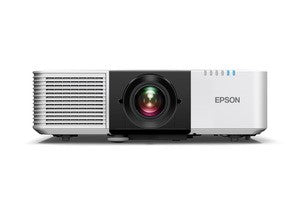
Epson Business Projector, 6200 Ansi Lumens, 3LCD WUXGA resolution, 16:10 Aspect Ratio - EBL690SU
R89,407.97
EBL690SU In Stock
Reviews
There are no reviews yet.