All Categories
- ATEN
- EPSON
- HISENSE
-
AV Signal Distribution
In AV Signal Distribution
- JK
-
Screens
In Screens
-
Projector
-
Cables
In Cables
- DTECH
- Business
- VISION
-
Projector Bracket
In Projector Bracket
-
Digital Signage Solutions
In Digital Signage Solutions
Brands
-
Audio
In Audio














All Categories
- ATEN
- EPSON
- HISENSE
-
AV Signal Distribution
In AV Signal Distribution
- JK
-
Screens
In Screens
-
Projector
-
Cables
In Cables
- DTECH
- Business
- VISION
-
Projector Bracket
In Projector Bracket
-
Digital Signage Solutions
In Digital Signage Solutions
Brands
-
Audio
In Audio

BROWSE CATEGORIES
Help
ATEN
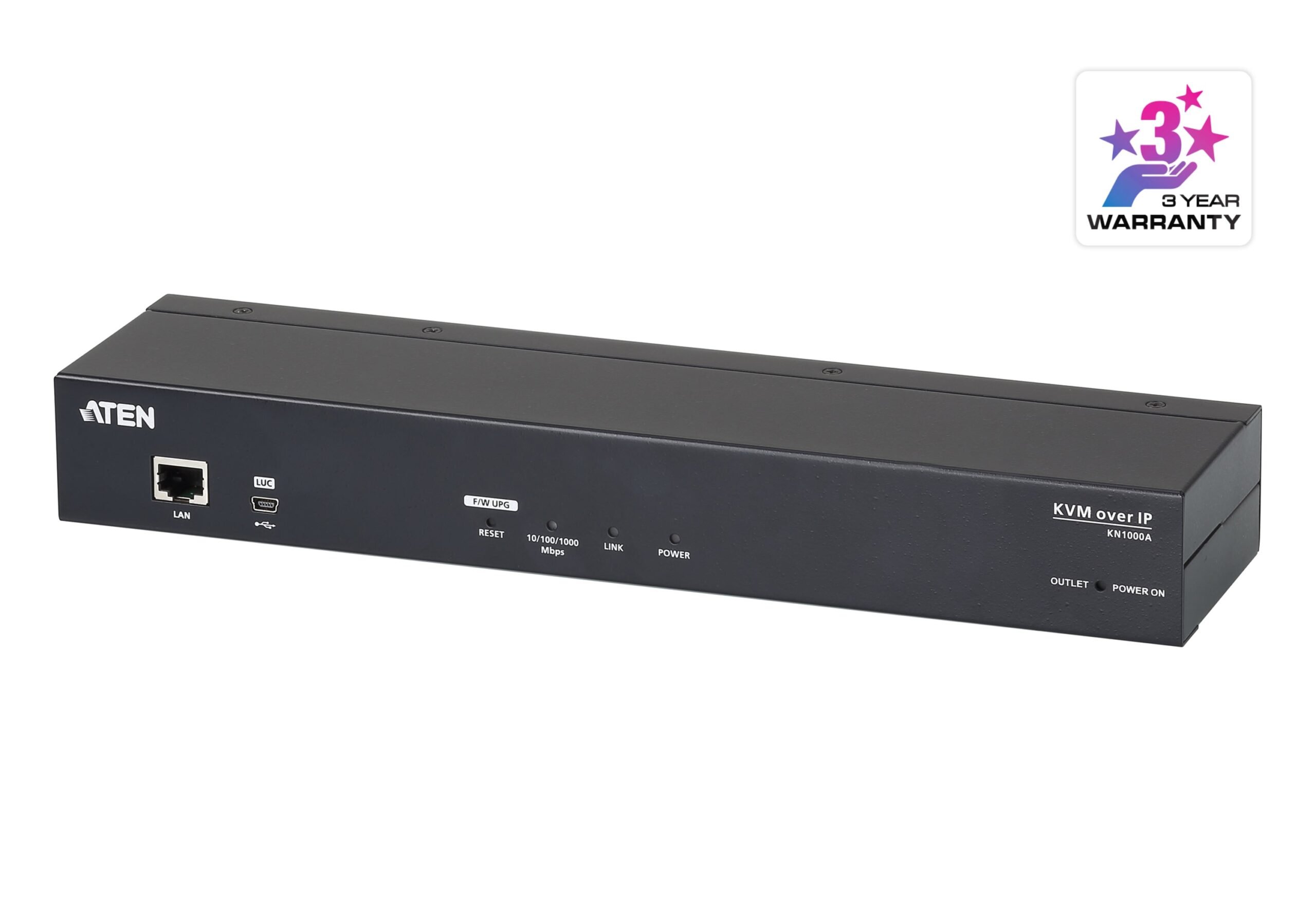
Aten KVM Over IP Switch – KN1000A
R24,380.66
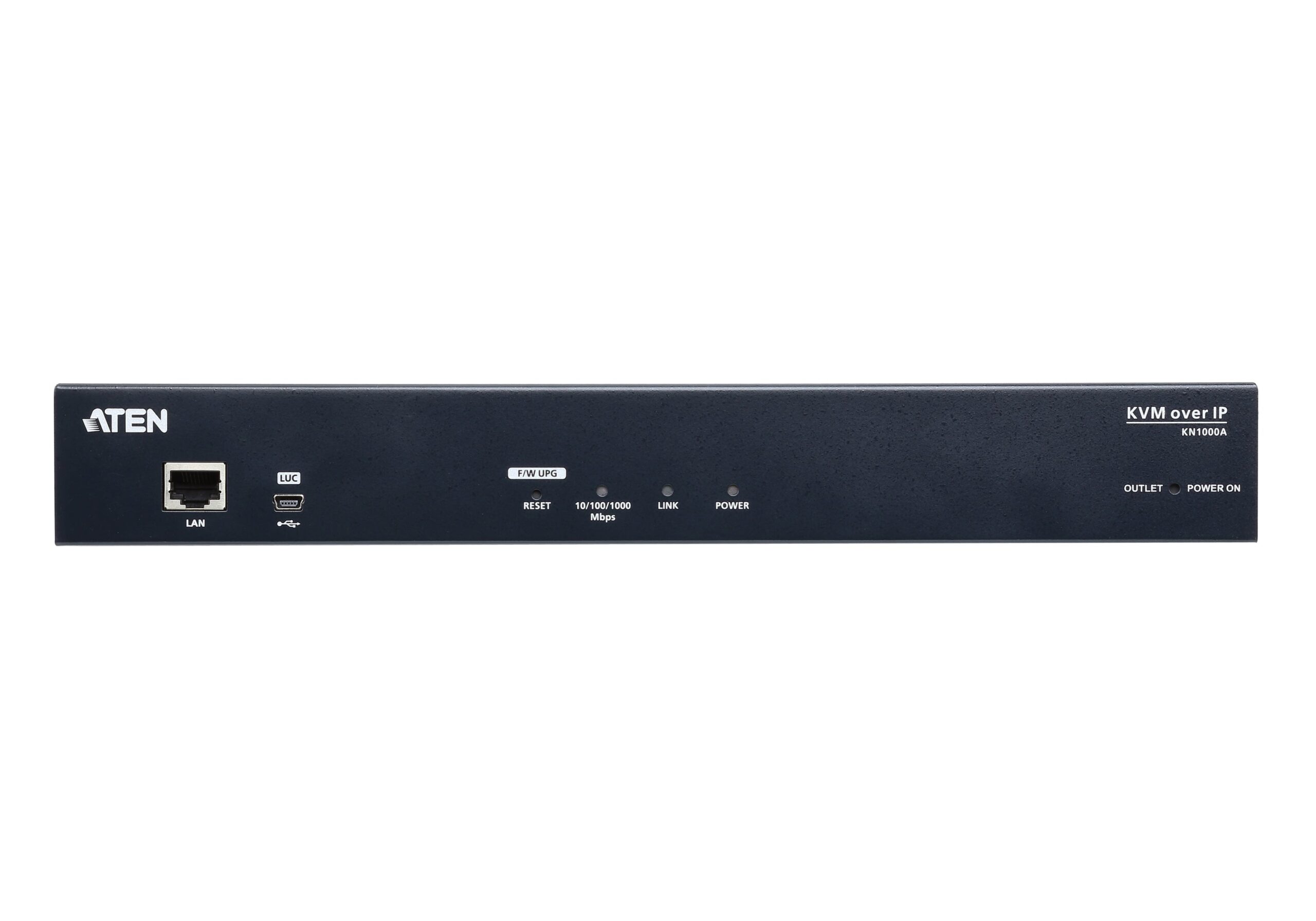
A single-port KVM over IP unit from Aten that puts one server, or a VGA KVM switch and the servers behind it, under remote control over the network down to BIOS level.
- 1920 x 1200 at 60 Hz, local and remote
- Virtual media: ISO images, USB drives, DVD drives
- Built-in switched power outlet for remote on, off and reboot
- 64 user accounts, 32 concurrent logins
- TLS 1.2, RADIUS, LDAP and Active Directory
- Brand :Aten
- SKU :ATEN-KN1000A
- Category :ATEN
- Availability :Out of Stock
Out of stock
The Aten KN1000A adds remote, BIOS-level control to one server, or to a VGA KVM switch that has no network access of its own. Administrators reach the console from a web browser, Aten’s Windows or Java client or an iPad app at up to 1920 x 1200, mount ISO images or local drives on the server, and power-cycle it through the unit’s own switched mains outlet.
What the KN1000A connects to
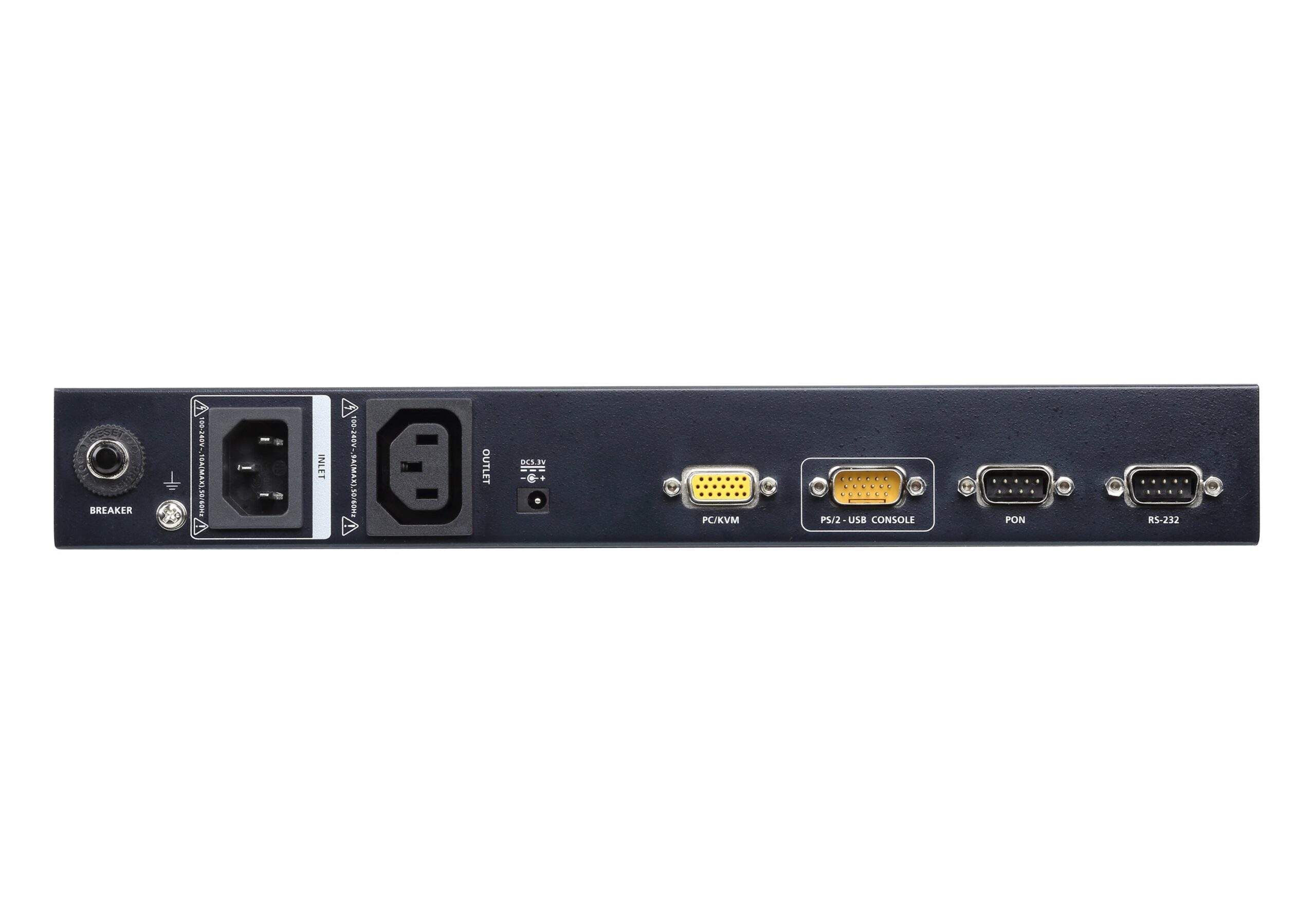
The server side is a yellow SPHD port. The supplied 1.2 m KVM cable splits it into VGA, USB and PS/2 plugs for a server, or for the console port of a KVM switch, which brings every computer on that switch into the remote session. Aten’s compatibility list names the CS1308, CS1316, KH1508A and KH1516A, and some KN1000A features, virtual media among them, depend on what the connected switch supports.
A local console still works at the rack: the second SPHD port, with the 27 cm console cable, takes a VGA monitor and a USB or PS/2 keyboard and mouse. On the front, the LUC (Laptop USB Console) port lets a technician on site work from a laptop over the supplied 1.8 m USB-A to Mini-B cable.
Video in and out is VGA, with a 1920 x 1200, 60 Hz ceiling, 24-bit colour and DDC2B monitor identification. Aten lists Windows, Mac, Sun, Linux and VT100 serial devices as targets.
How remote users connect
The LAN port runs at 10/100/1000 Mbps. Remote users connect through a web browser such as Chrome, Firefox or Safari, through the Windows or Java client, through Aten’s PadClient app on an iPad, or from a KA82 series console station, a hardware console for sites where a PC is not allowed. Browser administration needs no Java installed.
The DB-9 RS-232 port can also manage a serial device such as a network switch or router, through the built-in serial viewer or Telnet and SSH clients such as PuTTY.
Virtual media and BIOS-level work
Virtual media maps storage on the remote user’s computer to the server: USB 2.0 DVD and CD drives, USB mass storage devices, PC hard drives and ISO images. Aten says it works at operating system and BIOS level on servers with USB, so an OS installer, patch or diagnostic image can run without anyone loading a disc at the server. A smart card or CAC reader on the user’s computer can be redirected to the server the same way.
For a slow link, video quality, colour depth and compression can be turned down. The on-screen keyboard types in eight languages, Japanese, Korean and Traditional Chinese among them.
Security and alerts
Browser logins use TLS 1.2 with RSA 2048-bit certificates. Keyboard and mouse, video and virtual media each take their own encryption setting: DES, 3DES, AES, RC4 or random. DES and RC4 are long-superseded ciphers, so choose AES where every client supports it.
Logins can be checked against RADIUS, LDAP, LDAPS or Microsoft Active Directory, an IP and MAC filter limits where connections come from, and a private certificate authority is supported. Browser access can be switched off or restricted to HTTP or HTTPS. Events are logged, and alerts go out by SMTP email, SNMP trap or Syslog.
Switching the server’s power remotely
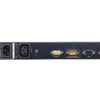
The rear panel has an IEC C14 inlet, a C13 outlet and a breaker. Plug the server’s power cord into the KN1000A’s outlet and a remote user can switch it on, off or reboot it. The outlet is rated 100 to 240 V AC, 50 to 60 Hz, at up to 9 A. Outlet switching can be scheduled daily, weekly, monthly or for set times, Auto-Ping runs a chosen action when a device stops answering, and Wake on LAN and safe shutdown are supported. The PON port connects an Aten PDU to extend power control to more devices.
The KN1000A’s own electronics run from the supplied DC adapter at 5.3 V and draw 4.48 W.
Installation and what is in the box
Aten rates the unit for 0 to 40 °C. In the box are the KN1000A, the 1.2 m KVM cable, the 27 cm console cable, the 1.8 m USB cable, the power adapter, an outlet power cord, a mounting kit and instructions.
For a server further away, Aten lists its 2L-52xxU USB KVM cables with 3-in-1 SPHD connectors as compatible, from the 1.2 m Aten 2L-5201U up to 5 m. More KVM leads are in our KVM cables category.
Key specifications of the Aten KN1000A
| Targets | 1 server or 1 KVM switch (SPHD, VGA with USB or PS/2) |
|---|---|
| Video | VGA, 1920 x 1200 at 60 Hz maximum, 24-bit colour, local and remote |
| Remote access | Web browser, Windows client, Java client, iPad PadClient, KA82 console station |
| Network | 1 x RJ-45, 10/100/1000 Mbps |
| Virtual media | USB 2.0 DVD/CD drives, USB mass storage, PC hard drives, ISO images |
| Security | TLS 1.2, RSA 2048-bit; RADIUS, LDAP, LDAPS, Active Directory; IP/MAC filter |
| Users | 64 accounts, 32 concurrent logins |
| Power control | 1 x switched IEC C13 outlet, 100 to 240 V, 9 A; PON port for Aten PDU |
| Serial | RS-232 (DB-9) for serial console or PPP modem |
| Size and weight | 31.00 x 8.39 x 4.20 cm, 0.88 kg, metal |
Questions about the Aten KN1000A
Can several people use the KN1000A at once?
Yes. It holds up to 64 user accounts with up to 32 logged in at the same time, and Port Share Mode lets several users work on the same server. An administrator can end any running session.
Do remote users need Java installed?
Not for browser administration, which Aten describes as pure web technology. For the remote console, users can choose the Windows client, the Java client or the iPad PadClient app, so Java is needed only for the Java client.
Does the KN1000A work with HDMI or DisplayPort servers?
Its video input is VGA through the SPHD port. For DisplayPort servers, Aten lists the CV190 converter, rated to 1920 x 1080 at 60 Hz. Aten lists no HDMI converter for the KN1000A, so it fits servers with VGA or DisplayPort output rather than HDMI-only machines.
Can I still reach the server if the network goes down?
Yes, if an external modem is connected to the RS-232 port: Aten supports PPP dial-in and dial-out for out-of-band and low-bandwidth access. Aten’s diagram shows either a modem or a serial device on that port, so a modem takes the place of a managed router or switch there.
Connectors
| Console Ports | 1 x SPHD Male (Yellow) |
|---|---|
| KVM (Computer) Ports | 1 x SPHD Female (Yellow) |
| Laptop USB Console (LUC) Port | 1 x USB Mini-B Female |
| PON | 1 x DB-9 Male |
| RS-232 | 1 x DB-9 Male |
| LAN Ports | 1 x RJ-45 Female |
| Power Inlets | 1 x IEC60320/C14 |
| Power Outlets | 1 x IEC60320/C13 |
| Power | 1 x DC Jack |
Switches
| Reset | 1 x Semi-recessed Pushbutton |
|---|
LEDs
| Power | 1 (Orange) |
|---|---|
| Power Outlets | 1 (Orange) |
| Link | 1 (Green) |
| 10/100/1000 Mbps | 1 (Orange/ Orange&Green /Green) |
Emulation
| Keyboard / Mouse | USB; PS/2 |
|---|---|
| Video | 1920 x 1200 @ 60 Hz; DDC2B |
| Maximum Input Power Rating | 100–240 V~; 50-60 Hz; 10A |
| Output | 100–240 V~; 50-60 Hz; 9A |
| Power Consumption | DC5.3V:4.48W:30BTU |
Environmental
| Operating Temperature | 0-40°C |
|---|---|
| Storage Temperature | 20-60°C |
| Humidity | 0 - 80% RH, Non-condensing |
Physical Properties
| Housing | Metal |
|---|---|
| Weight | 0.88 kg ( 1.94 lb ) |
| Dimensions (L x W x H) | 31.00 x 8.39 x 4.20 cm (12.2 x 3.3 x 1.65 in.) |
| Note | For some of rack mount products, please note that the standard physical dimensions of WxDxH are expressed using a LxWxH format. |
You must be logged in to post a review.
KN1000A Datasheet PDF
 In Stock
Reviews
There are no reviews yet.