All Categories
- ATEN
- EPSON
- HISENSE
-
AV Signal Distribution
In AV Signal Distribution
- JK
-
Screens
In Screens
-
Projector
-
Cables
In Cables
- DTECH
- Business
- VISION
-
Projector Bracket
In Projector Bracket
-
Digital Signage Solutions
In Digital Signage Solutions
Brands
-
Audio
In Audio














All Categories
- ATEN
- EPSON
- HISENSE
-
AV Signal Distribution
In AV Signal Distribution
- JK
-
Screens
In Screens
-
Projector
-
Cables
In Cables
- DTECH
- Business
- VISION
-
Projector Bracket
In Projector Bracket
-
Digital Signage Solutions
In Digital Signage Solutions
Brands
-
Audio
In Audio

BROWSE CATEGORIES
Help
Education Solutions
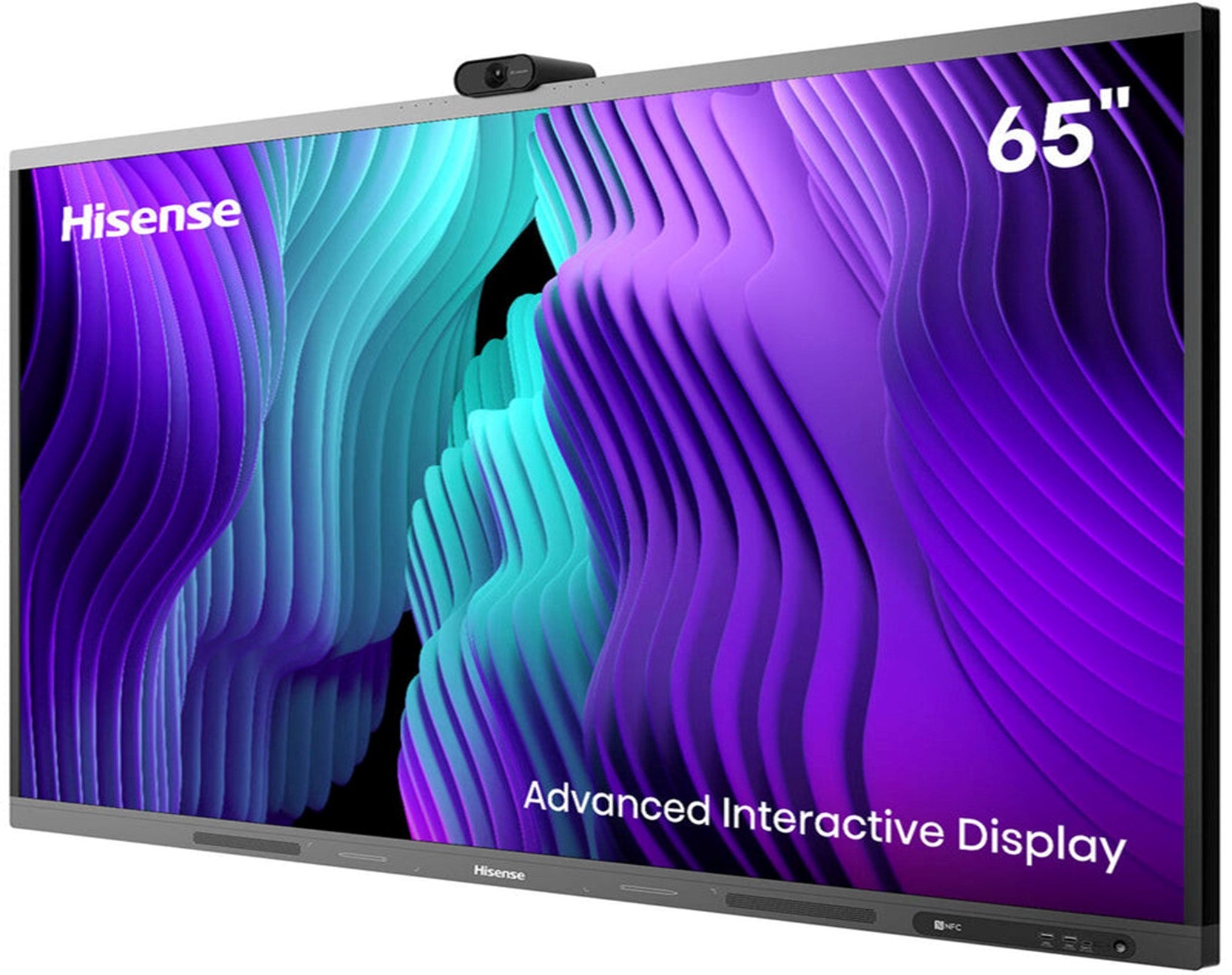
Hisense Interactive Panel, 65″, 4k resolution, 400 nits, Android 13.0 – 65WM6FE
R47,337.77
Hisense's 65-inch GoBoard Live Pro combines 4K touch, a 50 MP camera, an eight-mic array and Google-certified Android 13 in one 35 kg panel for classrooms and meeting rooms.
- 3840 x 2160 at 60 Hz, 400 nits, up to 55 touch points
- Android 13.0 at delivery; Hisense lists an Android 16 OTA from August 2026
- Three HDMI 2.0 inputs, 65 W USB-C charging, OPS slot
- 600 x 400 mm VESA; wall bracket included
- Brand :Hisense
- SKU :HISENSE-65WM6FE
- Category :Education Solutions
- Availability :
 In Stock
2 in stock
The Hisense 65WM6FE is the 65-inch model in Hisense’s GoBoard Live Pro line of interactive displays. Inside the frame are a 4K infrared touch screen, a 50 MP conference camera, an array of eight microphones, speakers rated 61 W in total and a Google-certified Android 13 computer. A teacher can run a whiteboard lesson, or a team a Google Meet call, without plugging in a PC.
At 35.0 kg it is the lightest of the three sizes. Its VESA holes sit 600 x 400 mm apart, and Hisense packs its own wall bracket in the box.
Google apps, menu languages and the Android 16 update
Google certifies the panel under its EDLA programme, the certification behind its Play Store access and its Google apps, which sync with a Google account. Hisense names Classroom, Meet, Drive, Docs, Sheets, Gmail, Calendar, Chrome, YouTube, Maps and Photos among the native apps.
The processor pairs four A73 cores (2.2 GHz) with four A53 cores (2.0 GHz) and Mali-G52 graphics, backed by 128 GB of storage and 8 GB of memory. Android 13.0 is installed at the factory. Hisense’s 65WM6FE page adds that an OTA (over-the-air) update to Android 16 is available from August 2026. The page stops short of confirming a release, so check the system settings after setup rather than assume the newer version. English is the default menu language, and Afrikaans is one of the 31 languages Hisense lists.
Writing and touch on the 65-inch screen
An infrared frame behind anti-glare glass with a 9H hardness rating does the touch sensing. It tracks up to 55 points at once under Android or a Windows PC in the OPS slot, and up to 40 from a Mac. Hisense quotes a writing height of 1.5 mm or less, a typical touch response of 6 ms, 90% accuracy within ±1 mm, and it registers objects as thin as 2 mm. Handwriting on the whiteboard can be converted to typed text, and there are smart shape and table tools.
Under the glass is a 3840 x 2160 panel at 60 Hz with a D-LED backlight, rated at 400 nits and 1200:1 contrast (both typical), 10-bit colour and 178° viewing angles. On a 65-inch 16:9 screen the picture itself is about 144 cm wide and 81 cm high.
Camera and microphones for meetings
The camera is mounted centrally on the top edge, uses a 50 MP sensor, records 4K and has a physical lens cover with a working light. Its field of view, by Hisense’s figures, is 80.2° across, 51° vertically and 88.2° on the diagonal. Worked out from the horizontal angle, the shot is about 4.2 m wide for people sitting 2.5 m from the screen.
The eight-microphone array listens across 180° in front of the panel, with a pickup range of up to 12 m. It cancels echo, levels gain automatically, applies AI noise reduction and tracks the person speaking. Playback comes from speakers rated 2 x 18 W and 25 W, with Dolby Atmos support.
Ports and the OPS slot
- Three HDMI 2.0 inputs and one HDMI output
- One USB-C port with Power Delivery, charging a laptop at up to 65 W
- Three USB 3.0 ports, one USB 2.0 port and a USB touch port
- Gigabit Ethernet, with RS-232 in and out on RJ45 sockets
- Audio in, audio out and a coaxial S/PDIF output
- Wi-Fi 6 (802.11ax) and Wi-Fi 5 (802.11ac) modules, Bluetooth 5.3 and NFC
The OPS slot feeds a slot-in computer with 18 V at 5 A. Hisense’s OPS compatibility lists do not include this plain model.
Wall mounting, mobile stand and power
The 65WM6FE measures 1488.1 x 935.1 x 121.7 mm and weighs 35.0 kg, or 45.0 kg in its 1629 x 1040 x 240 mm carton. Four M8 screws fix it through the 600 x 400 mm VESA pattern to the Hisense bracket in the box. The wall and its anchors have to carry the 35.0 kg panel plus that bracket, which Hisense does not weigh.
For a panel shared between rooms, Hisense’s page for the Hisense WH3315 mobile stand lists the 65-inch WM6FE. The stand’s datasheet allows 100 kg and VESA patterns as large as 1,000 x 600 mm, so the 600 x 400 holes on this panel are within its range. It has three height settings.
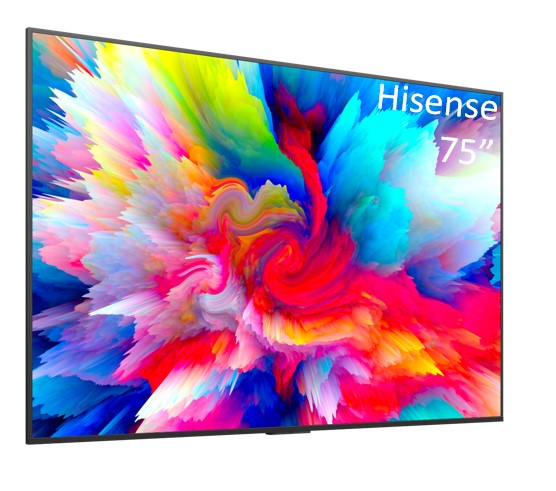
Supply is 100 to 240 V AC at 50/60 Hz. Hisense rates consumption without an OPS PC at 159.5 W typical and 240 W maximum, with standby below 0.5 W; size the circuit on the 240 W figure. If the room needs a larger picture, the Hisense 75WM6FE has the same camera, touch and Android system at 75 inches and 45.8 kg.
Packed with the panel are the wall bracket, a pair of pens, the remote with its two batteries, a power lead and the manual.
65WM6FE key specifications
| Model | 65WM6FE (GoBoard Live Pro) |
|---|---|
| Screen | 65″ (165 cm), 3840 x 2160, 60 Hz |
| Weight | 35.0 kg (45.0 kg packed) |
| Luminance | 400 nits (typ.), contrast 1200:1 |
| Mounting holes | VESA 600 x 400, four M8 |
| RAM / storage | 8 GB / 128 GB |
| Touch | Infrared; 55 points (Android, OPS), 40 points (Mac) |
| Mic array | Eight mics, 12 m range |
| Operating system | Android 13.0; OTA upgrade to Android 16 listed by Hisense |
| Power | 159.5 W typical, 240 W maximum (no OPS) |
| Camera | 50 MP, 4K, 80.2° horizontal view |
| Dimensions | 1488.1 x 935.1 x 121.7 mm |
Questions about the Hisense 65WM6FE
How is the 65WM6FE different from the 65WM6FE-A?
Hisense does not publish a list of differences, and its datasheets for the two match on panel, touch, camera, Android 13 system, ports, 35.0 kg weight and VESA pattern. Two details separate them in Hisense’s documents: the February 2026 65WM6FE-A datasheet gives its HDMI inputs as 2.1, where this model’s datasheet and product page say 2.0, and Hisense’s OPS module pages list only the -A. AV Supply also sells the Hisense 65WM6FE-A.
Which OPS PC works in the 65WM6FE?
Hisense has not named one for this model. The slot powers a module at 18 V and 5 A, but the compatibility lists on Hisense’s OPS72D, OPS72E and OPS727 pages name the 65WM6FE-A and not the 65WM6FE. If Windows on the board is part of the plan, confirm a module with Hisense before ordering, or choose the -A version, which those lists do name.
Can a Windows laptop or a Mac use the touch screen?
Yes, with a USB cable from the panel’s touch port to the computer alongside the video cable. Hisense lists multi-touch for Windows 11, 10, 8 and 7, and up to 40 touch points from a Mac. Hisense gives the USB-C port only as 65 W Power Delivery, with no mention of video, so plan on HDMI for the picture.
How many laptops and phones can cast to the 65WM6FE together?
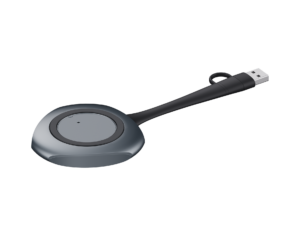
Nine devices, according to Hisense’s datasheet, which lists five ways to share and rates a casting session at eight hours without a drop. For a laptop with no casting app, the Hisense HT008E wireless screen transmission dongle names the WM6FE series as compatible; it plugs into the laptop’s USB-C port and carries 4K (3840 x 2160) at 30 Hz.
Interactive Display panel
| LCD Size | 65" |
|---|---|
| Backlight Type | D-LED |
| Resolution | 3840 x 2160 (Pixels) |
| Brightness | 400nits(typ.) |
| Contrast Ratio | 1200:1(typ.) |
| Response Time | 8ms(typ.) |
| Refreshing Frequency | 60Hz |
| Viewing Angle | 178°(H) / 178°(V) |
| Lifetime | 50,000 hrs (min.) |
| Colour Gamut (X% NTSC) | 72% |
| Display Colours | 1.07B(10bit) |
System
| CPU | Architecture - A73x4 + A53x4 Octa-core // Working Frequency - 2.2GHz + 2.0GHz |
|---|---|
| GPU | MaliG52 |
| RAM | 8GB |
| ROM | 128GB |
| Operating System | Android 13.0 |
| Language | English (default), Chinese, French, Spanish, German, Italian, Polish, Finnish, Norwegian, Swedish, Thai, Indonesian, Japanese, Russian, Arabic, Vietnamese, Serbian, Kazakh; Croatian, Slovenian, Czech, Slovak, Hungarian, Romanian, Bulgarian, Albanian, Macedonian, Greek, Turkish, Afrikaans, Malay |
Power
| Power Requirements | AC 100V ~ 240V, 50/60Hz |
|---|---|
| Power Consumption Without OPS | 240W (Max) / 159.5W (Typ.) |
Connectivity
| OPS Power | DC 18V/5A |
|---|---|
| Wi-Fi | IEEE 802.11a/b/g/n/ac/ax (2.4G and 5G) // IEEE 802.11a/b/g/n/ac(2.4G and 5G) |
| Bluetooth | BT5.3 |
| NFC | Yes |
| Camera | Yes |
Touch
| Sensing Type | Infrared Touch Frame |
|---|---|
| Surface Protection | Anti-Glare Glass |
Physical
| Product Size (W x H x D) | 1488.1 x 935.1 x 121.7mm // 58.6 x 36.8 x 4.8 inch |
|---|---|
| Package Size (W x H x D) | 1629 x 1040 x 240mm // 64.1 x 40.9 x 9.4 inch |
| Net Weight | 35.0kg / 77.2lbs |
| Packed Weight | 45.0kg / 99.2lbs |
| Housing Material | Front Shell: Aluminium // Rear Shell: Plastic |
| Housing Colour | Black + Tarnish |
| VESA | 600 x 400mm, 4-M8 Screw |
Environment
| Operation Temperature | 0 - 40°C |
|---|---|
| Operation Humidity | 20% - 80% |
Certification
| Standard Certification | CB/CE/ERP/South Africa Energy Efficiency/cTUVus/CEC/UKCA/FCC/IC/RCM/Energy Star/EDLA |
|---|
You must be logged in to post a review.
You may also like these
Hisense
Reviews
There are no reviews yet.