All Categories
- ATEN
- EPSON
- HISENSE
-
AV Signal Distribution
In AV Signal Distribution
- JK
-
Screens
In Screens
-
Projector
-
Cables
In Cables
- DTECH
- Business
- VISION
-
Projector Bracket
In Projector Bracket
-
Digital Signage Solutions
In Digital Signage Solutions
Brands
-
Audio
In Audio














All Categories
- ATEN
- EPSON
- HISENSE
-
AV Signal Distribution
In AV Signal Distribution
- JK
-
Screens
In Screens
-
Projector
-
Cables
In Cables
- DTECH
- Business
- VISION
-
Projector Bracket
In Projector Bracket
-
Digital Signage Solutions
In Digital Signage Solutions
Brands
-
Audio
In Audio

BROWSE CATEGORIES
Help

ATEN
Aten Active Optical Cable, Ultra HD, USB-C, 10m – UE3410F
R8,371.43
A 10 m USB-C cable with optical fibre inside, for linking a laptop or PC to a USB-C display, interactive panel, video bar or dock across a meeting room.
- USB 3.2 Gen 2 (10 Gbps) or USB 2.0, depending on video mode
- DisplayPort video up to 4K at 60 Hz (no HDR or DSC)
- USB Power Delivery up to 60 W
- Ends marked SOURCE and DISPLAY
- Brand :Aten
- SKU :ATEN-UE3410F
- Category :ATEN
- Availability :
 In Stock
6 in stock
The Aten UE3410F is a 10 m USB-C to USB-C active optical cable that carries USB data, DisplayPort video and up to 60 W of USB Power Delivery at the same time. It links a laptop or PC at the meeting table to a USB-C display, interactive whiteboard, video bar or docking station across the room, with video up to 4K at 60 Hz.
Two modes: faster USB or more video lanes
The attached devices choose between two modes. With two DisplayPort 1.4 lanes, the other lanes run USB 3.2 Gen 2 at 10 Gbps. With all four lanes given to DisplayPort 2.1 UHBR10, data drops to USB 2.0 at 480 Mbps. In both cases Aten’s video limit is 4K at 60 Hz, without HDR or Display Stream Compression (DSC), and USB 2.0 and 1.1 devices stay compatible.
The mode matters for what hangs off the far end. Keyboards, mice and touch panels work at USB 2.0 speed, while a USB 3 camera or drive on a monitor’s hub only reaches USB 3 speed in the two-lane mode.
SOURCE and DISPLAY ends
The two plugs are marked SOURCE and DISPLAY. Aten’s notes put the SOURCE plug in the computer’s output port and the DISPLAY plug in the input of the display device. Video only travels from SOURCE to DISPLAY, while USB data runs in both directions, so touch input from a panel and the camera and microphone signals of a USB-C video bar still reach the computer.
Both ends are USB-C plugs, so the device at the far end needs its own USB-C socket. For a USB-A device, the Dtech UF303 5 m USB 3.0 fibre cable is a plug-to-socket alternative. Where 10 m falls short, the Aten UE3415F 15 m version has the same modes.
Charging through the cable
USB Power Delivery passes through at up to 60 W, so a USB-C monitor or dock at the DISPLAY end that supplies charging power can charge a laptop through the cable at up to that rate. Aten’s datasheet shows a docking station as one of the display-end devices, and Aten lists the Aten UH3235 USB-C mini dock among products verified as compatible.
Installing a fibre USB-C cable
Inside the PVC jacket, Aten combines an OM3 optical fibre unit with copper conductors under aluminium mylar foil, a construction it credits with high resistance to EMI and RFI. The fibre sets the installation rules: keep the bend radius above 65 mm wherever a conduit turns, never splice the cable, pull with under 50 kg of force at 20 m per minute or slower, and avoid pressing on the zinc-alloy connector cases, which Aten calls fragile.
Key specifications of the Aten UE3410F
| Connectors | USB-C plug at both ends, marked SOURCE and DISPLAY |
|---|---|
| Length | 10 m |
| Data rate | 10 Gbps maximum, USB 3.2 Gen 2 |
| Video modes | DP 1.4 on 2 lanes with USB 3.2 Gen 2, or DP 2.1 UHBR10 on 4 lanes with USB 2.0 |
| Maximum video | 4K at 60 Hz, no HDR or DSC |
| Power Delivery | Up to 60 W |
| Cable power consumption | 1.2 W at 5 V DC |
| Construction | Hybrid optical fibre and copper, black PVC jacket |
| Minimum bend radius | 65 mm |
| Operating temperature | 0 to 40 °C |
| Weight | 0.77 kg |
Questions about the Aten UE3410F
Does the UE3410F work with Thunderbolt or USB4 ports?
Only as a USB 3.2 and DisplayPort Alt Mode cable, and only if the computer’s port offers those modes. Aten rates it at 10 Gbps and lists no Thunderbolt or USB4 support, so a dock or device that needs a Thunderbolt link will not get one through it.
Is the cable 8K capable?
Not according to Aten’s written specification, which limits video to 4K at 60 Hz without HDR or DSC and lists no 8K resolution. An 8K icon does appear among the badges on Aten’s product page and datasheet, so plan on 4K.
Can it extend an existing USB-C cable?
No. Both ends are USB-C plugs, so it replaces the cable between the computer and the device instead of adding length to one. The device at the DISPLAY end has to offer a USB-C socket of its own.
Does the cable need its own power supply?
No. Its active electronics are rated at 1.2 W from 5 V, and Aten’s package contains only the cable and user instructions, with no adapter. Aten describes the cable as plug-and-play.
Connectors
| USB Port | 1 x USB-C Male |
|---|---|
| Downstream | 1 x USB-C Male |
| Cable Type | Hybrid type with optical fiber and copper wire |
| Cable Length | 10 m |
| Data Rate | Up to 10 Gbps |
| Power Consumption | DC5V:1.2WBTU/h Note: The measurement in Watts indicates the typical power consumption of the device with no external loading. The measurement in BTU/h indicates the power consumption of the device when it is fully loaded. |
Environmental
| Operating Temperature | 0–40°C |
|---|---|
| Storage Temperature | 20–60°C |
| Humidity | 10-80% RH |
Jacketed
| Material | PVC |
|---|---|
| Colour | Black |
Physical Properties
| Housing | Connector Case: Zinc-Alloy |
|---|---|
| Weight | 0.77 kg ( 1.7 lb ) |
| Note | 1. Make sure to plug the SOURCE connector to the output port of a source device and the DISPLAY connector to the input port of a display device. 2. Bending radius of optical cable must exceed 65 mm when the conduit turns direction. Bending or intermediate splicing is absolutely not allowed. 3. Make sure that the two connectors on the cable are not heavily pressed or pressured. They are very fragile. Please handle with care. 4. When laying optical cables, special caution must be taken that the pulling force is within the tolerance range ( |
You must be logged in to post a review.
UE3410F Datasheet PDF
You may also like these
Dtech
In Stock
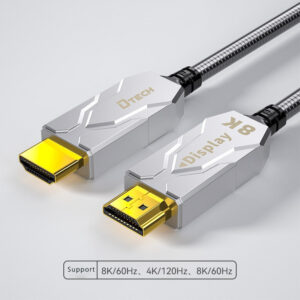
Dtech Armoured Fibre Cable, 50.0m, HDMI, V2.1, 8K resolution- HF8050K
R3,418.65
HF8050K In Stock
Dtech
Low stock (2 left)
Dtech Fibre Cable, 50.0m, HDMI, V1.4, 4K resolution - HF562
R1,490.49
HF562 Low stock (2 left)
Reviews
There are no reviews yet.