All Categories
- ATEN
- EPSON
- HISENSE
-
AV Signal Distribution
In AV Signal Distribution
- JK
-
Screens
In Screens
-
Projector
-
Cables
In Cables
- DTECH
- Business
- VISION
-
Projector Bracket
In Projector Bracket
-
Digital Signage Solutions
In Digital Signage Solutions
Brands
-
Audio
In Audio














All Categories
- ATEN
- EPSON
- HISENSE
-
AV Signal Distribution
In AV Signal Distribution
- JK
-
Screens
In Screens
-
Projector
-
Cables
In Cables
- DTECH
- Business
- VISION
-
Projector Bracket
In Projector Bracket
-
Digital Signage Solutions
In Digital Signage Solutions
Brands
-
Audio
In Audio

BROWSE CATEGORIES
Help
AV Signal Distribution
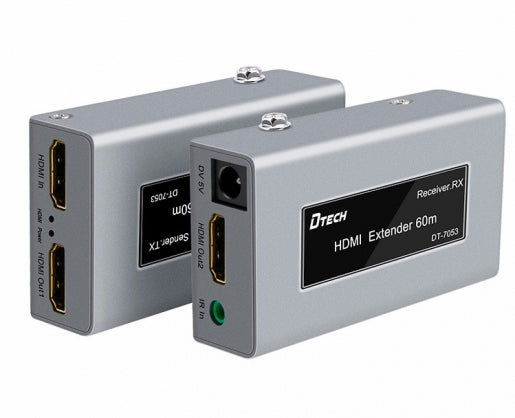
Dtech Extender, HDMI, Transmitter and Receiver – 7053
R1,097.15
HDMI extender pair that takes a 1080p source to a projector or display up to 60 m away on one Cat cable, with a second output for a monitor at the source.
- Up to 60 m on Cat5e or Cat 6
- 1080p at 60 Hz maximum, no 4K
- Loop-out on the sender for a local monitor
- IR return from the screen end to the source
- Brand :Dtech
- SKU :DTECH-7053
- Category :AV Signal Distribution
- Availability :
 In Stock
59 in stock
The Dtech DT-7053 (7053 in our catalogue) is a sender and receiver pair that carries HDMI picture and sound up to 60 m from the source, over one Cat5e or Cat 6 cable. Its ceiling is 1080p at 60 Hz, so it suits a Full HD projector or display, not a 4K screen. The sender has a second HDMI port for a monitor beside the source, and the receiver has an IR input, so a remote pointed at the screen end can work the source.
What counts towards the 60 m
Sixty metres is the only distance Dtech publishes for this kit, with no longer reach at lower resolutions. It applies to the whole path between the two units: every wall point, patch panel and patch lead on the way uses part of it. Dtech specifies a single cable from sender to receiver and sends the video uncompressed, with 225 MHz of bandwidth, so the picture is not re-encoded in transit.
The HDMI leads at either end are counted separately. On standard 26 AWG HDMI cable, Dtech allows up to 10 m between the source and the sender, and up to 5 m between the receiver and the display.
Loop-out monitor and IR return
HDMI Out1 on the sender repeats the incoming signal for a screen next to the source: a lectern monitor while the receiver feeds a projector across the hall, or a check monitor in the equipment rack.
IR goes the other way. An IR receiver lead in the IR In socket on the receiver picks up the remote at the display end, and Dtech’s IR return carries the commands back towards the source. Dtech’s own examples are turning the display on and off, adjusting the volume and changing TV channels. It publishes no contents list for the kit, so check whether the IR leads come with it before you plan on IR control.
Sound formats and power
Sound stays inside the HDMI signal. Dtech lists DTS-HD, Dolby TrueHD, LPCM 7.1, DTS, Dolby AC-3, DSD and HBR audio, so a surround track from a media player can reach an AV receiver or soundbar connected at the display end.
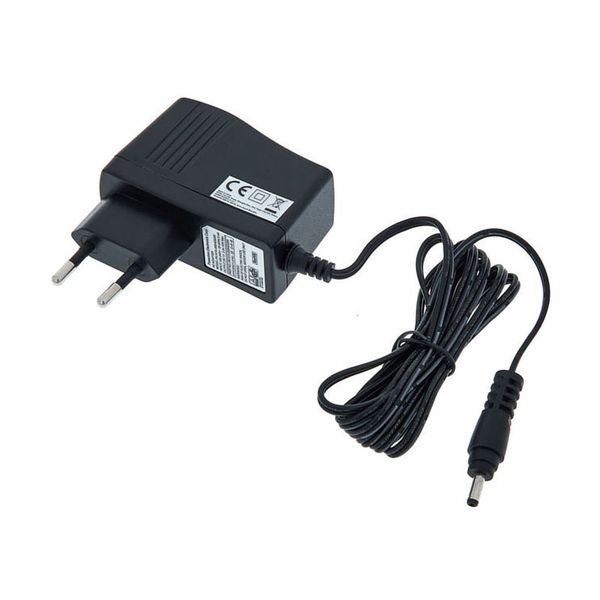
Dtech gives 5 V as the operating voltage, and the receiver has a DC 5V socket beside its HDMI output. Dtech does not say whether the sender takes its own supply, so allow for a power point at both ends of the run.
For a 4K screen or a run beyond 60 m
The Dtech DT-7051A HDBaseT extender covers both: it reaches 100 m and carries 4K, though only at 30 Hz (3840 x 2160), and adds RS-232 control. It has no HDMI loop-out, so where a Full HD screen sits within 60 m and the source also needs a local monitor, the DT-7053 is the better fit. Other kits are listed under HDMI extenders.
Key specifications of the Dtech DT-7053
| Kit | Sender (TX) and receiver (RX) |
|---|---|
| Video | 1080p at 60 Hz maximum (1920 x 1080); uncompressed, 225 MHz |
| Distance | 60 m between the units |
| Link cable | One Cat5e or Cat 6; Dtech’s datasheet asks for quality Cat 6 for HDMI |
| Audio in HDMI | DTS-HD, Dolby TrueHD, LPCM 7.1, DTS, Dolby AC-3, DSD, HBR |
| Sender ports | HDMI In, HDMI Out1 (loop-out), power and HDMI LEDs |
| Receiver ports | HDMI Out2, IR In, DC 5V |
| Source and display leads | 26 AWG HDMI: 10 m to the sender, 5 m from the receiver |
| Power | 5 V DC |
Questions about the Dtech DT-7053
What happens if I connect a 4K laptop?
Set the laptop to 1080p output first. Dtech rates the DT-7053 for 1080p at 60 Hz and nothing above it, so a 4K signal is outside its specification. The far screen then shows a Full HD picture, which a 4K display scales up to fill its panel.
Will an existing Cat5e cable do, or should I pull Cat 6?
Cat5e is inside Dtech’s rating for the full 60 m. Its datasheet still says to install quality Cat 6 wherever HDMI is extended, so use Cat 6 for new cabling, and on an older Cat5e run near the limit, connect the kit over the real cable path and check the picture before the ceiling goes back.
Can the signal travel through the building’s network switches?
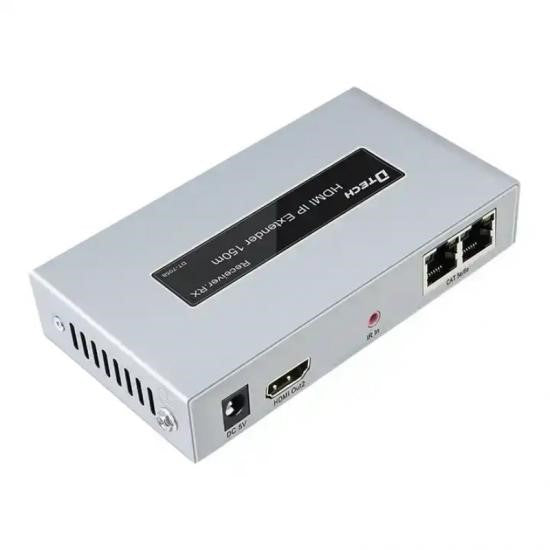
No. The DT-7053 puts uncompressed video on the cable rather than network data, so it needs a direct run with only passive wall points and patch leads between the units. If the picture has to cross a switch, the Dtech DT-7058 HDMI over IP extender compresses 1080p to H.264 and is rated to work through one.
Do the loop-out monitor and the far screen show the picture together?
Yes. HDMI Out1 feeds the local monitor while the receiver drives the far screen, and both get the same signal at the same resolution. Set the source to a mode that both screens can display, which means 1080p or lower.
Can the DT-7053 carry the touch signal of an interactive display?
No. Dtech lists HDMI picture, sound and IR for this kit and no USB function. Bring the display’s USB touch cable back on a second Cat run with a Dtech DT-7014A USB extender, which is rated to 50 m, so the computer must sit within 50 m of the display for touch.
You must be logged in to post a review.
You may also like these
Dtech
In Stock
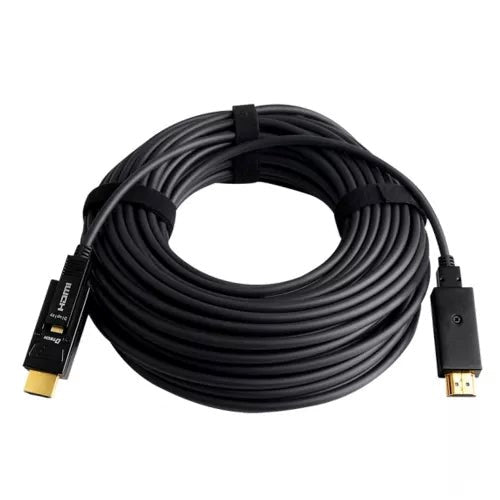
Dtech Detachable Connector Fibre Cable, 10.0m, HDMI, V2.0, 4K resolution - HF301B
R1,799.74
HF301B In Stock
Reviews
There are no reviews yet.