All Categories
- ATEN
- EPSON
- HISENSE
-
AV Signal Distribution
In AV Signal Distribution
- JK
-
Screens
In Screens
-
Projector
-
Cables
In Cables
- DTECH
- Business
- VISION
-
Projector Bracket
In Projector Bracket
-
Digital Signage Solutions
In Digital Signage Solutions
Brands
-
Audio
In Audio














All Categories
- ATEN
- EPSON
- HISENSE
-
AV Signal Distribution
In AV Signal Distribution
- JK
-
Screens
In Screens
-
Projector
-
Cables
In Cables
- DTECH
- Business
- VISION
-
Projector Bracket
In Projector Bracket
-
Digital Signage Solutions
In Digital Signage Solutions
Brands
-
Audio
In Audio

BROWSE CATEGORIES
Help
AV Signal Distribution
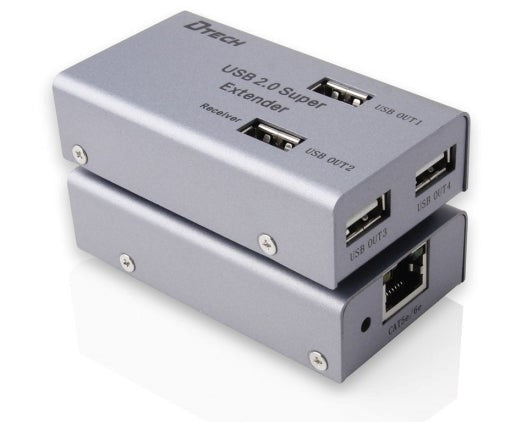
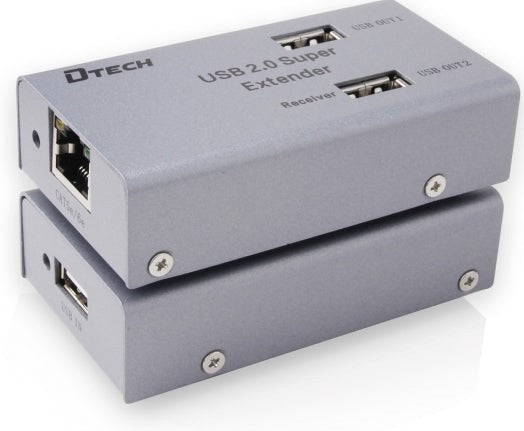
Dtech Extender, USB, 2.0, Transmitter and Receiver, 100m – 7014ACH
R2,017.76
Four-port USB extender that reaches 100 m on one Cat cable, rated by Dtech at 12 Mbps, so it suits keyboards, mice and printers rather than webcams or storage.
- Up to 100 m over Cat5e or Cat 6
- 12 Mbps link (USB Full Speed), per Dtech
- Receiver has four USB-A sockets
- Only the receiver needs mains power
- Brand :Dtech
- SKU :DTECH-7014ACH
- Category :AV Signal Distribution
- Availability :
 In Stock
24 in stock
The Dtech DT-7014ACH (7014ACH in our catalogue) gives you four USB-A sockets up to 100 m from the computer, with the sender and receiver linked by a single Cat5e or Cat 6 run. Dtech’s product page rates its USB link at 12 Mbps, which is USB Full Speed. That covers keyboards, mice and printers; file copies run slowly, and webcam modes that depend on High Speed USB are out of reach.
What 12 Mbps carries, and what it does not
USB 2.0 devices run at one of three rates: Low Speed (1.5 Mbps), Full Speed (12 Mbps) or High Speed (480 Mbps). Dtech’s page for the 100 m model, item DT-7014A(CH), gives a transmission rate of 12 Mbps with USB 1.1 compatibility, so devices work through it at Full Speed at most, even though the kit is sold as USB 2.0. The distributor datasheet in the Datasheets tab quotes 480 Mbps; plan on the manufacturer’s 12 Mbps.
- Keyboards, mice, printers and scanners: all on Dtech’s supported list.
- USB flash drives: listed too, but 12 Mbps is at most 1.5 MB a second before protocol overhead, so a 1 GB file takes more than 11 minutes to copy.
- Webcams: Dtech lists cameras, but a webcam whose HD modes need High Speed USB cannot use them over this link. Try the camera on the extender before planning a video-call room around it.
Planning the 100 m run
Dtech’s page gives 100 m on Cat5e, and the datasheet gives the same 100 m for Cat5e and Cat 6. Treat that as the limit for the complete path between the RJ45 sockets on the two units, with wall points and patch leads included, and test the kit on the real route before the cable is closed in, because every extra connector adds loss.
Video for the same room, or a faster link within 50 m
A touch display 100 m from its computer needs the picture sent out as well as touch brought back. The Dtech DT-7051A HDMI extender covers 100 m on its own Cat cable, with 4K at 30 Hz, IR and RS-232, so the two kits run side by side on separate cables.
If the USB devices sit within 50 m of the computer, the Dtech DT-7014A is the better fit: Dtech rates it at 480 Mbps, which leaves room for a webcam or a USB drive. Other kits are in the USB extender category.
Key specifications of the Dtech DT-7014ACH
| Kit | Sender and receiver |
|---|---|
| Reach | 100 m on Cat5e or Cat 6 |
| Link cable | One Cat cable, RJ45 to RJ45 |
| USB link rate | 12 Mbps, Full Speed (Dtech); USB 1.1 compatible |
| Receiver sockets | Four USB-A |
| Power | 5 V, 1,000 mA, receiver end only |
| Drivers | Not needed (Windows, macOS, Linux) |
| Supplied | Sender, receiver, 5 V supply for the receiver |
Questions about the Dtech DT-7014ACH
Will an interactive display’s touch screen work through it at 100 m?
Likely, but test it first, because Dtech does not name touch screens. A touch frame is a USB HID device, the same class as the keyboards and mice on Dtech’s list. Connect the display’s touch USB to the receiver over the actual cable path and check that touch responds before the installation is closed up.
Which end needs a power point?
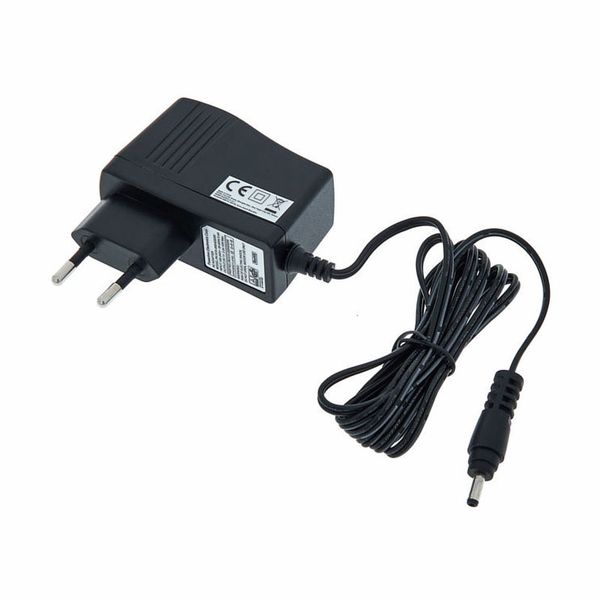
Only the far end. The receiver takes a 5 V, 1,000 mA adapter (included, according to the datasheet), and the same adapter powers the four USB ports. The sender takes its power from the computer’s USB port, so the computer end needs no socket for the kit.
Can the cable pass through a network switch?
No. Dtech’s design runs one cable directly between the two units, so everything in between has to be passive cabling within 100 m: wall points, a patch panel and patch leads are fine, but a switch, router or media converter is not.
Do I need to install drivers?
Not for the extender. The datasheet lists it as plug and play on Windows, macOS and Linux. A device on the far end still needs whatever driver it would need when plugged straight into the computer, such as a printer driver.
You must be logged in to post a review.
You may also like these
Dtech
In Stock
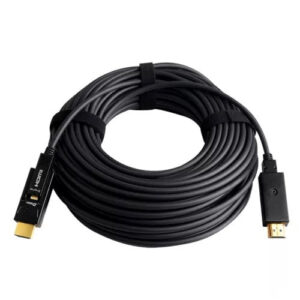
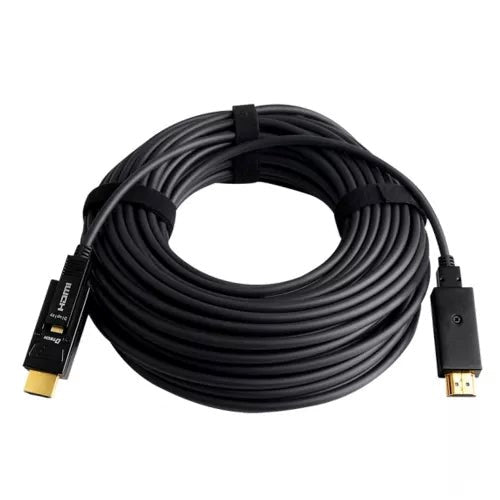
Dtech Detachable Connector Fibre Cable, 10.0m, HDMI, V2.0, 4K resolution - HF301B
R1,799.74
HF301B In Stock
Reviews
There are no reviews yet.