All Categories
- ATEN
- EPSON
- HISENSE
-
AV Signal Distribution
In AV Signal Distribution
- JK
-
Screens
In Screens
-
Projector
-
Cables
In Cables
- DTECH
- Business
- VISION
-
Projector Bracket
In Projector Bracket
-
Digital Signage Solutions
In Digital Signage Solutions
Brands
-
Audio
In Audio














All Categories
- ATEN
- EPSON
- HISENSE
-
AV Signal Distribution
In AV Signal Distribution
- JK
-
Screens
In Screens
-
Projector
-
Cables
In Cables
- DTECH
- Business
- VISION
-
Projector Bracket
In Projector Bracket
-
Digital Signage Solutions
In Digital Signage Solutions
Brands
-
Audio
In Audio

BROWSE CATEGORIES
Help
Consumer
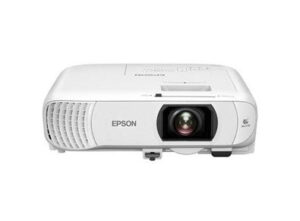
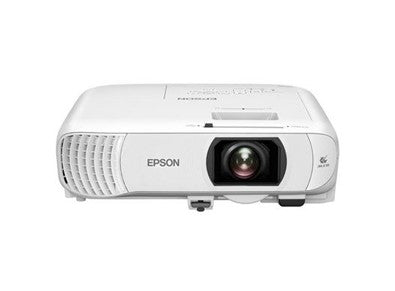
Epson Consumer Projector, 3000 Ansi Lumens, WXGA resolution, 16:10 Aspect Ratio – COW01
R8,200.50
A WXGA 3LCD lamp projector for small offices, training rooms and classrooms, with one HDMI input and a Cinema mode for film nights.
- 1280 x 800 (16:10) panels rated at 3,000 lumens
- 100-inch 16:10 picture from 2.74 to 3.71 m, by Epson's table
- HDMI 1.4 input and 5 W speaker
- Lamp life 6,000 h, or 12,000 h on economy
- Brand :Epson
- SKU :EPSON-COW01
- Category :Consumer
- Availability :
 In Stock
12 in stock
The Epson CO-W01 (COW01) is a WXGA 3LCD lamp projector: 1280 x 800 pixels, 3,000 lumens for both colour and white, one HDMI input and a 5 W speaker in a 2.4 kg white case. It suits small offices, training rooms and classrooms, with the odd film night on the side, and Epson’s own table puts a 100-inch 16:10 picture 2.74 to 3.71 m from the lens.
What 1280 x 800 resolution means for slides and video
WXGA is a 16:10 format, the same shape as many laptop screens, so a laptop set to 1280 x 800 fills the picture without black bars. Full HD sources are scaled down to the panels, and small spreadsheet text shows the limit of roughly one million pixels; for detailed work the Epson CO-FH01 has 1920 x 1080 panels in a case of the same size.
Colour and white output are both 3,000 lumens, or 2,000 lumens in economy mode. Presentation, sRGB and Blackboard modes cover teaching and office work, and Epson’s guide names Cinema as the mode for films in a darkened room.
Throw distances from Epson’s CO-W01 table
The throw ratio runs from 1.27 to 1.71:1. Epson America’s user’s guide for the CO-W01 lists these lens-to-screen distances for a 16:10 screen, widest zoom to longest. Its 60-inch figure (1.64 m) and its 25 to 378 inch range match Epson’s EMEA datasheet for this part number, so we use the table for the model sold here:
- 60-inch: 1.64 to 2.22 m
- 80-inch: 2.19 to 2.96 m
- 100-inch: 2.74 to 3.71 m
- 200-inch: 5.50 to 7.44 m
For a 100-inch 16:9 screen the same guide gives 2.82 to 3.81 m. The longer figures rely on the digital zoom (factor 1 to 1.35), which scales the image down inside the panel, so mount at the shorter figure where the room allows. The table also places the lower edge of a 100-inch 16:10 picture between 16 cm below and 2 cm above the centre of the lens, which tells you roughly where the screen’s bottom edge sits relative to a table-top or upside-down ceiling projector.
Lamp life and power draw
Epson’s 188 W UHE lamp in the CO-W01 carries a rating of 6,000 hours, or 12,000 hours with economy mode on. Epson America’s guide says the remote’s batteries are the only parts an owner should change, and that a lamp at the end of its rated life brings up a message suggesting the projector itself be replaced. Epson’s EMEA datasheet lists no spare lamp. Power draw on 220 to 240 V supplies is 270 W at full brightness and 214 W in economy, with 0.5 W in standby.
Connections, wireless and mounting
The connection panel carries one HDMI 1.4 port, a USB-B port that Epson’s EMEA datasheet lists for service only, and a USB-A port. VGA, a network socket and an audio output are all absent. Epson America rates the USB-A port at 5 V 2 A but lists its uses as the wireless module, firmware updates, settings transfer and photo slideshows; it says nothing about powering a streaming stick, so plan on the stick’s own adapter.
Epson lists the optional Epson ELPAP11 wireless LAN adapter for the CO-W01. The US guide describes it in the USB-A port with Epson’s iProjection software for Windows and Mac and the app for iOS and Android, and advises against iProjection for video. Epson’s EMEA specification marks the iProjection app as not applicable, though, so confirm wireless presenting before you rely on it.
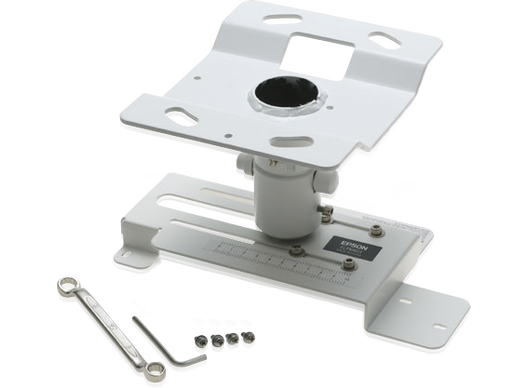
For a ceiling, the base has three mount fixing points, and Epson recommends a safety wire through the security cable attachment point. A bracket from the universal projector bracket range suits if its arms reach all three points and its load rating covers 2.4 kg. Keep 10 cm free in front and behind, 20 cm beside the air intake and 30 cm beside the exhaust, and above 1,500 m, Johannesburg’s 1,750 m included, switch on High Altitude Mode in the menu.
CO-W01 or CO-WX01?
The Epson CO-WX01 is part number V11HA86240; the CO-W01 is V11HA86040. Epson’s datasheets give the pair the same 1280 x 800 panels, 3,000 lumen output, 1.27 to 1.71:1 throw ratio, lamp ratings, 5 W speaker and 2.4 kg weight. Match the code on your quote or tender when you order.
Key specifications of the Epson CO-W01
| Panel resolution | WXGA, 1280 x 800 (16:10) |
|---|---|
| Light output, colour and white | 3,000 lumens; 2,000 in economy |
| 100-inch 16:10 distance | 2.74 to 3.71 m (Epson America table) |
| Throw ratio | 1.27 to 1.71:1 (digital zoom 1 to 1.35) |
| Image size | 25 to 378 inches |
| Lamp life | 188 W UHE; 6,000 hours, economy 12,000 hours |
| Ports | HDMI 1.4, USB-A, USB-B (service only) |
| Speaker | 5 W mono |
| Noise | 29 dB(A) economy, 38 dB(A) high |
| Power (220 to 240 V) | 270 W; 214 W economy; 0.5 W standby |
| Size and weight | 295 x 211 x 87 mm; 2.4 kg |
| Part number | V11HA86040 |
Questions about the Epson CO-W01
Will a 1080p laptop or streaming stick work with the CO-W01?
Yes, over HDMI. Epson America’s guide lists 1920 x 1080 at 24, 50 and 60 Hz among the CO-W01’s supported HDMI signals, scaled to the 1280 x 800 panels, so very small text loses detail. The same guide suggests setting HDMI EQ to 1 in the Image menu if a media streaming device shows no picture.
Which screen shape suits the CO-W01, 16:10 or 16:9?
Choose 16:10 if laptops and slides come first, since that shape matches the 1280 x 800 panel and uses every pixel. If films and TV dominate, a 16:9 screen fits that content, and the Screen Type setting in the projector’s menu sizes the picture to match it.
Does the CO-W01 have a VGA input?
No. HDMI is the only video input Epson lists, so a computer with VGA output alone needs a VGA to HDMI unit from the HDMI converter range, and a USB-C laptop needs an adapter from a port that carries video.
Does it need to cool down before I pack it away?
No. Epson’s Instant Off means there is no cool-down period: once the status light is off, unplug it and pack it. Epson does caution that switching the projector on again straight after switching it off can shorten lamp life.
What is included with the projector?
Epson’s box list for the CO-W01 is the projector, a power cord, a Quick Start Guide, the manual on CD and the remote with its batteries. Source cables, a carry case and a ceiling bracket are separate purchases.
| Technology | Projection System |
|---|---|
| Image | Colour Light Output |
| 3.000 Lumen- 2.000 Lumen (economy) In accordance with ISO 21118 | 2020 |
| 3.000 Lumen - 2.000 Lumen (economy) In accordance with ISO 21118 | 2020 |
| 16 | 10 |
| Manual vertical | ± 30 °, Manual horizontal ± 30 ° |
| Optical | Throw Ratio |
| 1,27 - 1,71 | 1 |
| Digital, Factor | 1 - 1,35 |
| 7 | 1 |
| Connectivity | Interfaces |
| Advanced Features | Security |
| General | Power consumption |
| Normal | 38 dB (A) - Economy: 29 dB (A) |
| Other | Warranty |
You must be logged in to post a review.
You may also like these
Epson
Epson Business Projector, 7000 Ansi Lumens, 3LCD WUXGA resolution, 16:10 Aspect Ratio - EBL790SE
R129,918.15
EBL790SE Out of Stock


Epson
Reviews
There are no reviews yet.