All Categories
- ATEN
- EPSON
- HISENSE
-
AV Signal Distribution
In AV Signal Distribution
- JK
-
Screens
In Screens
-
Projector
-
Cables
In Cables
- DTECH
- Business
- VISION
-
Projector Bracket
In Projector Bracket
-
Digital Signage Solutions
In Digital Signage Solutions
Brands
-
Audio
In Audio














All Categories
- ATEN
- EPSON
- HISENSE
-
AV Signal Distribution
In AV Signal Distribution
- JK
-
Screens
In Screens
-
Projector
-
Cables
In Cables
- DTECH
- Business
- VISION
-
Projector Bracket
In Projector Bracket
-
Digital Signage Solutions
In Digital Signage Solutions
Brands
-
Audio
In Audio

BROWSE CATEGORIES
Help
Consumer
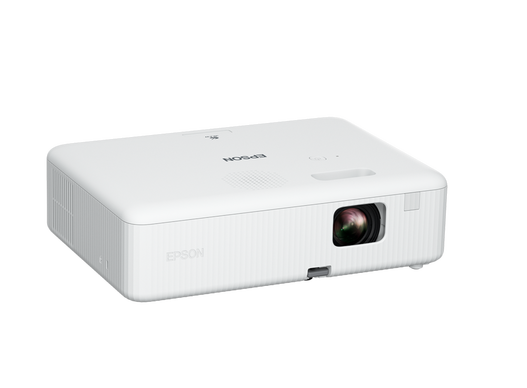
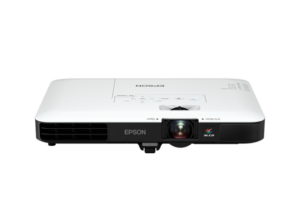
Epson Consumer Projector, 3000 Ansi Lumens, WXGA resolution, 16:10 Aspect Ratio – COWX02
R8,862.06
A 3,000 lumen WXGA lamp projector for home viewing and home-office presentations from HDMI sources.
- 3,000 lumens colour and white, 2,000 in economy mode
- 1280 x 800 panel, 16:10
- 60-inch picture from 1.64 m, up to 378 inches
- 5 W speaker; HDMI 1.4 and two USB ports
- Lamp: 6,000 hours normal, 12,000 economy
- Brand :Epson
- SKU :EPSON-COWX02
- Category :Consumer
- Availability :Out of Stock
Out of stock
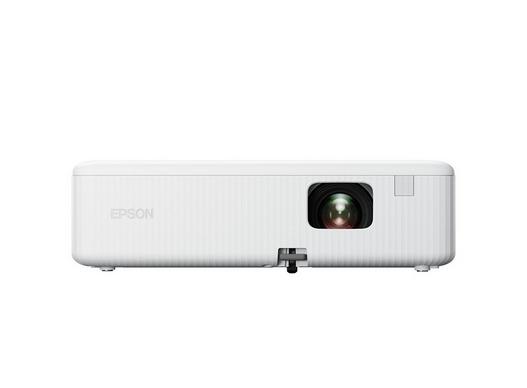
The Epson CO-WX02 (COWX02) is a 3LCD lamp projector rated at 3,000 lumens, with WXGA panels of 1280 x 800 pixels, sold for living rooms, home offices and small meeting spaces. Epson puts a 60-inch picture at 1.64 m, our calculation puts a 100-inch 16:10 picture at about 2.7 m, and it weighs 2.4 kg.
Two limits shape the purchase: the zoom is digital only, so the distance to the wall largely sets the picture size, and Epson lists no built-in Wi-Fi, so every source connects by HDMI cable.
Brightness, resolution and Full HD sources
Epson’s CO-WX02 datasheet rates colour and white light output at 3,000 lumens each under ISO 21118:2020, and 2,000 lumens in economy mode. Economy also cuts fan noise from 38 to 29 dB(A) and doubles the lamp’s rated life, so it is the setting for evening films with the lights off.
Its three 0.59-inch LCD panels are WXGA, a 16:10 grid that Epson classes as HD ready. Whatever the source sends is drawn on that grid, so a Full HD film from a decoder or streaming box loses some detail. If films and sport matter more than slides, the Epson EB-FH08 has native 1920 x 1080 panels and 3,600 lumens. The datasheet’s video colour modes are Dynamic, Cinema, Presentation and Blackboard.
Throw distance for 80 to 133 inch screens
With the zoom at its widest the throw ratio is 1.27:1, and focus is manual. Epson’s full range runs from a 25-inch to a 378-inch picture over 0.9 to 10.4 m. The distances below, for a 16:10 image that uses the whole panel, are our own calculation from the 1.27 ratio rather than Epson figures; the same sum reproduces Epson’s 1.64 m at 60 inches:
- 80 inch, 172 cm wide: 2.19 m
- 92 inch, 198 cm wide: 2.52 m
- 100 inch, 215 cm wide: 2.74 m
- 133 inch, 286 cm wide: 3.64 m
The digital zoom goes to 1.35x. It shrinks the picture from the same spot, stretching the effective ratio to 1.71:1, but the smaller image is built from fewer of the panel’s pixels, so fix the distance first and keep the zoom for trimming. A JK E1092HDTIC 92-inch 16:10 in-ceiling electric screen matches a projector about 2.5 m back; the 133-inch JK F10133TF thin frame screen (16:10) wants about 3.6 m.
Keystone correction is manual and reaches 30 degrees vertically and horizontally. Quick Corner adjusts each corner of the image on its own, for a projector that cannot sit square to the wall.
Connecting sources, sound and power
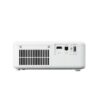
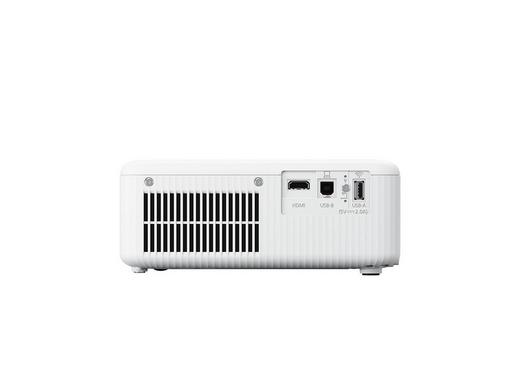
Connections on the datasheet are an HDMI 1.4 input and two USB 2.0 ports, one of them Type A; no audio output is listed. Epson South Africa shows Android TV as not included, so online services come from a streaming stick, decoder or media player on the HDMI input, and what plays depends on that device. Epson does not say what the USB ports supply, so give a streaming stick its own power adapter.
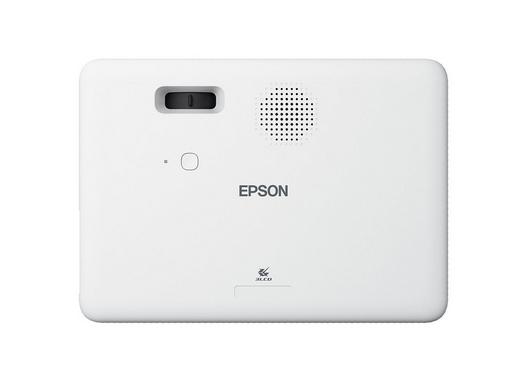
The built-in speaker is rated at 5 W. With no audio output on the projector, feed a soundbar from the streaming box or decoder instead.
Power draw on the datasheet is 270 W, 214 W in economy and 0.5 W on standby, and Epson South Africa gives the mains range as 100 to 240 V.
Placement, size and what is in the box
Epson’s documents disagree on mounting: the CO-WX02 datasheet lists desktop positioning only, while Epson South Africa’s product page adds ceiling mounting, and neither names a bracket. Until Epson settles that, plan on a table, shelf or trolley. The case measures 295 x 211 x 87 mm (W x D x H), small enough to carry between a lounge and a study, and its Kensington, padlock and security-cable fittings deter theft.
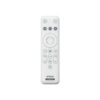
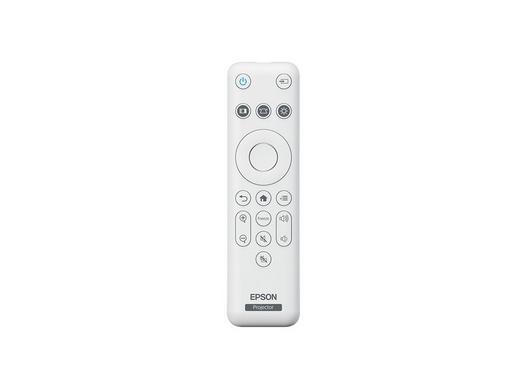
In the box: the projector, a mains cable, a remote and batteries for it, a Quick Start Guide, and the full manual on CD. No HDMI cable is included, so choose one from the HDMI copper cables in the length your layout needs.
Key specifications of the Epson CO-WX02
| Resolution | WXGA, 1280 x 800 pixels (16:10), HD ready |
|---|---|
| Light output | Colour and white 3,000 lm; economy 2,000 lm (ISO 21118:2020) |
| Lens | No optical zoom; 1.35x digital zoom, manual focus |
| Throw ratio | 1.27 to 1.71:1 |
| Image size range | 25 to 378 inches; a 60-inch image at 1.64 m |
| Keystone | 30° vertical and horizontal, manual, plus Quick Corner |
| Inputs and ports | HDMI 1.4, USB 2.0-A, USB 2.0; no Wi-Fi listed |
| Speaker | 5 W built in |
| Lamp | 188 W UHE lamp; 6,000 hours (12,000 in economy) |
| Noise | 29 to 38 dB(A) |
| Power | 270 W; economy 214 W; standby 0.5 W (100 to 240 V AC supply) |
| Weight, size, part number | 2.4 kg; 295 x 211 x 87 mm; V11HA86340 |
Questions about the Epson CO-WX02
Can the CO-WX02 connect to Wi-Fi?
Not on its own. Epson lists no wireless LAN for the CO-WX02 and shows the iProjection app as not applicable; its datasheet carries a WiFi optional icon but names no adapter for this model. For cable-free viewing, use a device on the HDMI input instead: a streaming stick for online services, or a wireless HDMI receiver paired with a laptop transmitter.
How large a picture can the CO-WX02 show?
Epson’s range is 25 to 378 inches, though the room usually sets the real limit. A 120-inch 16:10 picture needs about 3.3 m of throw at the 1.27 ratio, by our calculation, and every step up in size spreads the same 3,000 lumens over more screen, so a large picture looks dimmer and wants a darker room.
Will a 16:9 screen work with it?
Yes, with unused strips. A 16:9 picture occupies 1280 x 720 of the 1280 x 800 panel, leaving thin dark bands above and below that land off the edges of a 16:9 screen. Size the throw to the screen’s width: 221 cm for a 100-inch 16:9 screen, which puts the lens about 2.81 m away at the 1.27 ratio.
How long does the lamp last in the CO-WX02?
Epson’s rating is 6,000 hours on the Normal setting, doubling to 12,000 on Economy, which also drops brightness from 3,000 to 2,000 lumens. At two hours of viewing a day, the Economy figure works out to more than 16 years of use; Epson’s own 18-year claim rests on a 105-minute film each day in economy. The datasheet lists no spare lamp for this model.
| Colour Light Output | 3.000 Lumen- 2.000 Lumen (economy) In accordance with ISO 21118:2020 |
|---|---|
| White Light Output | 3.000 Lumen - 2.000 Lumen (economy) In accordance with ISO 21118:2020 |
| Resolution | WXGA 2 |
| High Definition | HD ready |
| Aspect Ratio | 16:10 |
| Light source | Lamp |
| Lamp | UHE, 188 W, 6.000 h durability, 12.000 h durability (economy mode) |
| Keystone Correction | Manual vertical: ± 30 °, Manual horizontal ± 30 ° |
| Colour Video Processing | 8 Bits |
| 2D Vertical Refresh Rate | 100 Hz - 120 Hz |
| Colour Reproduction | 16.77 million colours |
You must be logged in to post a review.
You may also like these
Epson
Epson Professional Projector, 10000 Ansi Lumens, 4K resolution, 16:9 Aspect Ratio - EBPQ2010W
R388,893.11
EBPQ2010W Out of Stock
Epson
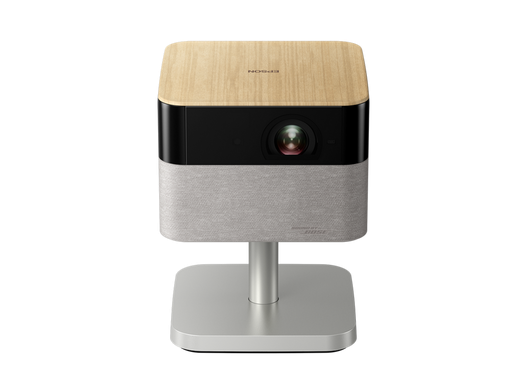
Epson Laser Projection TV, 1000 Ansi Lumens, Pro 4K UHD resolution, Bose, Google TV - EF72
R24,775.09
EF72 Out of Stock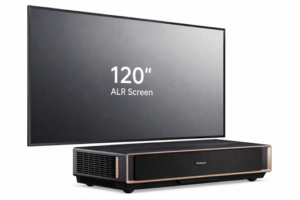
Hisense
 Low stock (1 left)
Hisense Laser Projection TV, 2500 Ansi Lumens, 4K resolution, UST, Incl 120" ALR - 120PT1
R48,652.19
120PT1 Low stock (1 left)



Epson
Reviews
There are no reviews yet.