All Categories
- ATEN
- EPSON
- HISENSE
-
AV Signal Distribution
In AV Signal Distribution
- JK
-
Screens
In Screens
-
Projector
-
Cables
In Cables
- DTECH
- Business
- VISION
-
Projector Bracket
In Projector Bracket
-
Digital Signage Solutions
In Digital Signage Solutions
Brands
-
Audio
In Audio














All Categories
- ATEN
- EPSON
- HISENSE
-
AV Signal Distribution
In AV Signal Distribution
- JK
-
Screens
In Screens
-
Projector
-
Cables
In Cables
- DTECH
- Business
- VISION
-
Projector Bracket
In Projector Bracket
-
Digital Signage Solutions
In Digital Signage Solutions
Brands
-
Audio
In Audio

BROWSE CATEGORIES
Help
Education Solutions
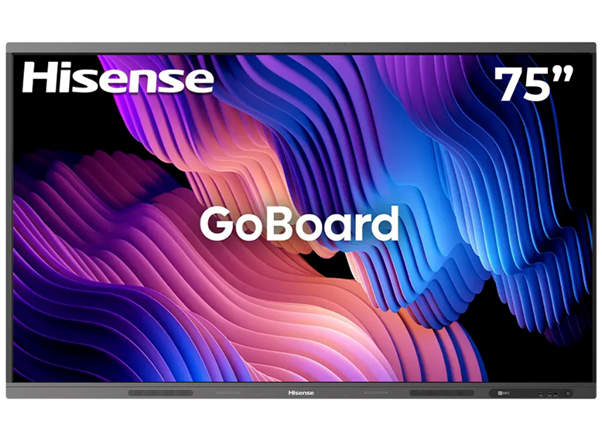
Hisense Interactive Panel, 75″, 4k resolution, 400 nits, Android 14.0 – 75WE3FE
R42,021.00
A 75-inch 4K interactive display with Google apps on Android 14, sized for the classroom or training room where a 65-inch screen is too small from the back.
- 3840 x 2160, 400 nits, 5500:1 contrast
- Infrared touch, 40 points when an OPS PC hosts it or 32 under Android
- 8 GB RAM, 128 GB storage, OPS slot for Windows
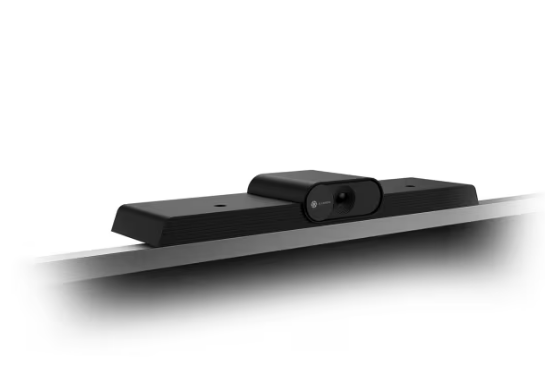
- No built-in camera; wall bracket supplied
- Brand :Hisense
- SKU :HISENSE-75WE3FE
- Category :Education Solutions
- Availability :
 In Stock
1 in stock
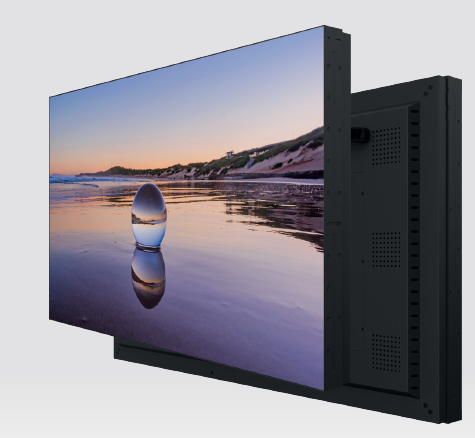
The Hisense 75WE3FE is the middle size of Hisense’s WE3FE series: a 75-inch, 3840 x 2160 touch screen and a Google-certified Android 14 computer in one panel, for the classroom or training room where 65 inches looks small from the back rows.
Inside are 8 GB of memory and 128 GB of storage, with an OPS slot for a Windows PC and two 16 W speakers. There is no camera, and Hisense packs a wall bracket.
What the 75-inch size changes
Hisense’s drawing gives the 75WE3FE an active picture area of 1650 x 928 mm, against 1428.5 x 803.5 mm on the Hisense 65WE3FE: roughly 22 cm more width and 12 cm more height for text, diagrams and handwriting.
The 75-inch panel also has the highest contrast rating in the series at 5500:1 typical (the 65-inch is 5000:1 and the 86-inch 1200:1), with the same 400 nits and 6.5 ms response as the 65. It weighs more, 41.8 or 49.15 kg depending on which Hisense figure you take, and its VESA pattern widens to 800 x 400 mm. Rooms that need a larger picture can move up to the 86-inch Hisense 86WE3FE.
Android 14 and Google services
The WE3FE line carries Google’s EDLA certification on Android 14.0, which puts the Play Store, Google Classroom, Drive, Docs, Sheets, Meet, Gmail, Chrome and YouTube on the panel as native apps, signed in with the Google account a school already uses. A quad-core Cortex-A73 chip (up to 1.39 GHz) with Mali-G52 MC1 graphics runs them, backed by 8 GB of RAM and 128 GB for apps and files.
Writing and touch
Touch comes from an infrared frame over anti-glare glass. Hisense rates it at up to 40 simultaneous points when an OPS PC is the touch host, and its US store gives 32 points under Android. Accuracy is 90% within ±1.5 mm, objects down to 3 mm register, and the writing height is 1.5 mm.
The built-in whiteboard converts handwriting into text and has a formula editor and mind-map tools. Under Windows 11, 10, 8 or 7 the panel reports as a multi-touch screen, so whiteboard software on a connected PC works with finger and pen.
Plugging in laptops, PCs and room control
The panel carries three HDMI inputs, a DisplayPort 1.2a input and a VGA input for older PCs, plus an HDMI output for a second screen or recorder. On the USB side there are two USB-C ports, of which the front one supplies up to 65 W of Power Delivery, five further USB ports (three 3.0, two 2.0) and three touch USB ports.
Gigabit LAN in and out, an RS-232 DB9 port, analogue audio in and out, S/PDIF out and a TF card slot complete the list. Wirelessly, the 75WE3FE takes AirPlay, Miracast, Chromecast and web casting, with one of its two Wi-Fi modules (802.11ax and 802.11ac) free to run a sharing hotspot. Bluetooth is 5.2; there is no NFC.
For Windows on the panel, the OPS slot supplies 18 V at 3.5 A. Hisense lists the Hisense OPS72E, a Windows 11 Pro module with a Core i7-13620H, and the i5-based OPS72D for the 75WE3FE.
Installation: bracket, weight and the WH3315 stand
The 75WE3FE measures 1712 x 1022 x 99 mm. Its wall interface is VESA 800 x 400 mm, fixed with four 25 mm M8 screws. Hisense’s specification table lists 41.8 kg, while the dimension sheet in the same datasheet lists 49.15 kg, so size the wall fixings for 49.15 kg. Mains input is 100 to 240 V AC, and consumption is 175 W typical and 330 W peak without an OPS PC, falling below 0.5 W on standby.
Packed with it: the wall bracket, two styluses, a remote and its batteries, a mains cable and the manual. Hisense’s WH3315 mobile stand lists the 75-inch WE3FE among its compatible models. Its load limit is 100 kg and the height can be set three ways, so one panel can serve several rooms.
Key specifications of the 75WE3FE
| Size and resolution | 75-inch, 4K (3840 x 2160), 60 Hz D-LED |
|---|---|
| Picture area | 1650 x 928 mm |
| Brightness and contrast | 400 nits, 5500:1 (both typical) |
| Touch | Infrared; 40 points via OPS, 32 under Android |
| Android | Version 14.0, EDLA certified |
| Android hardware | Cortex-A73 quad-core, 8 GB / 128 GB |
| Video inputs | HDMI x3, DP 1.2a, VGA, OPS slot |
| Audio | Two 16 W speakers; no camera |
| Consumption | 175 W typical, 330 W peak (no OPS) |
| Dimensions | 1712 x 1022 x 99 mm |
| VESA | 800 x 400 mm, M8 x 25 screws |
| Weight | 41.8 kg (spec table), 49.15 kg (drawing) |
Questions about the Hisense 75WE3FE
Will the 75WE3FE be updated to Android 15 or 16?
Hisense has not said so. The 75WE3FE ships with Android 14.0, and none of Hisense’s WE3FE pages or datasheets mention a later version or an over-the-air upgrade. If your IT policy needs Android 16, Hisense’s WE6GE series ships with it, along with 16 GB of RAM.
Can I connect a laptop with a single USB-C cable?
Not on present information. Hisense confirms 65 W charging on the front USB-C port but does not say that it carries video and touch as well. Use an HDMI cable for the picture and a USB cable to one of the touch ports so the laptop can be controlled from the screen.
How many students can write at the same time?
Space at the board runs out before the touch frame does, since Hisense rates it at 40 points with an OPS PC and 32 under Android. The whiteboard app can split the screen into four areas so each writer or group works in its own section.
Does Google Classroom run on the panel?
Yes. Classroom appears in the list of native Google apps on Hisense’s WE3FE datasheet, along with Drive, Docs and Meet, and the panel is EDLA certified. Teachers sign in with their school account and open lessons without a PC.
Should I choose the OPS72D or the OPS72E?
Both are Hisense slot-in PCs listed for the 75WE3FE and both run Windows 11 Pro. The OPS72D has a Core i5-13420H, 8 GB of RAM and a 256 GB SSD; the OPS72E doubles memory and storage to 16 GB and 512 GB with a Core i7-13620H, the better fit for heavier desktop software.
Interactive Display panel
| LCD Size | 75” |
|---|---|
| Backlight Type | D-LED |
| Resolution | 3840x2160(pixels) |
| Brightness | 400nits(typ.) |
| Contrast Ratio | 5500:1(typ.) |
| Response Time | 6.5ms(typ.) |
| Refreshing Frequency | 60Hz |
| Viewing Angle | 178°(H) / 178°(V) |
| Lifetime(typ.) | 50,000 hrs |
| Colour Gamut(X% NTSC) | 72%(typ.) |
| Display Colours | 1.07B(10bit) |
System
| GPU | MaliG52 MC1 |
|---|---|
| RAM | 8GB |
| ROM | 128GB |
| OS | Android 14.0 |
Power
| Power Requirements | AC 100 V ~ 240 V, 50/60 Hz |
|---|
Physical
| Product Size (W x H x D) | 1712 x 1022 x 99mm / 67.4 x 40.2 x 3.9inch |
|---|---|
| Package Size (W x H x D) | 1863 x 1155 x 185mm / 73.3 x 45.5 x 7.3inch |
| Net Weight | 41.8kg / 92.2lbs |
| Packed Weight | 41.8kg / 92.2lbs |
| 20GP Container Capacity (pcs) | 30 |
| 40GP Container Capacity (pcs) | 72 |
| 40HQ Container Capacity (pcs) | 144 |
| Housing Colour | Black |
| VESA | 800 x 400mm, 4-M8 Screw |
Touch
| Sensing Type | Infrared Touch Frame |
|---|---|
| Surface Protection | Anti-Glare Glass |
Connectivity
| Bluetooth | BT5.2 |
|---|---|
| NFC | w/o |
| Camera | w/o |
| Type-C x2 (frontx 1 | support PD 65W) |
Environment
| Operation Temperature | 0-40°C |
|---|---|
| Operation Humidity | 20% - 80%RH |
You must be logged in to post a review.
You may also like these
Hisense
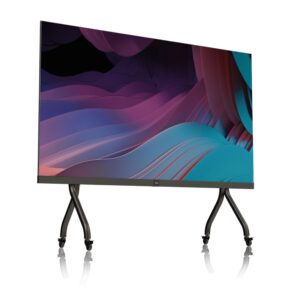
Hisense All-In-One LED, 108", 2K resolution, Android 9.0 OPS - OP108DE
R498,823.07
OP108DE Out of Stock
Hisense
Low stock (3 left)
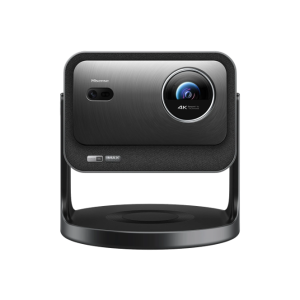
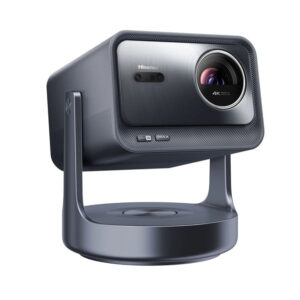
Hisense Mini Laser Projector, 4000 Ansi Lumens, 4K resolution - C3ULTRA
R49,949.91
C3ULTRA Low stock (3 left)
Hisense
Hisense Mini Laser Projector, 3000 Ansi Lumens, 4K resolution - C2ULTRA
R46,321.21
C2ULTRA Out of Stock
Hisense
Reviews
There are no reviews yet.