All Categories
- ATEN
- EPSON
- HISENSE
-
AV Signal Distribution
In AV Signal Distribution
- JK
-
Screens
In Screens
-
Projector
-
Cables
In Cables
- DTECH
- Business
- VISION
-
Projector Bracket
In Projector Bracket
-
Digital Signage Solutions
In Digital Signage Solutions
Brands
-
Audio
In Audio














All Categories
- ATEN
- EPSON
- HISENSE
-
AV Signal Distribution
In AV Signal Distribution
- JK
-
Screens
In Screens
-
Projector
-
Cables
In Cables
- DTECH
- Business
- VISION
-
Projector Bracket
In Projector Bracket
-
Digital Signage Solutions
In Digital Signage Solutions
Brands
-
Audio
In Audio

BROWSE CATEGORIES
Help
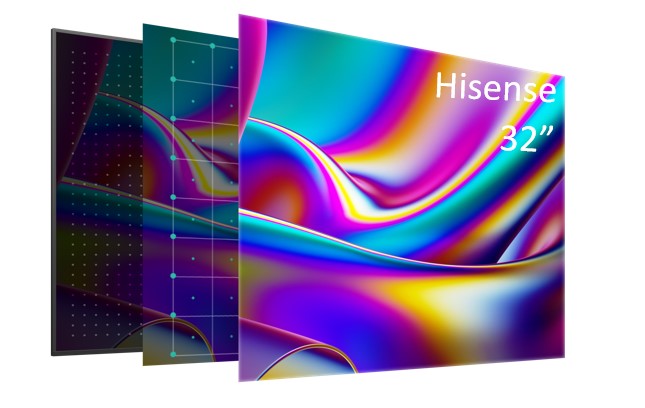
Digital Signage 24x7
Hisense Digital Signage 32″, 500 nits, Full HD, with 7day x 24hrs operation, Android 11 – 32DM66D
R8,996.51
A 32-inch Full HD signage screen with a built-in Android player, rated for 24/7 use and sized for till menu boards, door signs and reception notices.
- 1920 x 1080, 500 nits, 25% haze anti-glare
- USB playlist can start itself at switch-on; VisionInfo for remote management
- Two HDMI 2.0 inputs, DisplayPort, RS-232 on RJ45
- 4.6 kg on 200 x 200 mm VESA, landscape or portrait
- Brand :Hisense
- SKU :HISENSE-32DM66D
- Category :Digital Signage 24x7
- Availability :
 In Stock
4 in stock
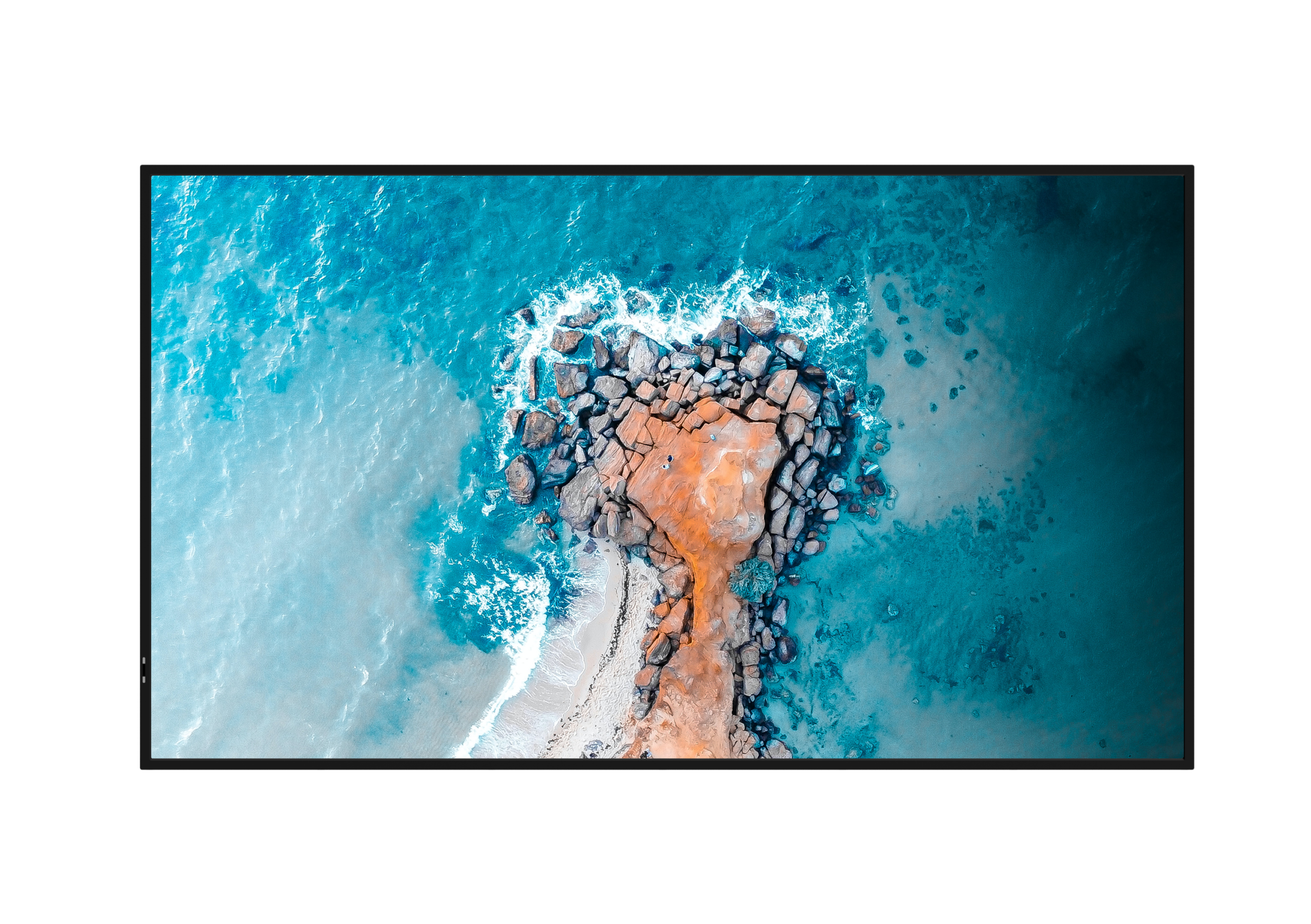
The Hisense 32DM66D is the smallest model in the DM66D signage range and the only Full HD one: a 32-inch, 1920 x 1080 screen that Hisense rates for 24/7 operation, with an Android 11 media player built in. At 4.6 kg on four M6 screws in a 200 x 200 mm pattern, it goes above a till as a menu board, beside a meeting-room door or on a reception wall. Brightness is 500 nits, an indoor level; Hisense sells its window-facing screens as a separate range.
Full HD at 32 inches: how close people can stand
The visible picture measures 80 cm diagonally, about 70 x 39 cm, which puts the pixels roughly 0.36 mm apart. A viewer with 6/6 eyesight stops seeing single pixels from about 1.25 m. Someone leaning in at a self-service counter will see small type as slightly stepped; to the people queueing behind them it looks smooth.
The ADS panel (Hisense’s product page calls it IPS) has 1,200:1 typical contrast, 178-degree viewing angles and 72% NTSC colour, behind a 25% haze surface that diffuses glare from downlights.
Running a menu board from the built-in player
The player runs Android 11 on a quad-core Cortex-A55 with 3 GB of RAM and 32 GB of storage. Copy video and pictures to a USB drive and build a playlist in Media Autoplay. Once a playlist exists, Media Autoplay can be set as the switch-on source, so the board restarts its content by itself after a power cut. The manual lists VP9, HEVC (H.265), H.264 and MPEG video, and JPEG, PNG and BMP pictures.
The built-in timer takes three separate on and off times per day, so a canteen board can run through breakfast, switch off mid-morning and come back for lunch. Before leaving it to run alone, check the two standby timers under Switch on/off, which ship set to 10 minutes (No signal standby) and 15 minutes (No operation standby, for the Android system).
For screens at several sites, Hisense’s cloud software is VisionInfo, opened from a CMS button on the remote; a display keeps playing from internal memory when the network drops. VisionInfo cloud CMS licences are sold separately.
A price list that never changes is the case the manual warns about: it says not to leave a still image on screen for more than two hours, and to lower brightness and contrast when you must. Screen burn protection, with a choice of pixel, scroll bar and gradient modes and its own start and end times, ships switched off, so turn it on or give the layout some movement.
Connections and control
- Inputs: HDMI 1 (with ARC) and HDMI 2, both HDMI 2.0, plus DisplayPort 1.2a
- HDMI output, which passes on the signal arriving at HDMI 2 or DisplayPort
- USB: one USB 2.0 and one USB 3.0, Type A, for media drives and firmware updates
- Network: RJ45 LAN, dual-band 802.11ac Wi-Fi, Bluetooth 5.1
- Serial control: RS-232 in and out, each on an RJ45 socket
- Audio: 3.5 mm output and two built-in speakers
Laptops and phones can mirror to it without a cable, over Miracast or ScreenShare, Hisense’s built-in sharing app.
Mounting a 4.6 kg screen, landscape or portrait
The 32DM66D measures 726 x 420.6 x 61.5 mm, with bezels of 10.1 mm on three sides and 10.3 mm along the bottom. Its four M6 mounting screws may go only 8.0 to 10.0 mm into the rear housing; the manual warns that longer screws do damage that cannot be repaired, so measure the screws that come with any bracket. Hisense names its own LG400030D wall bracket for this size. As a standard VESA alternative, the Lexin LSTA016B tilting wall bracket takes hole spacings down to 100 x 100 mm, and its rated screen range starts at 32 inches, so the 32DM66D sits at the small end of what it is made for.
Keep at least 10 cm of clear space around the display for ventilation, and any forward tilt under 15 degrees. For portrait use, the manual shows the set turned anticlockwise, leaving its power light on the lower edge. Choose vertical under Screen rotation and make artwork at 1080 x 1920 pixels.
What is in the box, and what to add
Hisense’s datasheet lists a power cord, a quick setup guide, an RS-232 converter cable and the remote with two AAA batteries. There is no wall bracket or HDMI cable, and VisionInfo cloud management needs a licence of its own.
Key specifications
| Screen | 32″, 80 cm visible diagonal |
|---|---|
| Resolution | 1920 x 1080 (Full HD), 60 Hz |
| Brightness | 500 nits typical |
| Rated use | 24/7 |
| Contrast | 1,200:1 typical |
| Net weight | 4.6 kg |
| Wall mount | 200 x 200 mm VESA, four M6 screws |
| Set dimensions | 726 x 420.6 x 61.5 mm |
| Inputs | HDMI 2.0 x 2, DisplayPort 1.2a |
| Player | Android 11; 3 GB / 32 GB |
| Power | 52 W typical, 60 W maximum |
| Control | RS-232 in and out (RJ45), LAN |
Questions about the Hisense 32DM66D
Is the 32DM66D a 4K screen?
No. Hisense’s datasheet, product page and manual all give 1920 x 1080 for the 32-inch model. Every DM66D from 43 inches upwards has a 3840 x 2160 panel, so choose a larger size if your content is made in 4K and has to be shown at full resolution.
How much power does it use running around the clock?
About 52 W in typical use and 60 W at most, on Hisense’s datasheet, with standby under 0.5 W. At the typical figure, a full 24 hours comes to roughly 1.25 kWh. The display is Energy Star 8.0 certified, and Hisense gives the panel a rated life of up to 50,000 hours.
Is the 32DM66D a touch screen?
No. Hisense specifies no touch input for it; the display is controlled from its remote, over RS-232, over the network or through VisionInfo. Hisense lists touch signage as a separate product, so a kiosk where people tap the screen needs a different model.
Should I choose the 32DM66D or the 32DM66GE?
Choose the 32DM66D if a source needs DisplayPort or your control system uses RS-232 on RJ45; choose the Hisense 32DM66GE for Android 14. On Hisense’s figures the GE moves to a Cortex-A73 processor with 4 GB of memory, Wi-Fi 6 and three HDMI inputs including an HDMI 2.1 port, but drops DisplayPort and puts RS-232 on 3.5 mm jacks.
Panel Speaker Environment Connectivity
| Backlight | DLED |
|---|---|
| Panel Type | ADS |
| Size | 32’’ |
| Resolution | 1920 x 1080 |
| Refresh rate | 60HZ |
| Colour Depth | 16.7M (8 Bits) |
| Brightness | 500 nits (typ) |
| Contrast(typ) | 1200:1 (typ) |
| Response Time(typ) | 8ms |
| Viewing Angle | 178° / 178° |
| Colour Gamut(typ) | 72% NTSC |
| Haze | 25% |
| Orientation | Landscape & Portrait |
| Lifetime | up to 50,000hrs |
| Operation Hours | 7Day x 24Hour |
| Built in speaker | 10W x 2 |
| Operation Temperature | 0 - 40°C |
| Operation Humidity | 10% - 80% Non-Condensing |
| WI-FI | 2.4/5.0GHz dual,802.11a/b/g/n/ac |
| Bluetooth | BT5.1 |
Operating System
| OS | Android 11 |
|---|
Physical Certification What’s in the box
| Bezel Colour | Black |
|---|---|
| Set Dimension(W×H×D) | 726 x 420.6 x 61.5mm / 25.6 x 16.6 x 2.4inch |
| Bezel width(T/L/R/B) | 10.1mm(T/L/R), 10.3mm(B) |
| Net Weight | 4.6kg / 10.1lbs |
| Packing Dimension(W×H×D) | 820 x 512 x 126mm / 32.3 x 20.2 x 5inch |
| Gross Weight | 6.5kg / 14.33lbs |
| VESA Mount | 200mm x 200mm |
| Standard Certification | CCC/CB/CE/FCC/cTUVus/UKCA/CEC/ERP |
| Safety | 62368-1 |
| Environment | Energy Star 8.0 |
| IP Rating | IP5X |
You must be logged in to post a review.
You may also like these
Hisense
Hisense Digital Signage Panel, 100",DLED resolution, with 7day x 24hrs operation, Android 9.0 - 100BM66D
R139,958.51
100BM66D Out of Stock
Hisense
Hisense Interactive Panel, 86", 4k resolution, 450nits, Android 16 - 86WE6GE
R87,473.43
86WE6GE Out of Stock
Hisense
Low stock (3 left)
Hisense Digital Signage 50", 350 nits, 4k resolution, UHD, with 7day x 16hrs operation, Android 9 OPS- 50DP30FE
R12,519.23
50DP30FE Low stock (3 left)
Reviews
There are no reviews yet.