n
e
x
m
a
r
t

All Categories
-
AV Signal Distribution
In AV Signal Distribution
-
Screens
In Screens
-
Projector
-
Cables
In Cables
- Business
-
Digital Signage Solutions
In Digital Signage Solutions
Brands
-
Projector Bracket
In Projector Bracket
-
Audio
In Audio
-
Professional
Brands
-
Flat Panel Bracket
In Flat Panel Bracket
-
Home Cinema
Brands
-
Wireless Presentation Systems
In Wireless Presentation Systems
Brands
-
Interactive Panels
In Interactive Panels
Brands
-
Visualisers
In Visualisers
Brands


All Categories
-
AV Signal Distribution
In AV Signal Distribution
-
Screens
In Screens
-
Projector
-
Cables
In Cables
- Business
-
Digital Signage Solutions
In Digital Signage Solutions
Brands
-
Projector Bracket
In Projector Bracket
-
Audio
In Audio
-
Professional
Brands
-
Flat Panel Bracket
In Flat Panel Bracket
-
Home Cinema
Brands
-
Wireless Presentation Systems
In Wireless Presentation Systems
Brands
-
Interactive Panels
In Interactive Panels
Brands
-
Visualisers
In Visualisers
Brands
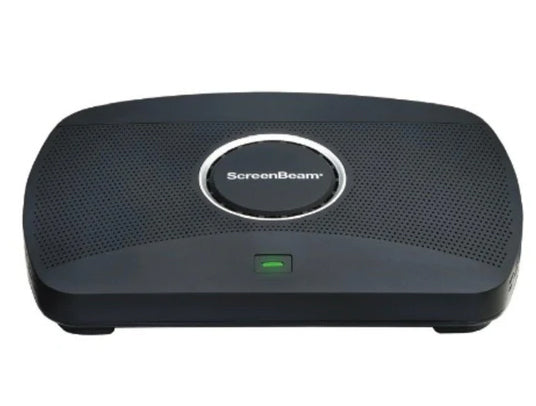
Wireless Presentation Systems
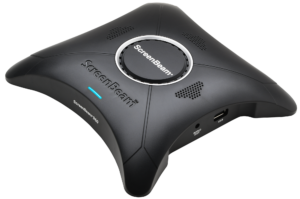
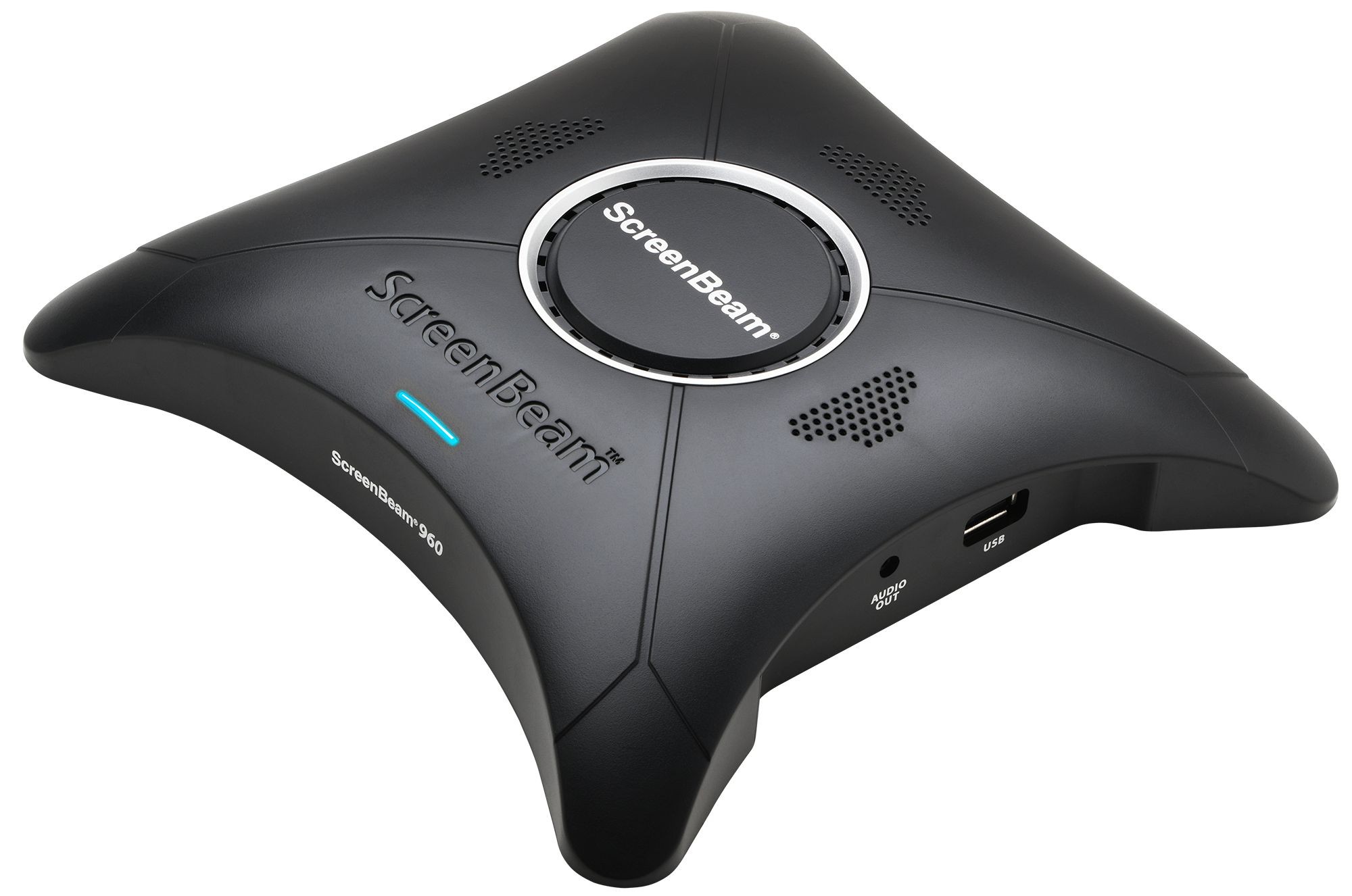
Screenbeam Wireless Presentation System – 1100PCMS
R35,814.45
• Flexible deployment options reduce complexity and lower capital costs
Three separate network interfaces supporting both internal and external networks in a single device. Presenter and guest connect using Miracast™, local Wi-Fi mode or network providing more flexibility for different network policies and deployment needs.
• No apps to install and maintain, or dongles or cables required
Support for native wireless display protocols means users can wirelessly present from any device without having to install and maintain an application, or use a dongle or cable.
• Integrate ScreenBeam wireless display with a UC system
Merge these two technologies into a single, collaborative experience of wireless display and UC conferencing for on-site and remote participants. Plug an HDMI cable from the ScreenBeam output into the HDMI input of your UC appliance. Learn more here.
• Single device for both wired and wireless connections
Combines wireless display and HDMI switching in a single device. The new HDMI Input eliminates the need for an HDMI switch so rooms are fully functional for wired and wireless connections.
- Brand :Screenbeam
- SKU :SCREENBEAM-1100PCMS
- Category :Wireless Presentation Systems
- Availability :
 In Stock
10 in stock
Description
Multi-Network Support
No need to choose an internal or external network connection for your wireless display solution. ScreenBeam can connect to both simultaneously without compromising the security of your internal network.
Ghost Inking™ removes any wireless inking latency
Wirelessly markup content on the room display using Microsoft Windows Ink native in all Microsoft Office 365 apps – then store and share with everyone in the room instantly. Plus, Ghost Inking™ technology removes any wireless inking latency for a more intuitive and natural pen-to-paper experience.
Digital Signage for employee and guest communications
Idle displays in conference and other meeting rooms can be employed to transmit employee and guest communications with integrated HTML-based digital signage capability.
Multi-View allows up to four client devices to share content on-screen
Whether in-room or off-premise, as many as four participants can share content simultaneously during a meeting making it easier for real-time editing of materials.
Quick Switch Mode to switch between presenters without disconnecting
Presenters do not need to disconnect to allow the next presenter to assume control eliminating time-wasting delays and keeping meetings on track.
Multi-user and role-based central management of devices
Every ScreenBeam 1100 Plus includes Central Management System (CMS) Enterprise software to monitor and manage ScreenBeam receivers using a standard web browser, and support multi-user and role-based access for large deployments with multiple sites and administrators.
Three levels of security for the active connection
Connection level security support for most enterprise network certificate-based security requirements. Session level security with AES128 encryption to ensure that content is not compromised. Plus, customizable PIN pairing options providing IT/AV departments control over the user connection models so only authorized users are able to connect to the receiver
Wireless Authentication
| Miracast and Local Wi-Fi Mode | 802.11ac dual-band 3×3 MIMO |
|---|---|
| Network Bridge | 802.11ac dual-band 2×2 MIMO |
Power
| Input | 12VDC, 3A |
|---|---|
| Consumption | 8.4W (typical), 36W (peak) |
Regulatory and compliance
| Approved | FCC and UL |
|---|---|
| Pending | CE, RoHS and C-Tick |
You must be logged in to post a review.
100DM66E Datasheet PDF
Reviews
There are no reviews yet.