All Categories
- ATEN
- EPSON
- HISENSE
-
AV Signal Distribution
In AV Signal Distribution
- JK
-
Screens
In Screens
-
Projector
-
Cables
In Cables
- DTECH
- Business
- VISION
-
Projector Bracket
In Projector Bracket
-
Digital Signage Solutions
In Digital Signage Solutions
Brands
-
Audio
In Audio














All Categories
- ATEN
- EPSON
- HISENSE
-
AV Signal Distribution
In AV Signal Distribution
- JK
-
Screens
In Screens
-
Projector
-
Cables
In Cables
- DTECH
- Business
- VISION
-
Projector Bracket
In Projector Bracket
-
Digital Signage Solutions
In Digital Signage Solutions
Brands
-
Audio
In Audio

BROWSE CATEGORIES
Help
Conferencing
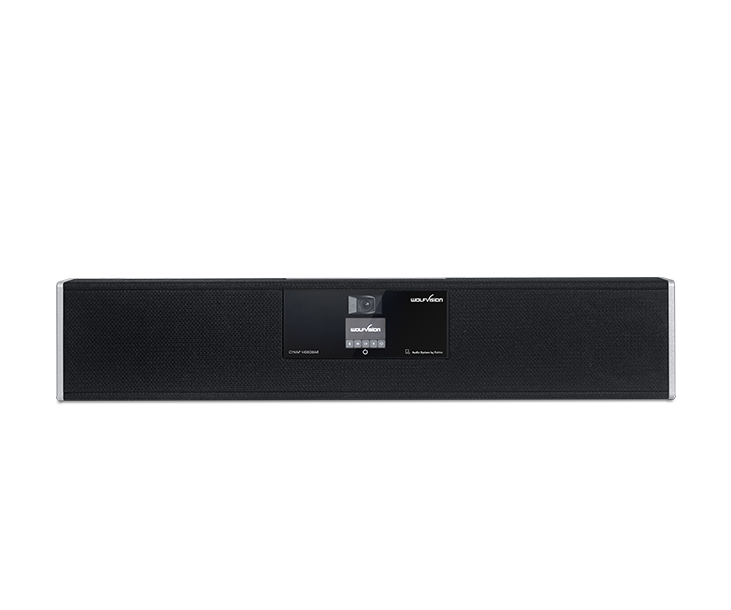
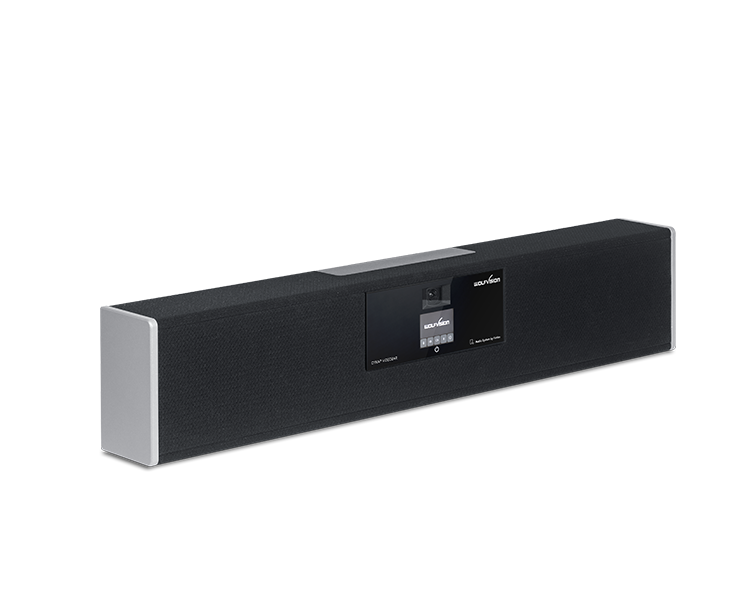
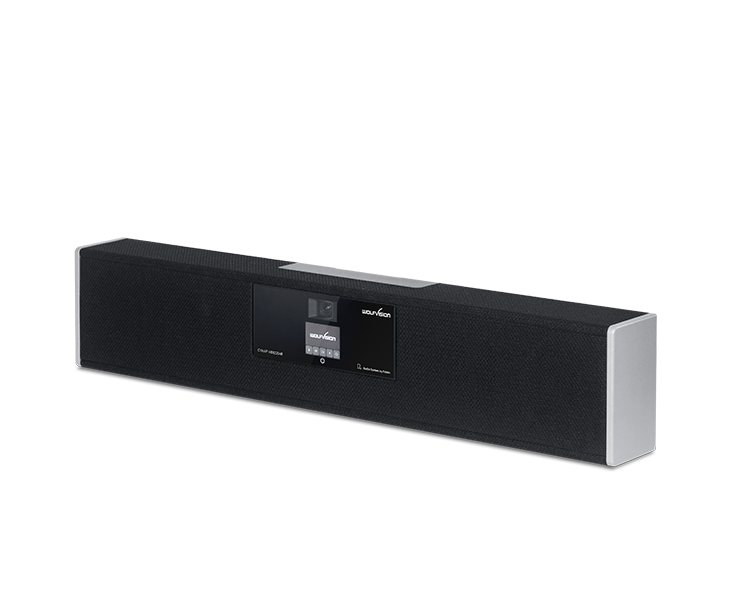
Wolfvision Cynap Wireless Videobar – CYNVIDBAR
R164,225.68
All-in-one video bar for small and medium meeting rooms: camera, microphones, speakers and Cynap wireless presentation in one unit.
- 8 MP 4K camera, 110° view, auto-framing
- Four-microphone beamforming array, 2 x 70 W Fohhn speakers
- Recommended range up to 5 m
- BYOM for Teams or Zoom over Wi-Fi or USB-C
- AirPlay, Miracast and Chromecast, up to 4 windows
- Brand :Wolfvision
- SKU :WOLFVISION-CYNVIDBAR
- Category :Conferencing
- Availability :Out of Stock
Out of stock
The WolfVision Cynap Videobar is a 782 mm bar that combines a Cynap wireless presentation system with an 8 MP 4K auto-framing camera (110° field of view), four beamforming microphones and two 70 W Fohhn loudspeakers. WolfVision positions it for small and medium-sized meeting rooms, with a recommended usage range of up to 5 m.
Guests share to the screen over AirPlay, Miracast or Chromecast. Calls run on the host’s Windows or macOS laptop, which uses the bar’s camera and audio over Wi-Fi or a USB-C cable.
Camera and microphones: the 5 m range
Auto-framing adjusts the shot so the people in the room stay in view. The microphone array applies noise suppression, automatic gain control and echo cancellation, with WolfVision’s WAVE voice-processing engine. WolfVision’s 2025 product sheet gives one figure for camera and microphones together: up to 5 m from the bar for optimal audio and video.
WolfVision’s January 2024 brochure gave a 120° view, speaker tracking, 4K output at 60 Hz and 7 m pickup; the current sheet replaces these with 110°, auto-framing, 4K at 30 Hz and 5 m.
Fohhn loudspeakers and room tuning
Each 70 W channel drives a 4-inch driver with a coaxial high-frequency diffraction waveguide and a bass-reflex port. WolfVision quotes a nominal bandwidth of 58 Hz to 16 kHz (-10 dB) and a maximum of 103 dB SPL at 1 m. A Fohhn room-tuning tool in the settings plays test tones and adjusts the speakers to the room; the quick start guide lists it as the last setup step. The 3.5 mm line output can feed an assistive listening system.
Hosting a Teams or Zoom call from a laptop
In BYOM (bring your own meeting) mode the call runs on the host’s laptop, and the bar becomes its camera, microphone and speaker.
- Wireless: install the free vSolution App on a Windows or macOS laptop, select the Videobar in the device list and choose Connect Room Audio/Video. The bar then appears as room audio and video in Teams, Zoom, Google Meet or another conferencing app.
- USB-C: plug the laptop into the bar’s USB-C port. Its screen is mirrored to the room display and the bar appears in the conferencing app in the same way. WolfVision recommends a 0.5 m USB-C extension cable for routing this connection; it is not in the box.
Phones and tablets can share content but cannot host the call, because BYOM is not available in the iOS, iPadOS and Android versions of the app.
Screen sharing and touch control
Up to four sources can be on screen together. Apple, Android, Windows and Chrome OS devices send at up to 4K if they support it, over AirPlay, Miracast (without HDCP support), Chromecast or vSolution Cast. Guests can scan the QR code on the display to join the bar’s own access point; in that mode the Wi-Fi 5 radio uses 2.4 GHz only, while on a building network it connects at 2.4 or 5 GHz. WolfVision recommends a LAN connection.
A touchscreen connected over USB-A becomes the control surface, with touchback to Windows laptops (Miracast and vSolution Cast) and to Macs through the vSolution App. Annotation, a whiteboard and a mind map tool are built in.
Connections, power and mounting
The HDMI output to the display runs at 2160p30, 1080p60/30 or 720p. The HDMI input is for content sharing only: WolfVision gives its latency as more than 200 ms and advises against using it as a primary monitor. The bar draws up to 100 W.
A wall mount is in the box, and WolfVision also offers a table mount and VESA top and bottom mounting kits (items 102227 and 102436). Plan the wall fixing for a 782 mm, 7 kg bar. Firmware updates and remote management run through vSolution Link Pro, free in the cloud or on premise, and room control systems connect through WolfVision’s API modules.
Videobar, Cynap Core Pro or a USB video bar
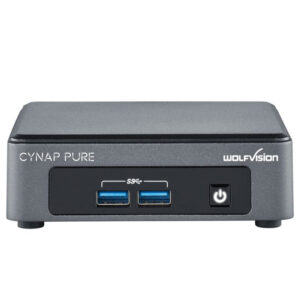
The WolfVision Cynap Core Pro has the same Cynap sharing with no camera or speakers: you add USB peripherals, and Zoom, Teams and WebRTC calls can run on the unit. The USB video bars in our conferencing range work the other way round, as a camera and speakerphone for a room PC or laptop that runs the call and drives the display.
Key specifications of the Cynap Videobar
| Camera | 8 MP 4K, 110° field of view, auto-framing |
|---|---|
| Microphones | Active beamforming array, 4x MEMS, WAVE processing |
| Loudspeakers | 2 x 70 W by Fohhn, 2 x 4-inch drivers, 58 Hz to 16 kHz (-10 dB) |
| Recommended usage range | Up to 5 m |
| Wireless sharing | AirPlay, Chromecast, Miracast, vSolution Cast; up to 4 windows |
| BYOM | Wireless (vSolution App) or USB-C, Windows and macOS |
| Video | HDMI out x1 (2160p30, 1080p60/30, 720p), HDMI in x1 |
| Other ports | USB-A 2.0, USB-C 3.0, LAN, 3.5 mm line in and out |
| Dimensions | 782 x 92 x 147 mm |
| Weight | 7 kg |
| Power consumption | Max. 100 W |
| In the box | Power supply, wall mount |
Questions about the Cynap Videobar
Does the Cynap Videobar work with Microsoft Teams and Zoom?
Yes, through the host’s laptop. Teams, Zoom, Google Meet and other apps on a Windows or macOS laptop use the bar as camera, microphone and speaker once the laptop connects through the vSolution App or a USB-C cable. WolfVision does not list Teams or Zoom clients that run on the bar itself.
What size of room is the Cynap Videobar for?
Small and medium-sized meeting rooms where everyone sits within 5 m of the bar, WolfVision’s recommended range for both camera and microphones. A long boardroom table with seats further back needs conferencing equipment rated for a longer pickup and viewing distance.
Is a remote control included?
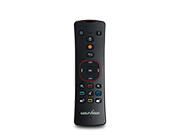
No. WolfVision lists a remote as an optional accessory without naming the model, and does not include the Videobar on its list for the Cynap remote (item 102778), so that remote’s compatibility is unconfirmed. Without one, the bar runs from a touchscreen, a web browser, a USB keyboard and mouse, a room control system or the vSolution App.
Does the Cynap Videobar have Bluetooth audio?
Not as an audio input on WolfVision’s current product sheet, which lists a 3.5 mm line input. Bluetooth appears there only as device discovery, which lets the vSolution App list the bar as a nearby device. Earlier WolfVision material listed Bluetooth among the audio inputs.
| Operating System | Linux |
|---|---|
| Output resolutions | 2160p60/30,1080p60/30, 720p |
| vSolution Link Pro software for remote management & firmware updates | Yes, Cloud and on premise |
| Live Viewer Mode (browser-based live view of onscreen content on own device) | Yes |
| Supported devices for wireless screen sharing (up to 4K depending on device) | iOS, iPadOS, Android, Windows, macOS, Chrome OS |
| Supported mirroring protocols | AirPlay, Miracast (no HDCP support), Chromecast, vSolution Cast |
| Max no. of onscreen windows | 4 |
| Touchback functionality | Yes, for Windows (Miracast & vSolution Cast), macOS via vSolution App |
| Digital signage function and screensaver | Yes |
| Whiteboard and annotation | Yes |
| Presentation modes | Protected Mode/Open Mode |
| Dynamic on-screen content arrangement | Yes |
| BYOM (Bring Your Own Meeting) web conferencing | Yes |
| Customizable background image | Yes |
| Video inputs | 1x HDMI In |
| Video outputs | 1x HDMI Out |
| LAN port | Yes 1x 1GigE |
| Audio Outputs | Via HDMI out; 3.5mm Line Out |
| Audio Inputs | 3.5mm Line In; Bluetooth |
| USB ports | USB-A 2.0 x1; USB-C 3.0 x1 |
| Camera | 8MP 4K camera. 120° FOV, Auto-framing and speaker tracking |
| Microphones | Beamforming Microphone Array with 4x MEMS microphones, WolfVision Advanced Voice-Processing Engine (WAVE) |
| Loudspeakers (by Fohhn) | 2 x 70W, 2 x 4“ chassis, with coaxial high frequency diffraction waveguide and bass-reflex port |
| Frequency response | tbc. |
| SNR (Signal-to-noise ratio) | >110dB |
| EQ adjustment for room acoustic optimisation | Yes |
| Bluetooth device discovery | Yes |
| WiFi standards (Wifi 5) | 2.4 GHz in Access Point Mode / 2.4 and 5 GHz in Infrastructure Mode |
| Network protocols | TCP/IP, HTTP, HTTPS, SNTP/NTP, SSL, SSH, UDP |
| RMS encryption | Yes |
| IP configuration | DHCP, Static (IP address, Subnet mask, Default gateway, DNS server), Proxy, Interface priority |
| Security authentication for LAN / Security encryption for wireless WLAN | IEEE 802.1X / WEP, WPA2, WPA2 Enterprise or IEEE 802.1X |
| External controlling | Multi-touch display, web interface, room control system, keyboard/mouse, remote control, vSolution App |
| Peripheral device control | Yes |
| Power consumption | Max 100W |
| Free firmware updates | Yes |
| Dimensions (L x W x H) | 782 x 92 x 147 mm (30,79 x 3,62 x 5,79“) |
| Optional accessories | Remote control |
| Weight | tbc. |
| Included accessories | Power supply, wall mount |
| Made in | EU / Austria & Germany |
| Warranty | 3 years limited warranty, optional warranty extension up to 5 years |
You must be logged in to post a review.
 Low stock (1 left)
Reviews
There are no reviews yet.