All Categories
- ATEN
- EPSON
- HISENSE
-
AV Signal Distribution
In AV Signal Distribution
- JK
-
Screens
In Screens
-
Projector
-
Cables
In Cables
- DTECH
- Business
- VISION
-
Projector Bracket
In Projector Bracket
-
Digital Signage Solutions
In Digital Signage Solutions
Brands
-
Audio
In Audio














All Categories
- ATEN
- EPSON
- HISENSE
-
AV Signal Distribution
In AV Signal Distribution
- JK
-
Screens
In Screens
-
Projector
-
Cables
In Cables
- DTECH
- Business
- VISION
-
Projector Bracket
In Projector Bracket
-
Digital Signage Solutions
In Digital Signage Solutions
Brands
-
Audio
In Audio

BROWSE CATEGORIES
Help
HISENSE
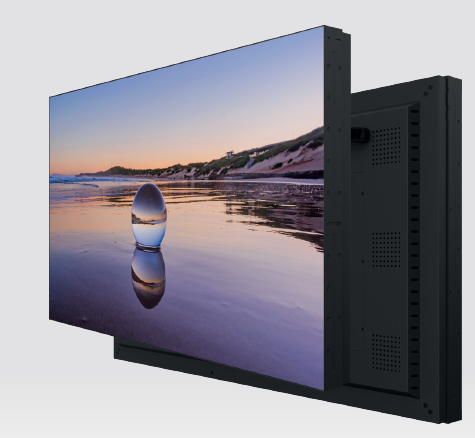
Hisense LCD Video Wall Panel, 46″, 500 nits, 1080P resolution, 7day x 24hrs operation – 46VW25E
R30,871.87
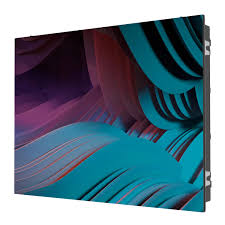
A 46" Full HD LCD video wall tile with Android 11, for walls that need more panels across the same width or a lighter, lower-power build.
- 2.9 mm between neighbouring images
- 1920 x 1080 at 500 nits, 24/7 rating
- 19 kg and 100 W typical per panel
- HDMI 3 loops out to the next tile
- VESA 400 x 400 with M6 screws
- Brand :Hisense
- SKU :HISENSE-46VW25E
- Category :HISENSE
- Availability :Out of Stock
Out of stock
The Hisense 46VW25E is the 46″ model in Hisense’s VW25E LCD video wall series: a Full HD tile with 500 nits brightness, a 24/7 rating and a 2.9 mm gap between neighbouring images. At 19 kg and 100 W typical it is the lightest and least power-hungry of the three Hisense wall panels we list, and it packs the same 1920 x 1080 pixels into a smaller cabinet, so a wall of a given width carries more of them.
Wall size and pixel density with 46-inch tiles
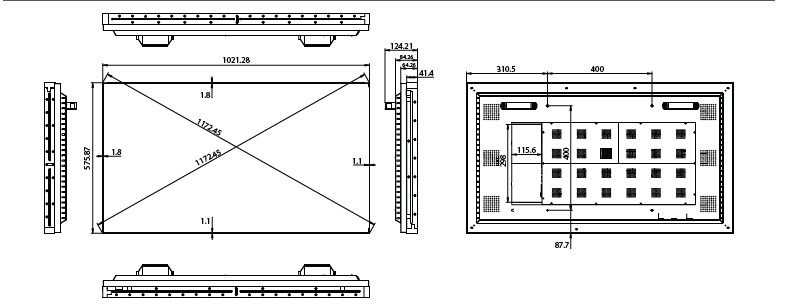
The cabinet measures 1,021.3 x 575.9 mm, about 16% narrower than the 55″ model, with a visible diagonal of 117 cm. Because every tile has 1920 x 1080 pixels whatever its size, the smaller tile puts pixels closer together. A 2 x 2 block of 46VW25E panels comes to roughly 2.04 x 1.15 m and carries 3840 x 2160 pixels; four 55″ panels need about 2.43 x 1.37 m for the same pixel count.
Fine text and thin lines in dashboards or maps stay crisper for viewers standing close, at the cost of more joints across the image and more panels to buy, mount and wire. Each joint is 2.9 mm of black, because every tile’s border measures 1.8 mm along the top and left and 1.1 mm along the bottom and right.
Connecting a source and chaining the panels
Of the three HDMI 2.0 inputs, only HDMI 3 drives the splicing function and the HDMI output, and HDMI 3 is also the default start-up source. Plug the source into the first tile’s HDMI 3, then link HDMI OUT to HDMI 3 on the next and so on through the wall; Hisense specifies no cap on chain length. Standard HDMI copper leads do the job between adjacent panels.
Each tile then needs its place in the grid: under Multi-screen display set the horizontal and vertical counts (1 to 15 each, so up to 225 tiles), the tile’s position, and edge masking, which crops the part of the picture hidden behind the borders. With RS-232 linked in and out between panels and serial IDs from 1 to 255, a control system can send layout, power and input commands instead of someone working through the menu with a remote. Serial settings are 9600 baud, 8N1.
Built-in player and VisionInfo
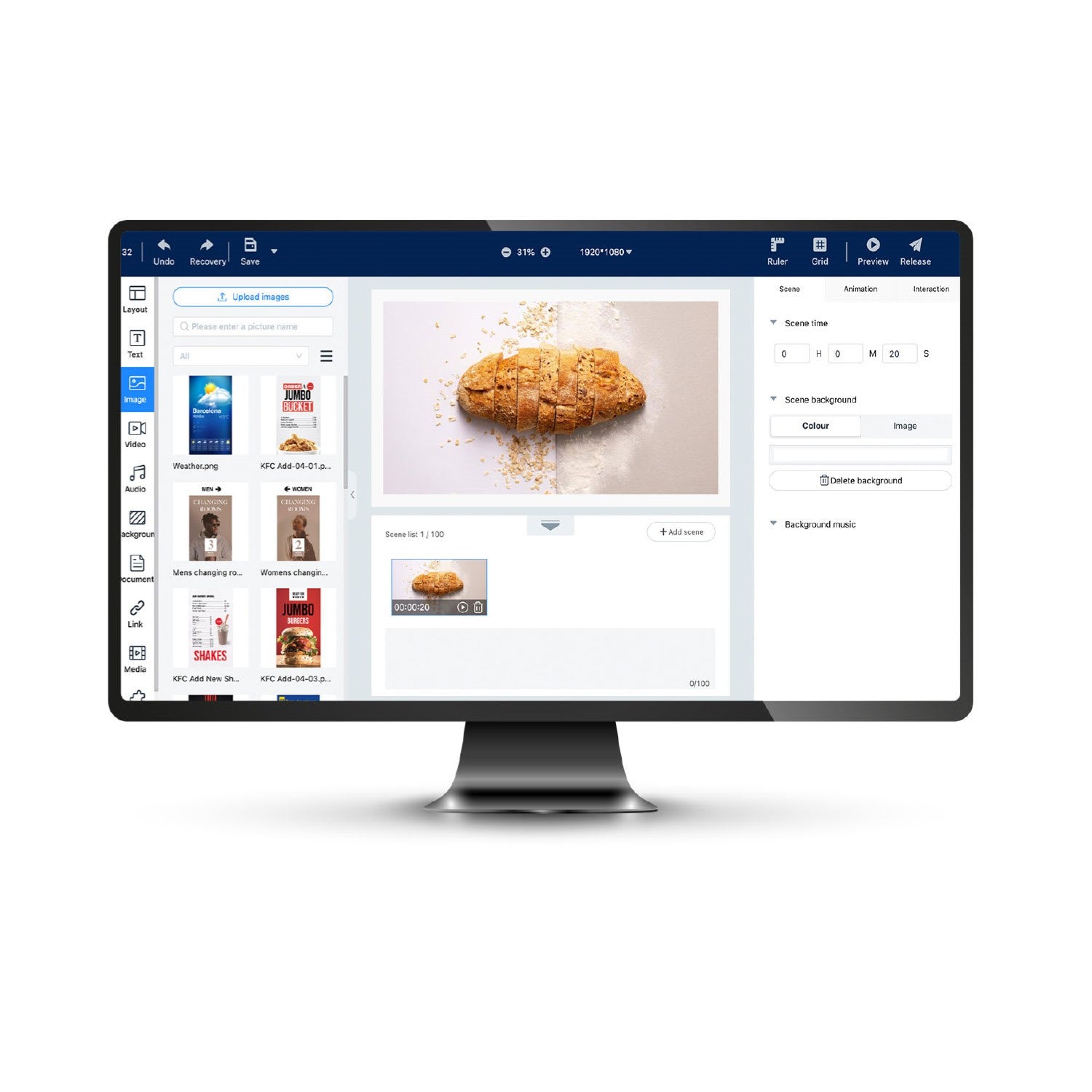
Android 11 runs on a quad-core Cortex-A55 with 2 GB RAM and 16 GB storage. A USB stick or drive in the USB 2.0 port can supply video (H.264, H.265, VP9 and other codecs) or still images, and VisionInfo, Hisense’s content and remote management platform, comes preinstalled; the licences sit in our Hisense content management range. The LAN port handles VisionInfo, OTA updates and wake-on-LAN. There are no speakers: sound leaves through the 3.5 mm output or HDMI 2 (ARC).
For control rooms showing fixed screens around the clock, Hisense’s manual cautions that a static image left for a long time can cause image retention, and it offers an automatic screen burn-in protection setting with a schedule.
Colour matching and mounting
To even out colour across tiles, the menu offers 2-point and 10-point white balance, gamma from 1.8 to 2.4 and per-hue colour correction, with the W.BAL key on the remote opening white balance directly.
Mounting uses four M6 screws in a VESA 400 x 400 layout, each entering the housing 10 to 12 mm and no further. Hisense names its LG400030D bracket for both VW25E sizes and warns that other brackets may be unstable; no wall mount comes in the box. On plasterboard or timber the wall needs reinforcing, and every expansion bolt should hold over a third of the tile’s weight, more than 6.3 kg here. A 3 x 3 wall of 46″ panels weighs about 171 kg. Each tile is a Class I appliance that needs an earthed socket. The ventilation drawing asks for 200 mm of space behind the panels and 100 mm around the outer edge of the wall. For portrait use, each tile turns 90 degrees anticlockwise until its connectors face down.
46VW25E against the 55VW25E and 55L35B5U
The Hisense 55VW25E is the same panel at 55″: identical bezels, inputs and software, with a 139 cm visible diagonal, 27 kg weight and 145 W typical draw. Choose it for a larger wall from fewer panels. The Hisense 55L35B5U is a 55″ tile with a 3.5 mm seam that is set up from Windows software over RS-232; its DisplayPort, DVI and VGA inputs suit sources that lack HDMI.
Key specifications of the Hisense 46VW25E
| Size | 46″, 117 cm visible diagonal |
|---|---|
| Pixels | 1920 x 1080, 60 Hz refresh |
| Gap between tiles | 2.9 mm (1.8 mm top and left, 1.1 mm bottom and right) |
| Luminance | 500 nits typical |
| Operating hours | 24 x 7 (MTBF 50,000 hrs) |
| Connections | HDMI 2.0 in x 3, HDMI out, USB 2.0, LAN, RS-232 in and out, IR in, audio out |
| Wall layout | Up to 15 x 15 from the on-screen menu |
| Operating system | Android 11 with VisionInfo |
| Dimensions | 1,021.3 x 575.9 x 84 mm (excluding handles) |
| Net weight | 19 kg |
| Power draw | 100 W typical, 130 W maximum (datasheet); 150 W (manual) |
| VESA | 400 x 400 mm, 4-M6 |
Questions about the Hisense 46VW25E
How big is a 3 x 3 or 4 x 4 wall of 46VW25E panels?
Nine panels in a 3 x 3 grid cover about 3.06 x 1.73 m with 5760 x 3240 pixels, and sixteen in a 4 x 4 grid about 4.09 x 2.30 m with 7680 x 4320. Allow for the clearance of at least 0.2 mm that Hisense asks for between cabinets, enough for a sheet of A4 to slide through.
Does the 46VW25E need a video wall controller?
Not for one picture spread across the wall: Hisense chains the panels from HDMI out to HDMI 3 and splits the image inside each panel, with no splitter needed. To show several sources at once or switch layouts on the fly, add a matrix switcher or wall processor ahead of the panels.
How much power does a 46VW25E wall use?
About 400 W for a 2 x 2 wall in normal use, going by the datasheet’s 100 W typical and 130 W maximum per panel, with standby under 0.5 W. The user manual rates each panel at 150 W, so size circuits on that higher figure: 600 W for four panels and 1,350 W for nine.
What comes in the box with the 46VW25E?
According to Hisense’s manual: a remote control with two AAA batteries, a quick setup guide, an external remote control (IR) cable, an Ethernet cable, two splicing brackets, the power cord and, listed as optional, an RS-232 converter cable. A wall mount is not included.
| Display | Backlight Type DLED |
|---|---|
| Contrast Ratio(Typ.) 1200 | 1 |
| Environment | Operating Temperature 0°C ~ 40°C |
| System | Operating System Android 11 |
| Connectivity | Input |
You must be logged in to post a review.
You may also like these
Hisense
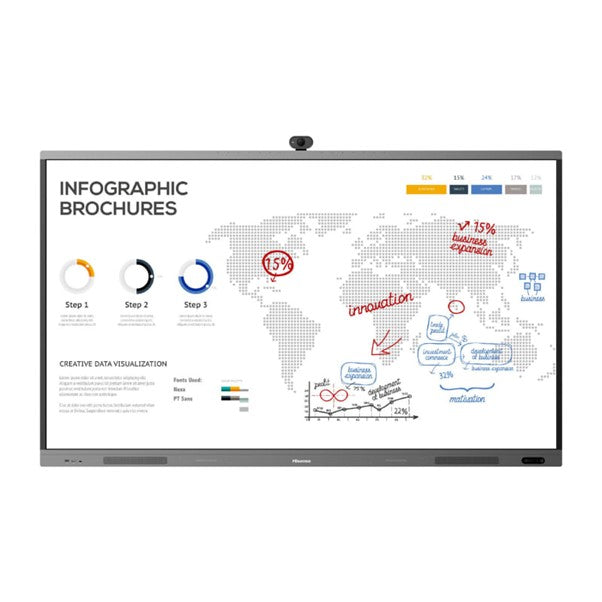
Hisense Interactive Flat Panel ,65", UHD resolution, Android 8.0 - 65WR6BE
R34,302.26
65WR6BE Out of Stock
Hisense
Reviews
There are no reviews yet.