All Categories
- ATEN
- EPSON
- HISENSE
-
AV Signal Distribution
In AV Signal Distribution
- JK
-
Screens
In Screens
-
Projector
-
Cables
In Cables
- DTECH
- Business
- VISION
-
Projector Bracket
In Projector Bracket
-
Digital Signage Solutions
In Digital Signage Solutions
Brands
-
Audio
In Audio














All Categories
- ATEN
- EPSON
- HISENSE
-
AV Signal Distribution
In AV Signal Distribution
- JK
-
Screens
In Screens
-
Projector
-
Cables
In Cables
- DTECH
- Business
- VISION
-
Projector Bracket
In Projector Bracket
-
Digital Signage Solutions
In Digital Signage Solutions
Brands
-
Audio
In Audio

BROWSE CATEGORIES
Help
HISENSE
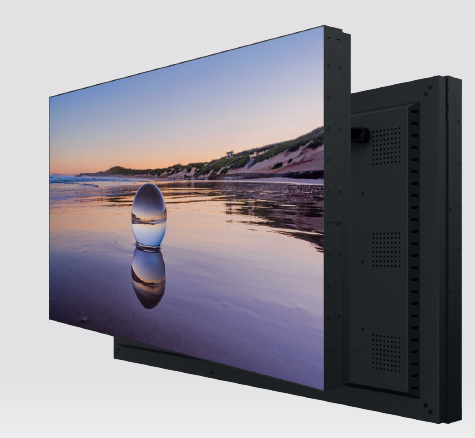
Hisense LCD Video Wall Panel, 55″, 500 nits, 1080P resolution, 7day x 24hrs operation – 55VW25E
R29,508.29
A 55" Full HD LCD video wall panel with Android 11 on board, for control rooms, meeting rooms and retail walls fed over HDMI or from USB.
- 2.9 mm seam between tiles
- 500 nits, 1920 x 1080, rated 24/7
- HDMI loop-out for chained walls up to 15 x 15
- Android 11 with VisionInfo and USB playback
- 27 kg, VESA 400 x 400, 145 W typical
- Brand :Hisense
- SKU :HISENSE-55VW25E
- Category :HISENSE
- Availability :
 In Stock
8 in stock
The Hisense 55VW25E is a 55″ LCD video wall panel with a 2.9 mm bezel-to-bezel gap, Full HD resolution, 500 nits brightness and a 24/7 operating rating. Each panel carries three HDMI inputs plus an HDMI output, so one HDMI feed can pass from panel to panel across the wall, and its own Android 11 system with Hisense VisionInfo means a panel can also play content from USB or a CMS without an external player.
Seam width and wall dimensions with 55-inch tiles
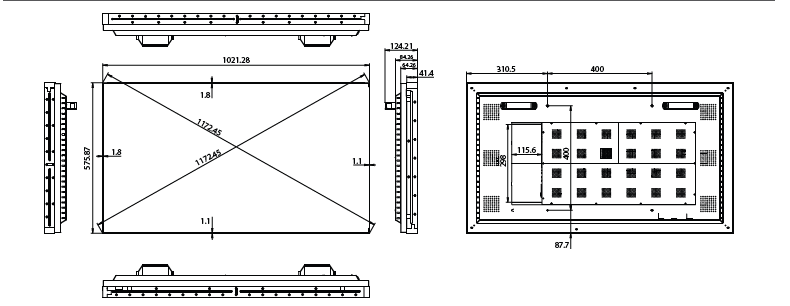
Hisense puts 1.8 mm of border on the top and left of each panel and 1.1 mm on the bottom and right, giving a 2.9 mm line where tiles meet. The manual asks for at least 0.2 mm of clearance between cabinets after splicing, enough for a single sheet of A4 paper to pass.
The cabinet is 1,213 x 684 mm with a visible diagonal of 139 cm. Laid out as 2 x 2, the wall spans roughly 2.43 m wide by 1.37 m high; a 3 x 3 layout grows to about 3.64 by 2.05 m. Depth is 84 mm, or 124 mm measured over the handles.
Daisy-chaining over HDMI and the multi-screen menu
Connect the source to HDMI 3 on the first panel, then run HDMI out of each panel into HDMI 3 of the next, using ordinary leads such as our HDMI 2.0 copper cables. HDMI 3 is the only input that feeds the output and the multi-screen settings.
Each panel’s place is then set under Display, Advanced setting, Multi-screen display: enter the number of rows and columns (each from 1 to 15), the panel’s position, and switch edge masking on to crop the picture behind the bezels. The same values can also be sent over RS-232 with a Set Video Wall command.
HDMI 3 accepts 3840 x 2160 at 60 Hz, and Hisense says the processor decodes 4K at 60 Hz. Hisense does not state what resolution the HDMI output passes on, though, so before relying on a 4K source across a 2 x 2 wall (3840 x 2160 physical pixels in total), test it through the chain.
Android 11, USB playback and VisionInfo
Inside is a quad-core ARM Cortex-A55 processor with a Mali-G52 GPU, 2 GB of DDR4 memory and 16 GB of eMMC storage. The USB 2.0 port plays H.264, H.265 and VP9 video plus JPEG, PNG and BMP images, third-party apps can be installed, and firmware updates arrive over the air through the LAN port.
VisionInfo, Hisense’s content and device management platform, is built in and has its own key on the remote. For scheduled content or remote monitoring, the Hisense VisionInfo editions are in our content management range. The power menu offers up to three on and off times per day, wake-on-LAN and a power-on delay of 2 to 255 seconds for staggering start-up across a large wall.
Matching colour between panels
White balance has a 2-point mode (red, green and blue gain and offset, each from -30 to +30) and a 10-point mode for finer grey-scale steps, alongside gamma presets of 1.8, 2.0, 2.2 and 2.4 and a colour correction page covering six hues plus skin tone. A W.BAL key on the remote jumps straight to white balance. Control systems reach each panel over RS-232 at 9600 baud, 8N1, using IDs 1 to 255.
Mounting, ventilation and power for a 55VW25E wall
Four M6 screws fix the panel to a VESA 400 x 400 mount, and they should go 10 to 12 mm into the housing; the manual warns that longer screws cause irreparable damage. The manual approves concrete and brick walls, says plasterboard and timber need reinforcement first, and asks for expansion bolts that each hold over one third of the panel’s weight: more than 9 kg per bolt for this 27 kg panel.
The installation drawing shows at least 200 mm between the panels and the wall behind and 100 mm around the edges; if the internal temperature reaches 70 °C the panel halves its backlight. Each panel is a Class I appliance on 100 to 240 V and needs an earthed socket. At 27 kg and 145 W typical (200 W maximum) per panel, a 2 x 2 wall weighs about 108 kg and draws about 580 W in normal use, or up to 800 W at the maximum rating.
Choosing between the 55VW25E, 46VW25E and 55L35B5U
The Hisense 46VW25E shares this panel’s bezels, ports and Android system in a 19 kg, 46″ cabinet; pick it when you want more tiles, and therefore more pixels, across a given wall. The Hisense 55L35B5U has a wider 3.5 mm seam, is rated at 240 W and is set up from Windows software, but its DisplayPort, DVI and VGA inputs and 4K DisplayPort loop suit PCs and controllers without HDMI.
Key specifications of the Hisense 55VW25E
| Panel | 55″ ADS LCD, DLED backlight, 139 cm visible diagonal |
|---|---|
| Bezel-to-bezel gap | 2.9 mm (1.8 / 1.8 / 1.1 / 1.1 mm) |
| Native resolution | 1920 x 1080 at 60 Hz |
| Typical brightness | 500 nits, 1200:1 contrast |
| Duty rating | 24 x 7, MTBF 50,000 hrs |
| HDMI | 3 x HDMI 2.0 in, 1 x HDMI out (from HDMI 3) |
| Other ports | USB 2.0, LAN, RS-232 in and out (RJ45), IR in, 3.5 mm audio out |
| System | Android 11, Cortex-A55, 2 GB RAM, 16 GB eMMC |
| Splicing range | 1 to 15 rows and columns |
| Cabinet | 1,213 x 684 x 84 mm, 27 kg |
| Consumption | 145 W typical, 200 W maximum, standby below 0.5 W |
| Wall mounting | VESA 400 x 400 mm, 4 x M6 |
Questions about the Hisense 55VW25E
How many 55VW25E panels can be daisy-chained?
Hisense states no limit on the HDMI chain itself, but the on-screen multi-screen menu tops out at 15 rows by 15 columns, so one picture can span up to 225 panels. For serial control, the RS-232 protocol addresses up to 255 panels by ID.
Why does the HDMI output show nothing?
It only carries a signal while HDMI 3 has an input. A source plugged into HDMI 1 or HDMI 2 will appear on that panel but will not pass down the chain, and the multi-screen splicing settings also apply only to HDMI 3.
Can a 55VW25E wall be installed in portrait?
Yes, if each panel is rotated 90 degrees anticlockwise so its connectors face downwards, as the manual specifies. Both orientations are in Hisense’s specification, and the Screen rotation option turns the picture and menus together.
Is a wall bracket included with the 55VW25E?
No. The manual lists two splicing brackets in the box but treats the wall mount as optional, and it names Hisense’s LG400030D bracket for this series, warning that brackets it has not designated may be unstable. Any bracket used must take the 400 x 400 M6 pattern and carry at least 27 kg per panel.
Can the panels show the same static dashboard all day?
They are rated for 24/7 operation, but Hisense’s manual warns that a static image held for long periods can leave image retention on the LCD. Use the built-in burn-in protection, switch the screen off when nobody is watching, or vary the content.
| Display | Backlight Type DLED |
|---|---|
| Contrast Ratio(Typ.) 1200 | 1 |
| Environment | Operating Temperature 0°C ~ 40°C |
| System | Operating System Android 11 |
| Connectivity | Input |
You must be logged in to post a review.
You may also like these

Hisense
Hisense Ambient Light Rejection Frame Screen, 150", 16:9 Aspect Ratio - DLT150B
R69,484.80
DLT150B Out of Stock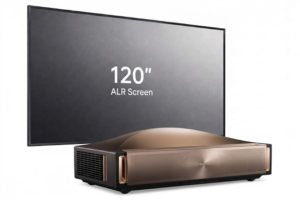
Hisense
Low stock (1 left)
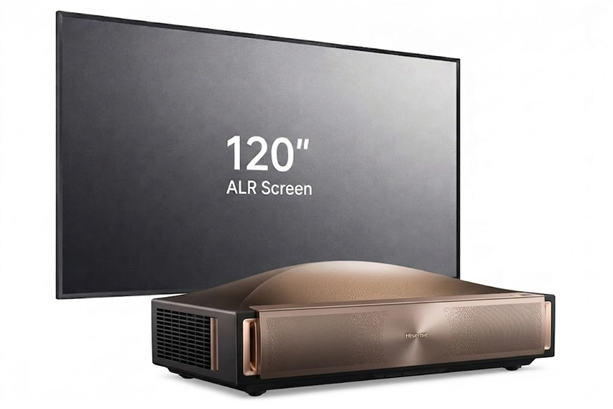
Hisense Laser Projection TV, 5000 Ansi Lumens, 4K resolution, UST, Incl 120" ALR - 120L9Q
R102,585.45
120L9Q Low stock (1 left)
Hisense
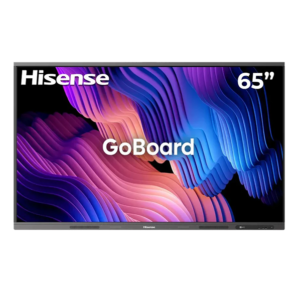
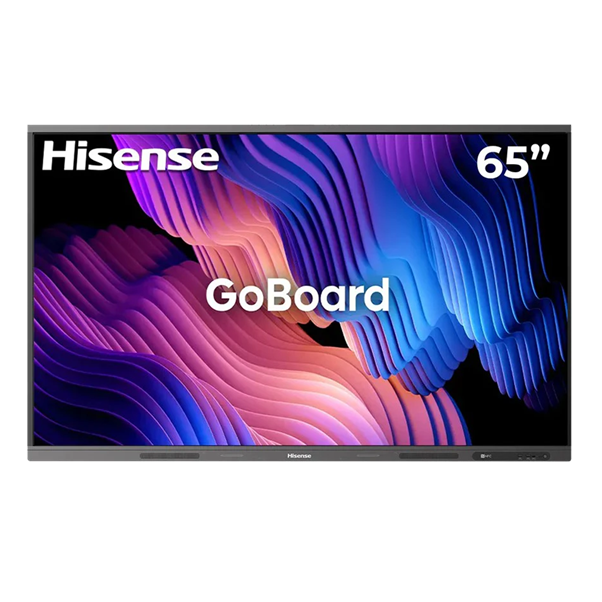
Hisense Interactive Panel, 65", 4k resolution, 400 nits, Android 14.0 - 65WE3FE
R31,952.55
65WE3FE Out of Stock
Hisense
Low stock (2 left)
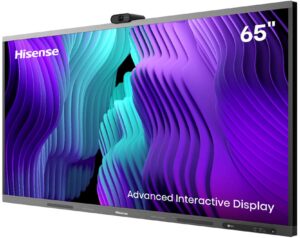
Hisense Interactive Panel, 65", 4k resolution, 400 nits, Android 13.0 - 65WM6FE
R47,337.77
65WM6FE Low stock (2 left)

Hisense
Reviews
There are no reviews yet.