All Categories
- ATEN
- EPSON
- HISENSE
-
AV Signal Distribution
In AV Signal Distribution
- JK
-
Screens
In Screens
-
Projector
-
Cables
In Cables
- DTECH
- Business
- VISION
-
Projector Bracket
In Projector Bracket
-
Digital Signage Solutions
In Digital Signage Solutions
Brands
-
Audio
In Audio














All Categories
- ATEN
- EPSON
- HISENSE
-
AV Signal Distribution
In AV Signal Distribution
- JK
-
Screens
In Screens
-
Projector
-
Cables
In Cables
- DTECH
- Business
- VISION
-
Projector Bracket
In Projector Bracket
-
Digital Signage Solutions
In Digital Signage Solutions
Brands
-
Audio
In Audio

BROWSE CATEGORIES
Help
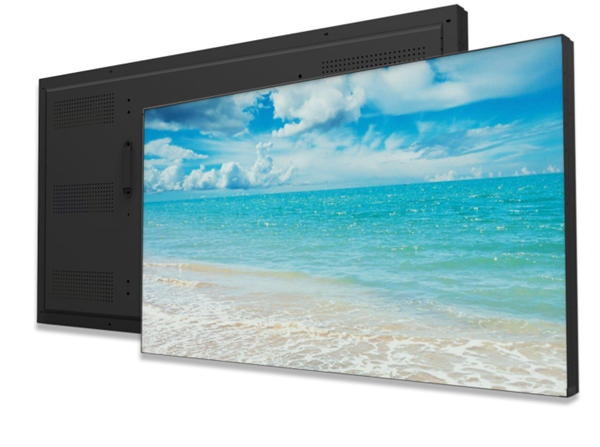
HISENSE
Hisense LCD Video Wall,55″,1080p,7*24 – 55L35B5U
R34,302.26
A 55" Full HD LCD tile for video walls fed from a PC, player or matrix over DisplayPort, HDMI, DVI or VGA.
- 3.5 mm bezel-to-bezel seam
- 1920 x 1080, 500 nits, rated for 24/7 use
- 4K DisplayPort loop-out to the next panel
- RS-232 in and out for wall set-up
- VESA 400 x 400, 28.1 kg, 240 W
- Brand :hisense
- SKU :HISENSE-55L35B5U
- Category :HISENSE
- Availability :Out of Stock
Out of stock
The Hisense 55L35B5U is a 55″ Full HD LCD panel for tiled video walls, rated by Hisense for 24/7 use at 500 nits. Neighbouring panels meet at a 3.5 mm seam, and a DisplayPort output passes the incoming picture on to the next panel, so one PC or player can feed a 2 x 2 wall without a separate distribution amplifier.
Hisense’s datasheet and user manual describe a display for external sources: HDMI, DisplayPort, DVI and VGA go in, and the wall layout is set from Windows software over RS-232.
Bezel gap and finished wall size
Each panel has a 2.4 mm border on the top and left edges and 1.1 mm on the right and bottom, so wherever two panels butt together the dark line between images is 3.5 mm. The cabinet measures 1,213.6 x 684.3 mm, which makes a 2 x 2 wall about 2.43 x 1.37 m and a 3 x 3 wall about 3.64 x 2.05 m.
The wall software has a border compensation setting: you enter the physical frame width and the picture is offset at each seam, so lines and shapes that cross a joint continue at the right point on the next panel. Panels run in landscape or portrait, with input rotation in 90-degree steps.
Inputs, DisplayPort loop-through and 4K sources
The manual rates the DVI, VGA and MHL-capable HDMI inputs at 1920 x 1080 60 Hz, and the second HDMI input, the DisplayPort input and the DisplayPort output at 3840 x 2160 60 Hz.
For a single feed, DisplayPort runs from the source into the first panel, then from each DP output to the next panel’s DP input. Hisense publishes no maximum number of panels per chain, so test the length you need before a large install. Hisense Indonesia lists HDCP 1.4, so try copy-protected 4K sources before the install.
For several sources, the manual’s system drawing puts video and RGB matrices ahead of the wall. An HDMI matrix switch can route sources to the panels’ HDMI inputs, but the manual names no matrix models its software can drive, so expect to control the matrix through its own interface.
Panel IDs, layout and colour matching over RS-232
Wall set-up runs through LCDWall, a Windows program (versions up to Windows 10 are listed) that talks to the panels over RS-232. The PC connects to the RJ45 RS-232 input of the first panel, and each panel’s RS-232 loop-out, wired to T568B, runs to the next. Every panel leaves the factory with ID 1; the software reads each panel’s machine code so you can assign its position, then you set rows and columns to match the physical wall.
The same program adjusts brightness, contrast and colour per panel, trims red, green and blue gain and offset for white balance, sets the backlight on a 0 to 255 scale, stores 16 scenes that it can cycle through, and sets power-on and power-off timers. For a custom serial lead, the manual’s RJ45 to DB9 wiring is pin 1 (TXD) to DB9 pin 3, pin 5 (ground) to pin 5 and pin 8 (RXD) to pin 2. The datasheet lists the control software among the optional accessories, so check that it comes with your panels.
Mounting, weight and power per panel
The back has a 400 x 400 mm VESA pattern for M6 screws, and the cabinet is 94.4 mm deep. The wall mount is an optional extra, so choose a bracket that takes the 400 x 400 pattern and is rated for at least 28.1 kg per panel. A 2 x 2 wall puts about 112 kg of panels on the structure before the brackets’ own weight, and the manual asks for wall and ceiling installs to be firmly fixed.
Each panel is rated at 240 W on a 100 to 240 V supply: about 960 W for a 2 x 2 wall and 2,160 W for 3 x 3. The manual classes it as Class I equipment, so each panel needs an earthed socket. The datasheet’s operating range is 10 to 40 °C at 10 to 80% relative humidity, and the manual asks you to avoid heat build-up around the panels but gives no clearance figures.
How the 55L35B5U compares with the VW25E panels
The Hisense 55VW25E is the same 55″ size with a narrower 2.9 mm seam, 145 W typical draw, an 84 mm deep cabinet and Android 11 with USB playback, but it chains over HDMI and has no DisplayPort, DVI or VGA inputs. The Hisense 46VW25E puts those features in a 46″ tile, which places more pixels across a wall of the same width. The 55L35B5U fits when your PCs or controllers output DisplayPort, DVI or VGA, or when you want 4K loop-through over DisplayPort.
Key specifications of the Hisense 55L35B5U
| Screen | 55″ LCD, D-LED backlight, anti-glare |
|---|---|
| Resolution | 1920 x 1080 per panel |
| Brightness | 500 nits |
| Seam (bezel to bezel) | 3.5 mm (2.4 mm top and left, 1.1 mm right and bottom) |
| Contrast | 1200:1 typical |
| Video inputs | 2 x HDMI, 1 x DisplayPort, 1 x DVI, 1 x VGA |
| Loop-through | DisplayPort out, 3840 x 2160 60 Hz |
| Control | RS-232 in and loop-out on RJ45 |
| Operation | 24/7; MTBF 50,000 h, light source 30,000 h |
| Mounting | VESA 400 x 400 mm, M6 |
| Size and weight | 1,213.6 x 684.3 x 94.4 mm, 28.1 kg |
| Power | 240 W, 100 to 240 V AC, earthed (Class I) |
Questions about the Hisense 55L35B5U
How long will the backlight last on a wall that runs around the clock?
Plan on 30,000 hours, the lower of Hisense’s two figures. The user manual gives the LED light source a 30,000-hour life, which is just under three and a half years of continuous running, while the datasheet lists an MTBF of 50,000 hours. Switching the wall off out of hours on the software’s timers stretches that.
Can four 55L35B5U panels show a 4K signal?
Yes, from a 4K source on the HDMI 4K input or DisplayPort, both rated for 3840 x 2160 at 60 Hz. In a 2 x 2 layout the four 1920 x 1080 panels add up to exactly that resolution, and the manual says the picture is then shown point to point, without compression.
Does the 55L35B5U have a built-in media player?
Plan on an external one. The datasheet lists no OPS slot and no speaker, and the user manual covers the panel only as a display for HDMI, DisplayPort, DVI and VGA sources, so a signage player, PC or video wall processor supplies the content.
Do I need a video wall controller for the 55L35B5U?
Not for one picture stretched across the wall: DisplayPort loop-through and the built-in splicing handle that, and the manual says the loop replaces a signal distributor. To switch between several sources, the manual’s system diagram adds a video matrix in front of the panels.
Is a wall bracket included?
No, Hisense lists the wall mount as optional. The datasheet’s box list is the remote control, power cord, Ethernet cable, RS-232 connector, infrared receiver and manual, and the manual’s packing list adds four hooks with eight hook screws and eight adjusting screws.
You must be logged in to post a review.
You may also like these
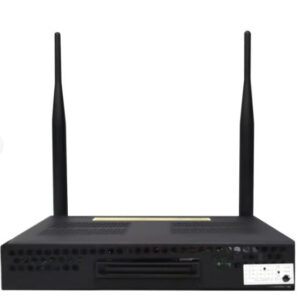
Hisense
Hisense OPS, Windows 11-Pro, i7, 12650H, 16G, 512G - S02EMS7CA51B
R24,011.06
S02EMS7CA51B Out of Stock
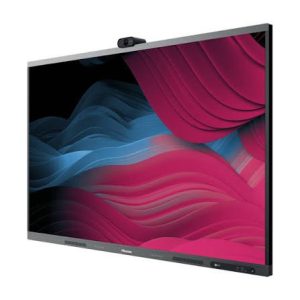
Hisense
Hisense Interactive Panel, 100", 4k resolution, 500nits, Android 16 - 100WE6GE
R176,663.77
100WE6GE Out of Stock
Hisense
Reviews
There are no reviews yet.