All Categories
- ATEN
- EPSON
- HISENSE
-
AV Signal Distribution
In AV Signal Distribution
- JK
-
Screens
In Screens
-
Projector
-
Cables
In Cables
- DTECH
- Business
- VISION
-
Projector Bracket
In Projector Bracket
-
Digital Signage Solutions
In Digital Signage Solutions
Brands
-
Audio
In Audio














All Categories
- ATEN
- EPSON
- HISENSE
-
AV Signal Distribution
In AV Signal Distribution
- JK
-
Screens
In Screens
-
Projector
-
Cables
In Cables
- DTECH
- Business
- VISION
-
Projector Bracket
In Projector Bracket
-
Digital Signage Solutions
In Digital Signage Solutions
Brands
-
Audio
In Audio

BROWSE CATEGORIES
Help
Cables
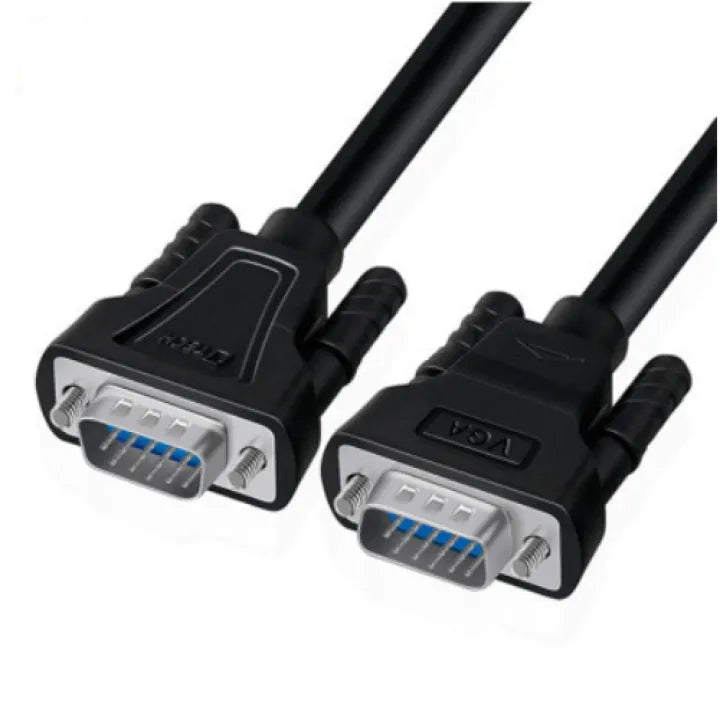
Dtech Copper Cable, 5.0m, VGA – V004
R57.69
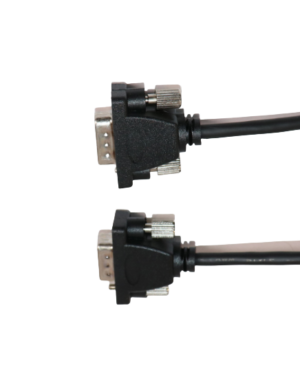
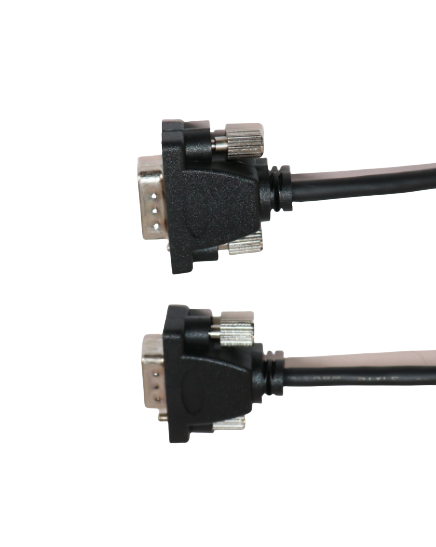
A 5 m male-to-male VGA cable for small classrooms and meeting rooms where the projector or display sits across the room.
- 15-pin VGA male to male, with thumbscrews
- Picture only, no audio pins
- Can stay in place if the projector changes to HDMI, with a Dtech DT-7004B converter
- Brand :Dtech
- SKU :DTECH-V004
- Category :Cables
- Availability :
 In Stock
31 in stock
The Dtech V004 is a 5 m VGA cable, male to male, with both 15-pin plugs moulded on and fitted with thumbscrews. Five metres crosses a small classroom or meeting room: a teacher’s desk to a projector on a trolley, or a lectern to a screen on the side wall. It carries the picture only, because the VGA connector has no audio pins.
Measuring a 5 m route
Add up the route, not the gap. A projector on a bracket 2 m above desk height and 3 m across the room already uses the whole 5 m once the cable climbs the wall, with nothing spare for slack at either end. Runs like that belong on the 15 m Dtech V006. The V004 fits best where both devices sit at roughly desk height, or where the projector stands on a trolley.
1080p and older XGA projectors over five metres
Retail listings for Dtech’s V-series give 1920 x 1080, though none gives a figure for the 5 m length itself. A 1920 x 1080 frame holds about 2.07 million pixels; an XGA projector at 1024 x 768 shows about 0.79 million, under 40% of that. An analogue cable carries every pixel as a changing voltage, so the higher resolution asks more of it, and a long or marginal run shows the strain as blur. At 1920 x 1080, check small text with the real computer and projector. With an XGA projector, set the computer to 1024 x 768 and the cable has an easy job.
Moving to HDMI later without pulling the cable
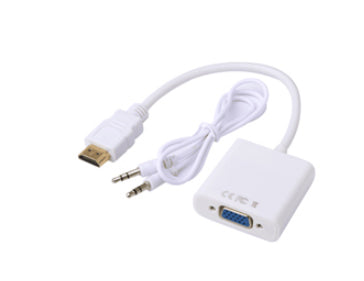
If the VGA projector is later replaced with an HDMI model, the V004 can stay where it is. Fit a Dtech DT-7004B VGA to HDMI converter beside the new projector: the V004 plugs into its VGA input and a short HDMI lead runs on to the projector. The converter needs 5 V at up to 350 mA at that end, which Dtech’s diagram shows coming from a USB port, and sound needs its own 3.5 mm run to the converter’s audio input.
Key specifications of the Dtech V004
| Model | V004 (DT-V004) |
|---|---|
| Length | 5 m |
| Ends | VGA 15-pin male x 2 |
| Fixing | Thumbscrews on both plugs |
| Signal | Analogue RGB video with sync |
| Audio | No |
| Resolution | 1920 x 1080 in retail listings for the series |
Questions about the Dtech V004
Can the V004 run inside trunking or conduit?
Yes, provided the trunking is wide enough for the moulded plug and its thumbscrews to pass, since both plugs are fitted at the factory. Cutting off a plug to feed the cable through leaves you rewiring a 15-pin VGA connector by hand.
Why does the projector show no signal with the V004 connected?
Check the projector’s input and the laptop’s output before suspecting the cable. Select the projector’s VGA or computer input, then press the Windows logo key + P on the laptop and choose Duplicate or Second screen only. If there is still no picture, tighten both thumbscrews so the plugs sit fully home.
What if the teacher’s laptop has HDMI and no VGA port?
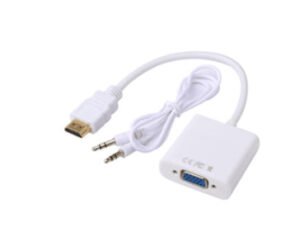
Add the Dtech DT-6404 HDMI to VGA converter at the desk. Its HDMI plug goes into the laptop and the V004 runs from its VGA socket to the projector. The converter’s 3.5 mm output carries the laptop’s sound, which the V004 cannot.
Will the V004 work with a 1920 x 1200 projector?
It may, but test it first: 1920 x 1200 is above the 1920 x 1080 that retail listings give for this series. Put small text on the projector at 1920 x 1200 from the actual laptop, and if it looks soft, drop the computer to 1920 x 1080.
You must be logged in to post a review.
You may also like these
Dtech
In Stock
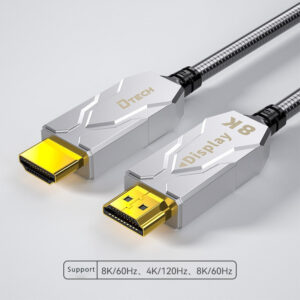
Dtech Armoured Fibre Cable, 15.0m, HDMI, V2.1, 8K resolution - HF8015K
R1,536.90
HF8015K In Stock
Reviews
There are no reviews yet.