All Categories
- ATEN
- EPSON
- HISENSE
-
AV Signal Distribution
In AV Signal Distribution
- JK
-
Screens
In Screens
-
Projector
-
Cables
In Cables
- DTECH
- Business
- VISION
-
Projector Bracket
In Projector Bracket
-
Digital Signage Solutions
In Digital Signage Solutions
Brands
-
Audio
In Audio














All Categories
- ATEN
- EPSON
- HISENSE
-
AV Signal Distribution
In AV Signal Distribution
- JK
-
Screens
In Screens
-
Projector
-
Cables
In Cables
- DTECH
- Business
- VISION
-
Projector Bracket
In Projector Bracket
-
Digital Signage Solutions
In Digital Signage Solutions
Brands
-
Audio
In Audio

BROWSE CATEGORIES
Help
Cables
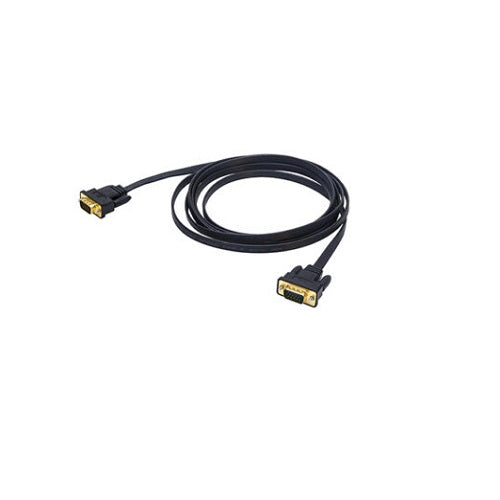
Dtech Copper Cable, 3.0m, VGA – V003
R40.25
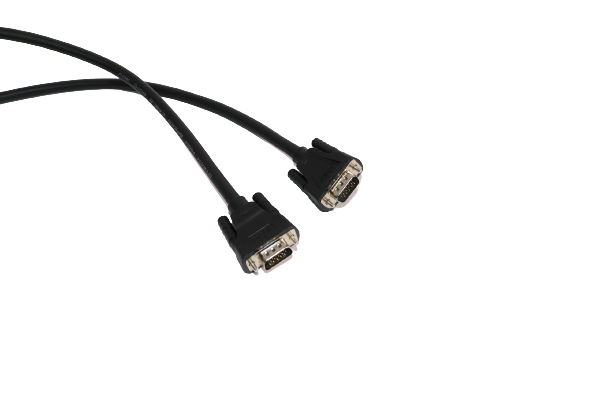
A 3 m VGA cable with male plugs at both ends, for a computer on a desk or meeting table feeding a nearby screen, projector or converter.
- 15-pin VGA male to male, thumbscrews on each plug
- No audio: VGA carries the picture only
- Pairs with the Dtech DT-7004B for HDMI screens
- Brand :Dtech
- SKU :DTECH-V003
- Category :Cables
- Availability :
 In Stock
46 in stock
The Dtech V003 is a 3 m VGA cable, male to male, with thumbscrews on both plugs. Three metres bridges a boardroom table and a screen on the wall behind it, or a teacher’s desk and a projector on a trolley beside it. It carries the picture but not the sound, and plugs into Dtech’s DT-7004B converter where the screen has only HDMI.
Table and desk runs that suit 3 m
Three metres is the step up when the 1.5 m Dtech V002 only just reaches. Typical runs are a laptop on a meeting table to the VGA input of a wall-mounted display, a desktop PC to a projector on a classroom trolley, or a computer to a converter tucked behind a TV.
Feeding an HDMI screen from a VGA-only computer
When the computer has only a VGA output and the screen has only HDMI, run the V003 into the VGA input of the Dtech DT-7004B VGA to HDMI converter. That box takes VGA up to 1920 x 1080, adds stereo sound from its 3.5 mm input and outputs 1080p HDMI. Choose 1920 x 1080 or a lower setting on the computer before connecting, because anything higher falls outside the converter’s input rating.
Picture quality across 3 m
Retailers list the DT-V003 at 1920 x 1080. Over 3 m the analogue signal loses little, so a sharp picture depends mostly on matching the computer to the display. On a projector, choose its native resolution in the computer’s display settings; the figure is in the projector’s specifications, for example 1024 x 768 (XGA) or 1280 x 800 (WXGA). The display then shows the image without rescaling it.
Key specifications of the Dtech V003
| Model | V003 (DT-V003) |
|---|---|
| Cable length | 3 m |
| Connector type | VGA 15-pin male on each end |
| Locking | Thumbscrews |
| Video | Analogue RGB with H and V sync |
| Sound | None |
| Resolution | 1920 x 1080, as listed by retailers |
Questions about the Dtech V003
Does the V003 work with a USB-C laptop?
Only through a USB-C to VGA adapter with a female VGA socket, and only if the laptop’s USB-C port outputs video. The Dtech T0021 Type-C to VGA converter has one, with a 1920 x 1080 rating from Dtech; the V003 plugs into it and runs on to the projector or monitor.
Can I plug in the VGA cable while the projector is on?
In practice, yes. The original VGA interface made no provision for hot plugging, but the later VESA DDC specification includes a standard for it, and connecting a live cable seldom damages the hardware.
Why does the picture show faint shadows beside text?
That is ghosting: part of the signal reflecting back along the line because of an impedance mismatch. Equipment with incorrect termination and passive Y-splitters can both cause it, so remove any splitter and test the V003 directly between the computer and the display.
Will the V003 reach a ceiling projector?
Rarely. The climb from desk height to a ceiling mount uses much of the 3 m before the cable even starts across the room. The 5 m Dtech V004 suits a bracket projector close to the desk, and the 15 m Dtech V006 a run across the ceiling of a larger room.
You must be logged in to post a review.
You may also like these
Redfox
Low stock (1 left)
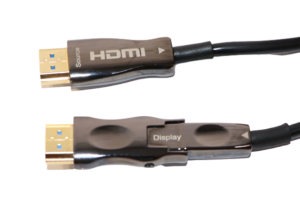
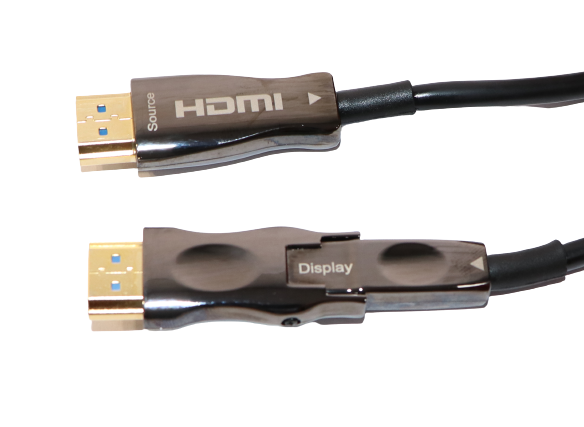
Redfox Fibre Cable, 40.0m, HDMI, V2.0, 4K resolution - HDMIFAD40M
R2,527.40
HDMIFAD40M Low stock (1 left)
Reviews
There are no reviews yet.