All Categories
- ATEN
- EPSON
- HISENSE
-
AV Signal Distribution
In AV Signal Distribution
- JK
-
Screens
In Screens
-
Projector
-
Cables
In Cables
- DTECH
- Business
- VISION
-
Projector Bracket
In Projector Bracket
-
Digital Signage Solutions
In Digital Signage Solutions
Brands
-
Audio
In Audio














All Categories
- ATEN
- EPSON
- HISENSE
-
AV Signal Distribution
In AV Signal Distribution
- JK
-
Screens
In Screens
-
Projector
-
Cables
In Cables
- DTECH
- Business
- VISION
-
Projector Bracket
In Projector Bracket
-
Digital Signage Solutions
In Digital Signage Solutions
Brands
-
Audio
In Audio

BROWSE CATEGORIES
Help
Cables
Dtech Copper Cable, 1.5m, VGA – V002
R33.54
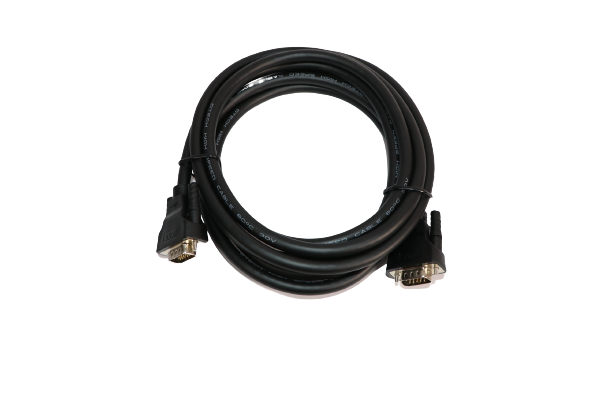
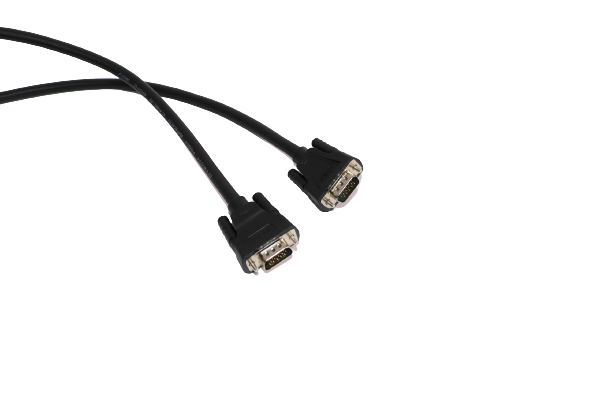
A 1.5 m male-to-male VGA cable for short patches between a computer and a monitor, projector, converter or VGA wall plate.
- 15-pin VGA male plug at each end, with thumbscrews
- Analogue picture only: sound needs its own lead
- Model V002, also sold as DT-V002
- Brand :Dtech
- SKU :DTECH-V002
- Category :Cables
- Availability :
 In Stock
40 in stock
The Dtech V002 (DT-V002) is a 1.5 m VGA cable with a moulded 15-pin male plug at each end, each fitted with two thumbscrews. It covers short patches: a computer to a monitor on the same desk, or a laptop to the VGA socket on a lectern or wall plate. The VGA connector has no audio pins, so sound needs a separate lead.
Where 1.5 m reaches
Use the V002 where both VGA sockets are close together: a PC under a desk feeding the monitor on top of it, a lectern computer to the lectern’s own screen, or a visitor’s laptop to a meeting-room wall plate. Faceplate modules such as the Vision TC3 VGAF wall plate module have a female 15-pin socket at the front that takes this cable’s plug directly. That module terminates on a Phoenix connector at the rear, so the cable inside the wall is a separate run, wired on site.
Resolution over a short cable
Retail listings for the DT-V002 give 1920 x 1080; we have no Dtech datasheet for the V-series to confirm it. VGA has no standard that sets the cable quality each resolution needs, and short cables are the least likely to degrade the analogue signal. Over 1.5 m, then, the graphics output and the monitor are more likely than the cable to limit the picture.
Laptops with only HDMI, and HDMI-only screens
For a laptop with an HDMI port and no VGA, the Dtech DT-6404 HDMI to VGA converter gives the V002 a VGA socket to plug into and adds a 3.5 mm audio output; Dtech rates it to 1920 x 1080. The reverse case, a VGA-only computer and an HDMI screen, needs the Dtech DT-7004B VGA to HDMI converter: the V002 goes into its VGA input, a 3.5 mm stereo lead into its audio input, and an HDMI cable runs on to the screen.
Key specifications of the Dtech V002
| Model | V002, also listed as DT-V002 |
|---|---|
| Length | 1.5 m |
| Plugs | 15-pin VGA (HD15) male, both ends |
| Plug fixing | Two thumbscrews per plug |
| Signal | Analogue RGB video and sync |
| Audio | Not carried |
| Resolution | 1920 x 1080 in retail listings; no Dtech rating to hand |
Questions about the Dtech V002
Will the V002 carry sound from a laptop to the projector?
No, the projector gets a silent picture, because VGA has no audio pins. Run a 3.5 mm lead alongside the V002, from the laptop’s headphone socket into powered speakers or the projector’s audio-in socket.
Is 1.5 m long enough for a laptop at a lectern?
Yes, if the VGA socket is on the lectern or on a plate beside it. Leave some slack between that socket and the laptop so the plug does not pull on the laptop’s port. If the socket is on the wall behind the lectern, the 3 m Dtech V003 gives more room.
Does it matter which end goes into the computer?
No. Both plugs are the same 15-pin male type with thumbscrews, so either end can go to the computer and the other to the screen. Tighten the thumbscrews at both ends so that a tug on the cable does not work a plug loose.
Can I join two V002 cables for a longer run?
Only with a female-to-female VGA coupler, because all four ends are male. A single cable of the right length avoids the extra joint: the 5 m Dtech V004 is the next step for a run across a small room.
You must be logged in to post a review.
You may also like these
Dtech
In Stock
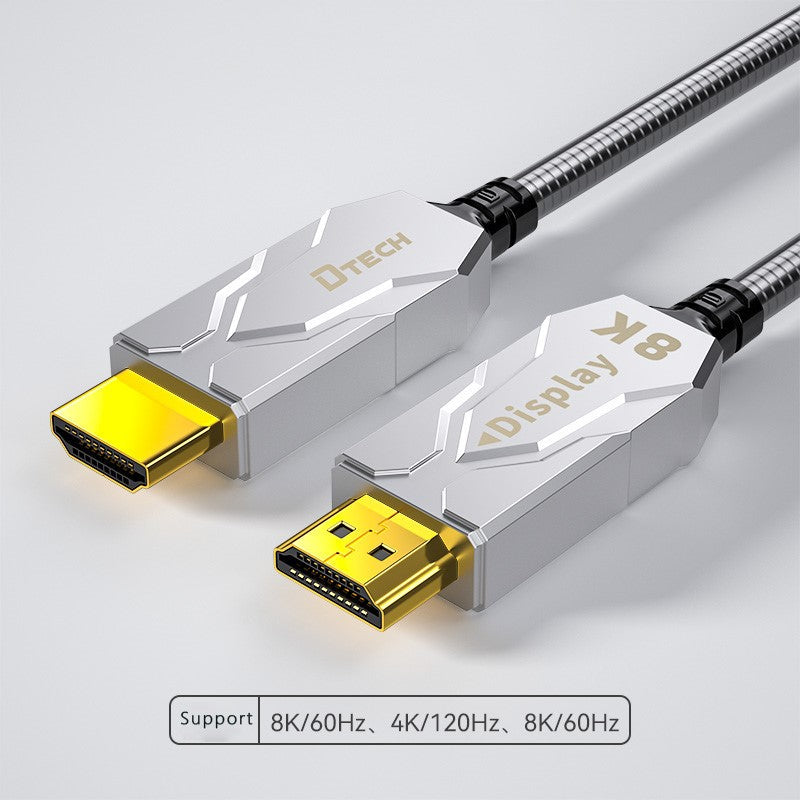
Dtech Armoured Fibre Cable, 50.0m, HDMI, V2.1, 8K resolution- HF8050K
R3,418.65
HF8050K In Stock
Reviews
There are no reviews yet.