All Categories
- ATEN
- EPSON
- HISENSE
-
AV Signal Distribution
In AV Signal Distribution
- JK
-
Screens
In Screens
-
Projector
-
Cables
In Cables
- DTECH
- Business
- VISION
-
Projector Bracket
In Projector Bracket
-
Digital Signage Solutions
In Digital Signage Solutions
Brands
-
Audio
In Audio














All Categories
- ATEN
- EPSON
- HISENSE
-
AV Signal Distribution
In AV Signal Distribution
- JK
-
Screens
In Screens
-
Projector
-
Cables
In Cables
- DTECH
- Business
- VISION
-
Projector Bracket
In Projector Bracket
-
Digital Signage Solutions
In Digital Signage Solutions
Brands
-
Audio
In Audio

BROWSE CATEGORIES
Help
ATEN
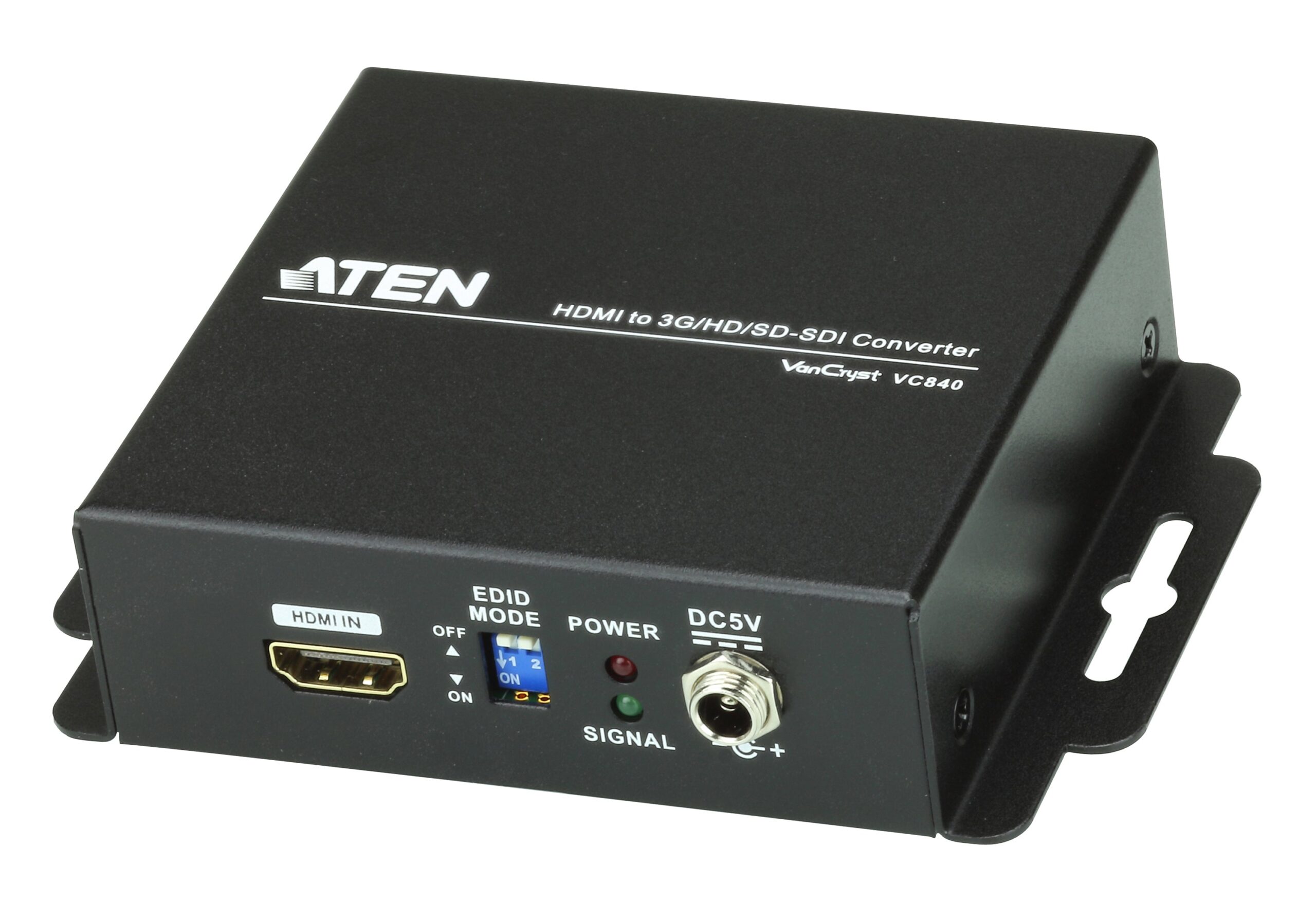
Aten Converter, HDMI to 3G-SDI with Audio – VC840
R7,875.48
Converts HDMI from a camera, computer or vision mixer to SDI on two BNC outputs, for SDI monitors, recorders or switchers at the end of a long coax run.
- 3G, HD or SD-SDI on 2 x BNC
- Coax to 90 m at 3G, 300 m at SD (RG6)
- HDMI input cable: 3 m at most
- EDID switch: 3 presets and a learn mode
- No HDCP: protected sources will not display
- Brand :Aten
- SKU :ATEN-VC840
- Category :ATEN
- Availability :Out of Stock
Out of stock
The Aten VC840 converts HDMI to 3G-SDI, HD-SDI or SD-SDI and sends it out of two BNC sockets, so one camera, computer or vision mixer can feed two SDI monitors, recorders or switcher inputs over long coax. It belongs next to the source, because Aten limits the HDMI input cable to 3 m. It does not support HDCP, so copy-protected HDMI will not convert.
HDMI input: formats and the 3 m cable limit
Aten’s list of accepted formats covers 525-line and 625-line standard definition, 720p and 1080i at 50, 59.94 or 60 Hz, and 1080p from 23.97 Hz up to 60 Hz.
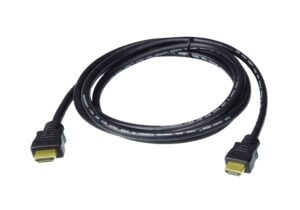
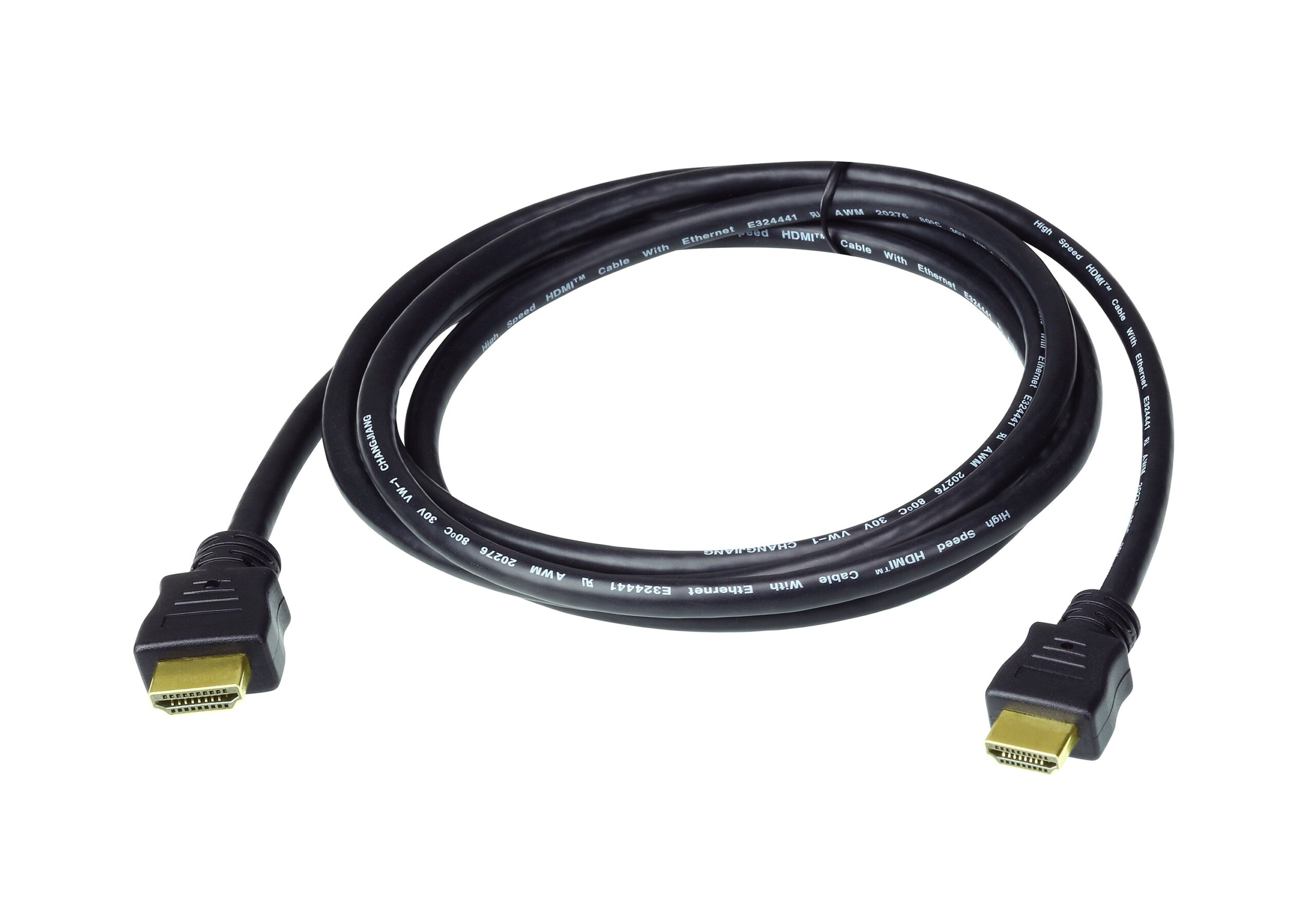
Aten caps the HDMI cable into the VC840 at 3 m for a 1080p 60 Hz, 4:4:4 signal, so make the long run on coax. The 3 m Aten 2L-7D03H HDMI cable uses the whole allowance, and the 2 m Aten 2L-7D02H-1 HDMI cable suits a source on the same shelf or desk.
EDID switch settings
A two-pin switch beside the HDMI input sets the EDID, the list of formats the VC840 tells the source it can take:
- Pin 1 OFF, pin 2 OFF: 3G, HD and SD-SDI formats with multichannel audio, excluding Dolby TrueHD and DTS-HD.
- Pin 1 OFF, pin 2 ON: 3G, HD and SD-SDI formats with stereo PCM.
- Pin 1 ON, pin 2 OFF: HD and SD-SDI formats only, with stereo PCM, for SDI equipment that cannot take 3G.
- Both pins ON: learn the EDID of a display.
To learn a display’s EDID, set both pins ON, plug that display into the VC840’s HDMI input and power the converter up. Learning is complete when the green SIGNAL LED lights. Aten warns that moving the switch afterwards erases the learned data.
Two SDI outputs and coax distances
The two gold BNC outputs are low-jitter, and Aten describes them as being for dual display, so a monitor and a recorder can each take a feed. Aten also reclocks the SDI signal for cascading. On RG6 coax it gives 90 m for 3G-SDI, 150 m for HD-SDI and 300 m for SD-SDI. The 3G output follows SMPTE 424M/425M Level A at 2.97 Gbps, HD-SDI follows SMPTE 292M/296M at 1.485 Gbps, and SD-SDI follows SMPTE 259M at 270 Mbps. Each output in use needs its own 75 Ω coax run with BNC plugs.
Audio outputs, power and box contents
The audio outputs share the rear panel with the SDI outputs: left and right analogue on red and white RCA, and coaxial digital on a yellow RCA labelled S/PDIF. Aten’s guide shows speakers on them; with the VC840 next to the source, that means listening at the source end.
The supplied 5 V DC adapter plugs into a locking jack, and Aten’s web specification gives 3.225 W typical. A red LED shows power and a green LED shows signal. The metal case is 12.20 x 10.70 x 3.04 cm and 0.29 kg, has slotted flanges for screwing it down, and works from 0 to 40 °C. In the box: the VC840, its power adapter and user instructions.
Key specifications of the VC840
| HDMI input | 1 x HDMI Type A; cable up to 3 m at 1080p 60 Hz, 4:4:4 |
|---|---|
| SDI outputs | 2 x BNC, 75 Ω, low jitter |
| SDI standards | SD-SDI, HD-SDI, 3G-SDI Level A; up to 2.97 Gbps |
| Input formats | 525i, 625i; 720p50/59.94/60, 1080i50/59.94/60; 1080p23.97 to 1080p60 |
| Coax distance (RG6) | SD-SDI 300 m, HD-SDI 150 m, 3G-SDI 90 m |
| EDID | 2-pin DIP switch: 3 presets plus learn mode |
| Audio outputs | Analogue L/R on 2 x RCA; coaxial S/PDIF on 1 x RCA |
| Power | 5 V DC adapter, 3.225 W typical |
| Operating range | 0 to 40 °C |
| HDCP | Not supported |
| Weight and size | 0.29 kg; 12.20 x 10.70 x 3.04 cm |
Questions about the Aten VC840
Why does a Blu-ray or DVD player show only its logo, or nothing, through the VC840?
Most likely because the player protects its output with HDCP, which the VC840 cannot handle. Aten’s support FAQs say an HDCP source will not display, or not display normally, and describe a DVD player whose menus failed to appear for this reason. Turn HDCP off on the source if it has that option, or use content without copy protection.
Will the VC840 accept a laptop running at 1920 x 1200?
Not according to Aten’s format list, which contains no computer resolutions. Set the laptop’s external display to 1920 x 1080 or 1280 x 720 at 60 Hz before connecting it.
Does the SDI output carry the HDMI sound?
Yes. Aten describes the conversion as covering audio as well as video, with support for 8 audio channels at 48 kHz. Whether the source sends multichannel or stereo PCM depends on the EDID switch position.
How do I get back to HDMI at the far end of the coax?
Fit an SDI to HDMI converter at the display, such as the Aten VC480. Its specification lists every format on the VC840’s list, and its own loop-through BNC can pass the SDI on to another device.
Video Input
| Interfaces | 1 x HDMI Type A Female (Black) |
|---|---|
| Impedance | 100 Ω |
| Max. Distance | 3m at 1920*1080@60 (4:4:4) |
Video Output
| Interfaces | 2 x BNC (Gold) |
|---|---|
| Impedance | 75 Ω |
Video
| Max. Data Rate | 2.97 Gbps |
|---|---|
| Max. Pixel Clock | 148.5 MHz |
| Supported Resolutions | NTSC@59.96Hz, PAL@50 Hz; 720p@50/59.94/60 Hz; 1080i@50/59.94/60 Hz; 1080p@23.97/24/25/29.97/30/50/59.94/60 Hz |
| Max. Distance | 90m (3G-SDI); 150m (HD-SDI); 300m (SD-SDI) |
Audio
| Output | Analog: 2 x RCA (Red/White) Digital: 1 x RCA (Yellow) |
|---|---|
| SDI Formats | SD-SDI (SMPTE 259M, up to 270 Mbps) HD-SDI (SMPTE 292M, 296M, up to 1.485 Gbps) 3G-SDI (SMPTE 424M, 425M level A, up to 2.97 Gbps) |
| EDID Settings | EDID Mode: Learn |
Connectors
| Power | 1 x DC Jack |
|---|---|
| Power Consumption | DC5V:3.225WBTU |
Environmental
| Operating Temperature | 0 - 40 ºC |
|---|---|
| Storage Temperature | 20 - 60 ºC |
| Humidity | 20 - 90% RH, Non-Condensing |
Physical Properties
| Housing | Metal |
|---|---|
| Weight | 0.29 kg ( 0.64 lb ) |
| Dimensions (L x W x H) | 12.20 x 10.70 x 3.04 cm (4.8 x 4.21 x 1.2 in.) |
| Carton Lot | 5 pcs |
| Note | For some of rack mount products, please note that the standard physical dimensions of WxDxH are expressed using a LxWxH format. |
You must be logged in to post a review.
VC840 Datasheet PDF
 In Stock
Reviews
There are no reviews yet.