All Categories
- ATEN
- EPSON
- HISENSE
-
AV Signal Distribution
In AV Signal Distribution
- JK
-
Screens
In Screens
-
Projector
-
Cables
In Cables
- DTECH
- Business
- VISION
-
Projector Bracket
In Projector Bracket
-
Digital Signage Solutions
In Digital Signage Solutions
Brands
-
Audio
In Audio














All Categories
- ATEN
- EPSON
- HISENSE
-
AV Signal Distribution
In AV Signal Distribution
- JK
-
Screens
In Screens
-
Projector
-
Cables
In Cables
- DTECH
- Business
- VISION
-
Projector Bracket
In Projector Bracket
-
Digital Signage Solutions
In Digital Signage Solutions
Brands
-
Audio
In Audio

BROWSE CATEGORIES
Help
ATEN
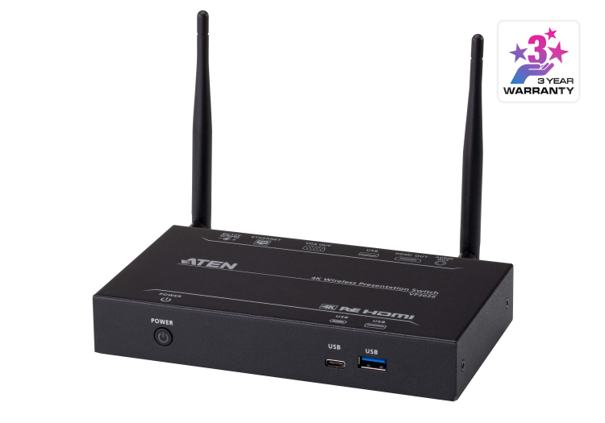
Aten 4K Wireless Presentation Switch – VP2020
R21,077.77
Wireless presentation switch for meeting rooms and classrooms: presenters share laptops, tablets and phones to the display over Wi-Fi or the LAN.
- Up to 8 attendees connected, 2 on screen
- HDMI at up to 4K 30 Hz plus 1080p VGA, used together
- No video input: sources connect over the network
- 802.11ac Wi-Fi: its own network, or joins yours
- Runs on PoE or the supplied adapter
- Brand :Aten
- SKU :ATEN-VP2020
- Category :ATEN
- Availability :Out of Stock
Out of stock
The Aten VP2020 is a wireless presentation switch: presenters put a laptop, tablet or phone screen on the room display without running a cable to the table. Up to eight attendees can be connected at once, over the switch’s own Wi-Fi or through the office LAN, and two of them can be on screen side by side. It drives an HDMI display at up to 4K 30 Hz and a VGA projector at 1080p together, and it can take its power from a PoE network port.
How presenters share to the VP2020
Every source reaches the VP2020 over the network; its HDMI and VGA connectors are outputs only. On Windows and macOS laptops and Android devices, the ATEN Wireless Presentation app shares the native screen and is also used to join the meeting and switch displays. Aten lists AirPlay, Google Cast and Chrome as further sharing routes, and its datasheet names iOS among the supported systems, so iPhone and iPad users can present through AirPlay.
The display shows one source full screen or two side by side, and with auto layout enabled the layout changes by itself when a new source is detected. Moderation Mode in the app lets the meeting host mute participants, stop all sharing or disconnect someone. Annotation, an on-screen whiteboard and screen capture are not available: Aten keeps those for the quad-view VP2021.
Wi-Fi, the network port and PoE
The 802.11ac radio switches between 2.4 GHz and 5 GHz, and Aten quotes 30 m of reach on 2.4 GHz and 20 m on 5 GHz. DFS channels are not supported, so on 5 GHz the switch needs one of the non-DFS channels. In AP mode the VP2020 runs its own WPA2-PSK network for guests. In station mode it joins an existing network using WEP, WPA, WPA2 or 802.1x EAP authentication, which suits an enterprise WLAN with per-user logins.
The Gigabit Ethernet port puts the VP2020 on the LAN, where attendees can also join, and gives access to its web interface. On a PoE network switch the same cable powers the unit, and the supplied adapter becomes optional. Aten lists consumption as 12 W at 12 V DC without naming a PoE class, so check that the switch port can deliver at least 12 W.
Displays, sound and USB control
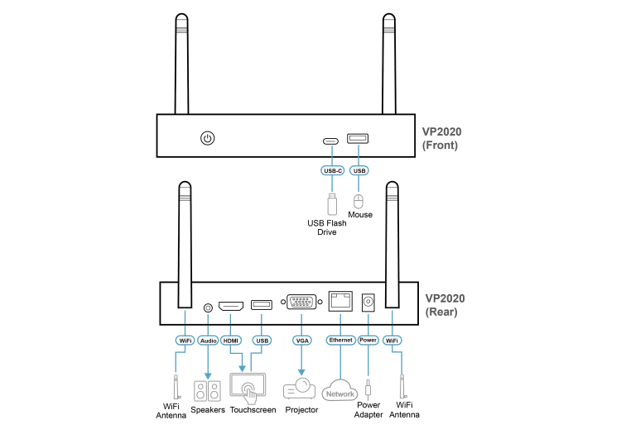
The HDMI output reaches 4K at 30 Hz over up to 5 m of cable, and the VGA output carries 1080p over up to 15 m. For a screen more than 5 m away, an HDMI over Cat extender such as the Aten VE801 extender set, which Aten lists as compatible with the VP2020, takes the signal on from the HDMI output.
VGA has no audio, and Aten’s guide says to connect speakers to the 3.5 mm stereo output whenever the VGA port is in use. The same jack can feed an amplifier or mixer, because the VP2020 de-embeds the sound from the HDMI signal.
A mouse on any of the three USB ports (USB-C and a blue USB 3.0 Type-A on the front, USB 2.0 Type-A at the back) runs the on-screen menu, and a USB flash drive can be connected for storage. With a touchscreen connected by both HDMI and USB, touch back lets the presenter control the shared laptop from the display.
Key specifications of the Aten VP2020
| Sharing | ATEN Wireless Presentation app (Windows, macOS, Android); AirPlay, Google Cast and Chrome |
|---|---|
| Connected attendees | Up to 8, by Wi-Fi or LAN |
| Sources on screen | 2 (full screen or side by side) |
| Video outputs | HDMI: up to 4K at 30 Hz, 5 m; VGA: up to 1080p, 15 m |
| Video inputs | None (sources connect by Wi-Fi or LAN) |
| Audio output | 3.5 mm stereo mini jack |
| Wi-Fi | IEEE 802.11ac, 2.4 GHz (30 m) or 5 GHz (20 m), no DFS channels |
| Wi-Fi security | WPA2-PSK as an access point; WEP, WPA, WPA2 or 802.1x EAP as a client |
| Network port | RJ-45, 10/100/1000 Mbps, PoE |
| USB ports | 1 x USB-C, 1 x USB 3.0 Type-A, 1 x USB 2.0 Type-A |
| Power | PoE or 12 V DC adapter, 12 W |
| Housing | Metal, 17.00 x 10.40 x 2.83 cm, 0.47 kg |
Questions about the Aten VP2020
Can I plug a laptop into the VP2020 with an HDMI cable?
No. The VP2020 has no video input, so laptops, tablets and phones reach it only over Wi-Fi or the LAN. A room where guests must also be able to plug in by cable needs a wired presentation switch with HDMI inputs.
Does every presenter have to install an app?
Not if their device can share through AirPlay, Google Cast or Chrome, all of which Aten lists as compatible. The ATEN Wireless Presentation app, for Windows, macOS and Android, is for native screen sharing through Aten’s own software and for a host running the meeting in Moderation Mode.
Does it show 4K at 60 Hz?
No. Aten’s limit for the HDMI output is 4K at 30 Hz. Slides, documents and web pages keep their full detail on a 4K panel at that rate, but moving video is shown at no more than 30 frames per second.
What is in the box, and what do I add?
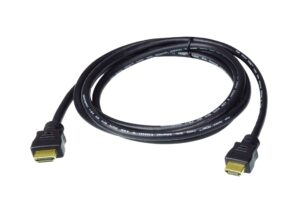
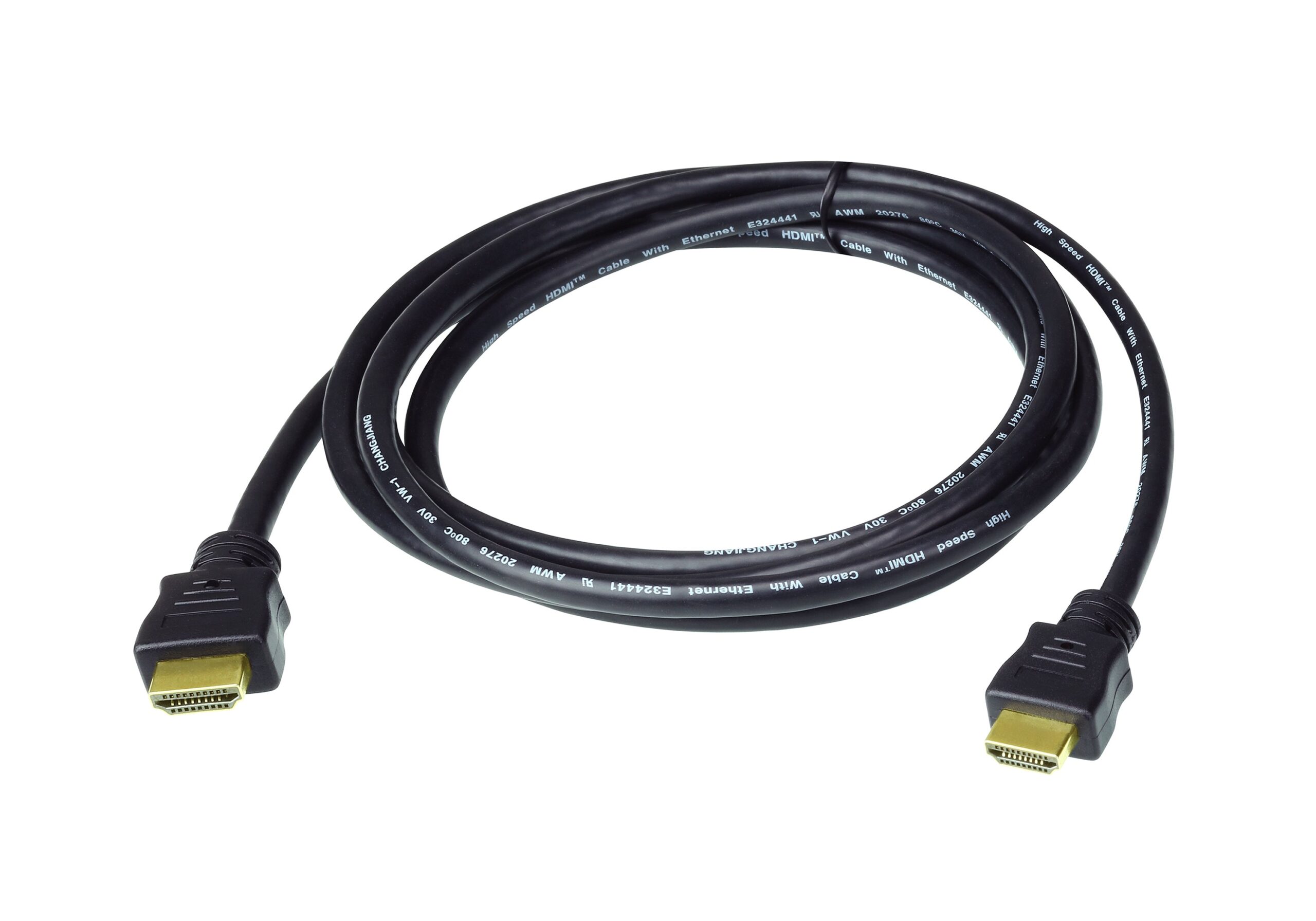
The box holds the VP2020, its power adapter and cord, two Wi-Fi antennas and user instructions. Display and network cables are not included: add an HDMI cable of 5 m or less, such as the Aten 2L-7D05H-1 5 m HDMI cable, a VGA cable for a projector, and a network cable for the LAN or PoE.
Video Output
| Interfaces | 1 x HDMI Type A female (Black) 1 x VGA (HDB-15) Female |
|---|---|
| Max. Distance | HDMI: Up to 5m VGA: Up to 15m |
Video
| Max. Resolution | HDMI: Up to 4K@30Hz VGA: Up to 1080p |
|---|
Audio
| Output | Stereo Audio: 1 x mini stereo Jack female (Black) |
|---|---|
| Network Transfer Speed | 10/100/1000 Mbps RJ 45 LAN ( Support PoE) |
Wireless
| Authentication Protocol | AP mode: WPA2-PSK Station mode: WEP, WPA, WPA2, 802.1x EAP |
|---|---|
| Wireless Transmission Protocol | IEEE 802.11ac |
| Frequency Band | Switchable dual band 2.4GHz and 5GHz (DFS channels not supported) |
| Reach | 20m Transmission in 5GHz 30m Transmission in 2.4GHz |
Connectors
| Console Ports | USB 3.0: 1 x USB Type A Female (Blue) USB 2.0: 1 x USB Type A Female USB-C: 1 x USB Type C Female |
|---|---|
| Power | 1 x DC Jack (Black) |
Switches
| Power | 1 x Pushbutton (LED: Blue) |
|---|
Control
| Ethernet | 1 x RJ-45 Female (Silver) |
|---|---|
| Power Consumption | DC12V:12W |
Environmental
| Operating Temperature | 0-40°C |
|---|---|
| Storage Temperature | 20 - 60°C |
| Humidity | 0 - 80% RH, Non-Condensing |
Physical Properties
| Housing | Metal |
|---|---|
| Weight | 0.47 kg ( 1.04 lb ) |
| Dimensions (L x W x H) | 17.00 x 10.40 x 2.83 cm (6.69 x 4.09 x 1.11 in.) |
| Carton Lot | 5 pc |
| Note | For some of rack mount products, please note that the standard physical dimensions of WxDxH are expressed using a LxWxH format. |
| 800 x 600 @ 56/60/72/75 Hz | 1680 x 1050 @ 60 Hz |
| 1024 x 768 @ 60/70/75 Hz | 1920 x 1080 @ 50/60 Hz |
| 1280 x 720 @ 50/60 Hz | 1920 x 1200 @ 60 Hz |
| 1280 x 800 @ 60 Hz | 3840 x 2160p @ 30 Hz (RGB) |
You must be logged in to post a review.
VP2020 Datasheet PDF
You may also like these
Aten
 In Stock
Reviews
There are no reviews yet.