All Categories
- ATEN
- EPSON
- HISENSE
-
AV Signal Distribution
In AV Signal Distribution
- JK
-
Screens
In Screens
-
Projector
-
Cables
In Cables
- DTECH
- Business
- VISION
-
Projector Bracket
In Projector Bracket
-
Digital Signage Solutions
In Digital Signage Solutions
Brands
-
Audio
In Audio














All Categories
- ATEN
- EPSON
- HISENSE
-
AV Signal Distribution
In AV Signal Distribution
- JK
-
Screens
In Screens
-
Projector
-
Cables
In Cables
- DTECH
- Business
- VISION
-
Projector Bracket
In Projector Bracket
-
Digital Signage Solutions
In Digital Signage Solutions
Brands
-
Audio
In Audio

BROWSE CATEGORIES
Help
ATEN
Aten Control Touch Panel, 10.1″ – VK330
R27,799.55
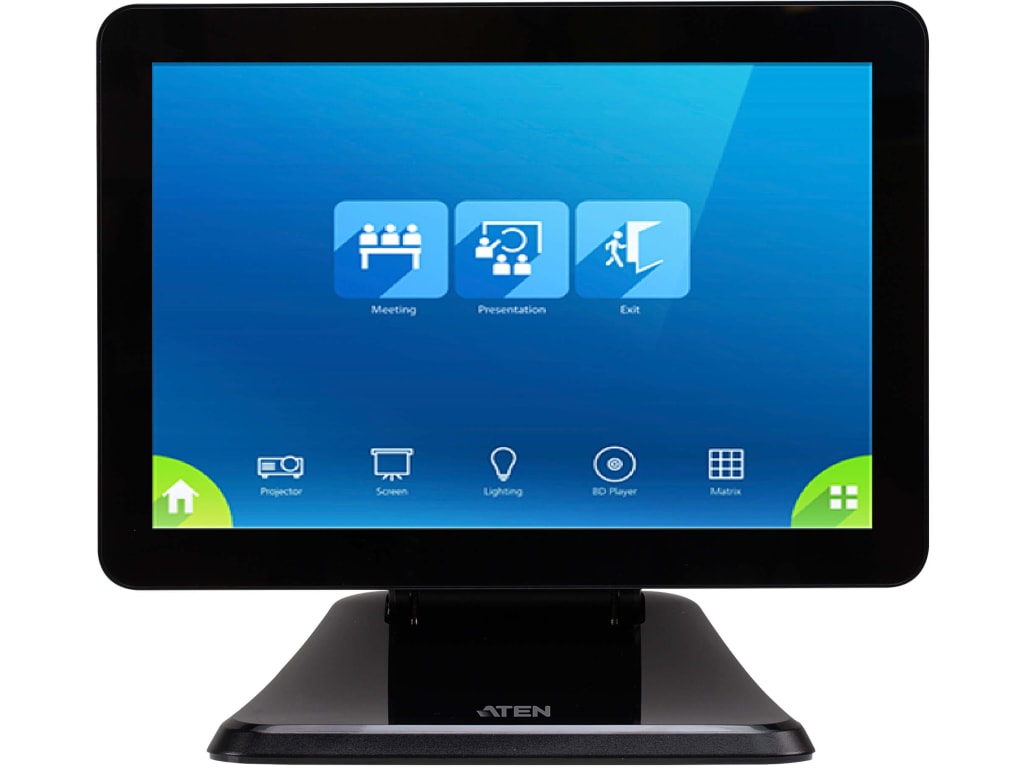
A 10.1" Aten touch panel for the wall or table in a meeting room, showing the control pages programmed into an Aten VK-series controller.
- 1280 x 800 capacitive screen, 500 cd/m²
- Powered by PoE+ (802.3at) or a 12 V adapter sold separately
- Works with VK1100A, VK2100A, VK1200, VK2200 and VK0200 controllers
- VESA 75 x 75 mm; VK302 wall and VK304 desk kits optional
- Brand :Aten
- SKU :ATEN-VK330
- Category :ATEN
- Availability :Out of Stock
Out of stock
The Aten VK330 is a 10.1″ (25.7 cm) capacitive touch panel with the ATEN Control System app installed. It shows the control pages and passes each press to an Aten controller, which does the switching; without a controller it runs only Aten’s demo mode.
One Ethernet cable from a PoE+ (802.3at) switch port carries its power and network. It measures 25.22 x 17.78 x 2.45 cm, weighs 0.6 kg and mounts on a wall, a desk stand or a VESA 75 x 75 mm arm; no mount is in the box.
Controllers that work with the VK330
Aten lists five: the Aten VK1100A compact control box, the Aten VK2100A control box, the VK1200 and VK2200, and the Aten VK0200 Control Pad, a 12-button keypad with a controller built in. The panel must sit on the controller’s subnet. On first start it opens the ATEN Control System welcome page; tapping Start brings up Download Viewer, where it searches the network for controllers and adds the pages (Viewers) made for them.
Those pages, and the commands behind each button, come from a project someone builds for the controller in Aten’s VK6000 Configurator on a Windows PC. Plan who will build it, an integrator or your own technician, before the panels go on the wall.
Power: PoE+ or a 12 V adapter
Aten specifies 802.3at (PoE+) for the VK330 and rates it at 14 W on PoE or 12.8 W on 12 V DC. Give each panel a PoE+ switch port or injector, and check the switch’s total PoE budget when several panels share it. Connect through the supplied 90° RJ-45 adapter, then set the power switch on the bottom edge to on, even on PoE; the status LED lights green. Where there is no PoE, Aten’s 12 V adapter (part 0AD8-8012-33MG) and a power cord are bought separately.
Mounting on a wall, table or arm
No mounting hardware is included. The Aten VK302 wall mount kit has a wall plate that is screwed and anchored to the wall and a panel plate fixed to the VK330 with M4 screws; the panel then slides onto the wall plate. The Aten VK304 tabletop kit is the desk stand in the product photo. A third-party bracket or arm with a VESA 75 x 75 mm pattern also fits.
Screen, buttons and ports
The 1280 x 800 (16:10) LCD is rated at 500 cd/m², with an 800:1 contrast ratio and viewing angles of ±85° both ways. Along the top edge are a status LED, a function button that opens the settings pages, and brightness and volume buttons. The speakers on the back play confirmation beeps, and there is a stereo audio output. On the bottom edge sit the power switch, the 12 V power jack, a micro-USB port for firmware updates, a USB Type-A port for updating the Control System app from a flash drive, and the PoE LAN port.
Room booking with Unizon and the VK401
With ATEN Unizon and Aten’s Room Booking System, the VK330 shows whether a room is in use. A VK401 Access Inspector attached to the panel’s contact pins restricts booking and check-in to authorised cardholders. AppSwitcher moves between the Control System app and other apps on the panel.
VK330 or VK330A
The second-generation Aten VK330A has 4 GB of SDRAM and 32 GB of flash against the VK330’s 2 GB and 16 GB, a 1000:1 contrast ratio, a light and proximity sensor that sets screen brightness, a USB-C port, IEEE 802.1x network authentication and on-screen service requests through Unizon. The VK330 keeps the higher rated brightness (500 against 450 cd/m²), a demo mode that Aten does not list for the newer model, and a wider humidity rating: 10 to 80%, against 10 to 70%.
Key specifications of the Aten VK330
| Screen | 10.1″ TFT-LCD, capacitive multi-touch |
|---|---|
| Resolution | 1280 x 800 (16:10) |
| Brightness and contrast | 500 cd/m², 800:1 |
| Processor and memory | Quad-core, 2 GB SDRAM, 16 GB flash |
| Network | 1 x RJ-45, 10/100/1000, PoE input |
| Power | 802.3at PoE+ (14 W) or 12 V DC (12.8 W) |
| USB | 1 x Type-A, 1 x Micro-B |
| Mounting | VESA 75 x 75 mm |
| Operating conditions | 0 to 40 °C, 10 to 80% RH non-condensing |
| Size and weight | 25.22 x 17.78 x 2.45 cm, 0.6 kg |
| In the box | VK330 panel, 90° RJ-45 adapter, user instructions |
Questions about the Aten VK330
Will the VK330 work without an Aten control box?
Only in demo mode, unless the controller is the VK0200 Control Pad. Aten counts the VK0200 as a controller in its own right: it has two RS-232 ports, two relays rated 24 V DC, 1 A and one digital input, but no IR output. A small room whose equipment fits those ports can run on a VK0200 and a VK330 alone.
Can I power the VK330 from my existing PoE switch?
Yes, if the port supplies PoE+ (IEEE 802.3at). A port limited to the older 802.3af standard is not what Aten specifies, so check the switch’s port specification before relying on it. If no PoE+ port is free, a PoE+ injector or Aten’s 12 V adapter powers the panel instead.
Can the VK330 show a camera picture?
Only with a VK1200 or VK2200 controller. Those two support previews of RTSP and ONVIF streams from IP cameras and of ATEN VE89 transmitters on the panel. Paired with a VK1100A, VK2100A or VK0200, the VK330 can still send camera commands through the controller but shows no live picture.
Can several panels and phones control the same room?
Yes. Aten’s app keeps control and status in step across multiple Aten touch panels, phones and tablets, so a lectern panel and a wall panel show the same state. Each phone or tablet uses one of the controller’s mobile licences (two included, up to 16 on the VK1100A and VK2100A); Aten does not say that the VK330 itself takes one.
Can the VK330 go in a humid room?
Yes, within its rating of 10 to 80% relative humidity, non-condensing, at 0 to 40 °C. In a very humid room Aten advises keeping the panel switched on and running, which stops fog forming inside it.
| Processor | Quad-core |
|---|
Memory
| SDRAM | 2GB |
|---|---|
| Flash | 8GB |
Panel Spec
| Display Type | TFT-LCD |
|---|---|
| Size | 10.1" |
| Touch Screen | Capacitive |
| Resolution | 1280 x 800 |
| Aspect Ratio | 16 : 10 |
| Colour Depth | 8 bit |
| Contrast Ratio | 800 : 1 |
| Backlight | LED |
| Viewing Angle | ± 85° (H), ± 85° (V) |
| Luminance | 500 cd/m² |
Interfaces
| Ethernet | 1 x RJ-45 Female, 10 / 100 / 1000 BaseT |
|---|---|
| USB | 1 x USB Type A |
Power Inputs
| Power over Ethernet (PoE) | 802.3 at PoE+ |
|---|---|
| Power Consumption | DC12V:12.8W:43.65BTU POE:14W:47.77BTU |
Environmental
| Operating Temperature | 0 – 40°C |
|---|---|
| Storage Temperature | –10 – 55°C |
| Humidity | 10 - 80% RH, Non-Condensing |
Physical Properties
| Housing | Plastic |
|---|---|
| Weight | 0.68 kg ( 1.5 lb ) |
| Dimensions (L x W x H) | 25.22 x 17.78 x 2.45 cm (9.93 x 7 x 0.96 in.) |
| Note | For some of rack mount products, please note that the standard physical dimensions of WxDxH are expressed using a LxWxH format. |
You must be logged in to post a review.
VK330 Datasheet PDF
You may also like these
Aten
 In Stock
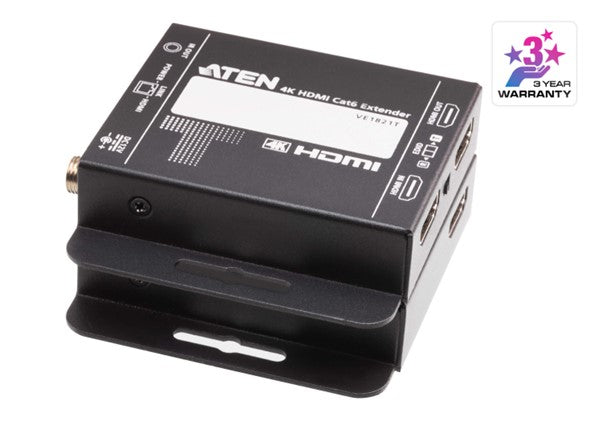
Aten Extender, HDMI, 4K resolution, Transmitter and Receiver - VE1821
R2,855.04
VE1821 In Stock
Reviews
There are no reviews yet.