All Categories
- ATEN
- EPSON
- HISENSE
-
AV Signal Distribution
In AV Signal Distribution
- JK
-
Screens
In Screens
-
Projector
-
Cables
In Cables
- DTECH
- Business
- VISION
-
Projector Bracket
In Projector Bracket
-
Digital Signage Solutions
In Digital Signage Solutions
Brands
-
Audio
In Audio














All Categories
- ATEN
- EPSON
- HISENSE
-
AV Signal Distribution
In AV Signal Distribution
- JK
-
Screens
In Screens
-
Projector
-
Cables
In Cables
- DTECH
- Business
- VISION
-
Projector Bracket
In Projector Bracket
-
Digital Signage Solutions
In Digital Signage Solutions
Brands
-
Audio
In Audio

BROWSE CATEGORIES
Help
ATEN
Aten Converter, VGA to HDMI with audio and Scaler – VC182
R6,476.68
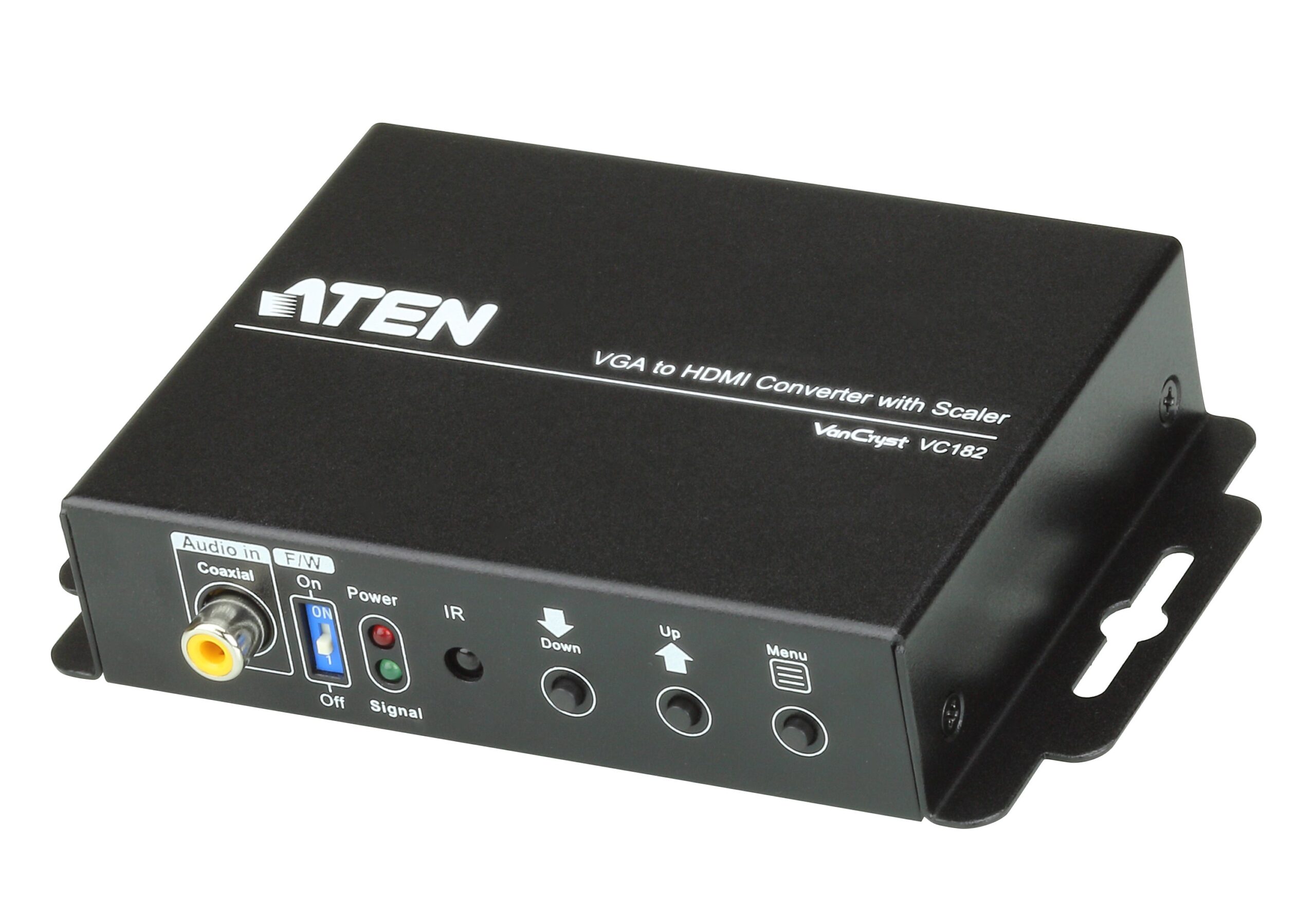
A VGA to HDMI converter with a scaler, for a VGA computer or player feeding an HDMI display that will not accept the source's own resolution.
- Output set in an on-screen menu: 480p, 720p, 1080p or computer modes to 1920 x 1200
- Aspect ratio 4:3 or 16:9, plus overscan and position controls
- Analogue 3.5 mm or coaxial S/PDIF audio input
- Runs from its 5 V adapter; side brackets for a wall or rack
- Brand :Aten
- SKU :ATEN-VC182
- Category :ATEN
- Availability :Out of Stock
Out of stock
The Aten VC182 converts VGA to HDMI through a scaler, so the HDMI display gets a resolution you choose instead of whatever the computer or player sends. It takes sound from a 3.5 mm jack or a coaxial S/PDIF input, is set up from an on-screen menu, and fixes to a wall or rack by built-in brackets. Aten documents power from its 5 V adapter only, with no VGA-port option like the one on the Aten VC180 VGA to HDMI converter.
Setting the HDMI output resolution
Output Resolution, under Output Setup in the on-screen menu, offers 480p, 720p and 1080p at 60 Hz, and computer modes starting at 640 x 480 and topping out at 1920 x 1200 with reduced blanking. Among them are 1024 x 768, 1280 x 1024, 1366 x 768 and 1920 x 1080, several at 75 Hz as well as 60 Hz. Choose the display’s native mode. To find out what an old PC or player is actually sending, open the System page: it reports the input resolution the VC182 detects.
Aspect ratio starts on 4:3. With a 16:9 screen, switch it to 16:9 on the Adjustment page, which also sets underscan or overscan from -50% to +50%, shifts the picture sideways or up and down, and mirrors it horizontally or vertically.
Audio from a 3.5 mm jack or S/PDIF
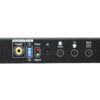
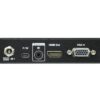
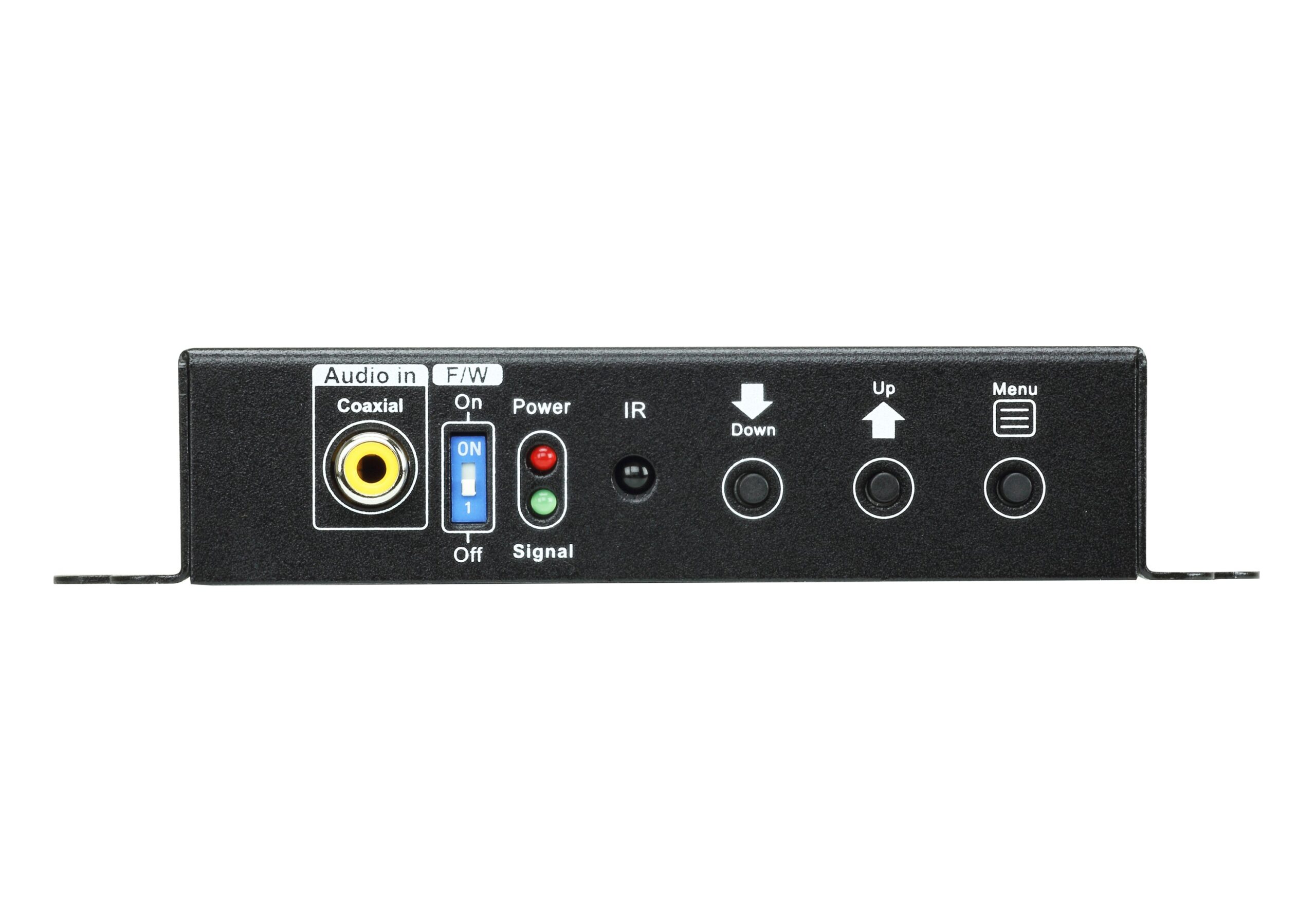
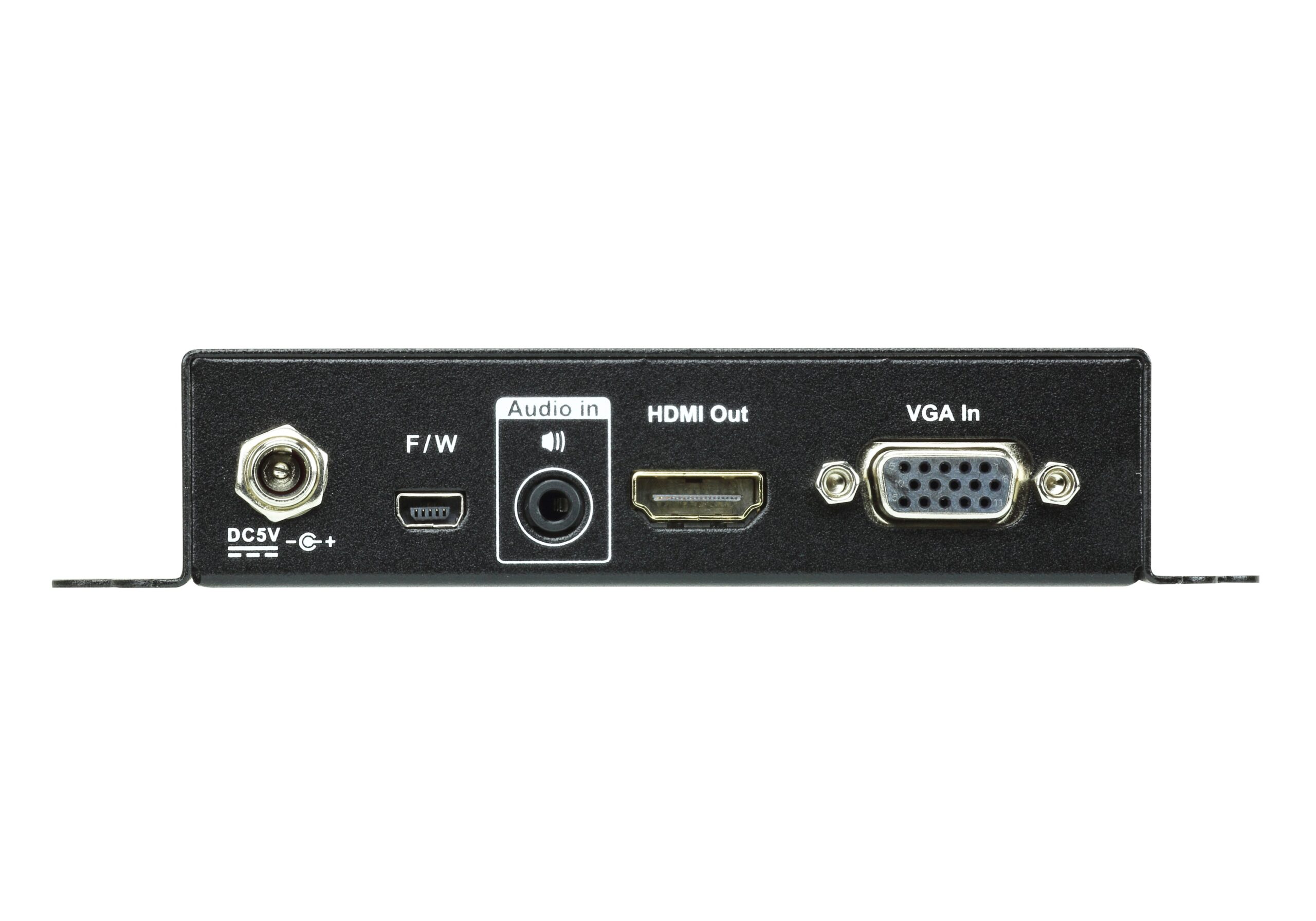
Analogue stereo goes into the 3.5 mm jack on the rear; a coaxial digital source plugs into the yellow RCA socket on the front. Under Audio Source in the menu, choose Analog or SPDIF, and the VC182 embeds that input in its HDMI output.
Power, controls and mounting
Three front buttons, Menu, Up and Down, run the on-screen menu. Beside them sit an IR receiver, a red LED that lights when the unit has power and a green one for an active input, and the firmware switch, which should be left at Off. The 5 V adapter plugs into a DC jack on the rear. Each side of the metal case has a bracket with screw slots, for mounting on a wall or in a rack.
In the box are the VC182, a 5 V power adapter, a software CD and the user instructions. Cables are extra: a VGA lead from the source (VGA copper cables), an HDMI lead to the display (HDMI copper cables), and a 3.5 mm or RCA coaxial lead for the sound.
Key specifications of the Aten VC182
| Video input | VGA, HDB-15 socket (female), 75 Ω |
|---|---|
| Video output | HDMI Type A socket (female) |
| Output resolutions | 480p, 720p, 1080p (60 Hz); computer modes from 640 x 480 up to 1920 x 1200, some also at 75 Hz |
| Audio inputs | 3.5 mm stereo jack (rear); coaxial S/PDIF on RCA (front) |
| Pixel clock | 165 MHz |
| Aspect ratio | 4:3 or 16:9; starts on 4:3 |
| Setup | Front buttons and on-screen menu; optional utility over mini USB |
| Power | 5 V DC adapter, supplied |
| Mounting | Side brackets with screw slots, wall or rack |
| Size | 11.00 x 8.30 x 2.80 cm, metal case |
| Operating temperature | 0 to 40 °C |
| Weight | 0.31 kg |
Questions about the Aten VC182
How is the VC182 different from the VC180?
The scaler. The VC182 converts its VGA input to the output resolution and aspect ratio set in the menu, while the VC180 passes the computer’s mode straight through, so the display must accept it. The VC182 also accepts coaxial S/PDIF sound and has wall or rack brackets, but it needs its adapter; the VC180 can take its power from the VGA port when the port supplies enough.
Does a remote control come with the VC182?
No. The front panel has an IR receiver, but Aten lists the remote as an optional accessory without a model number, and it is not in the package. The three front buttons drive the same on-screen menu, so setting the unit up does not depend on a remote.
Is the software CD needed to set the VC182 up?
No. Output resolution, aspect ratio, audio source and the picture settings are all in the on-screen menu. The utility on the CD adds quick selection of 1080p60, 1080i60, 720p60 or 480p60, plus freeze and blank screen buttons. It talks to the VC182 over the rear mini USB port, through a USB Type-A to Mini-B cable that you supply.
Can the VC182 output 1280 x 800 for a WXGA projector?
Not according to Aten’s published lists. The manual introduces its output table as some of the available options, and neither that table nor the specification or Aten’s web page includes 1280 x 800. The nearest listed modes are 720p (1280 x 720) and 1440 x 900, so check that the projector’s HDMI input accepts one of those before relying on the VC182 in a WXGA room.
Video Input
| Interfaces | 1 x HDB-15 Female (Blue) |
|---|---|
| Impedance | 75 Ω |
Video Output
| Interfaces | 1 x HDMI Type A Female (Black) |
|---|---|
| Impedance | 100 Ω |
Video
| Max. Pixel Clock | 165 MHz |
|---|---|
| Max. Resolution | Up to 1080p |
| Scaler Resolutions | 480p; 480i; 576p; 576i; 800 x 600; 1024 x 768; 1280 x 720; 1280 x 1024; 1360 x 768; 1440 x 900; 1400 x 1050; 1600 x 1200; 1680 x 1050; 1080i; 1080p; 1920 x 1200 |
Audio
| Input | Analog: 1 x Mini Stereo Jack Female (Black) Digital: 1 x RCA (Yellow) |
|---|
Connectors
| Power | 1 x DC Jack |
|---|---|
| Power Consumption | DC5V:1.56WBTU |
Environmental
| Operating Temperature | 0 - 40 ºC |
|---|---|
| Storage Temperature | 20 - 60 ºC |
| Humidity | 20 - 90% RH, Non-Condensing |
Physical Properties
| Housing | Metal |
|---|---|
| Weight | 0.31 kg ( 0.68 lb ) |
| Dimensions (L x W x H) | 11.00 x 8.30 x 2.80 cm (4.33 x 3.27 x 1.1 in.) |
| Carton Lot | 5 pcs |
| Note | For some of rack mount products, please note that the standard physical dimensions of WxDxH are expressed using a LxWxH format. |
You must be logged in to post a review.
VC182 Datasheet PDF
 In Stock
Reviews
There are no reviews yet.