All Categories
- ATEN
- EPSON
- HISENSE
-
AV Signal Distribution
In AV Signal Distribution
- JK
-
Screens
In Screens
-
Projector
-
Cables
In Cables
- DTECH
- Business
- VISION
-
Projector Bracket
In Projector Bracket
-
Digital Signage Solutions
In Digital Signage Solutions
Brands
-
Audio
In Audio














All Categories
- ATEN
- EPSON
- HISENSE
-
AV Signal Distribution
In AV Signal Distribution
- JK
-
Screens
In Screens
-
Projector
-
Cables
In Cables
- DTECH
- Business
- VISION
-
Projector Bracket
In Projector Bracket
-
Digital Signage Solutions
In Digital Signage Solutions
Brands
-
Audio
In Audio

BROWSE CATEGORIES
Help
ATEN
Aten Converter, VGA to HDMI with audio – VC180
R2,137.62
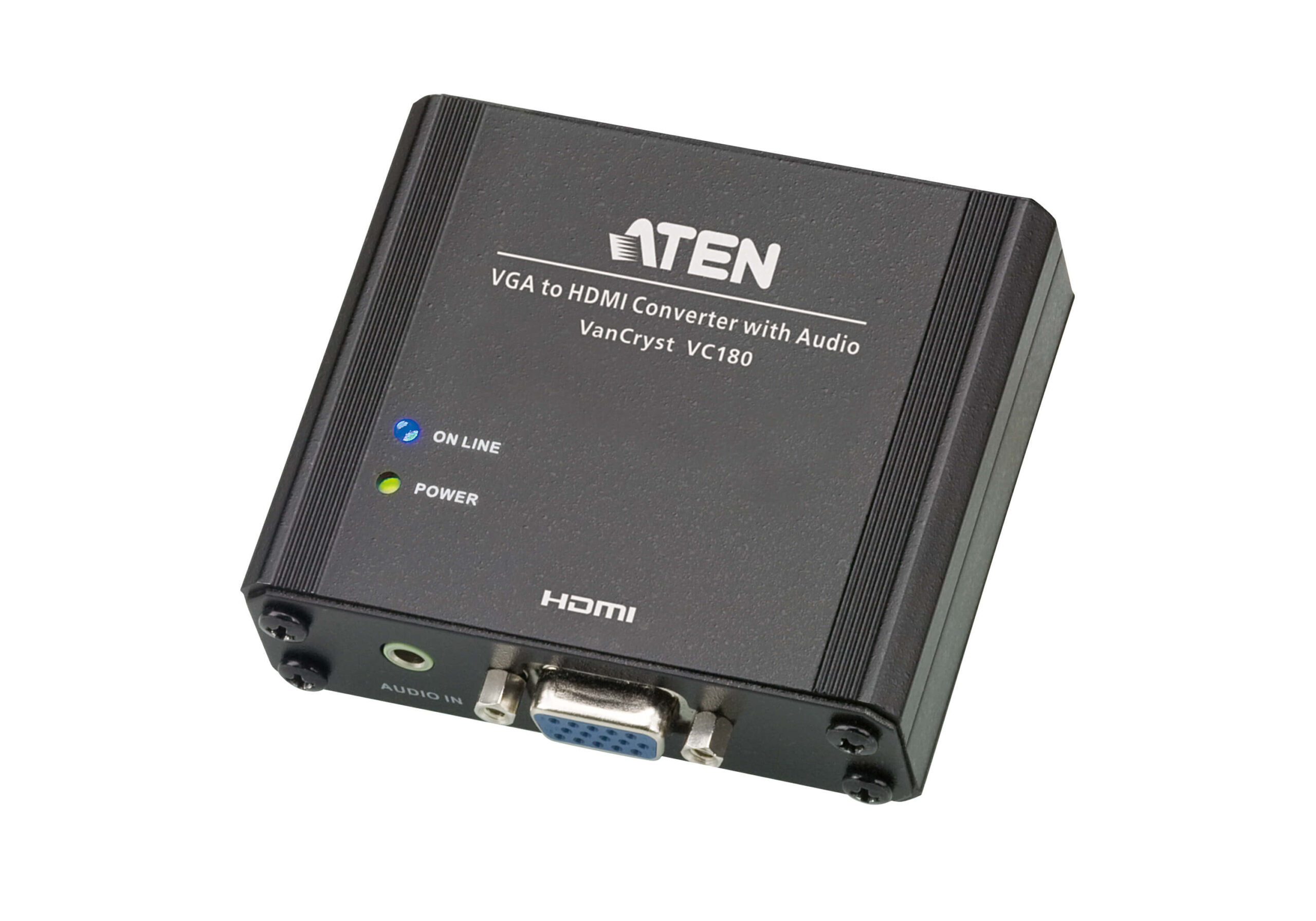
A VGA and stereo audio to HDMI converter for running an older VGA computer into an HDMI TV, monitor or projector.
- No resolution setting: the display must accept the computer's mode (to 1920 x 1200, 60 Hz)
- 3.5 mm audio input, sent on the HDMI output
- Powered by the VGA port or the supplied adapter
- Cables up to 1.8 m (VGA) and 15 m (HDMI)
- Brand :Aten
- SKU :ATEN-VC180
- Category :ATEN
- Availability :Out of Stock
Out of stock
The Aten VC180 turns a computer’s VGA output and 3.5 mm stereo audio into one HDMI signal, so a VGA-only PC or laptop can drive an HDMI TV, monitor or projector with sound. It has no resolution setting: whatever mode the computer sends, up to 1920 x 1200 at 60 Hz, is the mode the display has to accept. It draws power from the VGA port, with an adapter in the box for computers that cannot supply enough.
Resolutions the VC180 accepts
Aten’s guide lists these input modes:
- 60 or 75 Hz: 640 x 480 and 800 x 600, then 1024 x 768, 1152 x 864, 1280 x 720, 1280 x 768, 1280 x 800, 1280 x 1024 and 1440 x 900
- 60 Hz only: 1366 x 768, 1600 x 1200 and 1680 x 1050, and at the top 1920 x 1080 and 1920 x 1200
If the HDMI screen stays blank or the picture has the wrong shape, Aten’s advice is to check which resolutions the display supports. In practice that means setting the computer to the display’s native mode, for example 1920 x 1080 at 60 Hz on a Full HD TV.
Power and cable lengths
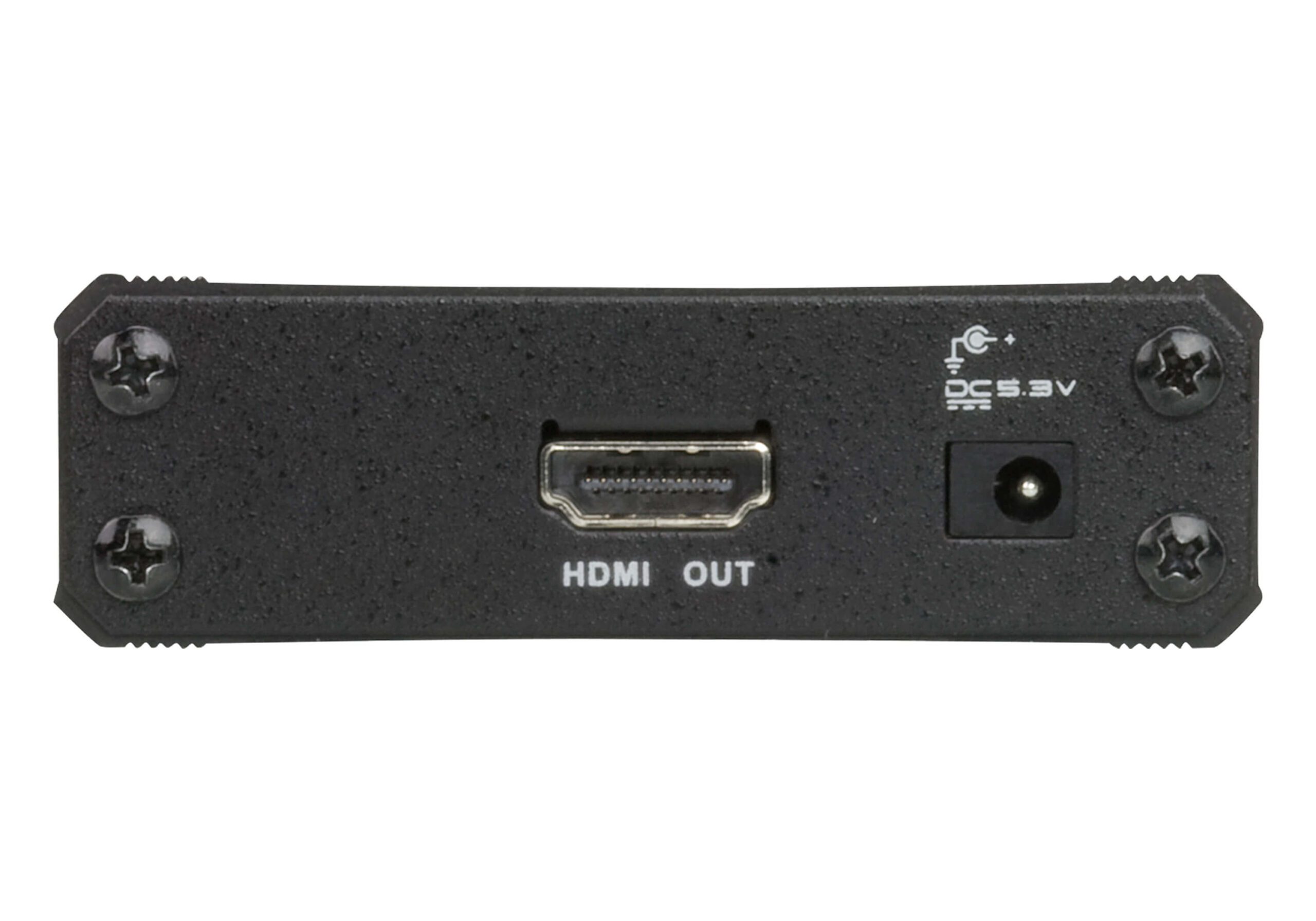
Connect the VGA, audio and HDMI cables, then switch on the computer and the display. If the green Power LED on top lights, the VGA port is powering the VC180. If it stays dark, plug the supplied adapter into the DC jack next to the HDMI output; Aten rates that input at 5.3 V DC.
Aten allows 1.8 m of VGA cable from the computer to the VC180 and 15 m of 24 AWG HDMI cable from the VC180 to the display, so keep the converter near the computer and make the long run in HDMI. The Dtech V002 1.5 m VGA cable fits the VGA side, and leads for the HDMI side are under HDMI copper cables. Cables are not supplied: the box holds the converter, its power adapter and the user instructions.
VC180 or VC182
The VC180 is the one to buy when the display accepts the computer’s resolution as it is. It is the lighter unit (0.16 kg against 0.31 kg) and can run without a mains socket when the VGA port supplies enough power. When the display does not accept that resolution, for example a 1280 x 1024 PC on a 1920 x 1080 TV, the Aten VC182 VGA to HDMI converter with scaler is the model to choose: its scaler outputs the resolution you pick in an on-screen menu, it adds a coaxial S/PDIF audio input, and it needs its own adapter. For a room that also needs an HDMI input, Aten’s VC1280 converter switch takes one HDMI and one VGA source.
Key specifications of the Aten VC180
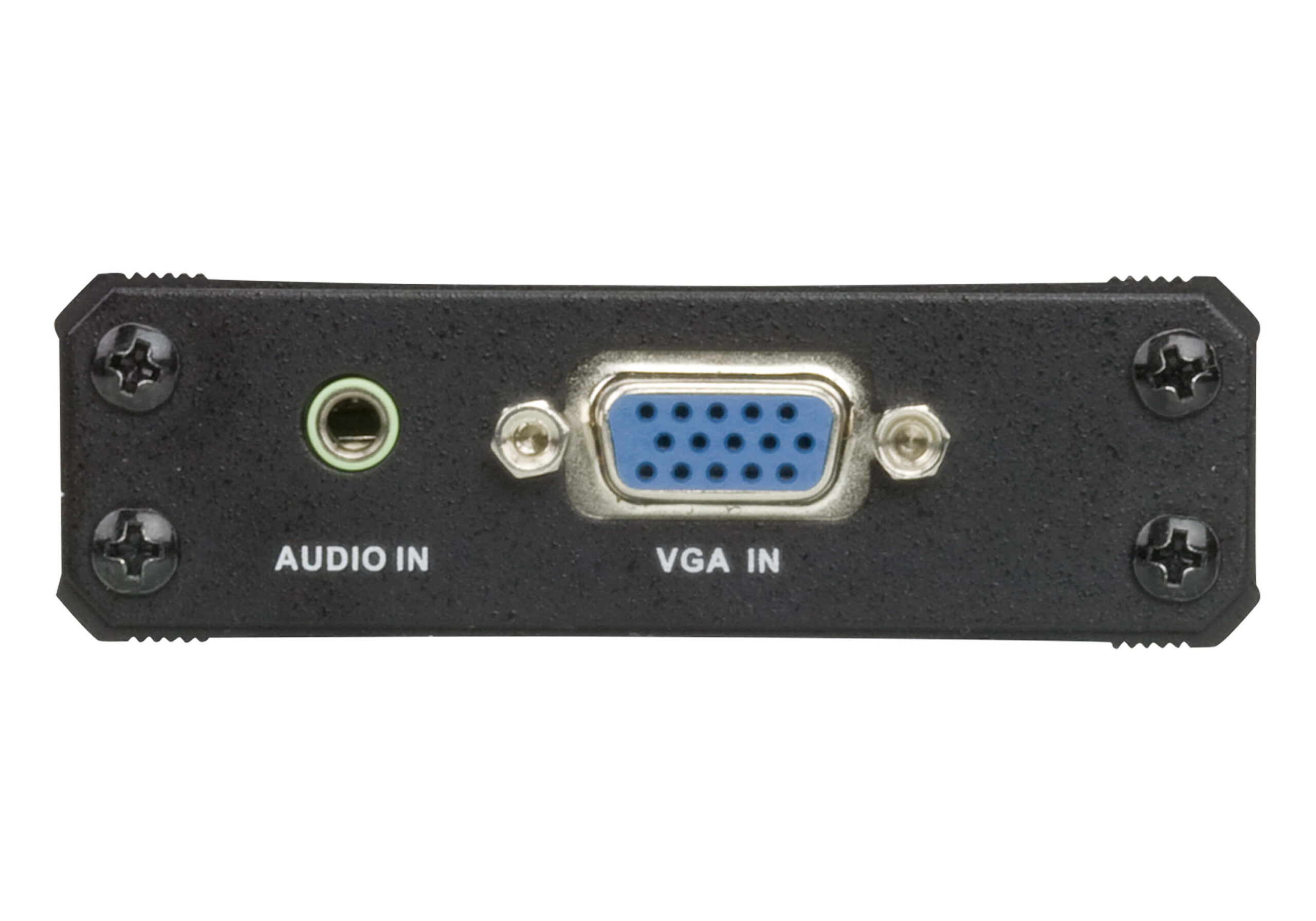
| Video input | VGA, HDB-15 socket (female), 75 Ω |
|---|---|
| Audio input | 3.5 mm stereo jack (green) |
| Output | HDMI Type A socket (female) |
| Resolution range | 640 x 480 (60 or 75 Hz) to 1920 x 1200 (60 Hz), passed through |
| Pixel clock | 165 MHz |
| Cable lengths | VGA 1.8 m; HDMI 15 m (24 AWG) |
| Power | VGA port, or 5.3 V DC adapter (supplied) |
| LEDs | Power (green), On Line (blue) |
| Operating temperature | 0 to 50 °C |
| Housing | Metal |
| Size | 7.90 x 7.81 x 2.44 cm |
| Weight | 0.16 kg |
Questions about the Aten VC180
Can I move a picture that sits off-centre?
Yes. The VC180’s arrow buttons shift the image, and pressing the memory button within 3 seconds saves the new position. Aten keeps a separate position for each output resolution, so a laptop that changes mode returns to the position saved for that mode. Holding the memory button for more than 3 seconds restores the default.
Does the VC180 work with a Mac?
Yes, if the Mac has a VGA output, built in or through an adapter, and sends progressive video. Aten lists Windows and Mac support, but its guide warns that some Mac and Apple devices output an interlaced signal that the VC180 is unable to process.
Can the VC180 convert HDMI to VGA?
No. It converts in one direction only, from a VGA computer to an HDMI display, and its HDMI socket is an output. For the reverse job, an HDMI laptop on a VGA-only projector, use Aten’s VC810 HDMI to VGA converter.
Is the sound carried on the HDMI cable?
Yes. Run a 3.5 mm jack-to-jack lead from the headphone or line-out socket on the computer to the VC180’s green audio input, and the sound travels to the display on the HDMI cable with the picture. Without that lead the display gets picture only, because the VGA connection itself has no audio.
Video Input
| Interfaces | 1 x HDB-15 Female (Blue) |
|---|---|
| Impedance | 75 Ω |
Video Output
| Interfaces | 1 x HDMI Type A Female (Black) |
|---|---|
| Impedance | 100 Ω |
Video
| Max. Pixel Clock | 165 MHz |
|---|---|
| Max. Resolution | Up to 1080p |
Audio
| Input | 1 x Mini Stereo Jack Female (Green) |
|---|
Connectors
| Power | 1 x DC Jack |
|---|---|
| Power Consumption | DC5V:2.62W:12BTU |
Environmental
| Operating Temperature | 0 - 50 ºC |
|---|---|
| Storage Temperature | 20 - 60 ºC |
| Humidity | 0 - 80% RH, Non-Condensing |
Physical Properties
| Housing | Metal |
|---|---|
| Weight | 0.16 kg ( 0.35 lb ) |
| Dimensions (L x W x H) | 7.90 x 7.81 x 2.44 cm (3.11 x 3.07 x 0.96 in.) |
| Carton Lot | 20 pcs |
| Note | For some of rack mount products, please note that the standard physical dimensions of WxDxH are expressed using a LxWxH format. |
You must be logged in to post a review.
VC180 Datasheet PDF
 In Stock
Reviews
There are no reviews yet.