All Categories
- ATEN
- EPSON
- HISENSE
-
AV Signal Distribution
In AV Signal Distribution
- JK
-
Screens
In Screens
-
Projector
-
Cables
In Cables
- DTECH
- Business
- VISION
-
Projector Bracket
In Projector Bracket
-
Digital Signage Solutions
In Digital Signage Solutions
Brands
-
Audio
In Audio














All Categories
- ATEN
- EPSON
- HISENSE
-
AV Signal Distribution
In AV Signal Distribution
- JK
-
Screens
In Screens
-
Projector
-
Cables
In Cables
- DTECH
- Business
- VISION
-
Projector Bracket
In Projector Bracket
-
Digital Signage Solutions
In Digital Signage Solutions
Brands
-
Audio
In Audio

BROWSE CATEGORIES
Help
ATEN
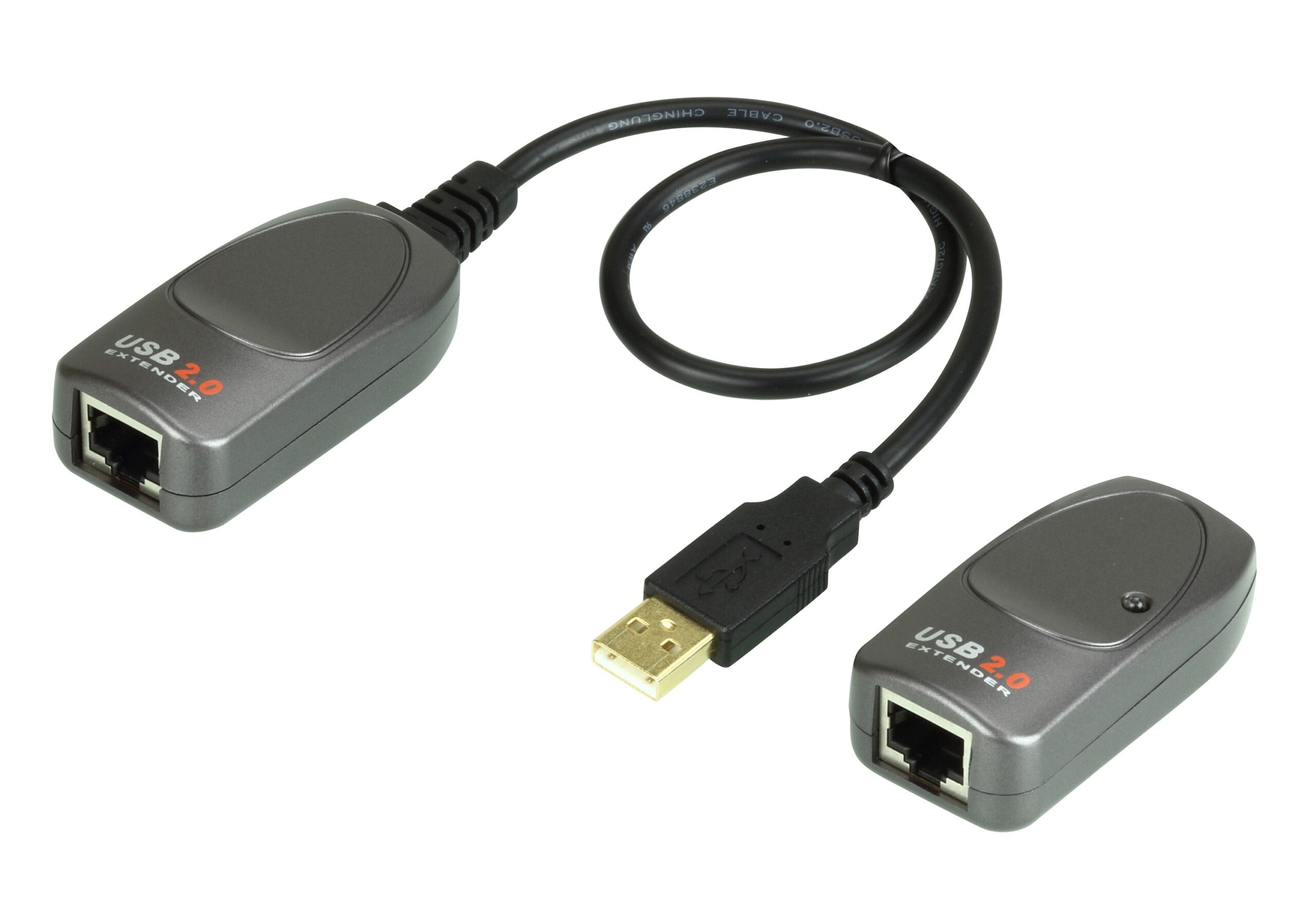
Aten Extender, USB 2.0, up to 60m – UCE260
R2,602.38
Two-piece USB 2.0 extender for one device, or a hub, up to 60 m from a computer over a single Cat cable.
- High, Full and Low Speed USB, 480 Mbps at most
- Cat 5, 5e or 6 link, up to 60 m
- Local unit powered by the computer
- 5 V 2.6 A adapter for the remote unit included
- Brand :Aten
- SKU :ATEN-UCE260
- Category :ATEN
- Availability :Out of Stock
Out of stock
The Aten UCE260 puts one USB 2.0 port up to 60 m from a computer over a single Cat cable that you supply. The local unit plugs into the computer on a short fixed lead and draws its power there; the remote unit has one USB-A socket and runs from the 5 V, 2.6 A adapter in the box. It passes High Speed (480 Mbps), Full Speed and Low Speed devices, with no driver to install on Windows or Mac.
Cable type and the 60 m limit
Aten’s 2015 specification sheet names Cat 5, Cat 5e or Cat 6 network cable for the link, with 60 m as the maximum; the current datasheet asks only for an Ethernet cable of up to 60 m. The cable, with an RJ45 plug at each end, runs straight from one unit to the other.
The local unit’s USB-A plug sits on a fixed lead, given as 1 ft (about 30 cm) on the 2015 sheet, so no separate USB cable is needed at the computer. Both units are plastic and measure 6.30 x 3.10 x 2.19 cm; the local unit weighs 40 g with its lead and the remote unit 20 g.
One device or a hub, sharing one USB 2.0 link
Aten rates the remote end for a single USB device and says that device can be a hub. With a hub there, a keyboard, mouse and printer can each have a socket, but every device behind it shares the one USB 2.0 link, 480 Mbps at most. For webcams and other USB video devices, Aten’s note is to check compatibility with the device’s own manufacturer.
Power at each end
Only the remote unit needs a mains socket. The local unit draws 0.65 W at 5 V from the computer’s USB port; the remote unit draws 0.95 W at 5 V with nothing plugged in, from the supplied adapter. Its LED glows steady green once both units have power and are communicating.
Aten does not state how much current the remote socket can deliver to a device. If a hub at the far end will feed several devices that take their power from USB, choose a hub with its own power supply.
When another extender suits better
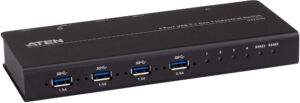
For four ports at the far end without a hub, the Dtech DT-7014A reaches 50 m at USB 2.0 rates. When the devices need USB 3 speed, the Aten UCE33100 gives four 5 Gbps ports up to 100 m over Cat 6A. Where no Cat cable is installed and the distance is short, the Aten UE3310 active USB cable runs 10 m and chains to 50 m. Other kits are among our USB extender listings.
Key specifications of the Aten UCE260
| USB standard | USB 2.0: High Speed 480 Mbps, Full Speed 12 Mbps, Low Speed 1.5 Mbps |
|---|---|
| Maximum distance | 60 m |
| Link cable | Cat 5, Cat 5e or Cat 6 with RJ45 plugs, not supplied |
| Local unit | USB-A male on fixed lead, RJ45; powered by the computer |
| Remote unit | 1 x USB-A female, RJ45, DC power jack |
| Devices supported | 1 (a USB hub counts as one) |
| Power adapter | 5 V, 2.6 A, supplied, for the remote unit |
| Power consumption | 0.65 W local, 0.95 W remote, at 5 V |
| Operating systems | Windows, Mac; no driver |
| Environment | 0 to 40 °C operating; 80% RH maximum, no condensation |
| Size and weight | 6.30 x 3.10 x 2.19 cm per unit; 40 g local, 20 g remote |
Questions about the Aten UCE260
Will a webcam work through the UCE260?
Possibly, but Aten makes no promise for cameras. It tells you to confirm USB video devices with their own manufacturer, and the link tops out at USB 2.0 High Speed, so a camera that needs USB 3 for its full resolution is limited to the modes it offers on USB 2.0. Test it over the installed cable first.
Can the UCE260 run through a network switch?
Aten documents only a direct cable between the local and remote units and says nothing about network switches or sharing the office LAN. Plan a dedicated Cat 5e or Cat 6 run of 60 m or less between the two units.
Will a USB 3 drive work through the UCE260?
At USB 2.0 speed at best. Aten rates the UCE260 for High, Full and Low Speed devices, so a USB 3 drive connects at High Speed, 480 Mbps at most, and large copies take longer than on the computer’s own USB 3 port. A drive that draws its power from the port may need a powered hub, since Aten gives no current figure for the remote socket.
Does the UCE260 work with a Mac?
Yes. Aten lists Windows and Mac and states that no driver or configuration is needed, and the units are hot-pluggable. Aten names no other operating systems, so test with Linux or a thin client before relying on it.
You must be logged in to post a review.
UCE260 Datasheet PDF
 In Stock
Reviews
There are no reviews yet.