All Categories
- ATEN
- EPSON
- HISENSE
-
AV Signal Distribution
In AV Signal Distribution
- JK
-
Screens
In Screens
-
Projector
-
Cables
In Cables
- DTECH
- Business
- VISION
-
Projector Bracket
In Projector Bracket
-
Digital Signage Solutions
In Digital Signage Solutions
Brands
-
Audio
In Audio














All Categories
- ATEN
- EPSON
- HISENSE
-
AV Signal Distribution
In AV Signal Distribution
- JK
-
Screens
In Screens
-
Projector
-
Cables
In Cables
- DTECH
- Business
- VISION
-
Projector Bracket
In Projector Bracket
-
Digital Signage Solutions
In Digital Signage Solutions
Brands
-
Audio
In Audio

BROWSE CATEGORIES
Help
AV Signal Distribution
Dtech Switch, HDMI, 3 Port – 7431
R480.61
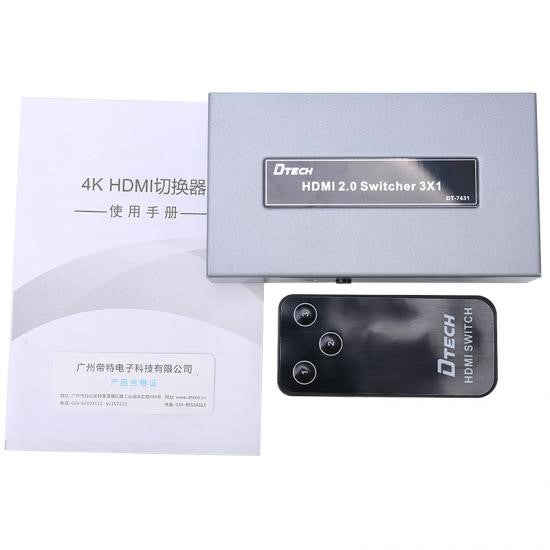
An HDMI 2.0 switch that puts one of three HDMI sources on a single display or projector, chosen with the front button or the IR remote.
- 3 HDMI inputs, 1 HDMI output
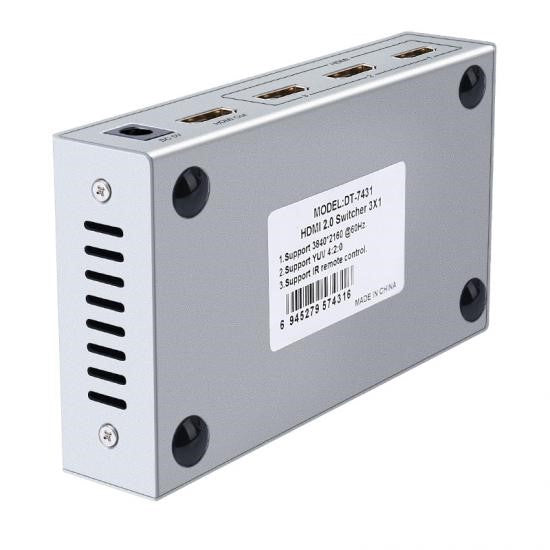
- 3840 x 2160 at 60 Hz in YUV 4:2:0
- Inputs up to 10 m, output up to 5 m on 24AWG cable
- No RS-232 or network control port
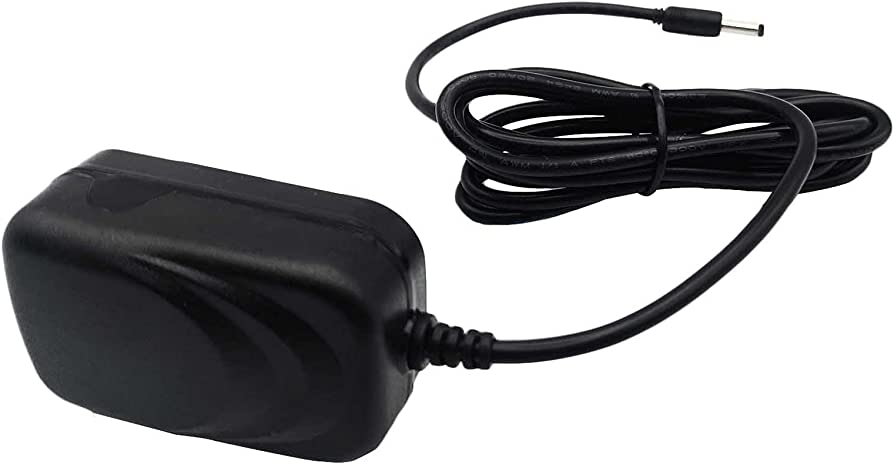
- 5 V adapter and IR remote in the box
- Brand :Dtech
- SKU :DTECH-7431
- Category :AV Signal Distribution
- Availability :
 In Stock
19 in stock
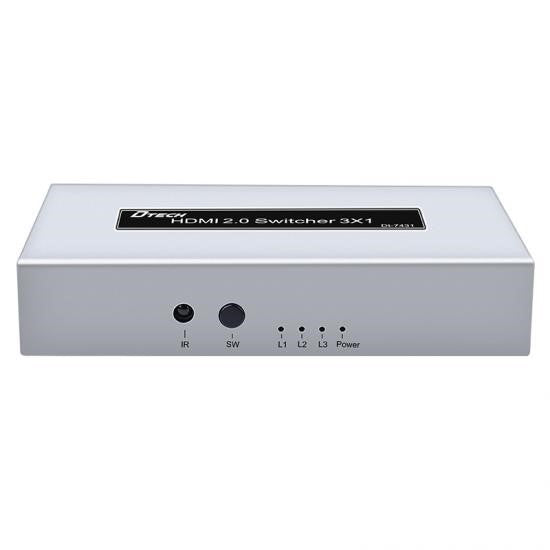
The Dtech DT-7431 is a 3×1 HDMI 2.0 switch for a lectern, meeting table or TV cabinet where three HDMI sources share one display or projector. You choose the source with the button on the front or the supplied infrared remote. Dtech rates it for 3840 x 2160 at 60 Hz in YUV 4:2:0 colour, with HDMI cables of up to 10 m into each input and 5 m from the output.
Choosing the source, and where to put the switch
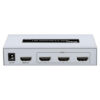
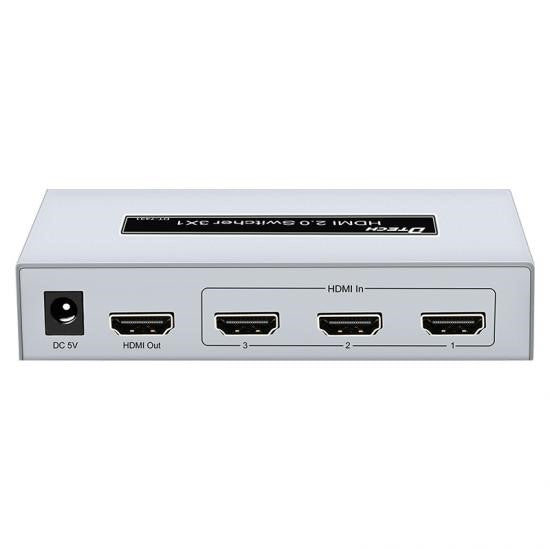
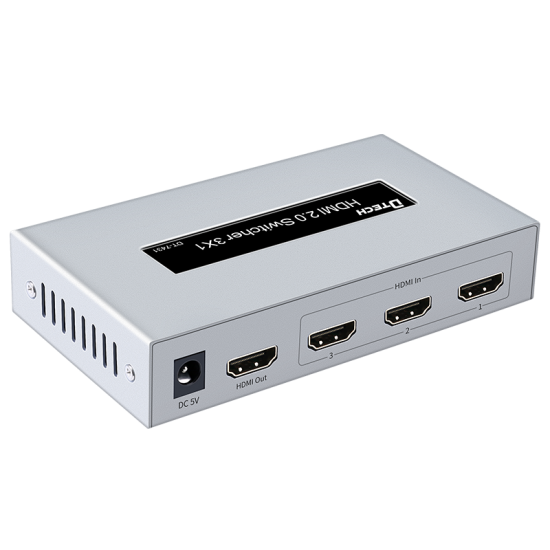
Selection is manual. The front panel has one SW button, the receiver window for the remote and four LEDs: L1, L2 and L3 show the live input, and the fourth shows power. At the back are the DC 5V socket for the supplied adapter, the HDMI output and HDMI inputs 3, 2 and 1. There is no jack for an external IR sensor.
The remote therefore has to reach the front panel, so mount the DT-7431 where its front stays in view, not out of sight behind the screen. Dtech’s cable figures also favour a spot near the display: the output allows 5 m against 10 m on each input, so the longer leads should run back to the sources. A display further than 5 m from the switch needs an HDMI extender on the output.
4:2:0 colour at 4K 60 Hz: fine for video, a compromise for computers
Dtech lists one 4K format, 3840 x 2160 at 60 Hz with 4:2:0 colour sampling, and says lower resolutions work as well. In 4:2:0 the colour detail is carried at half the resolution of the brightness detail, across and down the picture. DVD, Blu-ray and H.264 video are stored that way already, so a media player loses no colour detail through the switch.
A computer desktop is where it shows. Dtech does not list 4K at 60 Hz in full colour (4:4:4 or RGB), and reduced colour resolution blurs abrupt colour edges such as coloured text and spreadsheet lines. Run laptops and PCs at 1080p, or set the graphics output to 4:2:0 if 4K at 60 Hz is essential. Dtech also gives no HDCP version, so copy-protected 4K from a streaming player or UHD Blu-ray player is not confirmed to pass.
Sound goes where the HDMI output goes
The DT-7431 has no audio output of its own. Sound stays inside the HDMI signal: to play surround from these sources on an AV receiver or soundbar, connect the switch output to that device and run its HDMI output on to the screen. Dtech’s format list covers Dolby TrueHD and AC-3, DTS-HD and DTS, LPCM 7.1 and DSD.
Key specifications of the DT-7431
| Inputs | 3 x HDMI |
|---|---|
| Output | 1 x HDMI |
| Maximum resolution | 3840 x 2160 at 60 Hz, YUV 4:2:0 |
| HDCP | Version not stated by Dtech |
| Audio formats | Dolby TrueHD and AC-3; DTS-HD and DTS; LPCM 7.1; DSD |
| Input cable reach | Up to 10 m (24AWG HDMI cable) |
| Output cable reach | Up to 5 m (24AWG HDMI cable) |
| Switching | Front SW button, IR remote |
| Control ports | None (no RS-232 or network) |
| Power | 5 V DC, adapter supplied |
| In the box | Switch, power adapter, IR remote, manual |
What you will also need
No HDMI cables come in the box, so plan on four: one from each source and one to the display. For 4K at 60 Hz, use leads rated for HDMI 2.0, such as our V2.0 HDMI copper cables. If screens in the same room must show different sources at the same time, a switch with one output cannot do it; the Dtech DT-7030 4×4 HDMI matrix sends any of four inputs to any of four outputs.
Questions about the Dtech DT-7431
Does the DT-7431 switch inputs automatically?
Not as far as its documentation shows: the datasheet and the product description mention only the front button and the IR remote. Plan on whoever connects a laptop or player also selecting its input, and keep the remote where the presenters sit.
Can it show the selected source on two screens?
Not on its own, because it has one HDMI output. Add a splitter after the switch, such as the Dtech DT-7212 two-output HDMI splitter, which is rated for 4K at 60 Hz. Both screens then show whichever input the DT-7431 has selected.
Will 1080p sources and a 1080p projector work through it?
Yes, Dtech says resolutions below its 4K maximum are supported. It does not say how the switch reports the projector’s capabilities (its EDID) to the sources, so if a 4K media player still sends 4K to a 1080p projector, set that player to 1080p in its own menu.
Can a control system or touch panel operate it?
No. The front button and the IR remote are the only controls, and the rear panel has no RS-232 or network port for a control processor to use. A room run entirely from a touch panel needs a switch with serial or IP control.
You must be logged in to post a review.
Reviews
There are no reviews yet.