All Categories
- ATEN
- EPSON
- HISENSE
-
AV Signal Distribution
In AV Signal Distribution
- JK
-
Screens
In Screens
-
Projector
-
Cables
In Cables
- DTECH
- Business
- VISION
-
Projector Bracket
In Projector Bracket
-
Digital Signage Solutions
In Digital Signage Solutions
Brands
-
Audio
In Audio














All Categories
- ATEN
- EPSON
- HISENSE
-
AV Signal Distribution
In AV Signal Distribution
- JK
-
Screens
In Screens
-
Projector
-
Cables
In Cables
- DTECH
- Business
- VISION
-
Projector Bracket
In Projector Bracket
-
Digital Signage Solutions
In Digital Signage Solutions
Brands
-
Audio
In Audio

BROWSE CATEGORIES
Help
AV Signal Distribution
Dtech Matrix Switch, HDMI, 4 Port – 7030
R5,768.47
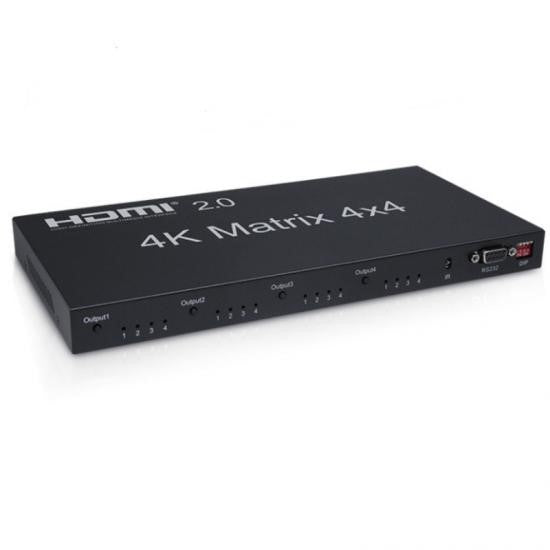
A 4 x 4 HDMI 2.0 matrix that routes any of four 4K sources to any of four screens, for boardrooms, classrooms and showroom displays.
- 4 inputs, 4 outputs, each output switched on its own
- 4K at 60 Hz, HDCP 2.2, 18 Gbps
- Front buttons, IR remote and RS-232 control
- EDID set by DIP switch, including HDR and 7.1 options
- HDMI cables up to 10 m per port
- Brand :Dtech
- SKU :DTECH-7030
- Category :AV Signal Distribution
- Availability :
 In Stock
5 in stock
The Dtech DT-7030 (our code 7030) is a 4 x 4 HDMI 2.0 matrix switch: four sources in, four displays out, and each output chooses its own source. It passes 4K at 60 Hz with HDCP 2.2 over an 18 Gbps link and is switched from front-panel buttons, the supplied IR remote or RS-232. Dtech shows it in TV showrooms, teaching rooms and video conference rooms.
How the 4 x 4 routing works
Any input can go to any output, and several outputs can show the same input. All four screens can show one laptop, or each can show something different: a presenter’s PC, a media player, a camera feed and a decoder, for example.
- Front panel: one select button per output, each with four LEDs that show which input that output is showing.
- IR remote: four rows of keys, one row per output. Number keys 1 to 4 jump straight to an input; the arrow keys step back or forward one input.
- RS-232: a 9-pin serial port on the front, for switching from a computer or control system.
If every screen will always show the same source, a matrix is more than you need: the Dtech DT-7214 four-port HDMI splitter sends one 4K 60 Hz source to four screens with no switching.
4K 60 Hz, HDR, colour depth and audio formats
The DT-7030 is HDMI 2.0 with HDCP 2.2, so protected 4K from a streaming player can pass to any display that also supports HDCP 2.2. Dtech lists 8, 10 and 12-bit colour depth and 3D. Audio travels inside the HDMI signal, and the supported formats include Dolby TrueHD, DTS-HD, LPCM 7.1, Dolby AC-3, DTS and DSD. The matrix has HDMI connectors only, with no analogue or optical audio outputs.
EDID settings on the DIP switch
A four-position DIP switch on the front sets the EDID, the format information the matrix gives the sources. Switch down is 1 and switch up is 0; position 1 stays at 0 in every listed setting.
- 0000: 3D, 4K 60 Hz, HDR, 2-channel audio
- 0001: 3D, 4K 60 Hz, 7.1 audio
- 0010: 3D, 4K 30 Hz, 2-channel audio
- 0011: 3D, 4K 30 Hz, 7.1 audio
- 0100: 2D, 1080p, stereo
- 0101: 2D, 1080p, 7.1 audio
- 0110: 3D, 1080p, stereo
- 0111: 2D, 1080p, DVI
Only setting 0000 includes HDR, and it pairs HDR with 2-channel audio. If every display in the room is a 1080p model, a 1080p setting keeps the sources at 1080p from the start.
Cable lengths, power and installation
Dtech rates HDMI cables of up to 10 m (24 AWG) on both inputs and outputs. A screen further away needs a longer-reach link, such as one of our HDMI 2.0 fibre cables, which run to 100 m in our range and are listed for 4K. For sources in the same rack or lectern, a 2 m lead such as the Dtech H004, which Dtech lists as HDMI 2.0, is long enough.
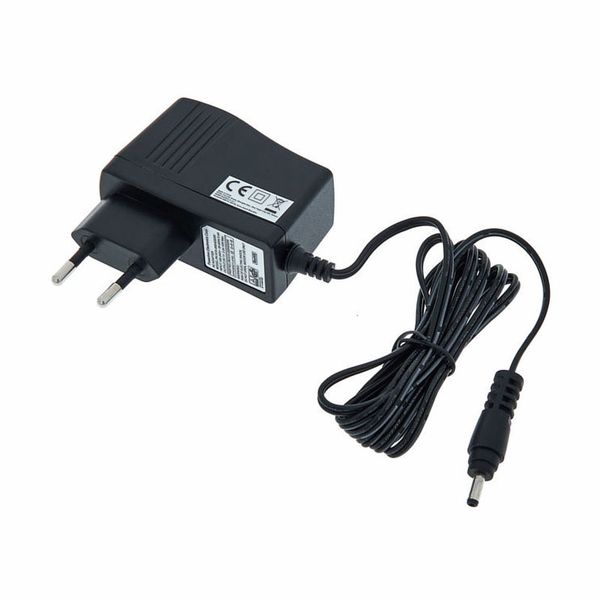
The rear panel carries the 12 V power socket, OUT1 and OUT2, IN1 to IN4, then OUT3 and OUT4, and a power switch. Label the leads before cabling, because the inputs sit between the two pairs of outputs. The case measures 276 x 143 x 26 mm and weighs 720.5 g, and Dtech gives an operating range of -15 °C to 45 °C. Power comes from a 12 V, 2 A adapter that accepts 100 to 240 V AC.
Key specifications of the Dtech DT-7030
| Matrix size | 4 HDMI inputs x 4 HDMI outputs |
|---|---|
| HDMI and HDCP | HDMI 2.0, HDCP 2.2 |
| Maximum resolution | 4K at 60 Hz |
| Bandwidth | 18 Gbps |
| Colour depth | 8, 10 and 12-bit |
| Audio | Dolby TrueHD, DTS-HD, LPCM 7.1, Dolby AC-3, DTS, DSD; no separate audio outputs |
| HDMI cable length | Up to 10 m (24 AWG), inputs and outputs |
| Control | Front buttons, IR remote, RS-232 (9-pin) |
| EDID | 8 settings on a 4-position DIP switch |
| Power | 12 V, 2 A adapter (100 to 240 V AC); 1.6 A maximum working current |
| Size and weight | 276 x 143 x 26 mm, 720.5 g |
| In the box | Matrix, IR remote, 12 V power adapter, user manual |
Questions about the Dtech DT-7030
Is the DT-7030 a 4 x 4 or a 4 x 2 matrix?
It is 4 x 4. Dtech’s datasheet lists four HDMI inputs and four HDMI outputs, the front panel is printed “4K Matrix 4×4”, and each output has its own select button and row of keys on the remote. The “4 Port” in our product title refers to four ports on each side.
Will a 1080p display work next to 4K screens?
Set the EDID to a 1080p setting and it will, though the 4K screens then also receive 1080p. Dtech also lists 4K-to-2K downscaling, which would let a 4K input reach a 1080p screen, but its manual does not say whether that works per output or how it is switched on, so try it with the actual screens before depending on it.
Can a control system switch the DT-7030?
Yes, over RS-232 from the 9-pin port on the front. Dtech says a computer connected there can switch inputs, read the status of inputs and outputs, and update its software. The datasheet does not publish the command strings or baud rate, so get the protocol document before programming a control system.
How do I get surround sound to an amplifier?
Through an HDMI output, because the matrix has no separate audio outputs. Route one output to an AV receiver with an HDMI input, or to an HDMI audio extractor, and choose a 7.1 EDID setting (0001, 0011 or 0101) so the sources offer multichannel audio. Those settings drop HDR, which only 0000 carries.
You must be logged in to post a review.
You may also like these
Dtech
In Stock
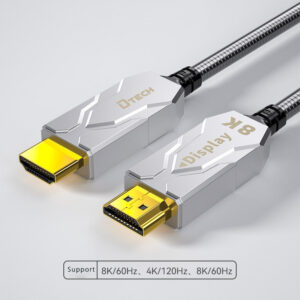
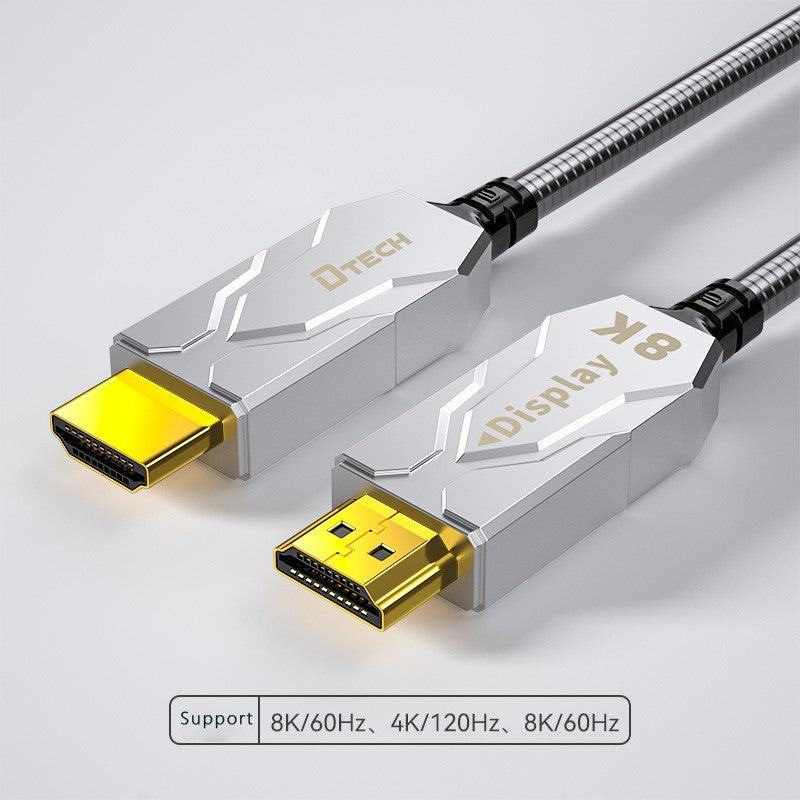
Dtech Armoured Fibre Cable, 30.0m, HDMI, V2.1, 8K resolution - HF8030K
R1,965.19
HF8030K In Stock
Reviews
There are no reviews yet.