All Categories
- ATEN
- EPSON
- HISENSE
-
AV Signal Distribution
In AV Signal Distribution
- JK
-
Screens
In Screens
-
Projector
-
Cables
In Cables
- DTECH
- Business
- VISION
-
Projector Bracket
In Projector Bracket
-
Digital Signage Solutions
In Digital Signage Solutions
Brands
-
Audio
In Audio














All Categories
- ATEN
- EPSON
- HISENSE
-
AV Signal Distribution
In AV Signal Distribution
- JK
-
Screens
In Screens
-
Projector
-
Cables
In Cables
- DTECH
- Business
- VISION
-
Projector Bracket
In Projector Bracket
-
Digital Signage Solutions
In Digital Signage Solutions
Brands
-
Audio
In Audio

BROWSE CATEGORIES
Help
ATEN
Aten Splitter, DisplayPort, 2 Port – VS192
R3,368.99
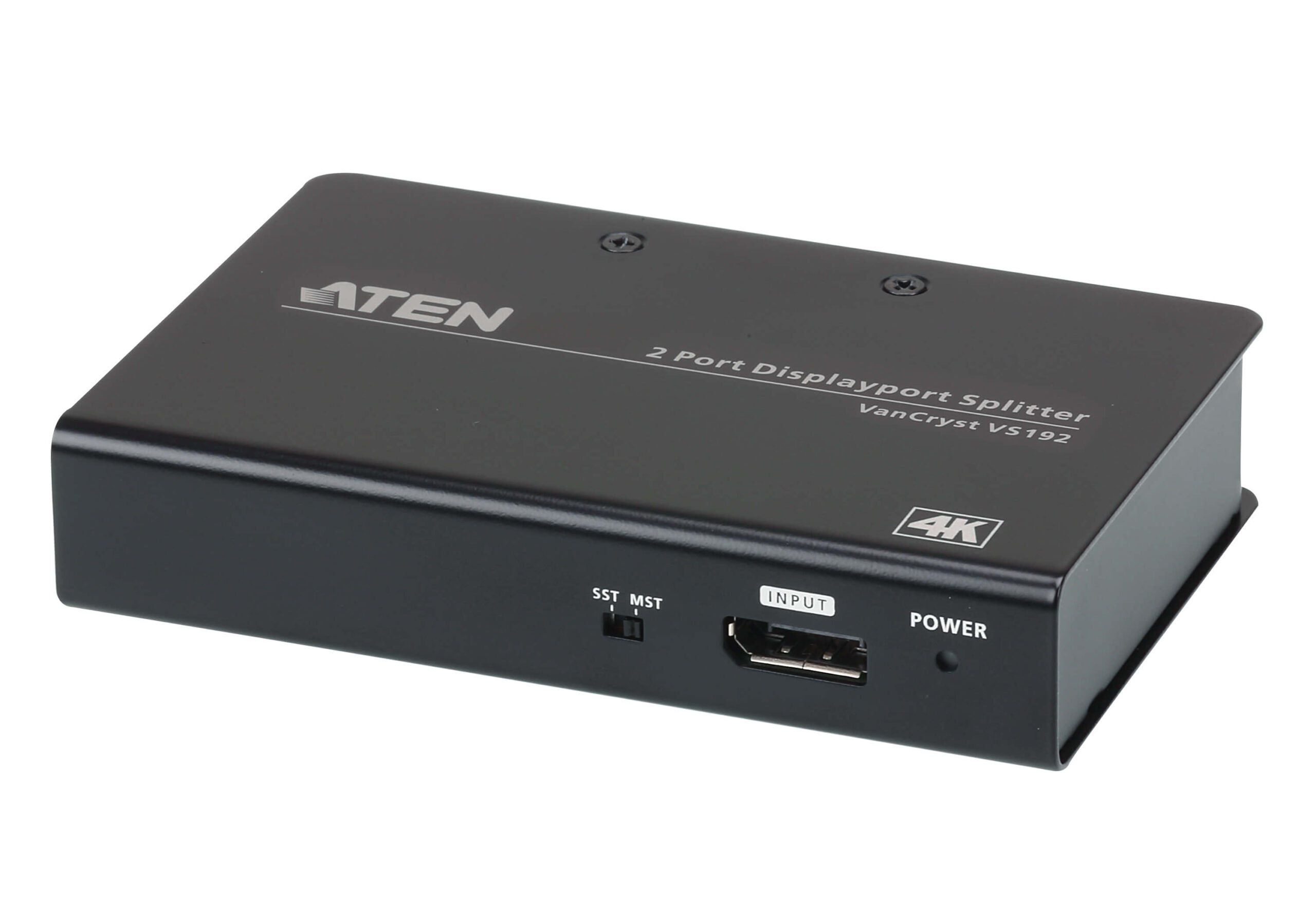
A two-output DisplayPort splitter that mirrors one computer onto two monitors or, with an MST-capable graphics card, extends the desktop across them.
- 4K at 60 Hz per screen when mirroring
- Front switch: SST (duplicate) or MST (extend)
- DisplayPort 1.2a, HDCP 1.3
- 4.6 m cable runs at 4K 60 Hz
- Brand :Aten
- SKU :ATEN-VS192
- Category :ATEN
- Availability :Out of Stock
Out of stock
The Aten VS192 takes one DisplayPort source and drives two DisplayPort monitors, either with the same picture on both or as an extended desktop. When mirroring, each screen can run 4K at 60 Hz, at 3840 x 2160 or the wider 4096 x 2160. It complies with DisplayPort 1.2a and HDCP 1.3, and Aten rates its input and outputs for 4.6 m cables at 4K.
SST duplicate mode and MST extend mode
A slide switch on the front panel, beside the DisplayPort input, sets the mode.
- SST (split): both monitors show the same image, at up to 4K each. The VS192 takes its resolution from the monitor on output 1; change it in the source’s display settings.
- MST (extend): the computer sees two separate monitors and can spread its desktop across them.
Aten strongly recommends a DisplayPort 1.2 graphics card. Most DisplayPort 1.1a sources still work but may be limited to SST, and the graphics card decides which resolutions and how many monitors you get.
Two 4K screens in extend mode: our bandwidth estimate
The input is one DisplayPort link at HBR2, which Aten rates at 21.6 Gbps across four lanes. In SST mode a single stream is copied to both outputs, so each monitor can get 3840 x 2160 at 60 Hz. In MST mode the two screens share that link. By our own calculation, not Aten’s, one 3840 x 2160 picture at 60 Hz needs about 12.8 Gbps, more than half the link, so two extended 4K monitors will not both run at full resolution and 60 Hz. Two 1920 x 1080 or 2560 x 1440 monitors at 60 Hz fit within it.
Cables, case and box contents
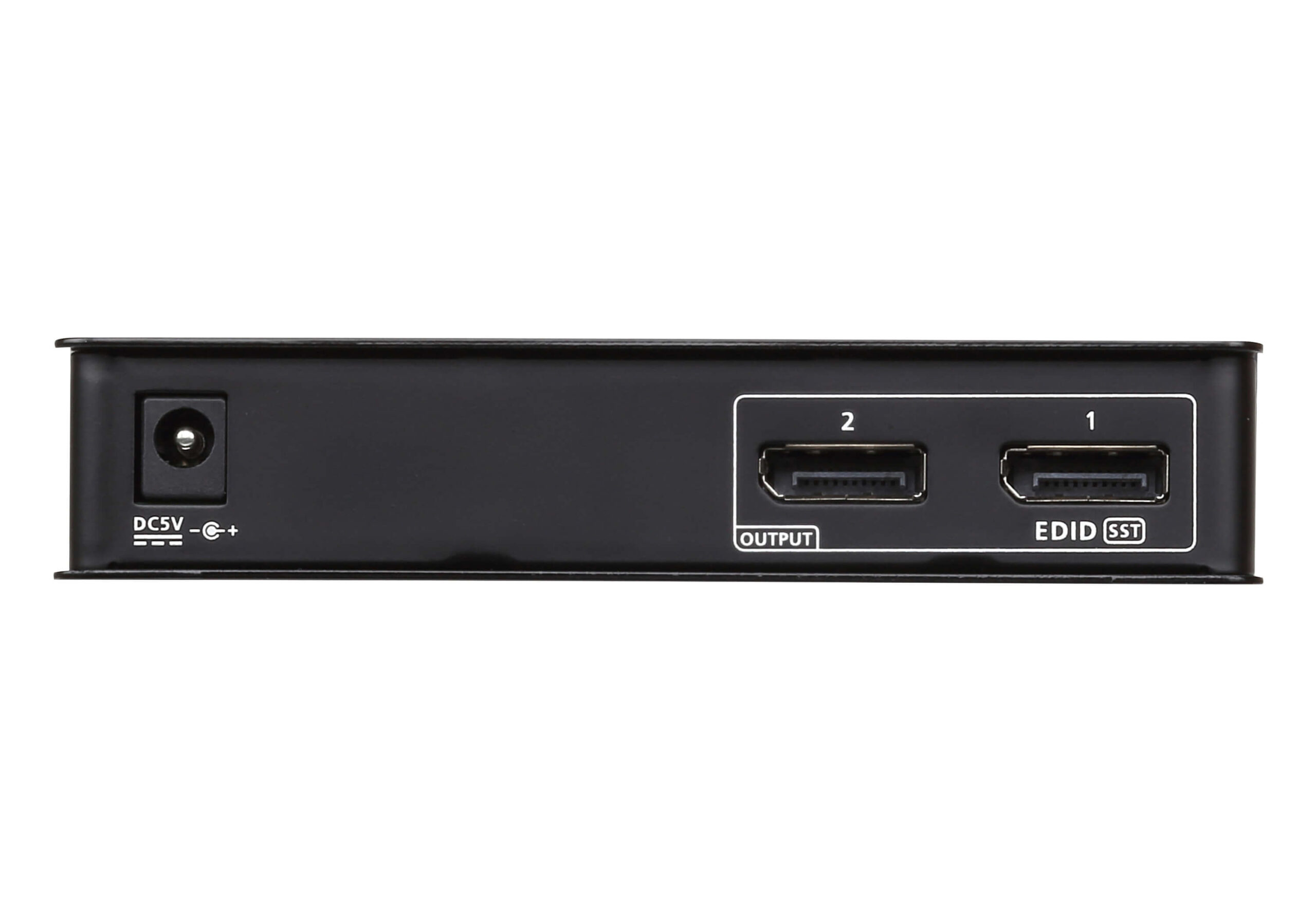
The box holds the splitter, a 5 V DC power adapter and user instructions, with no cables. Add one DisplayPort cable from the source and one per monitor; Aten measured its 4.6 m figure with its own 2L-7D04DP cable. The metal case is 12.50 x 8.00 x 2.50 cm and weighs 0.30 kg, with the input, mode switch and power LED on the front and both outputs and the DC jack at the back.
Key specifications of the Aten VS192
| Video input | 1 x DisplayPort female |
|---|---|
| Video outputs | 2 x DisplayPort female |
| Standards | DisplayPort 1.2a, HDCP 1.3, HBR2 |
| Maximum resolution | 4K at 60 Hz (3840 x 2160, 4096 x 2160) |
| Link bandwidth | 21.6 Gbps (5.4 Gbps per lane) |
| Modes | SST (duplicate) or MST (extend), front switch |
| Cable distance | 4.6 m at 4K 60 Hz, input and outputs |
| Audio | Carried in the DisplayPort signal, no separate jacks |
| Case | Metal, 12.50 x 8.00 x 2.50 cm, 0.30 kg |
| Operating temperature | 0 to 40 °C |
| Power | 5 V DC adapter, 1.185 W |
Questions about the Aten VS192
Will extend mode work with a Mac?
Expect mirrored screens rather than an extended desktop. macOS drives DisplayPort MST hubs in mirrored mode only, so on a Mac leave the VS192 in SST, where both monitors show the same image at up to 4K.
Why is there no picture in SST mode?
Check that a monitor is plugged into output 1. Aten’s quick start guide says a monitor must be connected there to view content in SST mode, because the splitter reads the resolution from that port. Then set the source to a resolution the second monitor also accepts.
Does the VS192 carry sound?
Yes, inside the DisplayPort signal: Aten describes it as splitting DisplayPort audio along with the video. There are no 3.5 mm jacks, so sound plays through each monitor’s speakers or its own audio output.
My monitors have HDMI inputs. Is the VS192 the right splitter?
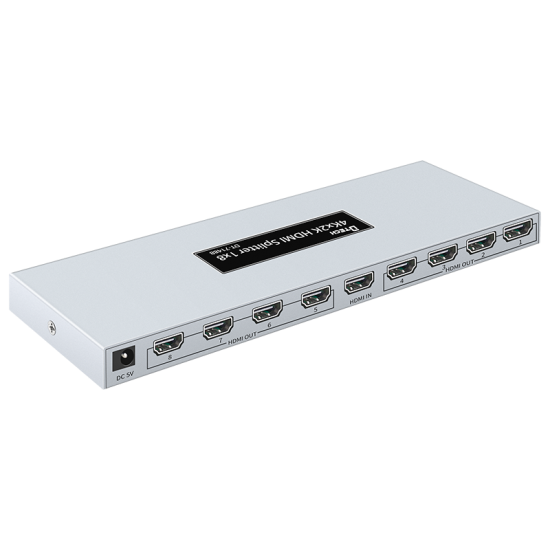
Probably not. Aten documents the VS192 with DisplayPort monitors and names no adapters for its outputs. If the source and the screens both have HDMI, one of our HDMI splitters links them without adapters, and the wider video splitter range also covers DVI and VGA.
Video Output
| Interfaces | 2 x DisplayPort Female (Black) |
|---|---|
| Max. Distance | 4.6m (4096 x 2160 / 3840 x 2160 @ 60Hz) *tested with 2L-7D04DP |
Video Input
| Interfaces | 1 x DisplayPort Female (Black) |
|---|---|
| Max. Distance | 4.6m (4096 x 2160 / 3840 x 2160 @ 60Hz) *tested with 2L-7D04DP |
Video
| Compliance | DP 1.2a; HDCP 1.3 |
|---|---|
| Max. Resolution | Up to 4096 x 2160 / 3840 x 2160 @ 60Hz |
| Max. Data Rate | 21.6 Gbps (5.4 Gbps per lane) |
Connectors
| Power | 1 x DC Jack |
|---|---|
| Power Consumption | DC5V:1.185W:6BTU |
Environmental
| Operating Temperature | 0-40 °C |
|---|---|
| Storage Temperature | 20 - 60 °C |
| Humidity | 0 - 80% RH, Non-Condensing |
Physical Properties
| Housing | Metal |
|---|---|
| Weight | 0.30 kg ( 0.66 lb ) |
| Dimensions (L x W x H) | 12.50 x 8.00 x 2.50 cm (4.92 x 3.15 x 0.98 in.) |
| Carton Lot | 20 pcs |
| Note | For some of rack mount products, please note that the standard physical dimensions of WxDxH are expressed using a LxWxH format. |
You must be logged in to post a review.
VS192 Datasheet PDF
 In Stock
Reviews
There are no reviews yet.