All Categories
- ATEN
- EPSON
- HISENSE
-
AV Signal Distribution
In AV Signal Distribution
- JK
-
Screens
In Screens
-
Projector
-
Cables
In Cables
- DTECH
- Business
- VISION
-
Projector Bracket
In Projector Bracket
-
Digital Signage Solutions
In Digital Signage Solutions
Brands
-
Audio
In Audio














All Categories
- ATEN
- EPSON
- HISENSE
-
AV Signal Distribution
In AV Signal Distribution
- JK
-
Screens
In Screens
-
Projector
-
Cables
In Cables
- DTECH
- Business
- VISION
-
Projector Bracket
In Projector Bracket
-
Digital Signage Solutions
In Digital Signage Solutions
Brands
-
Audio
In Audio

BROWSE CATEGORIES
Help
Education Solutions
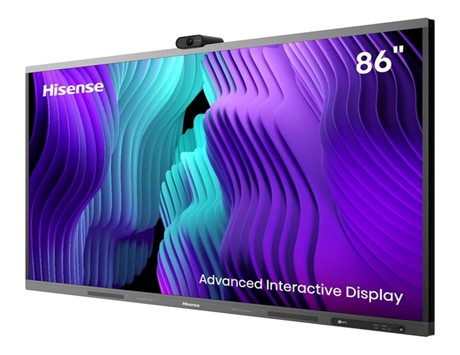
Hisense Interactive Panel, 86″, 4k resolution, Android 13.0 – 86MR6DE
R60,367.45
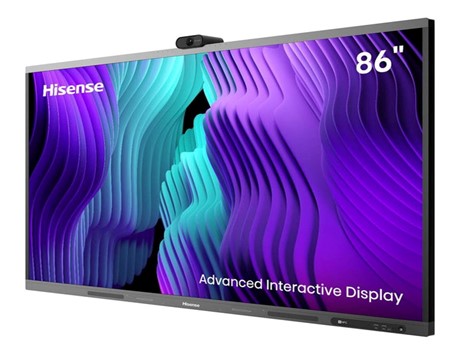
An 86-inch 4K interactive display with its own 4K camera and microphone array, for large classrooms and meeting rooms that run video calls and whiteboarding from the panel.
- 4K camera with privacy cover, 8 microphones, 12 m pickup
- Google-certified Android 13, 4 GB RAM, 64 GB storage
- Infrared touch up to 20 points, 350 nits
- USB-C with video, touch and 65 W charging; NFC
- Brand :Hisense
- SKU :HISENSE-86MR6DE
- Category :Education Solutions
- Availability :
 In Stock
1 in stock
The Hisense 86MR6DE is the 86-inch GoBoard Live: a 3840 x 2160 infrared touch display with a 4K camera, an eight-microphone array and Google-certified Android 13 in one unit, so a large classroom or boardroom can hold video calls and write on screen without a separate PC or conference camera.
Its Android side has 4 GB of RAM and 64 GB of storage, and touch is rated at up to 20 points. An OPS slot takes a Windows PC when the room needs one.
Camera, microphones and sound for video calls
The 4K camera sits in the middle of the top edge, with a physical privacy cover and a working light. Hisense’s product page describes eight microphones with speaker tracking and a pickup distance of up to 12 m, and the sidebar menu has on-screen switches for the camera and microphones.
Sound comes from two 15 W speakers and a 20 W speaker. Hisense advertises Dolby Atmos, and the manual lists Dolby Digital and Dolby Digital Plus decoding for media files.
Android 13, touch and picture
The Android side uses an eight-core chip that pairs four Cortex-A73 cores (2.2 GHz) with four Cortex-A53 cores (2.0 GHz), plus Mali-G52 graphics, 4 GB of RAM and 64 GB of storage. Hisense lists Google certification with native apps including Chrome, Meet, Drive, Docs, Sheets, Gmail, Calendar, YouTube, Google Classroom and the Play Store.
The infrared touch frame reads up to 20 points at 90% accuracy within ±1 mm, detects objects from 2 mm and registers the pen under 1.5 mm from the glass. It tells a pen tip, the pen’s cap, a finger and a palm apart, so teachers can write, erase with the cap or palm and move objects without changing tools.
The panel is rated at 350 nits, 8 ms and 60 Hz with 178° viewing angles, behind anti-glare glass. A built-in ambient light sensor adjusts brightness to the room. Hisense’s manual suggests sitting about three times the screen height away, which on an 86-inch 16:9 screen (picture about 1.07 m high) works out at roughly 3.2 m.
Front and rear connections
- Front: one HDMI input, one USB-C, two USB ports and the NFC touch point
- Rear: two HDMI inputs (HDMI 1 with eARC), HDMI output, USB 3.0, touch USB, Gigabit LAN
- Audio: line in, headphone line out and a coaxial digital output
- Control: two RS-232 ports on RJ45 sockets
- Wireless: 802.11ax and 802.11ac Wi-Fi on separate modules, Bluetooth 5.1
The front USB-C is a full-function port: one cable carries video, audio, data and touch, and powers a laptop with up to 65 W (5 to 20 V, up to 3.25 A), still available with an OPS PC fitted on the 86-inch model. Hisense recommends a USB-IF certified USB-C cable under 2 m, HDMI 2.0 cables under 10 m, and a touch USB cable of no more than 1 m.
The RS-232 ports run at 9600 baud and accept commands for power, input, volume and mute. Each needs an RJ45-to-DB9 adapter cable, and the two ports are wired differently, so follow the pin table for the port you use.
Wireless sharing and the HT007E dongle
Phones, tablets and laptops can share to the panel over Miracast, DLNA, HisenseShare and web casting. One Wi-Fi module can host a sharing hotspot as the second keeps the panel online, and a phone with NFC can start sharing by touching the NFC mark on the front control strip. For sharing straight from a laptop’s USB-C port, Hisense lists the 86MR6DE as compatible with the Hisense HT007E wireless screen transmission dongle, a USB-C transmitter rated for 4K at 30 Hz over up to 15 m.
Wall mounting, ventilation and the OPS slot
The 86MR6DE measures 1955 x 1198 x 126 mm and weighs 58.5 kg (59 kg in the manual), 74.5 kg packed. Its VESA spacing is 1000 x 600 mm, fixed with four 25 mm M8 screws; Hisense warns that longer screws can damage the panel. Hisense asks for 30 cm of clear space above a wall-mounted panel and 10 cm at the sides and below for ventilation. Maximum draw is 430 W with no OPS PC installed, and the panel takes 100 to 240 V AC mains, with standby under 0.5 W.
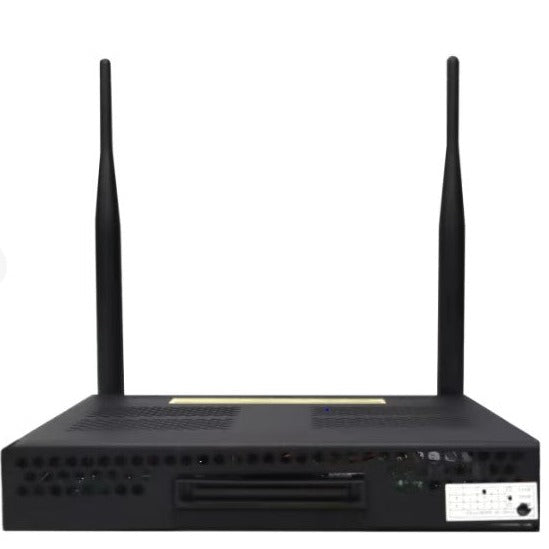
The OPS slot takes an OPS-C Plus computer. Hisense lists its Hisense S02EMS5CA21B OPS PC, a Core i5-12450H unit with 16 GB of memory, a 256 GB SSD and Windows 11 Pro, for the 86MR6DE. Hisense’s manual lists two styluses, a remote with two batteries, a power cord and the user manual in the box, with the wall bracket and a wireless dongle marked optional and contents varying by region.
Key specifications
| Display | 86-inch 4K (3840 x 2160) D-LED panel |
|---|---|
| Brightness and contrast | 350 nits, 4000:1 (typical) |
| Touch | Infrared, up to 20 points, ±1 mm |
| Camera | 4K, privacy cover and working light |
| Microphones | 8, speaker tracking, up to 12 m pickup |
| Speakers | 2 x 15 W + 20 W |
| Operating system | Android 13.0, Google certified |
| Processor and memory | Octa-core (A73 x4 at 2.2 GHz, A53 x4 at 2.0 GHz), 4 GB / 64 GB |
| Inputs | 3 x HDMI 2.0, USB-C (65 W PD), OPS slot |
| Wireless | Dual Wi-Fi (ax and ac), Bluetooth 5.1, NFC |
| Size, weight, VESA | 1955 x 1198 x 126 mm, 58.5 kg (59 kg in the manual), 1000 x 600 mm (M8 x 25) |
| Power | Up to 430 W with no OPS fitted; below 0.5 W in standby |
Questions about the Hisense 86MR6DE
Can my laptop use the 86MR6DE’s camera and microphones?
Yes, when the laptop is connected by a full-function USB-C cable, or by HDMI together with the touch USB cable. Hisense’s manual says the external PC can then invoke the panel’s camera and microphone, so a call on the laptop uses the room camera and the eight-microphone array.
Is the VESA pattern 1000 x 400 or 1000 x 600 mm?
It is 1000 x 600 mm, according to Hisense’s manual, its August 2023 datasheet and its product page, with four M8 x 25 mm screws. An earlier March 2023 datasheet printed 1000 x 400 mm, so check any third-party bracket against the 600 mm vertical spacing and a load of at least 59 kg, the higher of Hisense’s weights.
Do I need a dongle to share a screen wirelessly?
No. Miracast, DLNA, HisenseShare and NFC sharing all use the panel’s own Wi-Fi. A dongle such as the HT007E is the alternative for a laptop: the transmitter goes into its USB-C port and carries that screen to the panel.
How is the 86MR6DE different from the 86MR6DE-E?
The 86MR6DE has the built-in 4K camera and microphone array; Hisense’s 86MR6DE-E GoBoard is listed without them. Otherwise both are 86-inch, 350-nit, 20-point touch panels on Android 13.
How does it compare with the 86WE3FE?
The Hisense 86WE3FE has no camera but pairs Android 14 with 8 GB of memory and 128 GB storage, a 400-nit panel and a touch frame rated for 40 points with an OPS PC in the slot, or 32 on Android. Choose the 86MR6DE for built-in video calling and the 86WE3FE for more memory, more touch points and a newer Android version.
You must be logged in to post a review.
You may also like these
Hisense
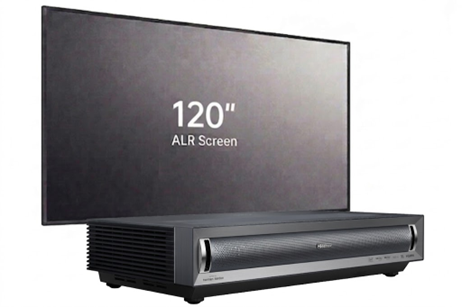
Hisense Laser Projection TV, 3000 Ansi Lumens, 4K resolution, UST, Incl 120" ALR - 120PX3PRO
R63,693.85
120PX3PRO Out of Stock
Hisense
Hisense Interactive Panel, 86", 4k resolution, 400 nits, Android 13.0 - 86WM6FE
R69,731.61
86WM6FE Out of Stock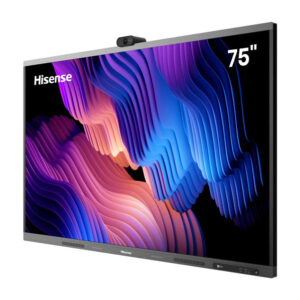
Hisense
Hisense Interactive Panel, 75", 4k resolution, 400 nits, Android 16.0 - 75WM6FEA
R56,599.85
75WM6FEA Out of Stock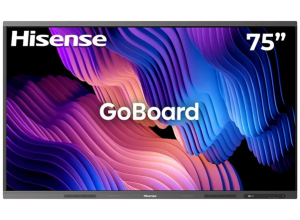
Hisense
Hisense Interactive Panel, 75", 4k resolution, 450nits, Android 16 - 75WE6GEE
R66,891.04
75WE6GEE Out of Stock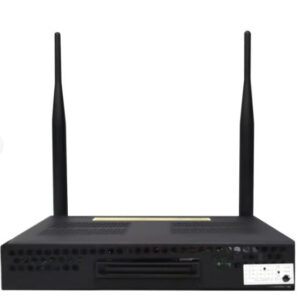
Hisense
Reviews
There are no reviews yet.