All Categories
- ATEN
- EPSON
- HISENSE
-
AV Signal Distribution
In AV Signal Distribution
- JK
-
Screens
In Screens
-
Projector
-
Cables
In Cables
- DTECH
- Business
- VISION
-
Projector Bracket
In Projector Bracket
-
Digital Signage Solutions
In Digital Signage Solutions
Brands
-
Audio
In Audio














All Categories
- ATEN
- EPSON
- HISENSE
-
AV Signal Distribution
In AV Signal Distribution
- JK
-
Screens
In Screens
-
Projector
-
Cables
In Cables
- DTECH
- Business
- VISION
-
Projector Bracket
In Projector Bracket
-
Digital Signage Solutions
In Digital Signage Solutions
Brands
-
Audio
In Audio

BROWSE CATEGORIES
Help
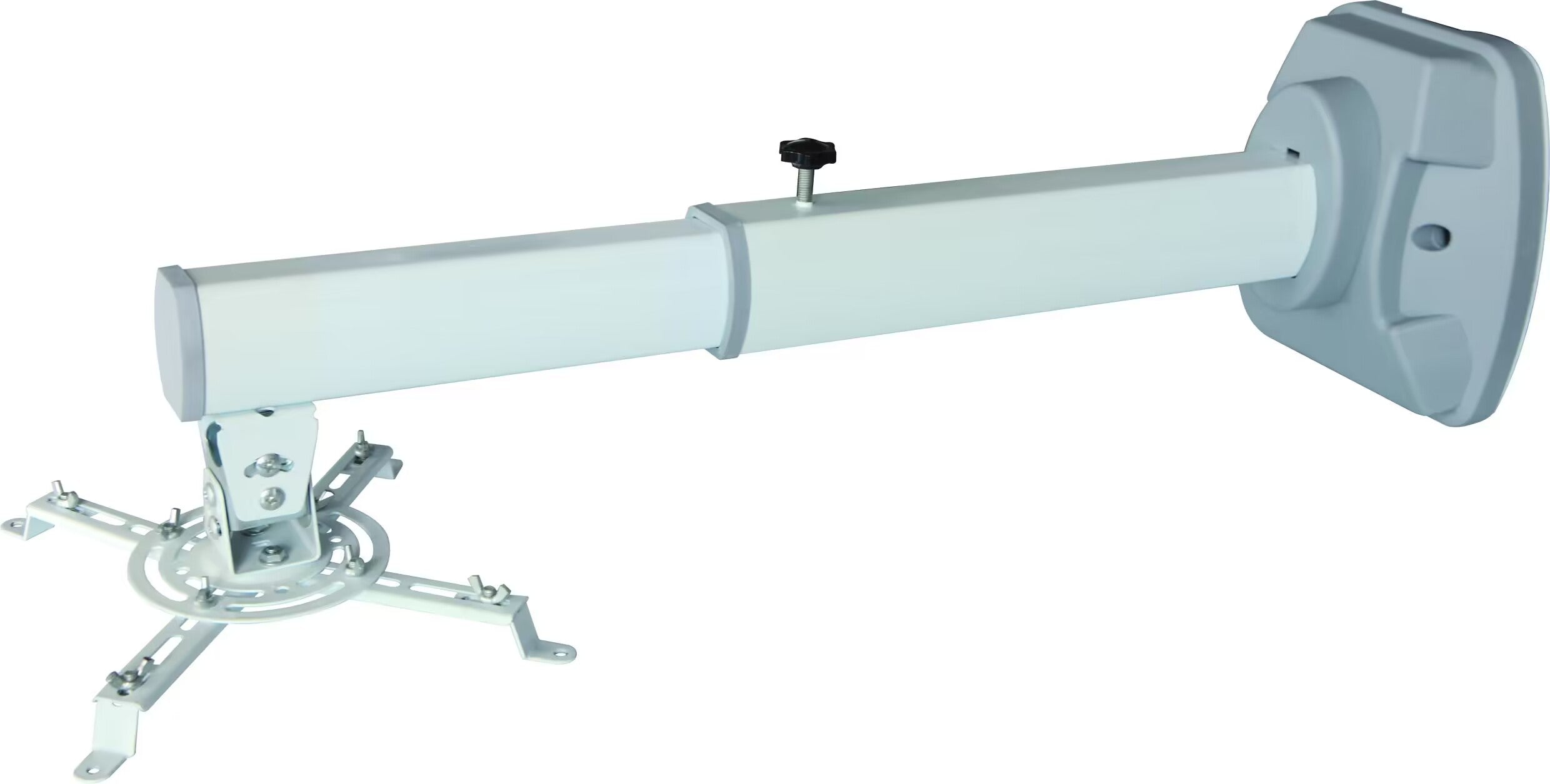
LEXIN
Lexin Short Throw Adjustable Wall Mount Projector Bracket – STO31500
R1,180.69
White steel wall arm that holds a short-throw projector out from the wall, above a board or screen.
- Maximum load 10 kg, including anything else fixed to the plate
- Telescopic arm, 1,030 to 1,500 mm
- Universal projector plate with four adjustable arms
- Cables run inside the arm
- Mounting hardware and manual included
- Brand :Lexin
- SKU :LEXIN-STO31500
- Category :LEXIN
- Availability :
 In Stock
50 in stock
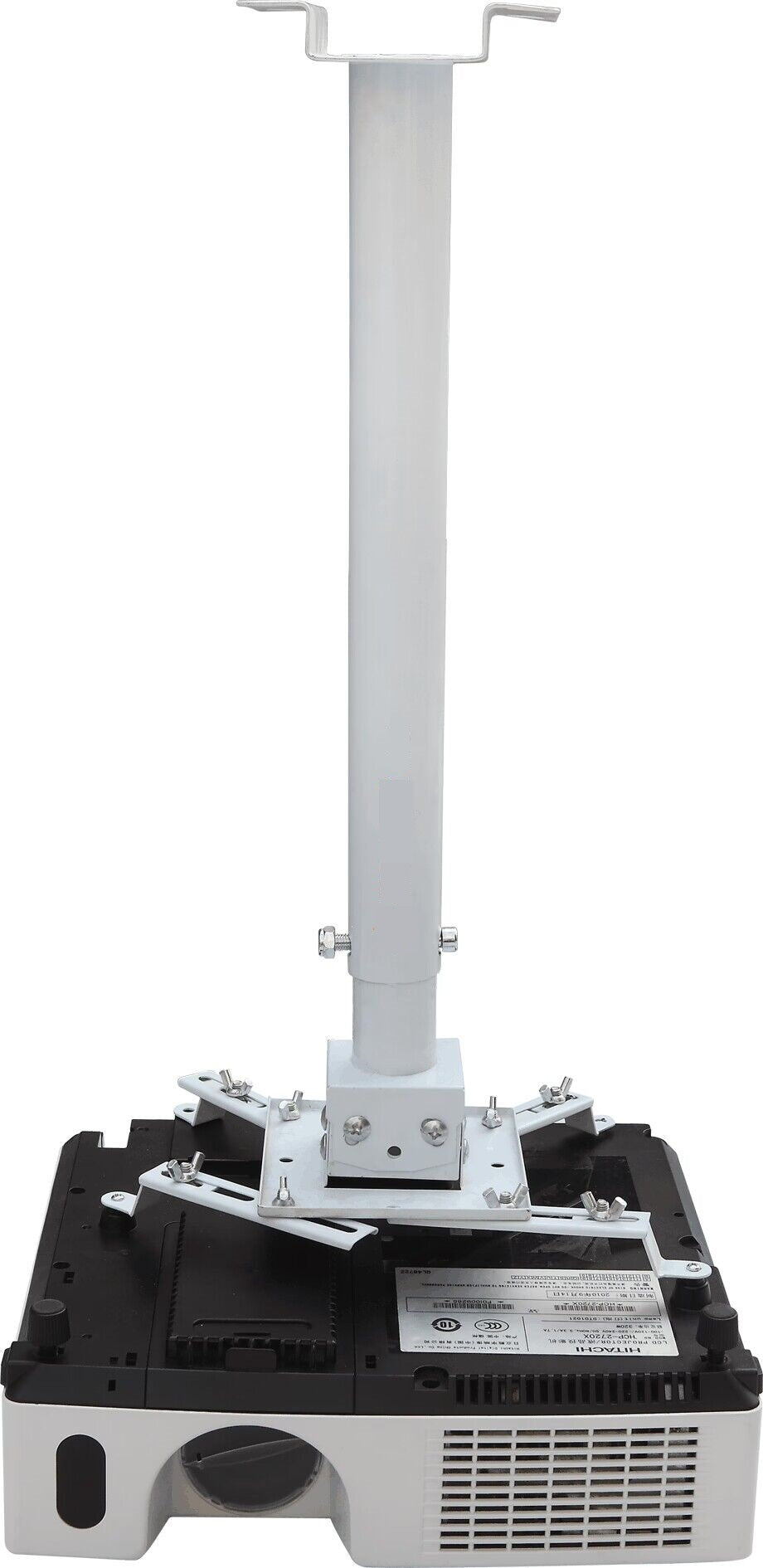
The Lexin STO31500 is a white steel wall arm for a short-throw projector, listed by Lexin as the ST03-1500. Its square arm telescopes from 1,030 to 1,500 mm, it carries a projector of up to 10 kg on a universal mounting plate, and the projector’s cables run inside the tube from the wall plate to the head.
10 kg maximum, including anything on the plate
Lexin rates this arm for 10 kg. Compare that with the projector’s weight on its datasheet, plus anything else you fix to the plate, such as a wireless presentation receiver or an HDMI extender. The 39 kg rating that also appears on Lexin’s E-Con sheet belongs to the ST05-1500, a silver-grey aluminium and magnesium alloy arm, not to this white steel one.
Matching the arm length to the throw distance
A short-throw projector has to sit a set distance from the screen for each image size, and on a wall arm that distance comes from the arm. Lexin gives the adjustable length as 1,030 to 1,500 mm, a 470 mm range, but does not say whether it is measured to the centre of the projector plate or to the end of the tube.
Take the throw distance for your screen size from the projector manufacturer’s calculator or manual, add the gap between the lens and the centre of the projector’s mounting holes, and check the total against the arm itself before you drill.
Fitting the projector to the plate
The plate has four adjustable arms that reach out to the threaded holes under the projector. Lexin says the bracket suits most projectors and mentions a wide range of projection angles, but publishes no hole-spacing range for the plate and no tilt, swivel or roll figures for the head. Check the plate against your projector’s hole positions before installation day.
Cable routing and wall fixing
HDMI and power cables run inside the arm rather than along it. Lexin does not give the size of the openings, so check that your HDMI plug and the projector’s power connector fit through before the arm goes up.
With the projector as much as 1.5 m out from the wall, its weight levers on the wall plate and pulls hardest on the top fixings. The arm comes with Lexin’s mounting hardware and manual but no stated anchor type. Fix it into solid brick or concrete, or into the structure behind a board wall, using anchors rated for that load.
Key specifications of the Lexin ST03-1500
| Model | Lexin ST03-1500 (STO31500) |
|---|---|
| Maximum load | 10 kg |
| Type | Wall arm for short-throw projectors |
| Arm length | 1,030 to 1,500 mm, telescopic |
| Material and colour | Steel, white, square tube |
| Projector plate | Universal, four adjustable arms; span not published |
| In the box | Mounting hardware and manual |
| Cable routing | Inside the arm |
Questions about the Lexin STO31500
Is the STO31500 the same bracket as the ST03-1500?
Yes. STO31500 is the code in our title for Lexin’s ST03-1500, the white steel arm with the 1,030 to 1,500 mm length. Lexin’s sheet also lists an ST01-1500 with the same length, load and finish, without saying how the two differ.
Can it hold a projector heavier than 10 kg?
No. 10 kg is Lexin’s limit for this arm, and it covers anything else fixed to the plate as well. A heavier projector needs a bracket rated for its weight; compare the other arms in our projector wall brackets.
Can the STO31500 be mounted on a ceiling?
Not as Lexin specifies it: the arm is sold as a wall bracket and no ceiling configuration is listed. To hang a projector from the ceiling, use a ceiling bracket such as the Lexin PM02100, after checking its load rating against the projector.
Are screws for the projector included?
Lexin says mounting hardware comes with the arm, but it does not list which projector screw threads are in the kit. Look up the thread size and the maximum screw depth in the projector’s manual, and buy matching screws if none in the kit fit.
You must be logged in to post a review.
You may also like these
Lexin
Low stock (2 left)
Lexin Flat Panel Ceiling Bracket 2m pole for 37-70" - TA003L
R2,560.83
TA003L Low stock (2 left)
Epson
In Stock
Epson Finger Touch Ultra Short Throw Wall Mount Projector Bracket - ELPMB63
R1,332.20
ELPMB63 In Stock
Reviews
There are no reviews yet.