All Categories
- ATEN
- EPSON
- HISENSE
-
AV Signal Distribution
In AV Signal Distribution
- JK
-
Screens
In Screens
-
Projector
-
Cables
In Cables
- DTECH
- Business
- VISION
-
Projector Bracket
In Projector Bracket
-
Digital Signage Solutions
In Digital Signage Solutions
Brands
-
Audio
In Audio














All Categories
- ATEN
- EPSON
- HISENSE
-
AV Signal Distribution
In AV Signal Distribution
- JK
-
Screens
In Screens
-
Projector
-
Cables
In Cables
- DTECH
- Business
- VISION
-
Projector Bracket
In Projector Bracket
-
Digital Signage Solutions
In Digital Signage Solutions
Brands
-
Audio
In Audio

BROWSE CATEGORIES
Help
Wireless Presentation Systems Accessories
Wolfvision CYNAP BRIDGE – CYNAPBRIDGE
R27,541.97
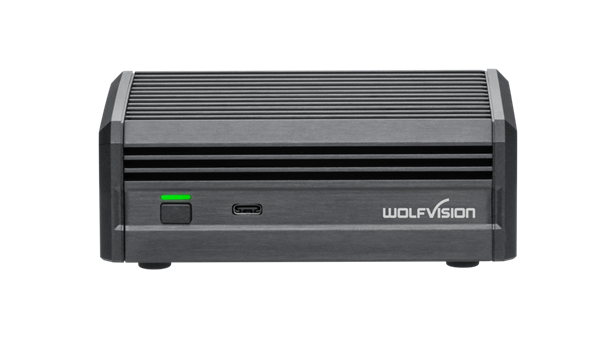
Fanless encoder/decoder that adds displays or HDMI sources to a WolfVision vSolution MATRIX system in classrooms, courtrooms and council chambers.
- Switchable decoder or encoder mode
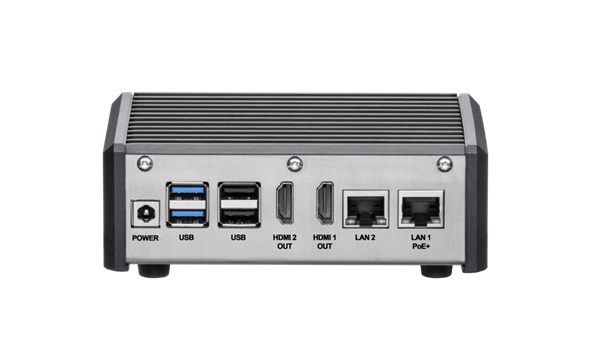
- HDMI in x1 and HDMI out x2, 4K60 (1080p within MATRIX)
- Powered by PoE+ on one network cable
- VESA mount included
- No wireless mirroring or BYOM
- Brand :Wolfvision
- SKU :WOLFVISION-CYNAPBRIDGE
- Category :Wireless Presentation Systems Accessories
- Availability :Out of Stock
Out of stock
The WolfVision Cynap Bridge is a compact, fanless encoder/decoder for vSolution MATRIX, WolfVision’s AV-over-IP system built from Cynap units. Set as a decoder, it takes MATRIX content to extra displays; set as an encoder, it feeds an HDMI source such as a visitor’s laptop into the MATRIX. A single PoE+ network cable can power it.
It has no Wi-Fi, no AirPlay, Miracast or Chromecast and no BYOM conferencing, so it does not replace a Cynap in a room that needs wireless sharing.
Decoder mode: more screens without another full Cynap
As a decoder, the Bridge receives a stream from a Cynap or the MATRIX and shows it on its HDMI outputs. WolfVision positions it for displays where a full-featured Cynap endpoint would be more than the screen needs: extra screens in a classroom or courtroom, or a separate room such as a jury room. The two HDMI outputs run at up to 4K60 (2160p60/30 or 1080p60/30), but WolfVision caps MATRIX content handled by the Bridge at 1080p Full HD.
WolfVision’s sheet lists one on-screen window and marks dual-display support as not available. That points to a single stream on both outputs, not a multi-window layout or different content on each screen.
Encoder mode: an HDMI input for laptops and other sources
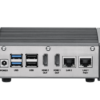
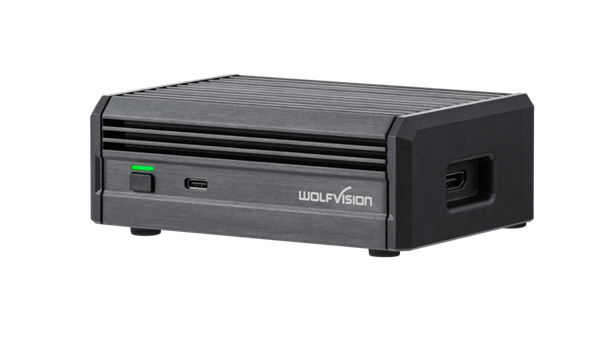
In encoder mode the Bridge accepts one HDMI source at up to 4K60, with HDCP supported on the input, and sends it into the MATRIX for controlled distribution. WolfVision’s example is a courtroom where an attorney or another visitor plugs in a laptop to share material through the system. The HDMI input sits on the side of the unit. USB comes as a USB-C 3.0 host port on the front, with two USB-A 3.0 and two USB-A 2.0 ports at the back.
Power over Ethernet, network and mounting
There are two 2.5 Gbit Ethernet ports, and LAN 1 accepts PoE+ (class 4, 25 W), so one cable from a PoE+ switch carries power and network. Where no PoE+ port is free, WolfVision’s optional power supply (item 118101: 100 to 240 V AC in, 15 V DC at 3.34 A out) plugs into the DC socket. Cooling is passive with no fan, and WolfVision lists the Bridge for 24/7 operation. Power consumption, dimensions and weight are still marked to be confirmed on WolfVision’s sheet.
A VESA mount for 75 and 100 mm patterns is included, so the Bridge can be fixed behind the display it feeds. Setup and monitoring run through vSolution Link Pro in the cloud or on premise, firmware updates are free, and the network side supports IEEE 802.1X authentication and encrypted room control APIs. Audio leaves through the HDMI outputs or over USB.
What a MATRIX installation with a Bridge needs
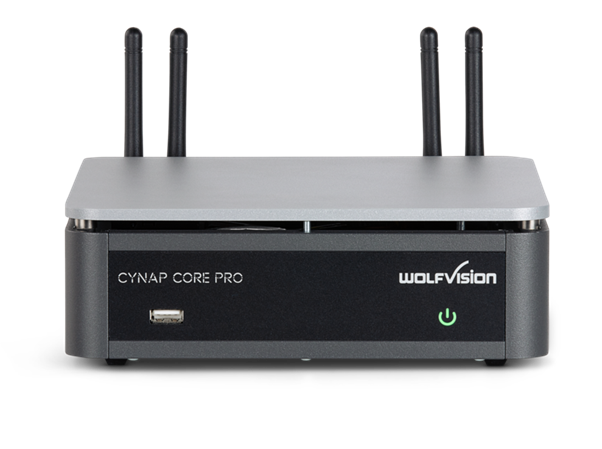
- A vSolution MATRIX system. WolfVision lists the Cynap Pro as the MATRIX main station, enabled by the MATRIX feature pack (item 102230), with units such as the WolfVision Cynap Core Pro as client stations. The Bridge is an optional add-on to that system.
- Power for each Bridge. A PoE+ switch port that supplies class 4 power, or the optional 118101 power supply.
- HDMI cabling. Leads from the outputs to each display and from any source to the input. Our copper HDMI cables cover short runs, and fibre HDMI cables suit longer ones.
Key specifications of the Cynap Bridge
| Function | vSolution MATRIX encoder or decoder (switchable) |
|---|---|
| Video input | HDMI x1, 4K60, with HDCP |
| Video outputs | HDMI x2, 4K60 (maximum 1080p Full HD within vSolution MATRIX) |
| Output resolutions | 2160p60/30, 1080p60/30 |
| On-screen windows | 1 |
| Network | 2x 2.5 Gbit Ethernet, one with PoE+ |
| USB | USB-C 3.0 host x1 (front); 2x USB-A 3.0 and 2x USB-A 2.0 (rear) |
| Wireless mirroring and BYOM | Not supported |
| Cooling | Passive, fanless |
| Included | VESA mount (75 and 100 mm) |
| Optional | Power supply (item 118101), remote control |
Questions about the Cynap Bridge
Is the Cynap Bridge a wireless presentation receiver?
No. It only moves video in and out of a vSolution MATRIX, as a decoder for extra displays or an encoder for a wired HDMI source. Wireless sharing comes from a Cynap unit such as the Core Pro, which takes AirPlay, Miracast and Chromecast from guests’ devices.
Can I use the Cynap Bridge without vSolution MATRIX?
WolfVision does not describe a standalone set-up. It sells the Bridge as an optional add-on for vSolution MATRIX and mentions other Cynap environments only in general terms. Check WolfVision’s compatibility information for the Cynap models and firmware in your system before planning a Bridge outside a MATRIX installation.
Does the Bridge need its own power supply?
Not when LAN 1 connects to a PoE+ switch port that delivers class 4 (25 W) power. The power supply is a separate, optional accessory (WolfVision item 118101, 15 V DC at 3.34 A) for sites without PoE+, and it is not in the box.
What resolution does the Bridge handle?
Locally, the HDMI input and both outputs work at up to 4K60, and the outputs also offer 1080p at 60 or 30 Hz. Content carried through vSolution MATRIX is limited to 1080p Full HD, so a 4K laptop fed into an encoder reaches other MATRIX screens at 1080p.
Can people annotate on a screen fed by a Bridge?
Yes, as moderated annotation. With the Cynap Collaboration feature active on the MATRIX master station, the person controlling the session decides who may annotate. WolfVision lists a multi-touch display among the Bridge’s control options, alongside the web interface, a room control system and a keyboard and mouse.
| System | Wireless presentation system |
|---|---|
| Availability | Worldwide |
| Operating system | Linux |
| Output resolution | 2160p60/30, 1080p FHD 60/30 |
| vSolution MATRIX compatible | Yes |
| Supported Software & Apps | vSolution Link Pro |
| Max. no. of devices simultaneously displaying material on-screen | 4 |
| Support for touchscreen displays | Yes |
| Whiteboard and annotation | Moderated annotation |
| Dynamic on-screen content arrangement | Yes |
| Remote management software | Yes, vSolution Link Pro, Cloud & on premise |
| Customisable background image | Yes |
| Video inputs | HDMI In x1 (4K60) with HDCP |
| Video outputs | HDMI Out x1, 4K60 (1080p FHD max stream into vSolution MATRIX) |
| HDCP support | Yes |
| Audio | Via HDMI Out, USB Out |
| USB ports | Front: USB-C 3.0 Host Port x1, Rear: USB-A 3.0 x2, USB-A 2.0 x2, |
| LAN ports | 2x 2.5 Gbit Ethernet (one port with PoE+) |
| Network protocols | TCP/IP, HTTP, HTTPS, SNTP/NTP, SSL, SSH, UDP |
| IP configuration | DHCP, Static (IP address, Subnet mask, Default gateway, DNS server), Proxy, Interface priority |
| Security authentication for LAN | IEEE 802.1X |
| Room Control APIs available | Yes |
| Room Control System encryption | Yes |
| External controlling | Multi-touch display, web interface, room control system, keyboard / mouse, optional remote control |
| Power consumption | tbc. |
| Operating temperature / relative humidity | 0°-40°C (32°-104°F) / 40-60%. |
| Dimensions (L x W x H) | tbc. |
| Weight | tbc. |
| Optional accessories | Power supply, Remote control |
| Included accessories | VESA mount (75mm /100mm) |
You must be logged in to post a review.
You may also like these
Wolfvision
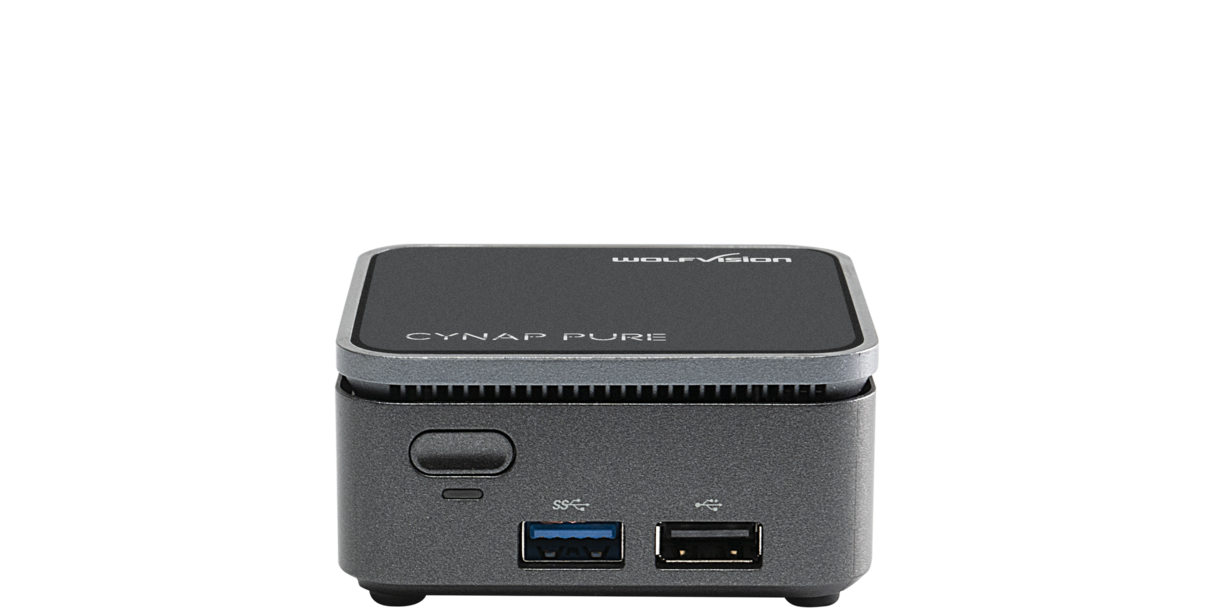
Wolfvision Wireless Presentation System - CYNAPPUREMI
R27,541.97
CYNAPPUREMI Out of Stock
Wolfvision
Reviews
There are no reviews yet.