All Categories
- ATEN
- EPSON
- HISENSE
-
AV Signal Distribution
In AV Signal Distribution
- JK
-
Screens
In Screens
-
Projector
-
Cables
In Cables
- DTECH
- Business
- VISION
-
Projector Bracket
In Projector Bracket
-
Digital Signage Solutions
In Digital Signage Solutions
Brands
-
Audio
In Audio














All Categories
- ATEN
- EPSON
- HISENSE
-
AV Signal Distribution
In AV Signal Distribution
- JK
-
Screens
In Screens
-
Projector
-
Cables
In Cables
- DTECH
- Business
- VISION
-
Projector Bracket
In Projector Bracket
-
Digital Signage Solutions
In Digital Signage Solutions
Brands
-
Audio
In Audio

BROWSE CATEGORIES
Help
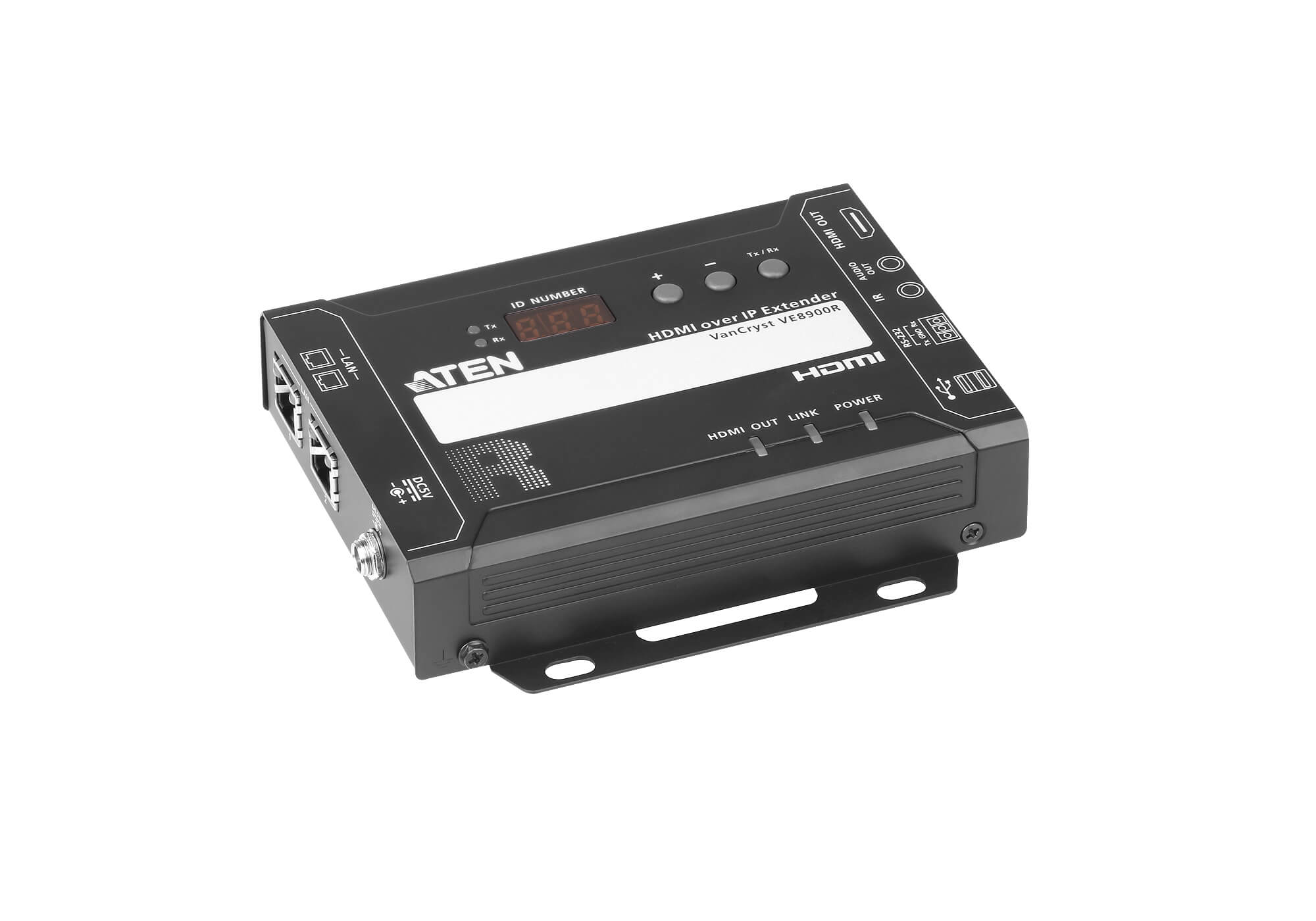
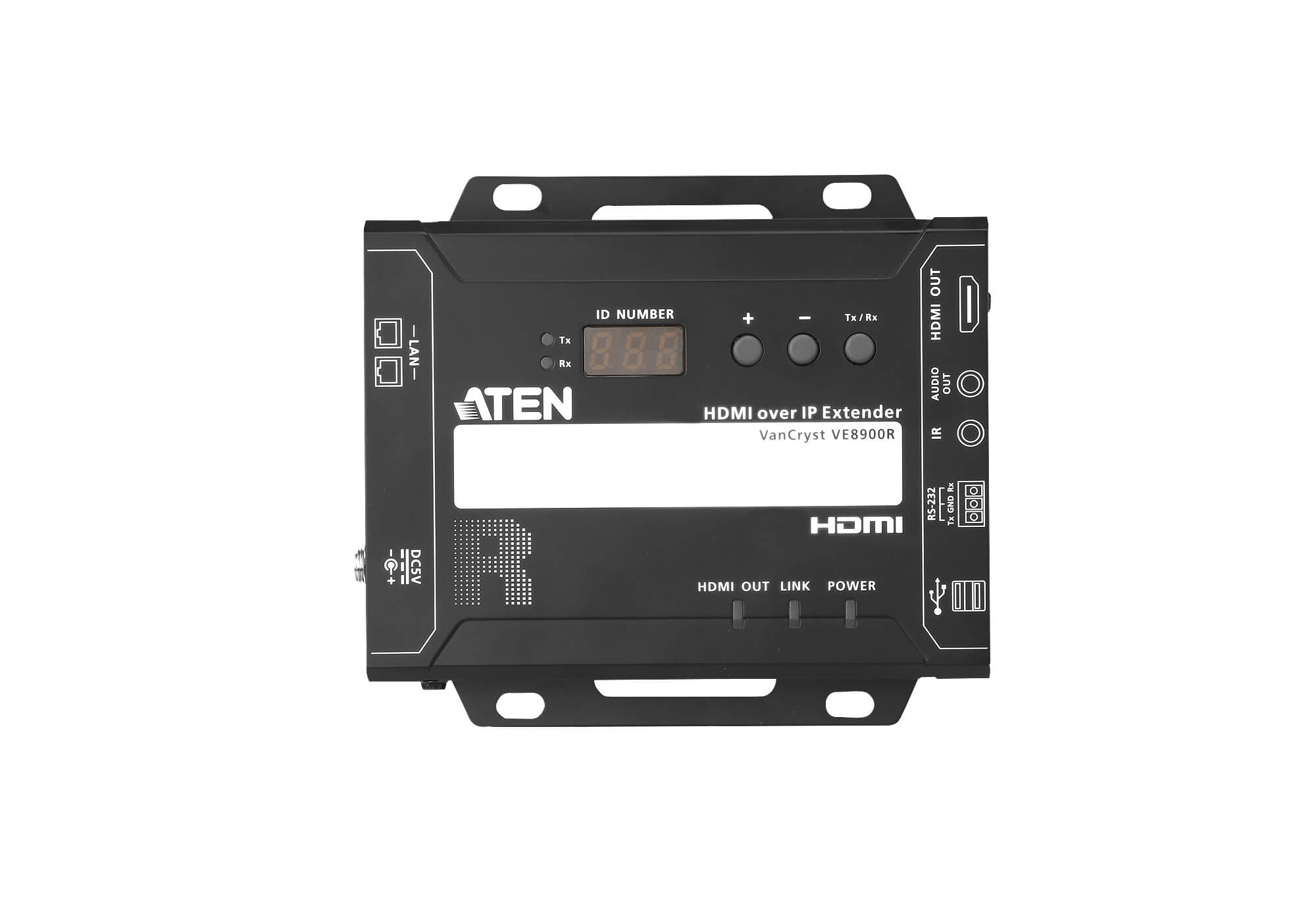
ATEN
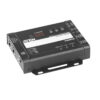
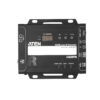
Aten Extender, HDMI Over IP, Receiver – VE8900R
R10,557.83
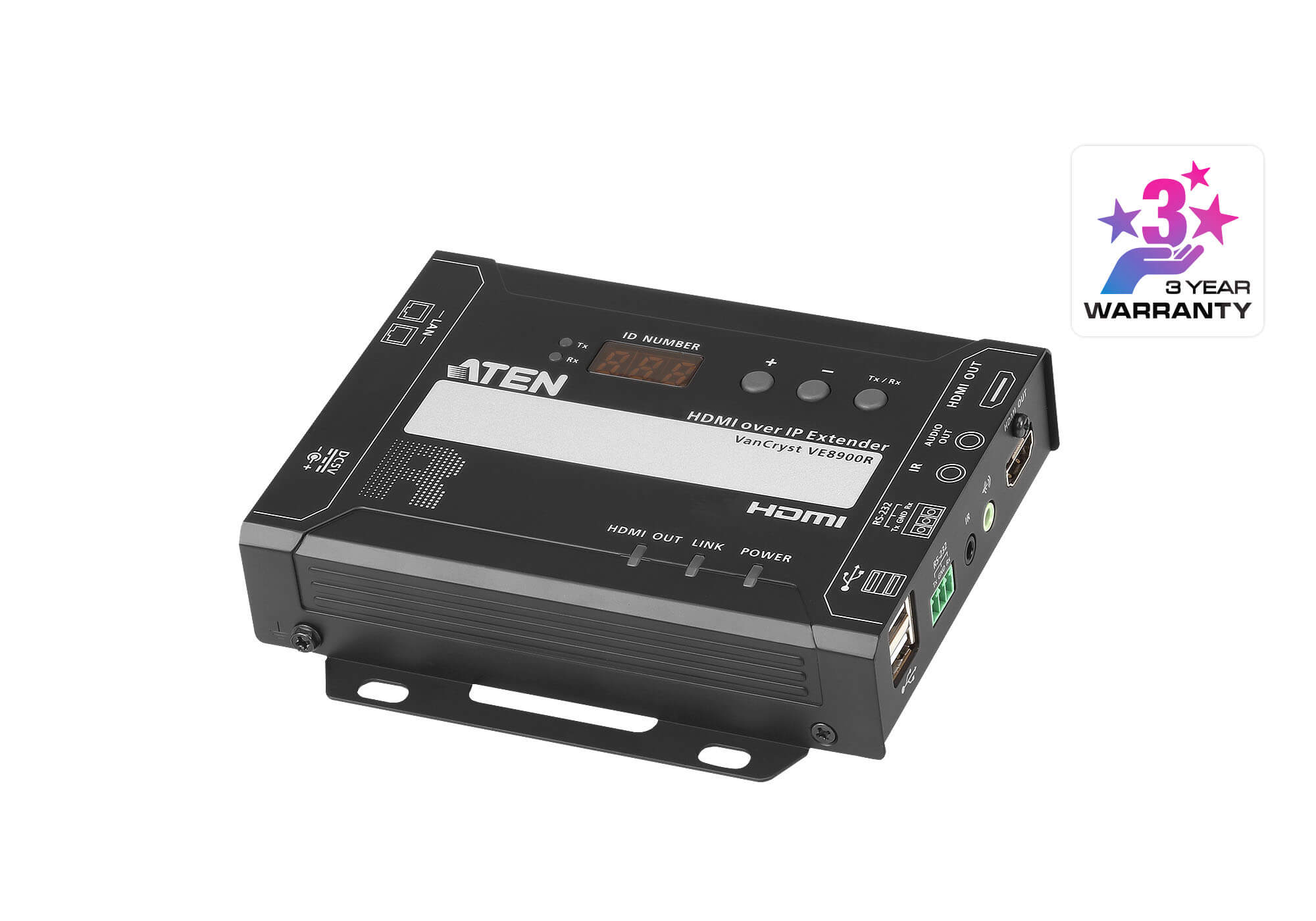
Receiver for one display in an Aten VE8900 HDMI over IP system, for 1080p signage, campuses and multi-screen layouts.
- Needs a VE89-series transmitter such as the VE8900T, sold separately
- HDMI output up to 1080p at 60 Hz
- Second LAN port chains the next receiver, up to 100 m away
- Video walls of up to 8 x 8 screens
- Brand :Aten
- SKU :ATEN-VE8900R
- Category :ATEN
- Availability :Out of Stock
Out of stock
The Aten VE8900R sits behind the display in Aten’s 1080p HDMI over IP system, decoding the stream a VE8900T sends over Gigabit Ethernet and driving one screen through HDMI at up to 1920 x 1080 and 60 Hz. A second LAN port passes the stream on to the next receiver.
Order it with at least one transmitter. Until a VE89-series transmitter shares its cable or network, normally the Aten VE8900T (sold separately), the screen stays blank.
Choosing a source at the receiver
A VE8900R shows one transmitter at a time, chosen by ID number. Every unit carries a three-digit ID display, and on the receiver the Tx/Rx button with the + and – buttons beside it steps through transmitter IDs until the wanted source appears. Aten’s implementation guide applies the same rule to a single cable between one transmitter and one receiver: set the receiver to the transmitter’s ID and the link comes up.
Sources can also be changed by dragging them onto screens in VE Manager, the web interface built into every unit; from Aten’s VE8900 / VE8950 Control App, a free download for iOS and Android; or by Telnet or RS-232 commands from a control system.
Chaining receivers from the second LAN port
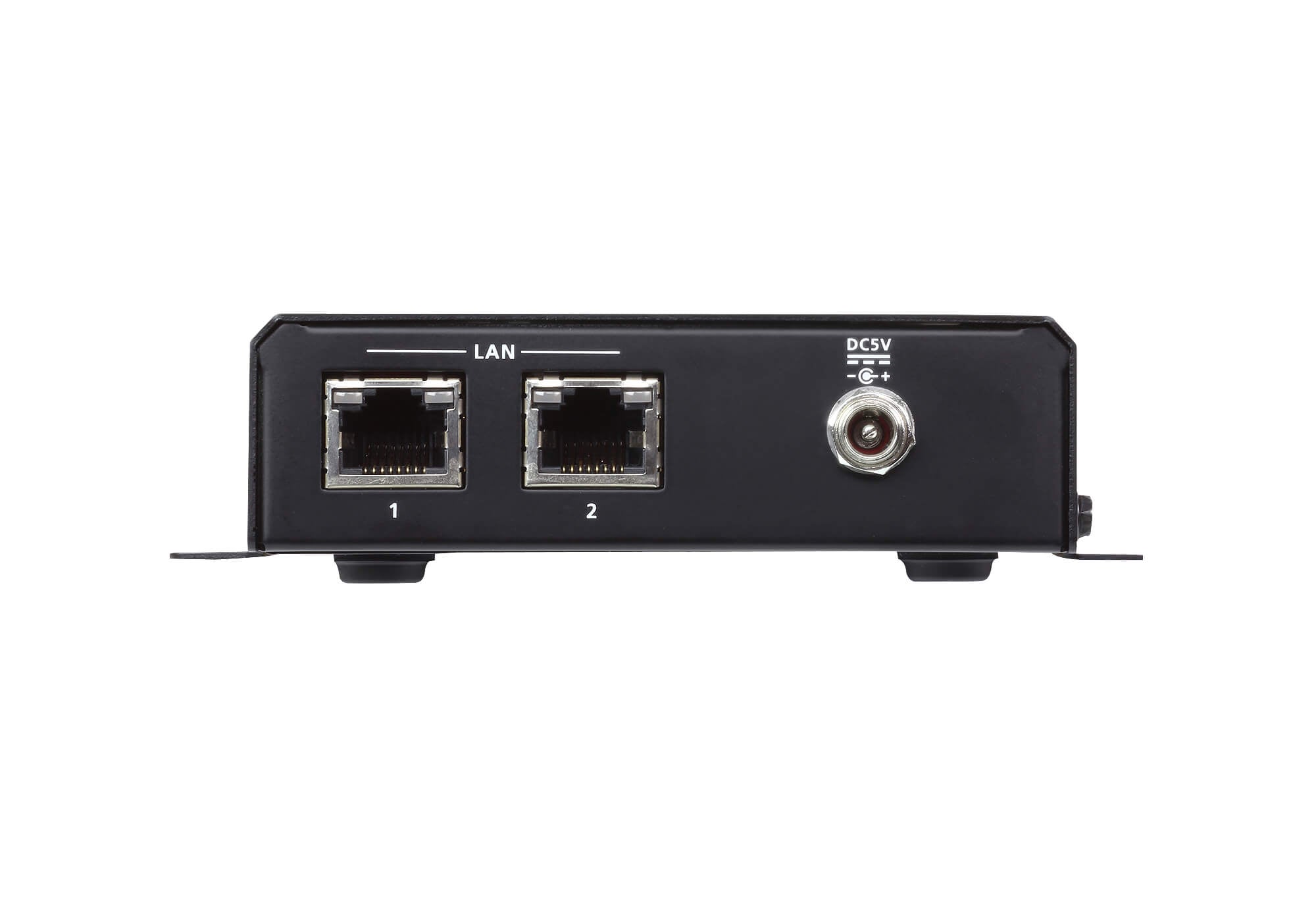
One LAN port connects to the switch or the transmitter; the other cables on to the next VE8900R or VE8950R, up to 100 m away. A single source feeding a row of screens down a corridor needs no switch at all, as Aten’s implementation guide shows. Aten recommends chains of no more than 30 units, depending on the network, and its datasheet draws chains of six receivers spanning 600 m.
Video walls and scheduled layouts
VE Manager groups receivers into walls of up to 8 x 8 screens (64 displays), in landscape or turned 90° or 270° for portrait. One source can fill the whole wall, each screen can show its own source, or anything between. Layouts save as profiles, and a calendar can switch between them at set times, down to the minute. Aten’s guide asks for each display’s own video wall function to be switched off.
Output limits and 4K sources
The HDMI output stops at 1920 x 1080 and 60 Hz. Aten’s datasheet marks the VE8900R as the receiver for 1080p sources, so a screen that must show a 4K VE8950T source needs the Aten VE8950R, which also scales 1080p up to a 4K panel. Keep the HDMI lead to the display at 3 m or less, the length Aten rates with its own 2L-7D03H; the Aten 2L-7D02H-1 2 m lead is among those its guide suggests.
Audio, USB, RS-232 and IR at the display
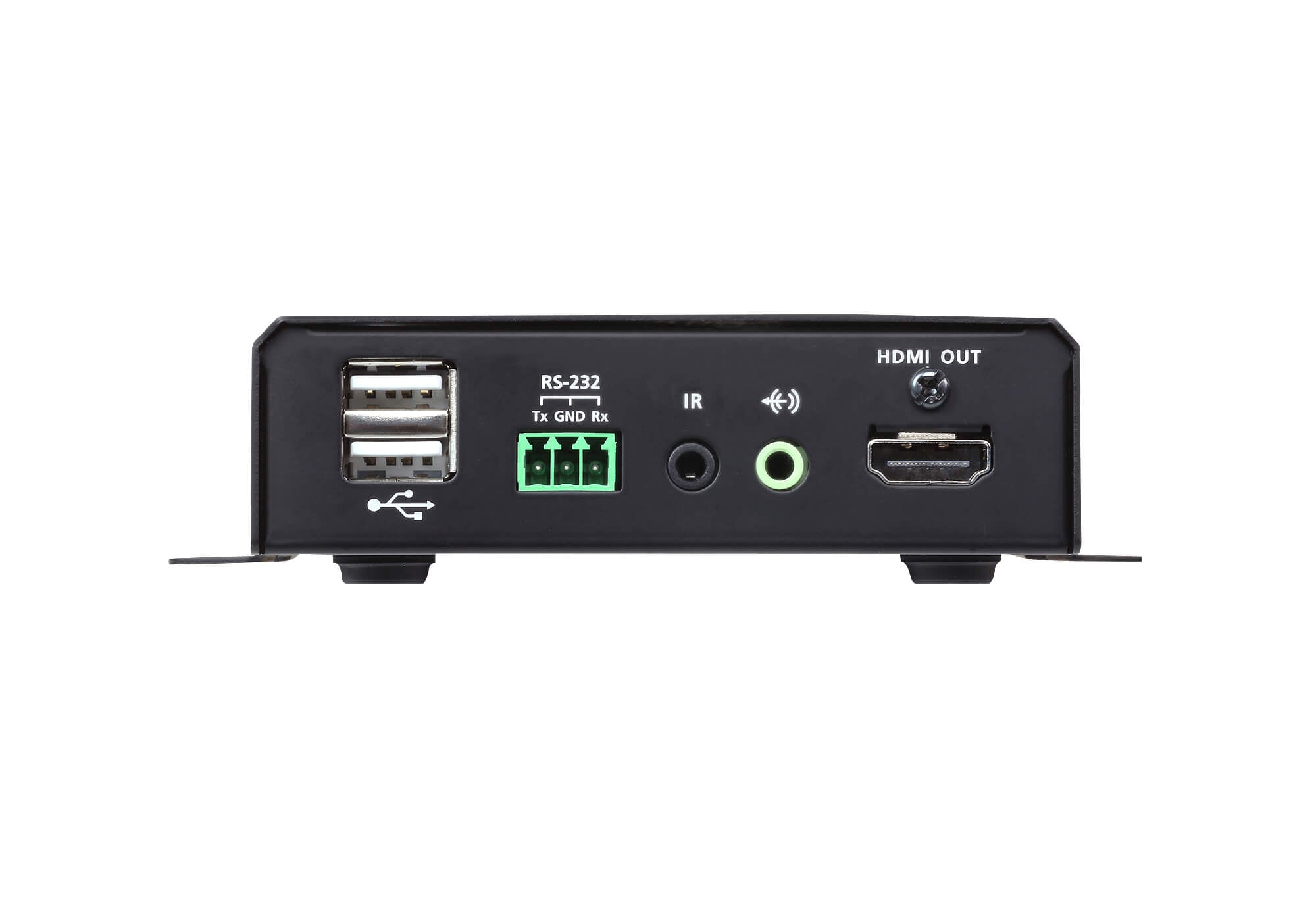
Audio goes out over HDMI and also through a green 3.5 mm analogue jack, for powered speakers or an amplifier beside the screen. Two USB 2.0 Type-A ports take a keyboard, mouse, touch screen, flash drive or printer that then works on the source computer. RS-232 on a three-pole terminal block can reach a projector’s or display’s control port, and the IR jack takes an emitter or receiver cable, bought separately.
Key specifications of the Aten VE8900R
| Role | Receiver; needs a VE8900T or other VE89 transmitter |
|---|---|
| HDMI output | 1080p, 60 Hz maximum |
| Network ports | 2 x RJ-45: one to the switch or transmitter, one to the next receiver |
| Distance per cable | 100 m on Cat 5e/6 |
| Daisy chain | Up to 30 units recommended |
| Video wall | Up to 8 x 8, 64 displays |
| Audio out | HDMI plus 3.5 mm analogue jack |
| USB | 2 x Type-A, USB 2.0 |
| Serial and IR | RS-232 terminal block (19,200 baud), IR mini jack |
| Power | 5 V adapter in the box, 4.28 W typical; no PoE |
| Weight | 0.49 kg |
Questions about the Aten VE8900R
Can each screen show a different source?
Yes, with several VE8900T transmitters on one switch. Each VE8900R picks its own transmitter, so the system works as a matrix: any source on any screen, with as many screens as you like watching the same one. A receiver cabled straight to a transmitter sees only that transmitter.
How many receivers can watch one transmitter?
Aten gives no fixed limit per stream; its implementation guide describes systems scaling to thousands of endpoints. In practice the count depends on switch ports and on multicast being set up correctly, since IGMP snooping sends each stream only to the ports that asked for it.
Will the VE8900R work with a 4K TV?
Yes, for 1080p content: the TV scales the 1920 x 1080 signal to its panel. To show 4K sources from VE8950T transmitters on that TV, fit a VE8950R instead.
Can the VE8900R run from a PoE switch?
No. It runs from the 5 V adapter supplied, so each screen position needs a plug point. Aten keeps PoE for its VE8952 models, and even those cannot take PoE in a daisy chain.
Video Output
| Interfaces | 1 x HDMI Type A Female (Black) |
|---|---|
| Impedance | 100 Ω |
| Max. Distance | 3 m (2L-7D03H) |
Video
| Max. Data Rate | Average: 150 ~ 500Mbps |
|---|---|
| Compliance | HDMI HDCP Compatible |
| Max. Resolutions / Distance | Up to 1080p@100m (Cat 5e/6, point to point) |
Audio
| Output | 1 x HDMI Type A Female (Black) 1 x Mini Stereo Jack Female (Green) |
|---|
Connectors
| Unit To Unit | 2 x RJ-45 Female |
|---|---|
| Power | 1 x DC Jack (Black) with locking |
Control
| IR | 1 x Mini Stereo Jack Female (Black) |
|---|---|
| RS-232 | Connector: 1 x Terminal Block, 3 pole Baud Rate: 19200, Data Bits:8, Stop Bits:1, no parity and flow control |
| USB | 2 x USB Type A Female (Black) |
Pushbuttons
| ID Number Selection | 3 x Push buttons |
|---|---|
| Power Consumption | DC5V:4.28W:41BTU |
Environmental
| Operating Temperature | 0 - 40°C |
|---|---|
| Storage Temperature | 20 - 60°C |
| Humidity | 0 - 80% RH, Non-Condensing |
Physical Properties
| Housing | Metal |
|---|---|
| Weight | 0.49 kg ( 1.08 lb ) |
| Dimensions (L x W x H) with bracket | 14.02 x 12.30 x 3.06 cm (5.52 x 4.84 x 1.2 in.) |
| Dimensions (L x W x H) without bracket | 13.60 x 10.10 x 2.96 cm (5.35 x 3.98 x 1.17 in.) |
| 720x480p @ 59.94/60/119.88/120/239.76/240Hz (4:3)/(16:9) | 720x576p @ 50/200Hz (4:3)/(16:9) |
| 1280x720p @ 23.98/24/25/29.97/30/50/59.94/60/100/ 119.88/120 Hz (16:9) | 720x576p @ 100Hz (16:9) |
| 1280x720p @ 29.97/30/50/59.94/60/100/119.88/120Hz | 1440x480p @ 59.94/60Hz (4:3)/(16:9) |
| 1920x1080i @ 50/59.94/60/100/119.88/120Hz (16:9) | 1440x576p @ 50Hz (4:3)/(16:9) |
| 1920x1080p @ 23.98/24/25/29.97/30/50/59.94/60/100/ 119.88/120Hz (16:9) | (2880)x480p @ 59.94/60Hz (4:3)/(16:9) |
| 720 (1440)x576i @ 50/100/200Hz (4:3)/(16:9) | 1680x720p @ 23.98/24/25/29.97/30/50/ 59.94/ 60/100/119.88/120Hz |
| 720 (1440)x480i @ 59.94/60Hz (4:3)/(16:9) | 2560x1080p @ 23.98/ 24/25/29.97/30/50/59.94/60Hz |
You must be logged in to post a review.
VE8900R Datasheet PDF
Reviews
There are no reviews yet.