All Categories
- ATEN
- EPSON
- HISENSE
-
AV Signal Distribution
In AV Signal Distribution
- JK
-
Screens
In Screens
-
Projector
-
Cables
In Cables
- DTECH
- Business
- VISION
-
Projector Bracket
In Projector Bracket
-
Digital Signage Solutions
In Digital Signage Solutions
Brands
-
Audio
In Audio














All Categories
- ATEN
- EPSON
- HISENSE
-
AV Signal Distribution
In AV Signal Distribution
- JK
-
Screens
In Screens
-
Projector
-
Cables
In Cables
- DTECH
- Business
- VISION
-
Projector Bracket
In Projector Bracket
-
Digital Signage Solutions
In Digital Signage Solutions
Brands
-
Audio
In Audio

BROWSE CATEGORIES
Help
ATEN
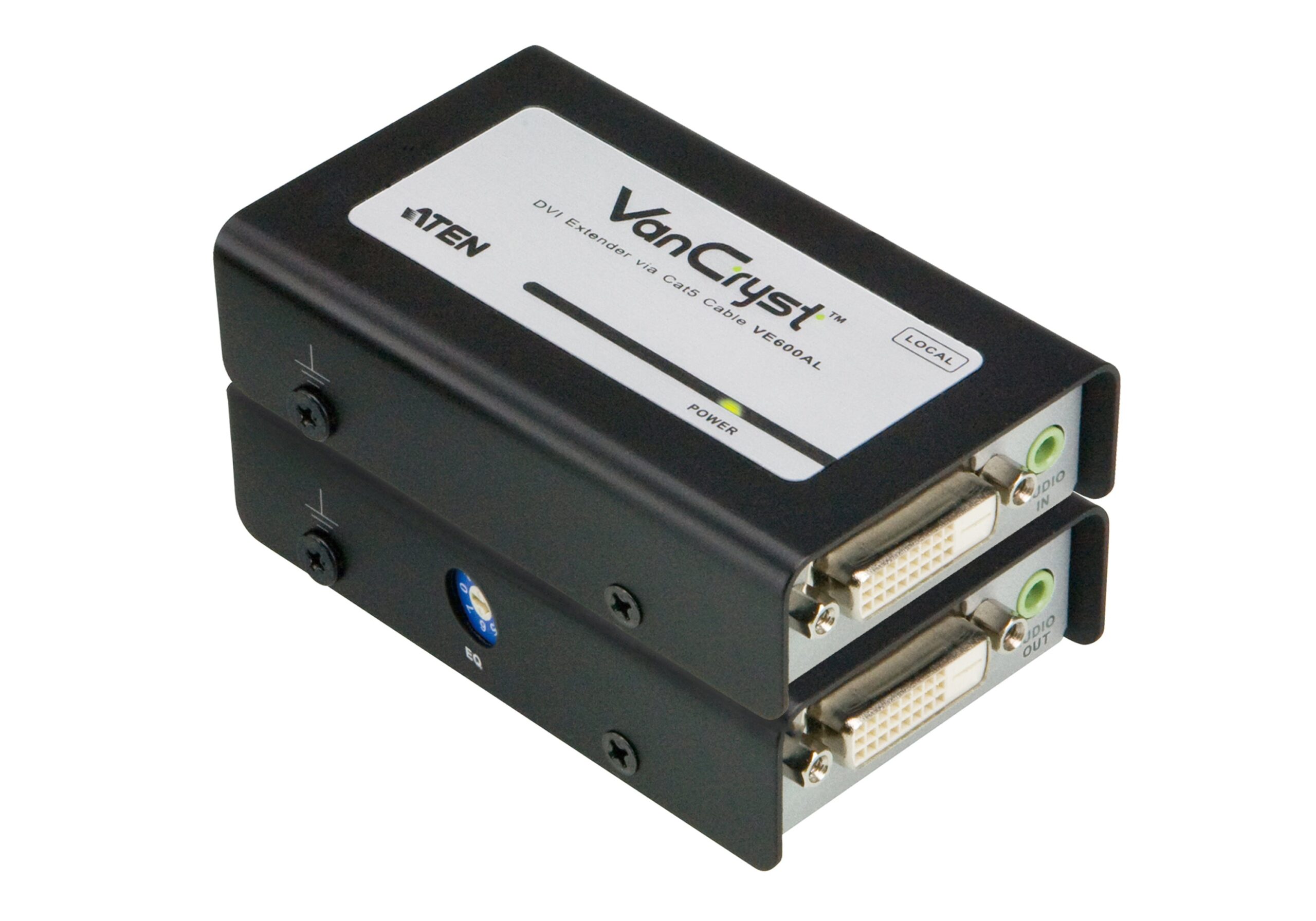
Aten Extender, DVI with Audio – VE600A
R4,245.58
Aten VE600A local and remote pair that sends DVI-D video and analogue stereo over Cat 5e, for DVI screens up to 40 m from a PC.
- 1920 x 1200 and 1080p to 40 m, 1080i to 60 m
- 3.5 mm stereo in and out
- Second Cat 5e run only if EDID must pass back
- 8-position EQ switch on the remote unit
- HDCP compatible
- Brand :Aten
- SKU :ATEN-VE600A
- Category :ATEN
- Availability :Out of Stock
Out of stock
The Aten VE600A sends DVI-D video and analogue stereo sound from a source to a display over Cat 5e cable. The VE600AL local unit connects to the PC or player and the VE600AR remote unit to the screen, and each takes its own power adapter (two are supplied). It reaches 40 m at 1920 x 1200 or 1080p and 60 m at 1080i, and the remote unit has an EQ switch for adjusting the picture by hand.
Distance by resolution
Aten quotes the VE600A’s reach on Cat 5e cable:
- 1920 x 1200 (WUXGA) and 1080p: up to 40 m.
- VGA, SVGA, SXGA and UXGA computer modes: also rated to 40 m.
- 1080i: up to 60 m.
The headline 60 m applies only to 1080i, an interlaced video format, so plan a computer desktop at 1080p or 1920 x 1200 to 40 m or less. Aten’s spec table puts the maximum pixel clock at 225 MHz (6.75 Gbps).
Two link ports: TMDS for the signal, DDC for EDID
Each unit has two RJ-45 sockets, marked TMDS and DDC. Aten’s EDID technology lets the picture and sound travel on one Cat 5e cable between the TMDS ports. A second cable between the DDC ports returns the display’s EDID, its list of supported resolutions, to the source, and Aten says to add it when the real EDID is required. A PC that should detect the screen’s native resolution by itself is a typical reason to run it.
Audio and the EQ switch
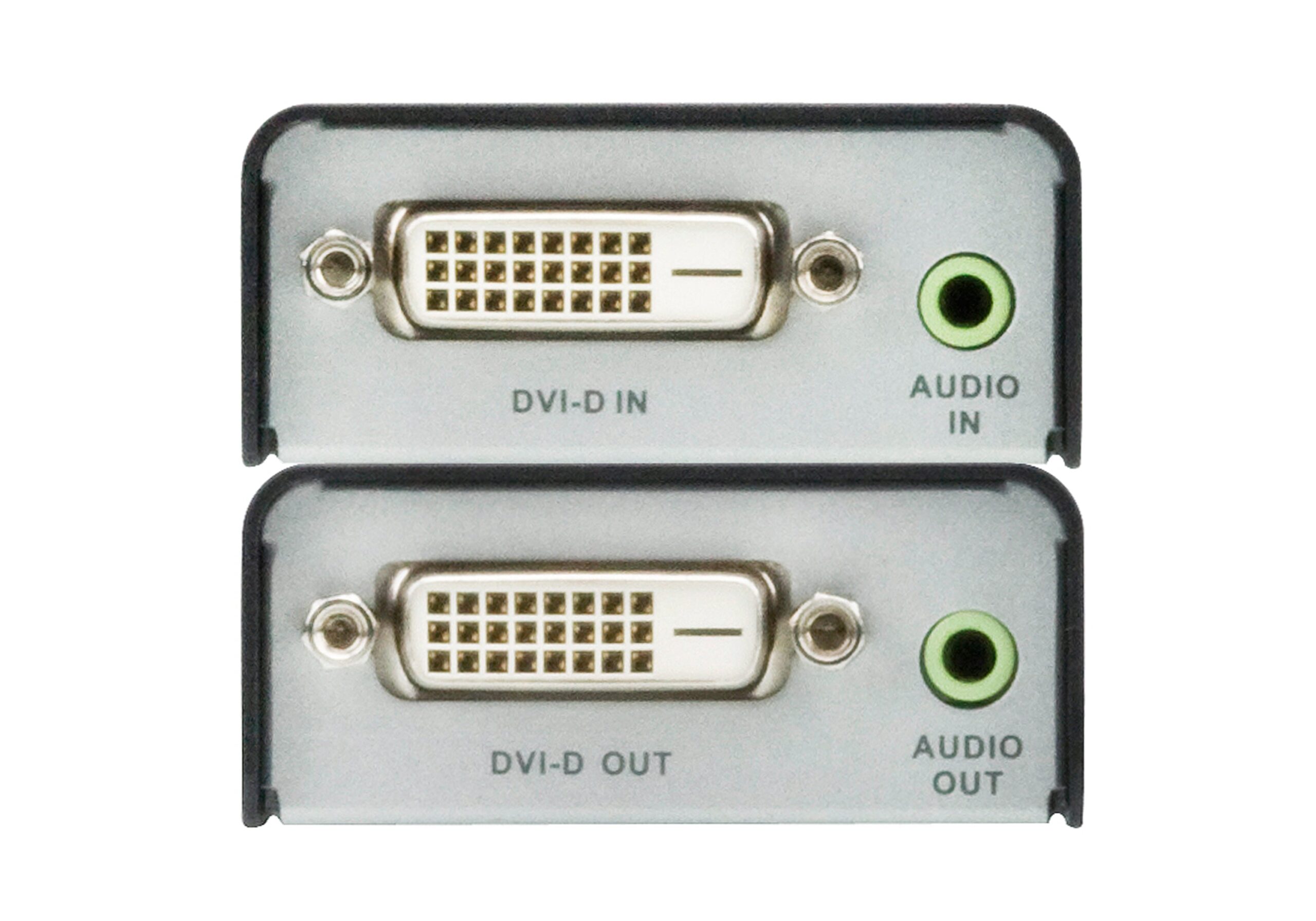
Sound travels apart from the DVI signal, as analogue stereo through a 3.5 mm jack on each unit: input on the VE600AL, output on the VE600AR for powered speakers or an amplifier. The EQ control is an 8-position switch on the side of the remote unit, which Aten’s user guide gives as the way to adjust the picture manually when the image at the far end is not right.
Power, grounding and mounting
Both units take a 5.3 V DC adapter, and Aten’s installation steps connect both to mains power, so the screen end needs a socket too. Each case has a grounding terminal, and Aten asks for every connected device to be properly grounded. The mounting kit’s bracket screws to the underside of a unit; the screws for the wall itself are not supplied. Each metal case measures 9.13 x 5.60 x 2.40 cm, and Aten lists the VE600A as rack mountable.
What Aten packs, and the cables to add
Aten packs the VE600AL, the VE600AR, two power adapters, the mounting kit and instructions, but no cables. You need a DVI-D lead at each end, one Cat 5e or Cat 6 run (two if EDID has to pass back) and 3.5 mm stereo leads if audio is used. Aten lists its 2L-2801 low-skew Cat 5e cable as compatible. Other options sit in our DVI extender range.
Key specifications of the Aten VE600A
| Video | DVI-D in (VE600AL), DVI-D out (VE600AR) |
|---|---|
| Distance | 40 m at 1920 x 1200 and 1080p; 60 m at 1080i |
| Link cable | Cat 5e or Cat 6: one run for picture and sound, an optional second for EDID |
| Pixel clock | 225 MHz (6.75 Gbps) |
| Audio | Analogue stereo, 3.5 mm in (local unit) and out (remote unit) |
| HDCP | Compatible (version not stated by Aten) |
| Picture adjustment | 8-position EQ switch on the VE600AR |
| Power | 5.3 V DC adapter for each unit |
| Operating temperature | 0 to 50 °C |
| Size per unit | 9.13 x 5.60 x 2.40 cm, metal case |
Questions about the Aten VE600A
Do I have to run two Cat 5e cables to the VE600A?
Only if the source has to read the display’s own EDID. One cable between the TMDS ports carries the picture and stereo sound; the second, between the DDC ports, passes the screen’s real EDID back. Aten’s user guide wires both in its standard setup, so pulling two runs during installation keeps that option open without reopening the ceiling later.
Can the VE600A feed an HDMI projector or TV?
Yes, with a DVI to HDMI adapter on the remote unit’s DVI output, which Aten’s user guide names as the way to connect HDMI displays. Sound does not travel through that adapter: run it from the 3.5 mm jack on the VE600AR to powered speakers or a stereo amplifier.
Does it pass HDCP-protected content?
Yes. Aten lists both units as HDCP compatible, though its documents do not name an HDCP version. If a protected source shows no picture, check that the display itself accepts HDCP on its DVI or HDMI input.
Does Cat 6 give the VE600A more distance than Cat 5e?
Not according to Aten. The user guide specifies Cat 5e or Cat 6 for the link and gives no separate Cat 6 figure for the 40 m and 60 m limits, so plan to the same lengths whichever cable you install.
Should I choose the VE600A or the VE601?
Pick the VE600A when sound has to travel with the picture, because it has stereo in and out and the Aten VE601 DVI HDBaseT-Lite extender has none. Pick the VE601 for longer runs: it carries 1080p up to 60 m on Cat 5e (70 m on Cat 6a) over one cable, against 40 m for the VE600A.
You must be logged in to post a review.
VE600A Datasheet PDF
You may also like these
 Low stock (1 left)
Aten
Reviews
There are no reviews yet.