All Categories
- ATEN
- EPSON
- HISENSE
-
AV Signal Distribution
In AV Signal Distribution
- JK
-
Screens
In Screens
-
Projector
-
Cables
In Cables
- DTECH
- Business
- VISION
-
Projector Bracket
In Projector Bracket
-
Digital Signage Solutions
In Digital Signage Solutions
Brands
-
Audio
In Audio














All Categories
- ATEN
- EPSON
- HISENSE
-
AV Signal Distribution
In AV Signal Distribution
- JK
-
Screens
In Screens
-
Projector
-
Cables
In Cables
- DTECH
- Business
- VISION
-
Projector Bracket
In Projector Bracket
-
Digital Signage Solutions
In Digital Signage Solutions
Brands
-
Audio
In Audio

BROWSE CATEGORIES
Help
ATEN
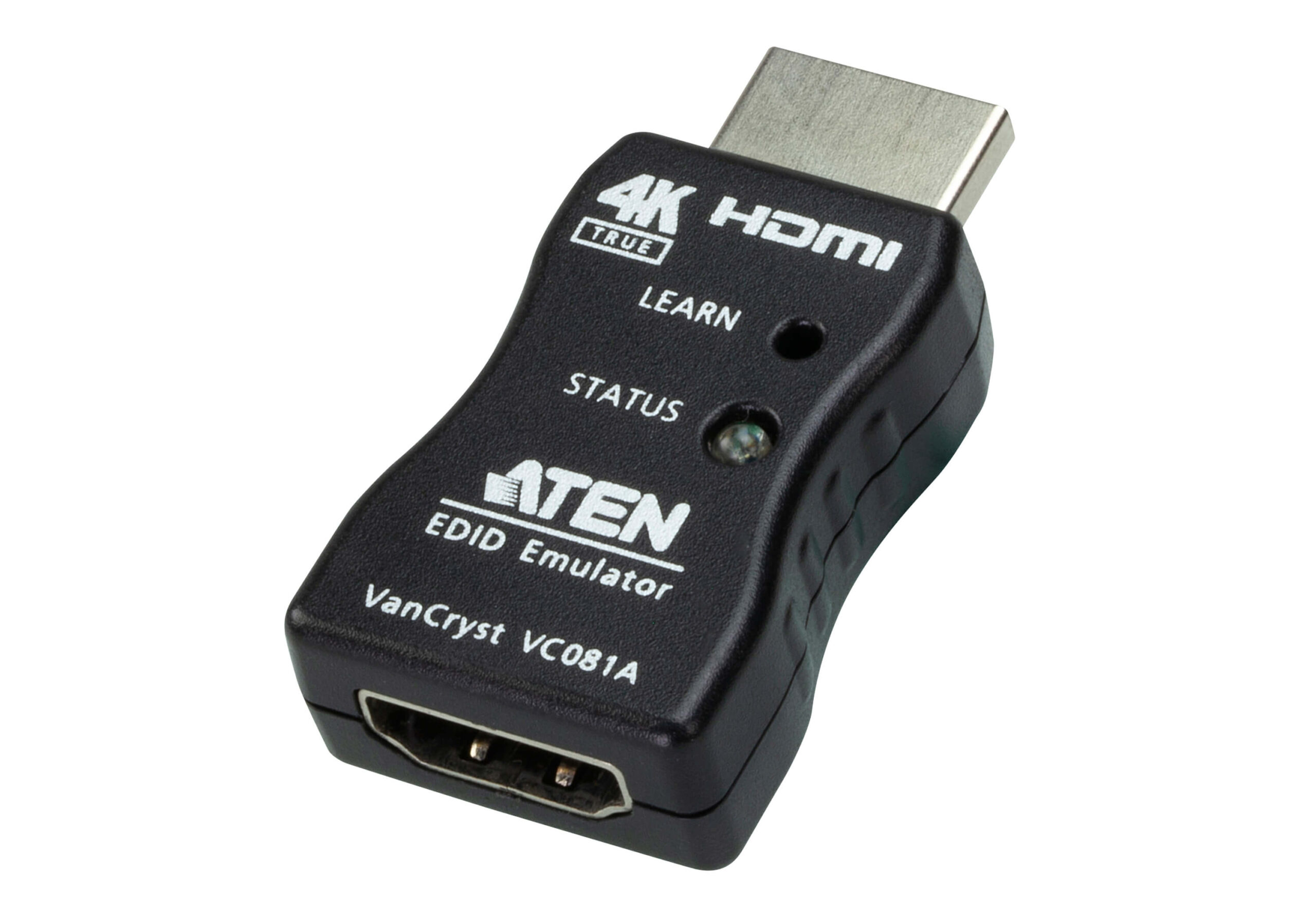
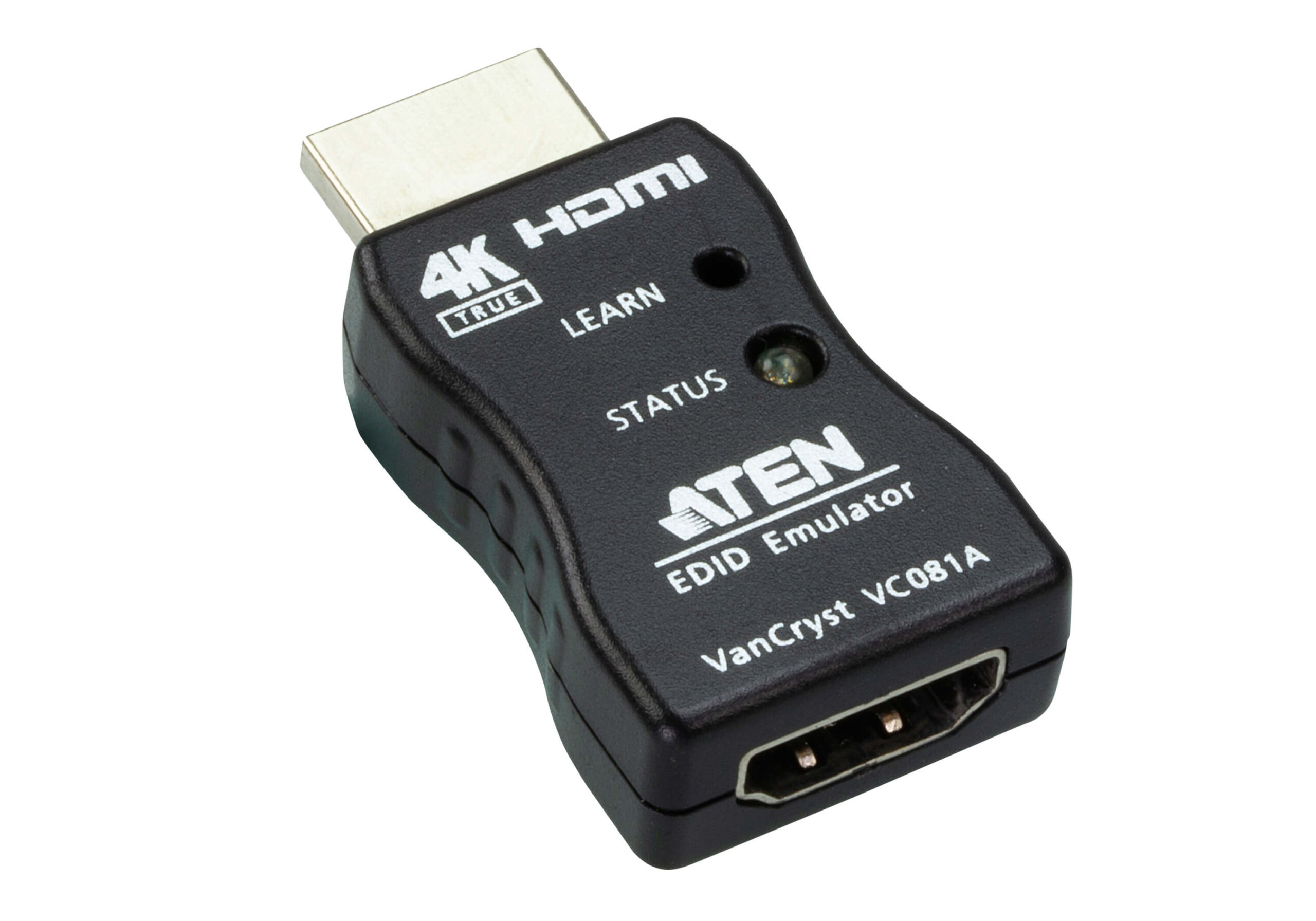
Aten Emulator Adapter, HDMI – VC081A
R1,159.20
A plug-in HDMI adapter that copies a display's EDID and holds it for the source, for 4K60 systems with extenders, switches or headless PCs.
- Learns one EDID with a single button
- 4K at 60 Hz, 4:4:4, HDCP 2.2
- Powered by the source's HDMI port
- Default 1080p EDID until it learns a display
- Brand :Aten
- SKU :ATEN-VC081A
- Category :ATEN
- Availability :
 In Stock
6 in stock
The Aten VC081A is a plug-through HDMI adapter that learns the EDID of the screen connected to it and keeps presenting that EDID to the source, so a computer or media player holds its resolution even when the display is switched off, unplugged or swapped. It carries 4K60 video with 4:4:4 colour and HDCP 2.2, and draws its power from the source’s HDMI port.
Learning the display’s EDID
ATEN recommends having all the equipment powered on while you do this:
- Run an HDMI cable from the display to the HDMI socket on the VC081A.
- Plug the VC081A’s HDMI plug into the source’s HDMI output.
- Press the Learn button. The blue status LED flashes while the adapter reads the display’s EDID.
- When the LED stays lit, the EDID is stored.
Until it has learned a display, the LED stays off and the source receives ATEN’s default EDID, which offers 1080p at 60 Hz. Straight from the box, it therefore limits a 4K source to 1080p.
Video and HDCP
Once it has learned a 4K display, the VC081A lets the source run at 60 Hz in either 4K format, DCI or UHD, without reducing colour to 4:2:0, and passes 3D, deep colour and CEC. It is HDCP 2.2 compatible, so 4K content protected with HDCP 2.2 can pass through it. ATEN publishes no data rate, HDMI version or audio format list for it. The plastic body measures 4.40 x 2.40 x 1.18 cm, so check the clearance behind wall-mounted screens and on crowded rear panels.
Keeping a headless PC or server running
After learning a monitor’s EDID, the VC081A can stand in for that monitor on a PC or server reached over the network, keeping its graphics output active for remote access, as ATEN describes. A closed dummy plug such as the Dtech TB0669 does a similar job on a machine that never has a screen, but it reports its own fixed set of resolutions and has no output socket. The VC081A copies the EDID of a specific monitor and stays in line, so a local screen can be plugged into it when someone needs one.
When the VC080 suits better
The VC081A has no software and no editing: what it learns is what the source sees. Where a project needs several stored displays, an EDID trimmed so the source cannot pick unwanted formats, or the same EDID loaded into many units from a file, the Aten VC080 EDID emulator with programmer does that through ATEN’s EDID Wizard, at the cost of a 4K30, HDMI 1.4 ceiling and a separate box with a serial cable.
Key specifications of the Aten VC081A
| Input | HDMI Type A plug (male), into the source |
|---|---|
| Output | HDMI Type A socket (female), to the display cable |
| EDID | One learned set; default 1080p at 60 Hz |
| Learned EDID, highest mode | 60 Hz with 4:4:4 at 4096 x 2160 and 3840 x 2160 |
| Compliance | HDMI 3D and deep colour; HDCP 2.2; CEC |
| Controls | Learn button, blue status LED |
| Operating temperature | 0 to 50 °C |
| Power | From the source, 5 V DC; 0.1 W |
| Size and weight | 4.40 x 2.40 x 1.18 cm, 0.08 kg, plastic |
| In the box | VC081A emulator and user instructions |
Questions about the Aten VC081A
Should it go at the PC end or the display end of an extender?
The display end, according to ATEN. Plug it into the HDMI output of the extender’s receiver, then run the cable to the screen; with a switch, it goes on the output that feeds the display. ATEN lists the Aten VE811 HDBaseT extender and the Aten VS381B 3-port 4K HDMI switch among its compatible products.
Does the VC081A need a power adapter?
No. Power comes from the source: the adapter draws 0.1 W from the 5 V on the source’s HDMI output and has no socket for anything else. ATEN’s package holds only the adapter and its instructions.
What if learning fails?
Reset it and learn again. Plug the VC081A into a powered HDMI source (it does not need a display for this) and press Learn: the LED flashes blue for 5 seconds, then goes out, which means the adapter is back on ATEN’s 1080p default.
Can the VC081A remember more than one display?
No. It keeps a single EDID, and learning a new display overwrites the one before. Fit one adapter per display output where screens of different types are in use.
Video Input
| Interfaces | 1 x HDMI Type A Male (Black) |
|---|---|
| Impedance | 100 Ω |
Video Output
| Interfaces | 1 x HDMI Type A Female (Black) |
|---|---|
| Impedance | 100 Ω |
Video
| Compliance | HDMI (3D, Deep Colour, True 4K) HDCP 2.2 Compatible Consumer Electronic Control (CEC) |
|---|---|
| Max. Resolution | Default: 1080P@60Hz Learning: 3840x2160@60Hz 4:4:4 & 4096x2160@60Hz 4:4:4 |
| EDID Settings | EDID Mode: Default / Learning |
Connectors
| Power | Bus-powered (5V DC from source device) |
|---|
Switches
| Mode Switch | EDID Learning |
|---|
LEDs
| Status | Learning (Blue x 1) |
|---|---|
| Power Consumption | DC5V:0.1WBTU |
Environmental
| Operating Temperature | 0 - 50 ºC |
|---|---|
| Storage Temperature | 20 - 60 ºC |
| Humidity | 0 - 80% RH, Non-Condensing |
Physical Properties
| Housing | Plastic |
|---|---|
| Weight | 0.08 kg ( 0.18 lb ) |
| Dimensions (L x W x H) | 4.40 x 2.40 x 1.18 cm (1.73 x 0.94 x 0.46 in.) |
| Carton Lot | 20 pcs |
| Note | For some of rack mount products, please note that the standard physical dimensions of WxDxH are expressed using a LxWxH format. |
You must be logged in to post a review.
VC081A Datasheet PDF
Reviews
There are no reviews yet.