All Categories
- ATEN
- EPSON
- HISENSE
-
AV Signal Distribution
In AV Signal Distribution
- JK
-
Screens
In Screens
-
Projector
-
Cables
In Cables
- DTECH
- Business
- VISION
-
Projector Bracket
In Projector Bracket
-
Digital Signage Solutions
In Digital Signage Solutions
Brands
-
Audio
In Audio














All Categories
- ATEN
- EPSON
- HISENSE
-
AV Signal Distribution
In AV Signal Distribution
- JK
-
Screens
In Screens
-
Projector
-
Cables
In Cables
- DTECH
- Business
- VISION
-
Projector Bracket
In Projector Bracket
-
Digital Signage Solutions
In Digital Signage Solutions
Brands
-
Audio
In Audio

BROWSE CATEGORIES
Help
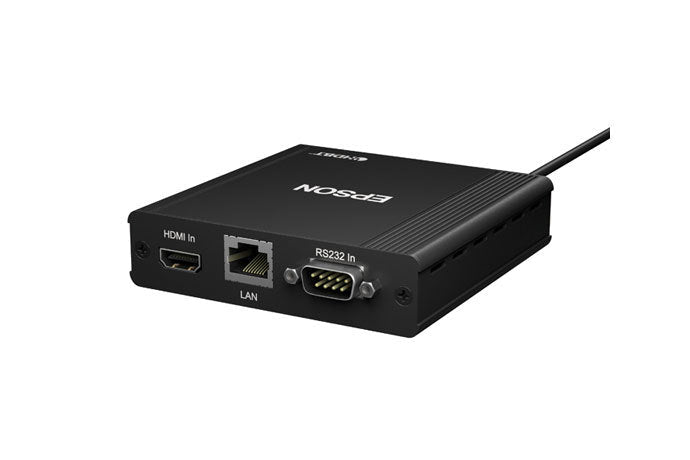
EPSON
Epson Extender, HDMI, Transmitter – ELPHD01
R16,593.12
HDBaseT transmitter that sends HDMI, network and RS-232 control over one shielded cable to Epson projectors with an HDBaseT input.
- Up to 100 m over Cat 5e or Cat 6 STP cable
- Inputs up to 1080p and WUXGA (1920 x 1200), PCM audio
- Carries LAN, RS-232 and wired IR remote control
- Own AC adapter and earth wire included
- Brand :Epson
- SKU :EPSON-ELPHD01
- Category :EPSON
- Availability :Out of Stock
Out of stock
The Epson ELPHD01 is the sending end of an HDBaseT link to an Epson projector. HDMI video and audio, network control, RS-232 control and wired remote signals go in at the lectern or equipment rack and travel over one shielded Cat 5e or Cat 6 cable, up to 100 m long, to the projector’s HDBaseT port.
There is no separate receiver box: the projector decodes the signal, so the ELPHD01 only suits Epson models with an HDBaseT input. Video inputs top out at 1080p and WUXGA (1920 x 1200).
What the ELPHD01 sends to the projector
- HDMI In: video and audio from a computer, media player or switcher, on an HDMI lead of up to 3 m. Audio passes as PCM only.
- LAN: an RJ45 port, 100Base-TX only, for controlling and monitoring the projector from a computer on the network.
- RS-232 In: a male 9-pin D-sub for a control system or PC, on a crossover cable of up to 5 m, at 9,600 bps by default.
- Wired-IR In: a 3.5 mm jack for Epson’s optional ELPKC28 remote control cable set, up to 20 m, so the remote works from the source end. Other makers’ remotes are not supported.
Epson lists accepted HDMI signals from VGA up to WUXGA, plus 480i/p, 576i/p, 720p, 1080i and 1080p, and notes that the usable set depends on the connected projector.
Epson projectors that work with the ELPHD01
The projector needs an HDBaseT port, with its HDBaseT function enabled in the projector’s settings. Epson America’s compatibility list, which uses Epson’s PowerLite names for the L series, includes the L400U, L520U, L530U (sold here as the Epson EB-L530U), L630U, L730U, L735U, L635SU and L630SU (sold here as the Epson EB-L630SU). It also lists the EB-PU1006W, EB-PU1007B and EB-PU1007W, EB-PU1008B and EB-PU1008W, the Epson EB-PU2010B and EB-PU2010W, and many older Pro G, Pro Z and Pro L models.
On some Epson models, routing control through the transmitter takes a menu change. Epson’s EB-L890E guide, for example, has a Control Communications setting under Operation and HDBaseT that passes Ethernet and serial control through the transmitter and disables the projector’s own LAN and RS-232C ports; look for the equivalent in your model’s guide. For a projector or display without an HDBaseT input, use a transmitter and receiver set from the HDMI extender range instead.
Cable, earthing and placement
- Use straight-through shielded (STP) Cat 5e or Cat 6 cable, not UTP. Before connecting, test the run with a cable tester to at least Cat 5e, including any relay connectors.
- Lay the cable fully unwound and straight, without twisting or bending it, and keep it out of bundles, above all away from mains cables.
- Earth the box: run the supplied earth wire from its FG terminal to an earth point. Epson’s troubleshooting lists a missing earth among the causes of a blurred picture.
- Leave at least 20 mm clear on each side for the vents and 25 mm above.
- Connect every cable before powering up. While the link is communicating, do not switch either unit on or off or plug cables in or out.
The ELPHD01 runs from its own mains adapter (100 to 240 V AC, supplied) and draws 6 W in use and 0.48 W in standby, so the source end needs a power point. With the Sleep Mode switch on Enable it turns off after 30 minutes without an input signal, and in sleep it ignores the RS-232 and wired IR inputs; set it to Disable when the projector is monitored or controlled over HDBaseT. It switches itself back on when power returns after an outage.
In the box, and what else you need
Epson packs the transmitter, AC adapter, power cable and earth wire. Add the shielded cable run, an HDMI lead no longer than 3 m, a crossover RS-232 cable for serial control and, for the wired remote input, the ELPKC28 set.
Key specifications
| HDBaseT output | RJ45, cable up to 100 m |
|---|---|
| Cable type | Cat 5e or Cat 6 STP, straight-through |
| Signals carried | HDMI video and audio, RS-232 control, LAN control, wired IR |
| HDMI input | HDCP supported (version not stated), PCM audio only, lead up to 3 m |
| Input signals | VGA to WUXGA (1920 x 1200); 480i/p, 576i/p, 720p, 1080i, 1080p |
| LAN port | RJ45, 100Base-TX only |
| RS-232 In | 9-pin D-sub (male), crossover cable up to 5 m |
| Power | 100 to 240 V AC adapter, 11 V DC; 6 W operating, 0.48 W standby |
| Operating temperature | 5 to 35 °C |
| Dimensions and mass | 102 x 25 x 102 mm (W x H x D), approx. 280 g |
Questions about the Epson ELPHD01
Does the ELPHD01 pass 4K or HDCP 2.2 content?
Not as far as Epson’s specifications go: they list no 4K input and stop at 1080p and WUXGA (1920 x 1200). Epson states HDCP support without naming a version, so do not count on HDCP 2.2 sources such as 4K streaming players; set them to 1080p output or plan a different signal path.
Can I use ordinary UTP network cable?
No. Epson’s guide asks for straight-through STP cable at Cat 5e or Cat 6 and names UTP in its troubleshooting for a blurred picture. The shielding is not optional on this link.
Why is there no sound through the projector?
If the picture arrives without sound, set the source to PCM audio output. The ELPHD01 carries HDMI audio as PCM only, so other audio formats sent by a media player or PC do not get through.
Will it work with a non-Epson projector or display?
Epson describes the ELPHD01 as an optional device made exclusively for Epson projectors and lists only its own models as compatible, with no mention of third-party HDBaseT receivers or displays.
You must be logged in to post a review.
You may also like these
Epson
 Low stock (1 left)
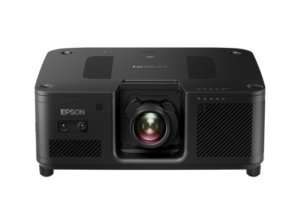
Epson Business Projector, 8000 Ansi Lumens, 3LCD WUXGA resolution, 16:10 Aspect Ratio - EBL895E
R103,775.61
EBL895E Low stock (1 left)
Epson
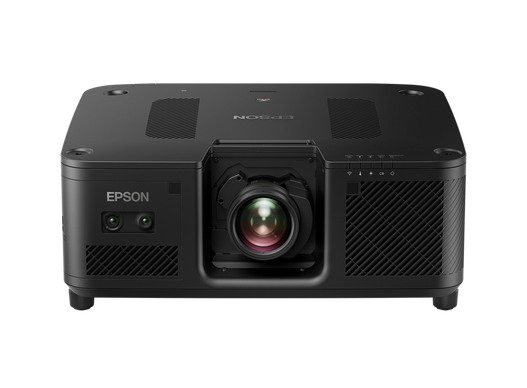
Epson Professional Projector, 30000 Ansi Lumens, 4K resolution, 16:9 Aspect Ratio - EBXQ2030B
R1,252,048.42
EBXQ2030B Out of Stock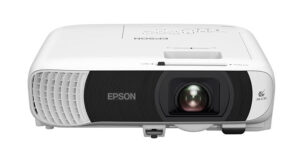
Epson
In Stock
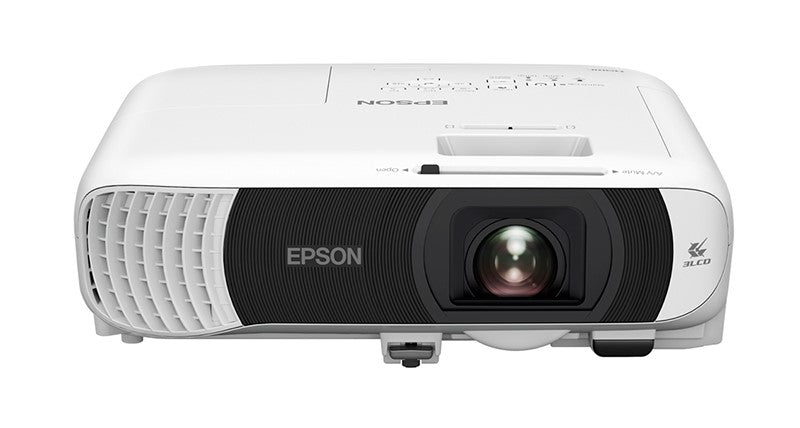
Epson Business Projector, 4100 Ansi Lumens, 1080P resolution, 16:9 Aspect Ratio - EBFH54
R20,120.10
EBFH54 In Stock
Reviews
There are no reviews yet.