All Categories
- ATEN
- EPSON
- HISENSE
-
AV Signal Distribution
In AV Signal Distribution
- JK
-
Screens
In Screens
-
Projector
-
Cables
In Cables
- DTECH
- Business
- VISION
-
Projector Bracket
In Projector Bracket
-
Digital Signage Solutions
In Digital Signage Solutions
Brands
-
Audio
In Audio














All Categories
- ATEN
- EPSON
- HISENSE
-
AV Signal Distribution
In AV Signal Distribution
- JK
-
Screens
In Screens
-
Projector
-
Cables
In Cables
- DTECH
- Business
- VISION
-
Projector Bracket
In Projector Bracket
-
Digital Signage Solutions
In Digital Signage Solutions
Brands
-
Audio
In Audio

BROWSE CATEGORIES
Help
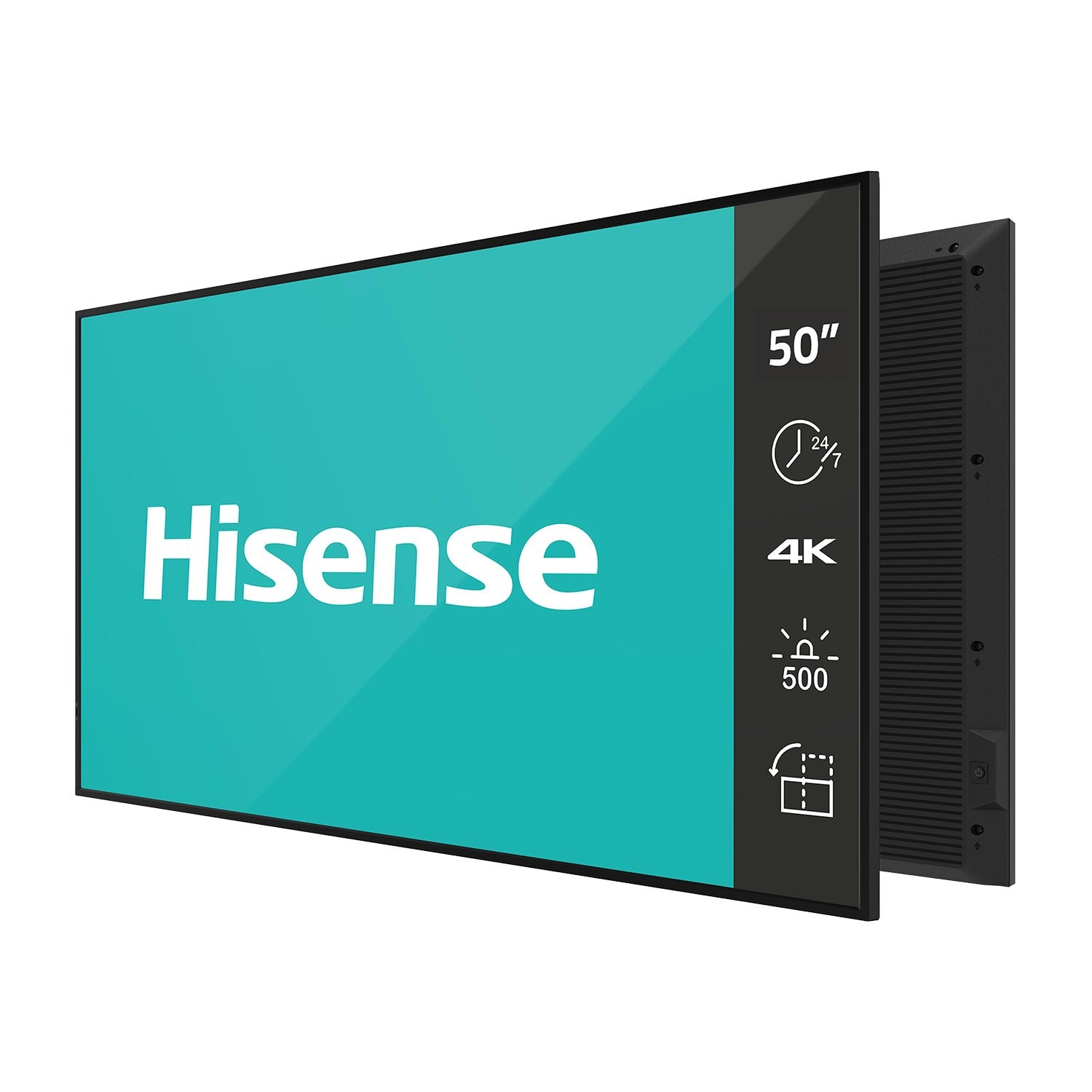
Digital Signage 24x7
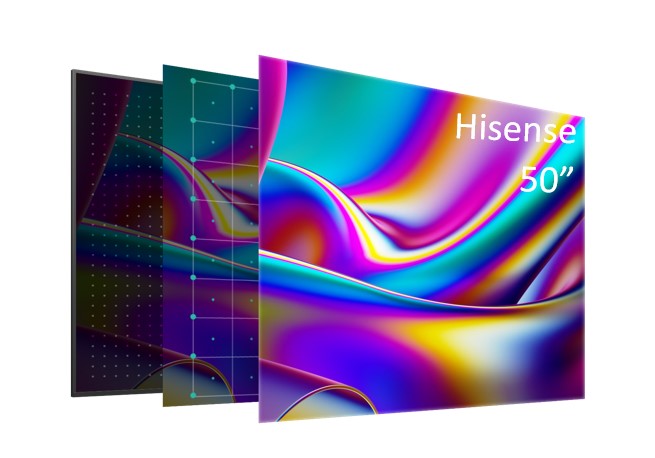
Hisense Digital Signage 50″, 500 nits, 4k resolution, with 7day x 24hrs operation, Android 14 – 50DM66GE
R14,748.99
A 50-inch 4K signage display rated for 24/7 use, running Android 14, for menu boards, shop walls and lobby screens viewed from about 2.5 to 5 m.
- 3840 x 2160 at 500 nits, 126 cm visible picture
- Android 14, 4 GB RAM, VisionInfo client preinstalled
- HDMI 2.1 among three HDMI inputs, plus HDMI out and RS232 on jacks
- 11 kg, VESA 300 x 300 mm
- Brand :Hisense
- SKU :HISENSE-50DM66GE
- Category :Digital Signage 24x7
- Availability :Out of Stock
Out of stock
The Hisense 50DM66GE is a 50″ 4K signage display with a 126 cm visible picture, 500 nits typical brightness, a 24/7 rating and an Android 14 player that runs content without an external box. At 11 kg, it takes a 300 x 300 mm VESA bracket. Hisense also makes a 50DM66D at this size, with a higher-contrast panel and the older Android 11 platform, so the first decision is which of the two suits your content.
Choosing between the 50DM66GE and the 50DM66D
At 50 inches the two generations differ in the panel as well as the player. Hisense’s 50DM66D datasheet gives a VA panel rated 5,000:1 with 92% DCI-P3 coverage; the 50DM66GE datasheet gives an IPS panel at 1,200:1 and 72% NTSC. On dark menus and video in a dim restaurant or foyer, the VA panel’s blacks stay deeper; on bright layouts in a lit shop, the gap matters less. The GE’s panel figures match those of the 43 and 55-inch DM66GE, which helps when mixed sizes hang in one row.
The 50DM66GE answers with newer electronics: Android 14 with 4 GB of RAM against Android 11 with 3 GB, Wi-Fi 6 and Bluetooth 5.4, and an HDMI 2.1 port among three HDMI inputs, where the 50DM66D offers a DisplayPort 1.2a beside two HDMI 2.0 ports. Its RS232 uses 3.5 mm jacks instead of RJ45. Both cabinets are 1,124.1 x 644.3 x 62.5 mm at 11 kg on the same hole pattern, so one bracket serves either. Choose the Hisense 50DM66D when contrast for dark content matters more than the platform.
Viewing distance at 50 inches
The picture is about 110 cm wide and 62 cm high. Taking four, six and eight picture heights as the outer limits for detailed text, general messages and video (the 4/6/8 rule), that gives about 2.5 m, 3.7 m and 4.9 m. In portrait the picture stands 110 cm tall, and detailed content stays readable to about 4.4 m.
Against the 43-inch model, the picture is 17% taller; the Hisense 55DM66GE adds another 10% of height for 2.9 kg more on the wall.
Running costs and screen care on a 24/7 schedule
Hisense lists 99 W typical on its product page and 180 W maximum, against 100 W and 150 W for the 50DM66D. At the typical figure, continuous running uses about 2.4 kWh a day; standby draws under 0.5 W. Timed off periods, up to three a day, cut that when the premises close, and the light sensor lowers the backlight when the room is dim (Auto adjust, a factory default).
Menu boards need one setting changed. The manual cautions that any still image held beyond two hours risks image retention, and the screen burn protection mode (pixel, scroll-bar or gradient screens on a schedule) is off from the factory.
Key specifications of the 50DM66GE
| Panel size and resolution | 50″ (126 cm visible), 3840 x 2160 at 60 Hz |
|---|---|
| Brightness (typical) | 500 nits |
| Contrast and colour | 1,200:1, 72% NTSC (datasheet) |
| Operating schedule | Rated 7 days x 24 hours |
| Android player | Android 14, Cortex-A73 quad-core CPU, 4 GB memory, 32 GB eMMC |
| Inputs | 3 x HDMI (2.0 x 2, 2.1 x 1), 2 x USB Type A, RS232 (3.5 mm), IR (2.5 mm), LAN |
| Outputs | HDMI 2.0, 3.5 mm audio, RS232 (3.5 mm) |
| Built-in audio | 10 W x 2 |
| Wall fixing | 300 x 300 mm VESA, M6, screw depth 11.0 to 12.5 mm |
| Dimensions and weight | 1,124.1 x 644.3 x 62.5 mm, 11 kg |
| Consumption | 99 W typical, 180 W maximum |
Questions about the 50DM66GE
Can the 50DM66GE be used in a video wall?
Only as a simple tiled layout with visible frames. The Multi-screen display setting splits one picture across a grid as large as 15 by 15 screens and can mask the edges, but each frame is 10.4 mm wide on three sides and 11.1 mm along the bottom, so neighbouring pictures sit about 21 mm apart. Narrow-bezel panels are listed under 7×24 video walls.
Can I cast a laptop or phone to it wirelessly?
Possibly, but test with your own devices first. Hisense’s product page lists wireless screen sharing for the 43 to 86-inch DM66GE without naming protocols or devices, and the manual says HiShare support varies by model. Wired, a laptop connects over HDMI; in this range USB-C starts at 65 inches.
Which wall bracket suits the 50DM66GE?
Hisense pairs it with its own LG400030D bracket. Any other bracket must take the 300 x 300 mm pattern and 11 kg, and its M6 screws must enter the rear cover 11.0 to 12.5 mm, no further. Check the VESA range and load rating of brackets in our flat panel wall bracket category.
What comes in the box?
Hisense’s datasheet lists the power cord, a quick setup guide, an RS232 converter lead and the remote control with its battery; the manual marks the RS232 lead as optional and the cord as region-dependent. There is no bracket or HDMI cable. Cloud management through VisionInfo needs a licence, such as the Hisense VisionInfo Cloud CMS Basic (HXF10).
You must be logged in to post a review.
You may also like these
Hisense
Hisense Interactive Panel, 86", 4k resolution, 450nits, Android 16 - 86WE6GEE
R78,897.43
86WE6GEE Out of Stock
Hisense
Hisense AllI-In-One LED, 163",2K resolution, Android 9.0 OPS - OP163DE
R688,032.47
OP163DE Out of Stock
Hisense
Hisense Digital Signage 50", 500 nits, 4k resolution, Full HD, with 7day x 24hrs operation, Android 11 OPS - 50DM66D
R15,261.29
50DM66D Out of Stock
Hisense
Reviews
There are no reviews yet.