All Categories
- ATEN
- EPSON
- HISENSE
-
AV Signal Distribution
In AV Signal Distribution
- JK
-
Screens
In Screens
-
Projector
-
Cables
In Cables
- DTECH
- Business
- VISION
-
Projector Bracket
In Projector Bracket
-
Digital Signage Solutions
In Digital Signage Solutions
Brands
-
Audio
In Audio














All Categories
- ATEN
- EPSON
- HISENSE
-
AV Signal Distribution
In AV Signal Distribution
- JK
-
Screens
In Screens
-
Projector
-
Cables
In Cables
- DTECH
- Business
- VISION
-
Projector Bracket
In Projector Bracket
-
Digital Signage Solutions
In Digital Signage Solutions
Brands
-
Audio
In Audio

BROWSE CATEGORIES
Help
Education Solutions
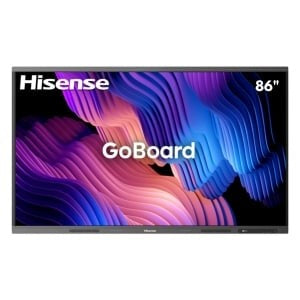
Hisense Interactive Panel, 86″, 4k resolution, 400 nits, Android 14.0 – 86WE3FE
R48,023.85
The 86-inch model of Hisense's WE3FE series, for large classrooms and lecture rooms that need a big touch screen with Google apps built in.
- 3840 x 2160 picture, 1895 x 1066 mm active area, 400 nits
- Android 14 (EDLA), 8 GB RAM, 128 GB storage
- Infrared touch frame: 40 points through an OPS PC, 32 in Android
- OPS slot for a Windows PC
- 800 x 600 VESA, wall bracket included; no camera
- Brand :Hisense
- SKU :HISENSE-86WE3FE
- Category :Education Solutions
- Availability :Out of Stock
Out of stock
The Hisense 86WE3FE is the largest panel in Hisense’s WE3FE series: an 86-inch 3840 x 2160 infrared touch screen with Android 14 (Google EDLA certified), 8 GB of memory and an OPS slot for a Windows PC, sized for large classrooms and lecture rooms.
Two points set it apart from its 65 and 75-inch siblings: a lower contrast rating, and a 51.0 to 53.55 kg weight that needs a solid wall or a rated stand. It has no camera.
Picture size and the 86-inch panel’s ratings
Hisense’s drawing puts the active picture area at 1895 x 1066 mm, close to 1.9 m wide and 1.07 m high. Brightness stays at 400 nits typical, as on the smaller WE3FE models, behind anti-glare glass with 178° viewing angles.
The panel itself is rated differently, though. Hisense lists 1200:1 typical contrast and 8 ms response for the 86WE3FE, against 5000:1 and 5500:1 contrast and 6.5 ms on the 65 and 75-inch versions. Lower contrast mostly shows as greyer blacks in a darkened room; with classroom lights on, brightness and the anti-glare surface matter more. If the room will dim for video, the Hisense 75WE3FE has the strongest contrast figure in the series.
Android 14 and Google apps on the panel
Every WE3FE runs Android 14.0 with Google’s EDLA certification, so Classroom, Drive, Docs, Sheets, Meet, Gmail, Chrome, YouTube and the Play Store come as native apps. Inside is a quad-core Cortex-A73 processor (1.39 GHz peak) and a Mali-G52 MC1 GPU; apps and files share 128 GB of storage. Hisense’s WE3FE documents name no Android version beyond 14. The 30 menu languages include Afrikaans.
Several writers at one board
At close to 1.9 m wide, the 86-inch surface has room for several people writing side by side. The infrared frame handles up to 40 touch points when an OPS PC hosts touch, and Hisense’s US store lists 32 under Android, with 90% accuracy within ±1.5 mm, a 3 mm minimum object and a 1.5 mm writing height. Hisense’s whiteboard app divides the screen into four independent areas, converts handwriting to text and includes a formula editor and mind maps. Windows 11, 10, 8 and 7 see the panel as a multi-touch display.
Ports, wireless sharing and the OPS slot
| Group | Connections |
|---|---|
| Video in | Three HDMI, one DisplayPort 1.2a, one VGA |
| USB | 2 x USB-C (front one with 65 W charging), 3 x USB 3.0, 2 x USB 2.0, 3 x touch USB, TF card slot |
| Out | HDMI, S/PDIF, analogue audio, LAN |
| Control, network, audio in | RS-232 (DB9), Gigabit LAN in, analogue audio in |
| Wireless | Wi-Fi 802.11ax and 802.11ac modules, Bluetooth 5.2 |
Hisense does not say whether either USB-C port carries video, so plan on HDMI for a laptop’s picture. Casting works over AirPlay, Miracast, Chromecast and web casting, and the second Wi-Fi module can host a sharing hotspot while the first stays on the school or office network.
A slot-in OPS PC gets 18 V at 3.5 A from the panel. Hisense lists the Hisense OPS72D Windows 11 Pro module (Core i5-13420H, 8 GB, 256 GB SSD) and the i7-based OPS72E as compatible with the 86WE3FE.
Weight, VESA and power for an 86-inch panel
The panel measures 1957 x 1159.9 x 97.1 mm. Hisense’s spec table gives 51.0 kg and its dimension sheet 53.55 kg; plan the wall fixings and the lift for the higher figure. Mounting holes follow VESA 800 x 600 mm and take M8 screws. In the carton: wall bracket, two pens, remote plus batteries, mains cable and manual.
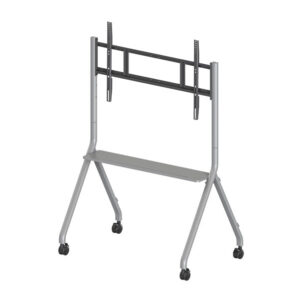
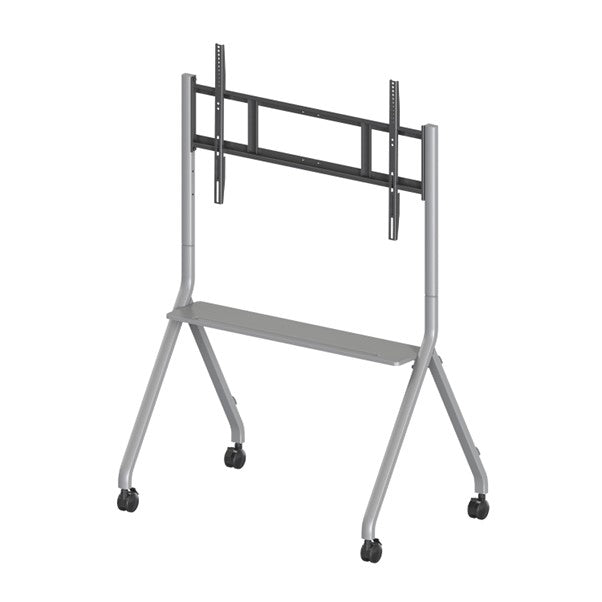
For rooms without a suitable wall, Hisense names the 86-inch WE3FE among the panels that fit its WH3315 mobile stand, which holds up to 100 kg at any of three heights. Power draw is 255 W typical and 410 W maximum with no OPS PC fitted, on mains of 100 to 240 V AC; standby is under 0.5 W.
Key specifications
| Panel | 86-inch, 3840 x 2160, D-LED backlit, 60 Hz refresh |
|---|---|
| Active picture area | 1895 x 1066 mm |
| Brightness | 400 nits (typical) |
| Contrast and response | 1200:1 (typical), 8 ms |
| Touch points | Infrared; 40 with an OPS PC fitted, 32 in Android |
| OS | Android 14.0 (EDLA) |
| RAM / storage | 8 GB / 128 GB |
| Sound | Two 16 W speakers |
| Camera | Not fitted |
| Power consumption | 255 W typical, 410 W peak, OPS not fitted |
| Panel size | 1957 x 1159.9 x 97.1 mm |
| Wall mount and weight | VESA 800 x 600 (M8); 51.0 or 53.55 kg |
Questions about the Hisense 86WE3FE
What size is the 86WE3FE’s carton?
Hisense gives the packed size as 2110 x 1291 x 185 mm, against 1957 x 1159.9 x 97.1 mm for the panel itself. At over 2.1 m long, the carton needs a clear route, so measure doors, lifts and stairwell turns between the delivery point and the room before it arrives.
How is the 86WE3FE different from the 86MR6DE?
The Hisense 86MR6DE adds a built-in 4K camera, an eight-microphone array and NFC, but runs Android 13 with 4 GB of RAM, 64 GB of storage, 350 nits and up to 20 touch points. The 86WE3FE gives up the camera for Android 14, twice the memory and storage, a 400-nit panel and 40 touch points once an OPS PC is in the slot (32 in Android).
What bracket does the 86WE3FE need?
A bracket for this panel needs 800 x 600 mm VESA hole spacing, M8 fixings and a rating of at least 53.55 kg, the heavier of Hisense’s two published weights. A wall mount bracket is one of Hisense’s standard accessories for the 86WE3FE, so a separate one is only needed for a different kind of mount, such as a tilting or height-adjustable one.
Can an AV control system power it up and select sources?
It has the connections for it, an RS-232 port on a DB9 connector and wired LAN, but Hisense’s WE3FE datasheets do not publish a command set. Ask for the protocol document before you program a room controller.
How many people does it take to install?
Hisense does not state a crew size. The panel weighs up to 53.55 kg and is 1957 mm wide, so plan the lift onto a bracket or the WH3315 stand for more than one person.
Interactive Display panel
| LCD Size | 86” |
|---|---|
| Backlight Type | D-LED |
| Resolution | 3840x2160(pixels) |
| Brightness | 400nits(typ.) |
| Contrast Ratio | 1200:1(typ.) |
| Response Time | 8ms(typ.) |
| Refreshing Frequency | 60Hz |
| Viewing Angle | 178°(H) / 178°(V) |
| Lifetime(typ.) | 50,000 hrs |
| Colour Gamut(X% NTSC) | 72%(typ.) |
| Display Colours | 1.07B(10bit) |
System
| GPU | MaliG52 MC1 |
|---|---|
| RAM | 8GB |
| ROM | 128GB |
| OS | Android 14.0 |
Power
| Power Requirements | AC 100 V ~ 240 V, 50/60 Hz |
|---|
Physical
| Product Size (W x H x D) | 1957 x 1159.9 x 97.1mm / 77 x 45.7 x 3.8inch |
|---|---|
| Package Size (W x H x D) | 2110 x 1291 x 185mm / 83.1 x 51 x 7.3inch |
| Net Weight | 51.0kg / 112.4lbs |
| Packed Weight | 51.0kg / 112.4lbs |
| 20GP Container Capacity (pcs) | 30 |
| 40GP Container Capacity (pcs) | 66 |
| 40HQ Container Capacity (pcs) | 66 |
| Housing Colour | Black |
| VESA | 800 x 600mm, 4-M8 Screw |
Touch
| Sensing Type | Infrared Touch Frame |
|---|---|
| Surface Protection | Anti-Glare Glass |
Connectivity
| Bluetooth | BT5.2 |
|---|---|
| NFC | w/o |
| Camera | w/o |
| Type-C x2 (frontx 1 | support PD 65W) |
Environment
| Operation Temperature | 0-40°C |
|---|---|
| Operation Humidity | 20% - 80%RH |
You must be logged in to post a review.
You may also like these
Hisense
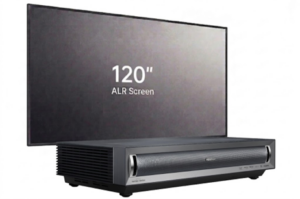
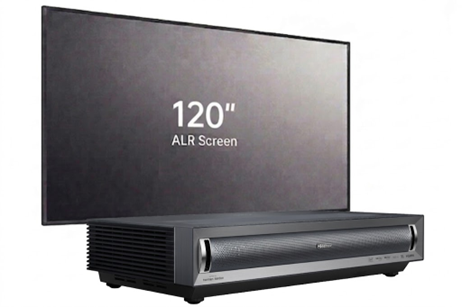
Hisense Laser Projection TV, 3000 Ansi Lumens, 4K resolution, UST, Incl 120" ALR - 120PX3PRO
R63,693.85
120PX3PRO Out of Stock
 In Stock

Hisense
Hisense Ambient Light Rejection Frame Screen, 100", 16:9 Aspect Ratio - DLT100B1
R13,896.75
DLT100B1 Out of Stock

Hisense
Reviews
There are no reviews yet.