All Categories
- ATEN
- EPSON
- HISENSE
-
AV Signal Distribution
In AV Signal Distribution
- JK
-
Screens
In Screens
-
Projector
-
Cables
In Cables
- DTECH
- Business
- VISION
-
Projector Bracket
In Projector Bracket
-
Digital Signage Solutions
In Digital Signage Solutions
Brands
-
Audio
In Audio














All Categories
- ATEN
- EPSON
- HISENSE
-
AV Signal Distribution
In AV Signal Distribution
- JK
-
Screens
In Screens
-
Projector
-
Cables
In Cables
- DTECH
- Business
- VISION
-
Projector Bracket
In Projector Bracket
-
Digital Signage Solutions
In Digital Signage Solutions
Brands
-
Audio
In Audio

BROWSE CATEGORIES
Help
Digital Signage 24x7
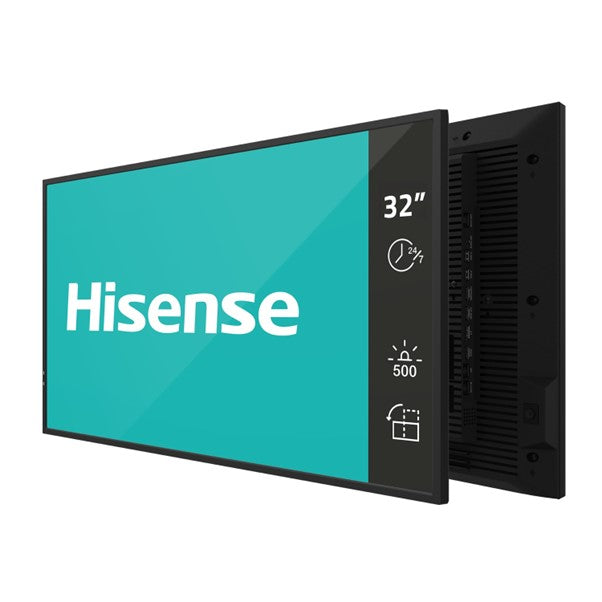
Hisense Digital Signage 32″, 500 nits, Full HD, with 7day x 24hrs operation, Android 14 – 32DM66GE
R10,289.48
A 32-inch Full HD signage screen, the smallest in Hisense's DM66GE range, rated for 24/7 use with an Android 14 player, for counters, doorways and lift lobbies.
- 1920 x 1080 at 500 nits, 80 cm visible picture
- 4.6 kg, VESA 200 x 200 mm
- Three HDMI inputs (one HDMI 2.1) and an HDMI output
- RS232 and IR in on jacks, LAN, Wi-Fi 6
- Brand :Hisense
- SKU :HISENSE-32DM66GE
- Category :Digital Signage 24x7
- Availability :Out of Stock
Out of stock
The Hisense 32DM66GE is the smallest screen in Hisense’s DM66GE signage range and its only Full HD model: 1920 x 1080 on a 32″ panel with an 80 cm visible picture, 500 nits typical, rated for 24/7 operation. An Android 14 player inside runs apps, USB playlists or VisionInfo content without a media box. At 4.6 kg it goes on the wall beside a till, a meeting-room door or a lift.
Reading distance at 32 inches
An 80 cm diagonal gives a picture about 70 cm wide and 39 cm high. The 4/6/8 rule of thumb sets the farthest viewer at four picture heights for small text, six for general messages and eight for video, which here comes to about 1.6 m, 2.4 m and 3.1 m. A price list or room schedule on this screen is for people at the counter or the door, not across a foyer. Turned to portrait, the 70 cm side becomes the height and the small-text distance stretches to about 2.8 m.
For 4K content at native resolution, step up to the Hisense 43DM66GE, the smallest 4K size in the range.
32DM66GE or 32DM66D
Both models use a 726 x 420.6 x 61.5 mm cabinet, weigh 4.6 kg and take a 200 x 200 mm VESA pattern, so a bracket or wall cut-out made for one fits the other. The differences are in the electronics and the connector panel:
- Player: Android 14 with 4 GB of RAM on a four-core Cortex-A73, against Android 11, a Cortex-A55 and 3 GB on the 32DM66D.
- Video inputs: three HDMI, one of them HDMI 2.1, where the 32DM66D has two HDMI 2.0 and a DisplayPort 1.2a.
- Serial control: two 3.5 mm jacks for RS232 in and out, plus an IR jack (2.5 mm) that takes an external remote control cable; the 32DM66D uses RJ45 sockets for RS232.
- Wireless: Wi-Fi 6 and Bluetooth 5.4, up from 802.11ac and Bluetooth 5.1.
- Power: 51 W typical on Hisense’s product page and 110 W maximum on the datasheet, against 52 W and 60 W.
Choose the Hisense 32DM66D if a source has only DisplayPort or your serial cabling ends in RJ45 plugs.
Running content from the built-in player
Graphics are Mali-G57 MC1 and storage is 32 GB of eMMC. According to Hisense, Android 14 on the DM66GE accepts third-party apps and takes over-the-air updates, and the manual adds system upgrades from a USB drive. Hisense does not say whether Google Play is installed, so check how your signage app will be loaded before you specify the screen.
On a single screen, a Media Autoplay playlist can be made the switch-on source, so the loop comes back by itself after a power cut. The manual’s format table for the USB player includes H.264, H.265, VP9 and AV1 video and JPEG, PNG and WebP pictures. For several screens, the VisionInfo client is preinstalled and opens from the CMS key on the remote; the cloud side runs under a licence from the VisionInfo CMS range.
Mounting a 4.6 kg screen
Four M6 screws fix the display through the 200 x 200 mm pattern. Hisense’s manual allows 8.0 to 10.0 mm of screw depth into the rear cover at 32 inches and warns that overlong screws cause irreparable damage. It names Hisense’s LG400030D bracket for this model. With another bracket from our flat panel wall brackets, check that it takes 200 x 200 mm and measure the screws supplied with it.
The manual approves concrete or brick and asks for plasterboard to be reinforced. Leave 10 cm of space around the cabinet, and tilt it forward no more than 15 degrees, in landscape only. For portrait, the manual turns the screen anticlockwise so the power light and remote sensor end on the lower edge; Screen rotation in the Display menu then turns the picture.
Key specifications of the 32DM66GE
| Screen | 32″ (80 cm visible), 1920 x 1080, 60 Hz |
|---|---|
| Brightness | 500 nits typical |
| Contrast | 1,200:1 typical, 178/178 degree viewing |
| Duty | 7 days x 24 hours |
| Player | Android 14, quad-core Cortex-A73, 4 GB RAM, 32 GB eMMC |
| HDMI | 3 in (2 x HDMI 2.0, 1 x HDMI 2.1, eARC on HDMI 2), 1 out |
| Other ports | USB 2.0 and USB 3.2 Gen 1 (Type A), RS232 in/out (3.5 mm), IR in (2.5 mm), RJ45 LAN, 3.5 mm audio out |
| Wireless | Wi-Fi 6, Bluetooth 5.4 |
| VESA pattern | 200 x 200 mm (M6) |
| Size and weight | 726 x 420.6 x 61.5 mm, 4.6 kg |
| Power | 51 W typical, 110 W maximum, under 0.5 W standby |
Questions about the 32DM66GE
Will the 32DM66GE stay on with nobody touching it?
Yes, once two factory timers are changed. Hisense’s manual sets No signal standby to 10 minutes and No operation standby, which sleeps the Android system, to 15 minutes; set both to Off for an unattended screen. The 32-inch model is also the one DM66GE size with Wake-on LAN switched on from the factory, so a network controller can wake it.
Does the 32DM66GE have a USB-C input?
No. Its two Type A USB sockets (USB 2.0 and USB 3.2 Gen 1) are for drives and updates, so a laptop connects over HDMI. In the DM66GE range, the first size with USB-C (and 65 W charging) is the 65-inch.
Can a control system switch it on and change inputs?
Yes, over RS232 or the network. The serial port runs at 9600 baud with 8N1 framing, and Hisense publishes commands for power, input, volume, backlight, daily on and off times and status queries. Screens take IDs from 1 to 255, although the command table accepts power-on only for IDs 1 to 52. For network control, the Security and Permission menu lists IP control, REST API and SNMP services.
What is in the box?
According to the datasheet: a quick setup guide, a power cord, the remote control with AAA batteries and an RS232 converter cable for the 3.5 mm serial jack. The manual, though, calls the converter cable optional, and the plug on the power cord depends on the region. Neither document lists a wall bracket or an HDMI cable.
Digital Display panel
| Backlight Type | DLED |
|---|---|
| Type | IPS |
| Size | 32” |
| Resolution | 1,920 x 1,080 |
| Refresh rate | 60 Hz |
| Colour Depth | 16.7M (8 bits) |
| Brightness(Typ.) | 500 nits |
| Contrast Ratio(Typ.) | 1,200:1 |
| Response Time(Typ.) | 10 ms |
| Viewing Angle(Min.) | 178°/178° |
| Colour Gamut(Typ.) | 72% NTSC |
| Haze | 25% |
| Orientation | Landscape & Portrait |
| LED Lifetime | up to 50,000 hrs |
| Operation Hours | 7Day x 24Hour |
System
| Operating System | Android 14 |
|---|---|
| Processor CPU | ARM Cortex-A73 Quad core |
| Processor GPU | Mali-G57 MC1 |
| Memory | 4G DDR4 |
| Storage | 32G EMMC |
Connectivity
| WI-FI | WiFi 6,2.4/5.0GHz dual, 802.11a/b/g/n/ac/ax |
|---|---|
| Bluetooth | BT5.4 |
Physical
| Bezel Colour | Black |
|---|---|
| Set Dimension(W×H×D) | 726 x 420.6 x 61.5 mm / 25.6 x 16.6 x 2.4 inch |
| Bezel width(T/L/R/B) | 10.1mm(T/L/R), 10.3mm(B) |
| Net Weight | 4.6 kg / 10.1 lbs |
| Packing Dimension (W×H×D) | 820 x 512 x 126 mm / 32.3 x 20.2 x 5.0 inch |
| Gross Weight | 6.5 kg / 14.3 lbs |
| VESA Mount | 200 x 200 mm, 4-M6 Screw |
Power
| Power Supply | AC 100~240V, 50/60Hz |
|---|---|
| Power Consumption (Typ.) | TBD |
| Power Consumption (Max.) | 110 W |
Speaker
| Built in speaker | 10W x 2 |
|---|
Environment
| Operating Temperature | 0°~40°C |
|---|---|
| Operating Humidity | 20%~80% Non-Condensing |
Certification
| Standard Certification | CB / CE / cTUVus / FCC / RCM / ERP / CEC / South Africa Energy Efficiency |
|---|---|
| Safety | 62368-1 |
| Environment | Energy Star 8.0 |
| EMC | Class B |
| IP Rating | IP5X |
You must be logged in to post a review.
You may also like these
Hisense
Hisense AllI-In-One LED, 163",2K resolution, Android 9.0 OPS - OP163DE
R688,032.47
OP163DE Out of Stock
Hisense
 Low stock (1 left)
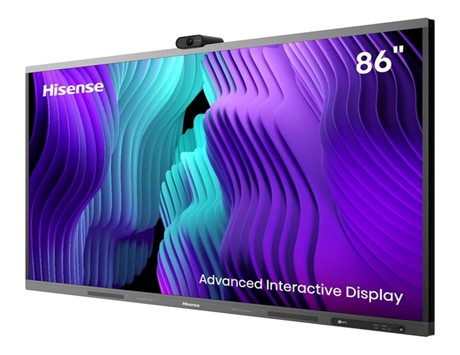
Hisense Interactive Panel, 86", 4k resolution, Android 13.0 - 86MR6DE
R60,367.45
86MR6DE Low stock (1 left)
Hisense
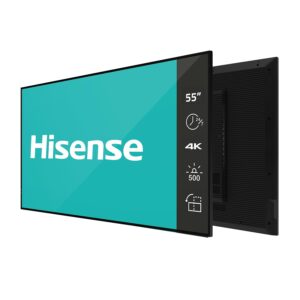
Hisense Digital Signage 55", 500 nits, 4k resolution, with 7day x 24hrs operation, Android 14 - 55DM66GE
R18,522.43
55DM66GE Out of Stock
Hisense
Reviews
There are no reviews yet.