All Categories
- ATEN
- EPSON
- HISENSE
-
AV Signal Distribution
In AV Signal Distribution
- JK
-
Screens
In Screens
-
Projector
-
Cables
In Cables
- DTECH
- Business
- VISION
-
Projector Bracket
In Projector Bracket
-
Digital Signage Solutions
In Digital Signage Solutions
Brands
-
Audio
In Audio














All Categories
- ATEN
- EPSON
- HISENSE
-
AV Signal Distribution
In AV Signal Distribution
- JK
-
Screens
In Screens
-
Projector
-
Cables
In Cables
- DTECH
- Business
- VISION
-
Projector Bracket
In Projector Bracket
-
Digital Signage Solutions
In Digital Signage Solutions
Brands
-
Audio
In Audio

BROWSE CATEGORIES
Help

ATEN
Aten Extender, HDMI, Transmitter and Receiver – VE800A
R2,390.71
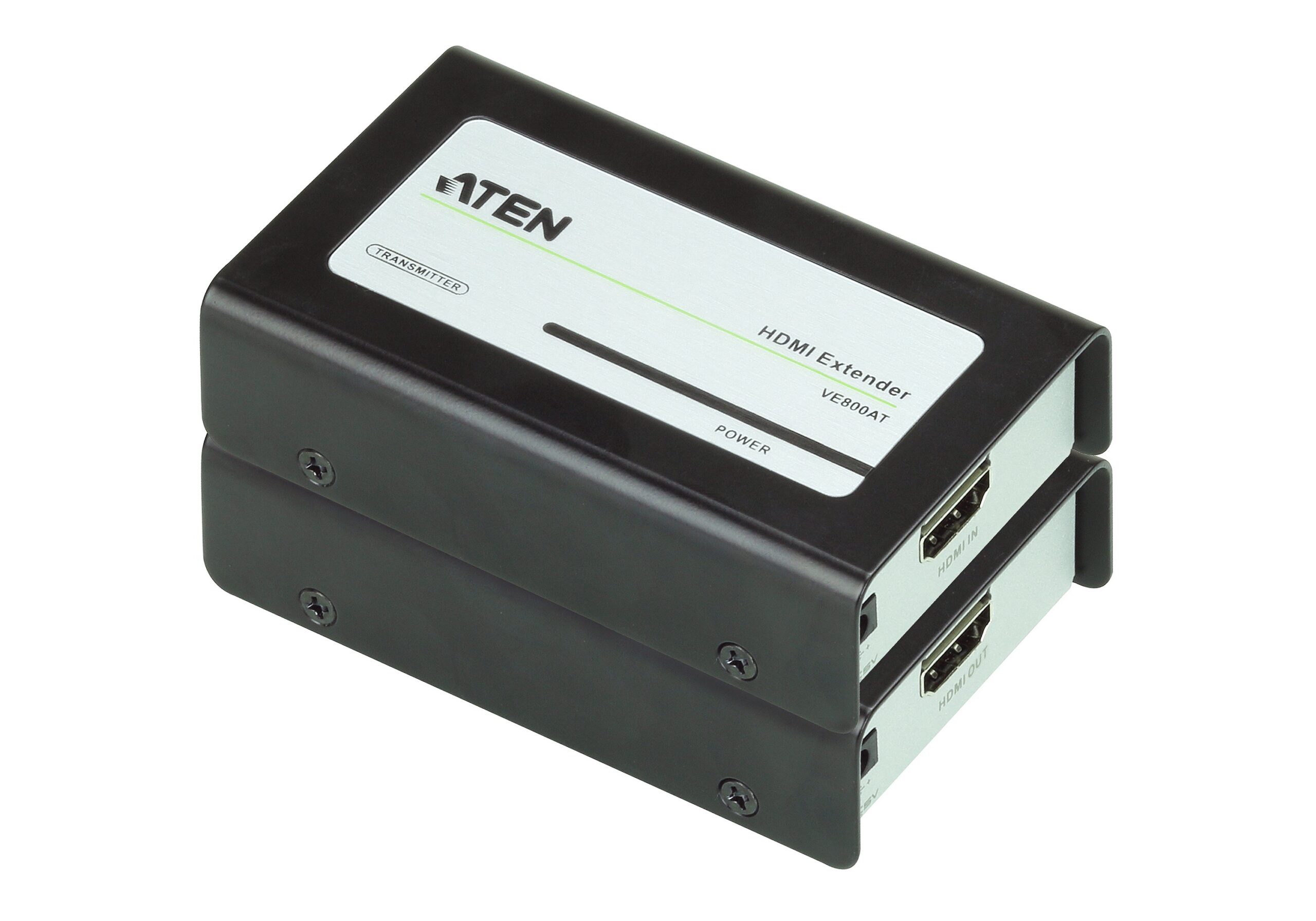
HDMI extender kit, transmitter plus receiver, that puts a 1080p source on a screen or projector up to 40 m away over Cat 5e.
- 40 m at 1080p or 60 m at 1080i on Cat 5e
- One run for picture and sound; a second adds EDID and HDCP
- Dolby TrueHD and DTS-HD Master Audio pass through
- Both units in the box, each with its own power adapter
- Brand :Aten
- SKU :ATEN-VE800A
- Category :ATEN
- Availability :
 In Stock
4 in stock
The Aten VE800A is a matched pair of small HDMI extender boxes: the VE800AT transmitter sits at the source, the VE800AR receiver at the screen or projector, and Cat 5e cable runs between them. Aten rates the link at 40 m for 1080p and 60 m for 1080i. One Cat 5e run carries picture and sound; a second, optional run between the DDC ports adds EDID bypass and HDCP authentication.
One Cat 5e run or two between the units
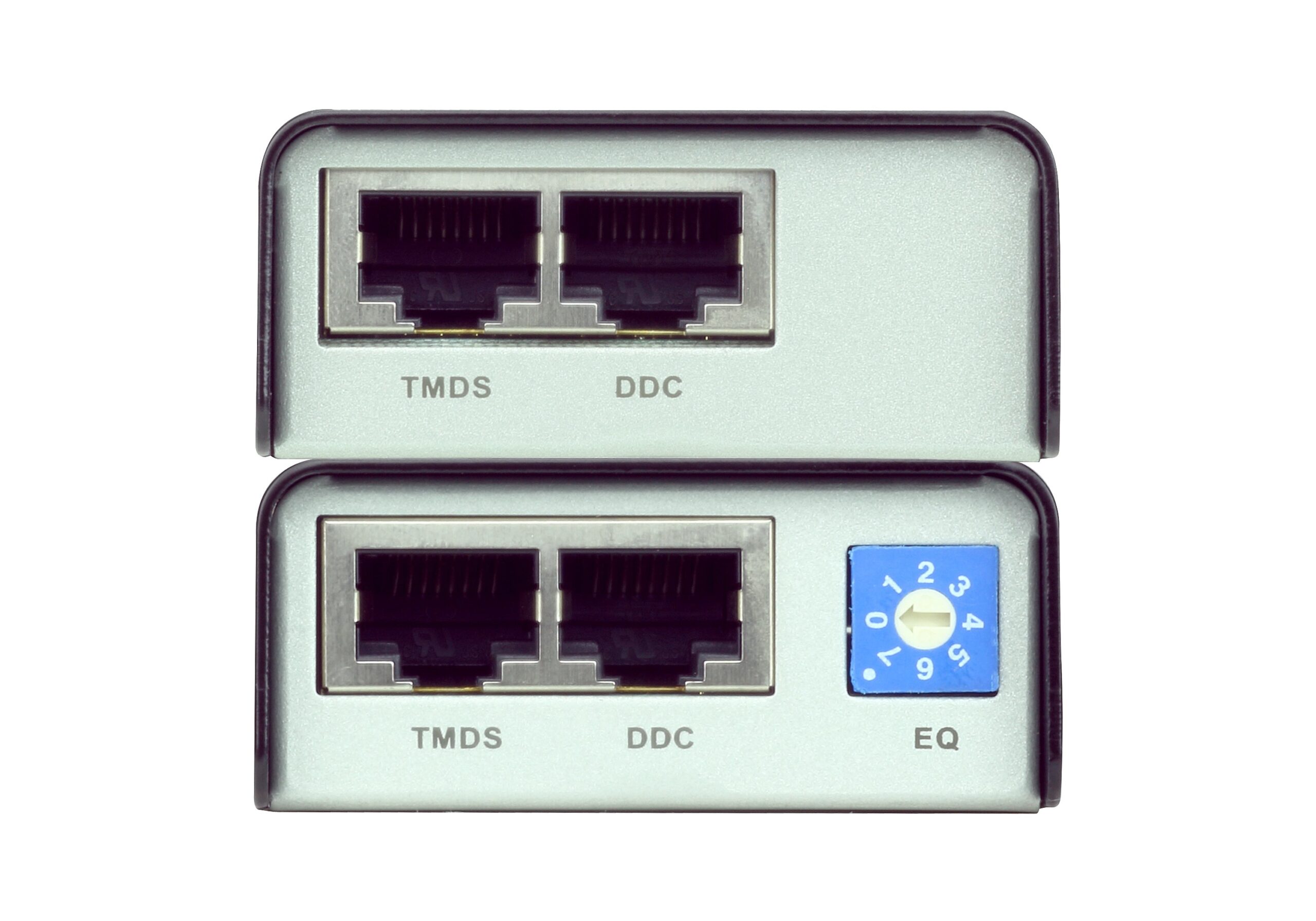
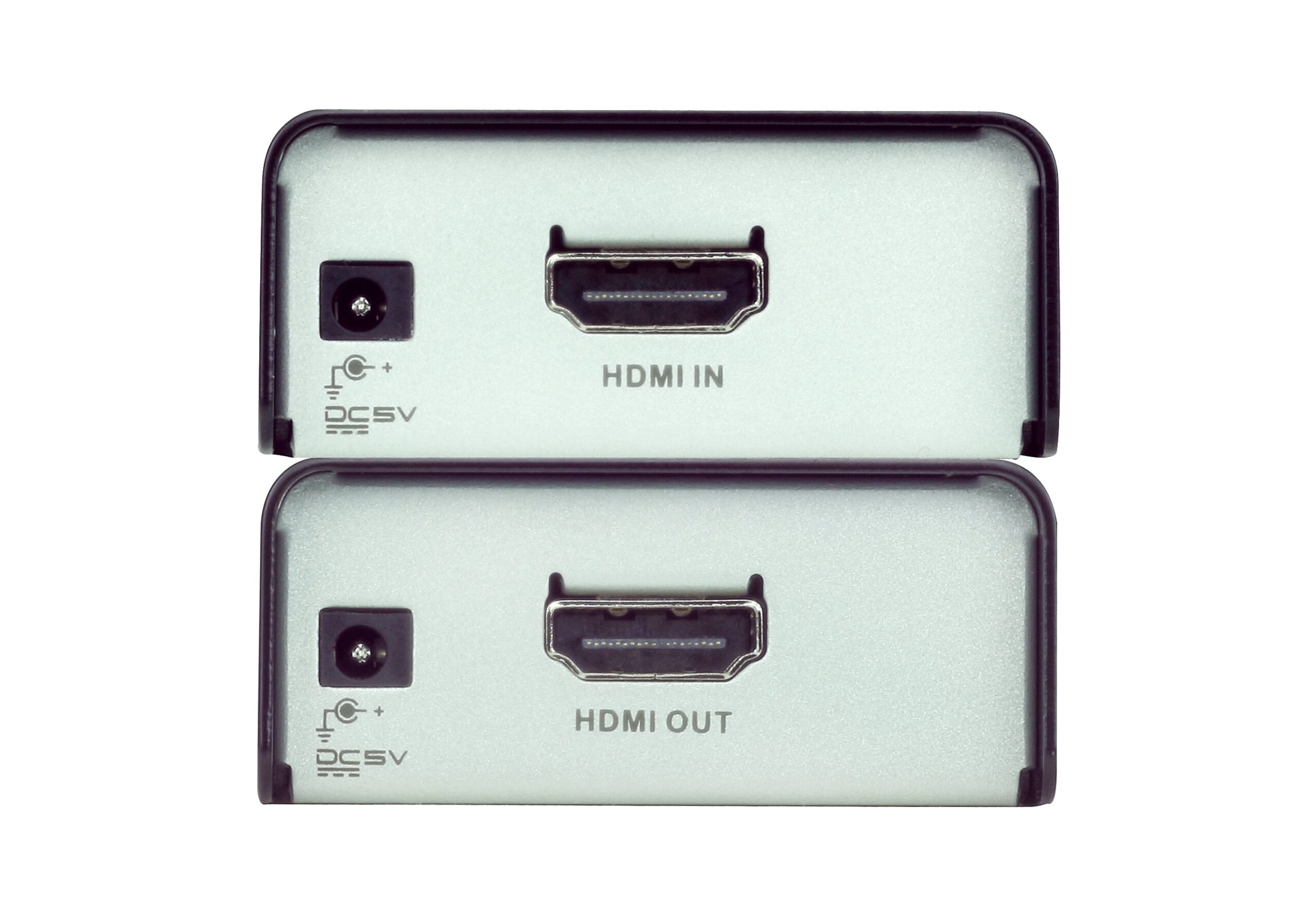
Each unit has two RJ-45 sockets on the back, labelled TMDS and DDC. The TMDS link is the one you cannot skip, because Aten’s quick start guide sends the audio and video over it. The DDC link is optional, and Aten’s note makes it necessary only for EDID bypass and HDCP authentication. If the route will be closed up behind walls or ceilings, pull both cables while it is open.
Aten’s EMC note in the same guide says shielded twisted pair (STP) cable must be used for the unit to comply with the FCC and CE standards it was tested to.
Resolutions, audio formats and HDCP
- Video: HDTV up to 1080p, and computer resolutions up to 1920 x 1200. Bandwidth is 6.75 Gbps (2.25 Gbps per lane) and the pixel clock reaches 225 MHz.
- HDMI features: 3D and Deep Colour, HDCP compatible.
- Sound: Dolby TrueHD and DTS-HD Master Audio tracks travel within the HDMI stream. The receiver has no separate audio jack, so sound leaves through its HDMI output to the display or an AV receiver.
- No 4K: 1080p is the ceiling. For 4K, the Aten VE1821 4K HDMI extender kit carries 4K at 30 Hz up to 40 m of Cat 6.
The VE800AR has an eight-position EQ switch, 0 the weakest setting and 7 the strongest; Aten’s guide uses it to steady a blinking image.
Power, size and mounting
Each unit has its own DC jack, the box holds two adapters, and Aten’s guide connects both the VE800AT and the VE800AR to AC outlets. Aten’s consumption figures are 0.9 W for the VE800AT and 0.61 W for the VE800AR, both at 5 V DC. A power LED on the transmitter’s top cover and an online/power LED on the receiver’s show the state of each end.
Both units use the same metal case, 9.00 x 5.50 x 2.20 cm and 0.16 kg, rated for 0 to 50 °C. A mounting kit comes in the box.
Box contents and the cables you supply
The VE800A box holds the VE800AT, the VE800AR, two power adapters, a mounting kit and user instructions. Cables are extra:
- One or two Cat 5e runs between the units, depending on whether you need EDID and HDCP.
- Two HDMI leads, one from the source and one to the display. Aten allows up to 3 m on each HDMI side; a 3 m lead such as the Aten 2L-7D03H HDMI cable uses all of it.
Aten also sells the receiver alone: the Aten VE800AR receiver replaces a damaged unit or serves as a spare. If the far end also needs USB, for a touch screen for example, the Aten VE803 HDMI and USB extender adds a USB 2.0 full-speed link over its second Cat 5e cable.
Key specifications of the Aten VE800A
| Units | VE800AT transmitter, VE800AR receiver |
|---|---|
| Link cable | Cat 5e: TMDS run; optional DDC run for EDID and HDCP |
| Reach on Cat 5e | 40 m at 1080p; 60 m at 1080i |
| Top resolution | 1920 x 1200 (computer); 1080p (video) |
| Bandwidth | 6.75 Gbps; pixel clock up to 225 MHz |
| Audio | Carried in HDMI; Dolby TrueHD, DTS-HD MA supported |
| Copy protection and formats | HDCP compatible; 3D and Deep Colour |
| Power | 5 V DC, adapter for each unit; 0.9 W (VE800AT), 0.61 W (VE800AR) |
| HDMI lead per side | Up to 3 m |
| Size and weight | 9.00 x 5.50 x 2.20 cm, 0.16 kg each |
Questions about the Aten VE800A
Does the VE800A need a power point at the screen end?
Yes. The VE800AR runs from its own adapter, and Aten’s documents describe no way to power it over the Cat 5e cable, so the display end needs a mains socket just as the source end does. Both adapters are in the box.
Can I run the VE800A with only one Cat 5e cable?
Yes, if the source does not need the display’s EDID and sends nothing that requires HDCP. The TMDS cable alone carries picture and sound. Without the DDC cable the source cannot read the display’s EDID, and Aten ties HDCP authentication to that second cable as well.
Will lossless surround formats pass through to an AV receiver?
Yes, inside the HDMI signal. Aten lists support for Dolby TrueHD and DTS-HD Master Audio, and the audio leaves the VE800AR through its HDMI output, so the AV receiver or display connected after it does the decoding.
Can a laptop send 1920 x 1200 through the VE800A?
Yes. Aten’s datasheet lists 1920 x 1200 alongside 1080p. It publishes reach figures only for 1080p (40 m) and 1080i (60 m), so no distance is quoted for that computer mode.
Does the VE800A work over Cat 6 cable?
Aten does not say. Its documents name Cat 5e only and give no Cat 6 distances, so plan the run against the Cat 5e limits.
You must be logged in to post a review.
VE800A Datasheet PDF
Reviews
There are no reviews yet.