All Categories
- ATEN
- EPSON
- HISENSE
-
AV Signal Distribution
In AV Signal Distribution
- JK
-
Screens
In Screens
-
Projector
-
Cables
In Cables
- DTECH
- Business
- VISION
-
Projector Bracket
In Projector Bracket
-
Digital Signage Solutions
In Digital Signage Solutions
Brands
-
Audio
In Audio














All Categories
- ATEN
- EPSON
- HISENSE
-
AV Signal Distribution
In AV Signal Distribution
- JK
-
Screens
In Screens
-
Projector
-
Cables
In Cables
- DTECH
- Business
- VISION
-
Projector Bracket
In Projector Bracket
-
Digital Signage Solutions
In Digital Signage Solutions
Brands
-
Audio
In Audio

BROWSE CATEGORIES
Help
Cable Management
Lexin Plug In Cable Manager with Electric Flip Top – LZSP06
R4,904.34
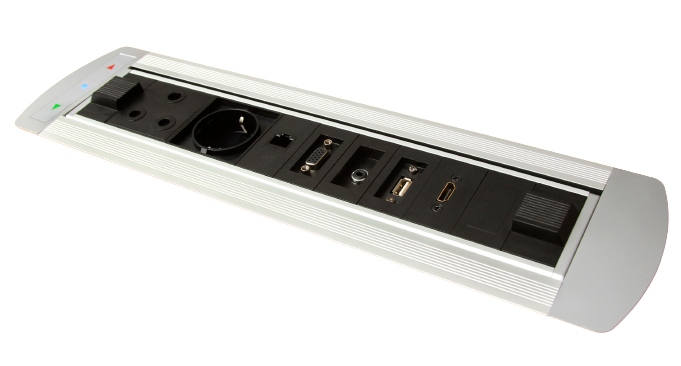
Table cable manager with an electric flip top, for meeting and training tables that need laptop video, network and mains power from one slot.
- 1 x SA and 1 x Euro power socket; current rating not published
- HDMI, VGA and a 3.5 mm audio jack for laptop picture and sound
- 1 x RJ45 network and 1 x USB
- Cut-out size and dimensions not published
- Brand :Lexin
- SKU :LEXIN-LZSP06
- Category :Cable Management
- Availability :
 In Stock
11 in stock
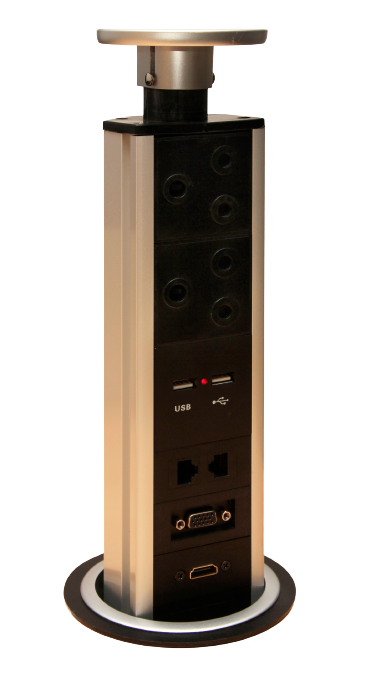
The Lexin LZSP06 is a long table unit for a meeting or training table, with an electric flip top over seven connections: one South African and one Euro power socket, USB, RJ45, HDMI, VGA and a 3.5 mm audio jack. Of the four Lexin table units we list, it is the only one whose published module list has both HDMI and an audio jack. Lexin publishes no electrical rating, cut-out size or dimensions for it.
Opening the electric flip top
Lexin calls the top electric, so it flips open and shut under power rather than by hand. Its sheet is silent on how the top is triggered, whether there is a manual release, whether it stops when a hand or a plug is in its path, and whether the motor runs from the unit’s mains feed or from a separate adapter. The product photo shows a red arrow, a blue dot and a green arrow on the left end cap, which may be the controls; the sheet does not explain them.
Connecting a laptop over HDMI or VGA
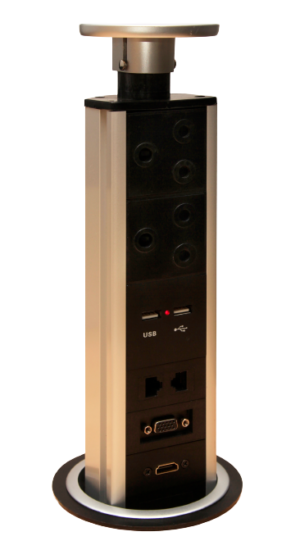
A laptop with an HDMI output needs only the HDMI socket, because HDMI carries the sound along with the picture. An older laptop with just a VGA output sends its picture through the VGA socket and its sound through the 3.5 mm jack, since VGA has no audio lines. The Lexin RPS03 pull-up tower has HDMI and VGA but no audio jack, so a VGA laptop’s sound would need another route there.
The RJ45 socket becomes a wired network point once it is cabled to a wall outlet or switch. Whether the USB port charges a phone, carries data to a room PC, or both, is not stated, and no output is given for it.
Each AV and network socket reaches the room’s equipment through a cable run below the table, and the sheet does not show whether each module takes a second cable underneath or ends in a fixed tail. Measure the route to the display, projector or switcher, then choose lengths from our HDMI cables and VGA cables.
Mains outlets and the electrical details Lexin leaves out
There are two mains outlets, one South African and one Euro. Lexin gives no current rating for either outlet or for the unit as a whole, and mentions no surge protection or switch. Nor does it say whether the LZSP06 comes with a lead and plug or has to be wired into a circuit; wiring it in is work for an electrician. With only one SA outlet, a second charger with an SA plug needs power from elsewhere at the table: the RPS03 has two SA sockets, and the Lexin PSSAU dock has two plus a Euro socket.
Key specifications of the Lexin LZSP06
| Model | Lexin LZSP06 (sheet heading LEX-LZ-SP-06) |
|---|---|
| Type | Plug-in socket cable manager with electric flip top |
| Mains outlets | 1 x South African, 1 x Euro; current rating not published |
| Laptop video and sound | HDMI, VGA and a 3.5 mm audio jack, one of each |
| Network | 1 x RJ45 |
| USB | 1 port; function and output not published |
| Cut-out and dimensions | Not published |
| Finish | Silver housing and end caps, black module strip (from the photo) |
Questions about the Lexin LZSP06
Can the LZSP06 top be opened during a power cut?
Lexin does not say. Its sheet describes no manual release, battery or override for the electric top, so whether the connections can be reached with the power off, during load-shedding for example, is unknown.
What size cut-out does the LZSP06 need?
No size is published. The unit is a long bar with rounded silver end caps, so it needs a slot, not a round hole. Mark the slot out from the unit you receive, and check under the table along its full length: a leg frame or cross-rail there stops the body dropping in.
Can a USB-C laptop connect to the LZSP06?
Only through an adapter. The LZSP06 has no USB-C socket, so a laptop whose video comes out of its USB-C port needs a USB-C to HDMI adapter or cable to reach the HDMI socket.
How is the LZSP06 different from the Lexin TBUS1?
The LZSP06 gives you fixed sockets, HDMI among them, for your own cables, under a powered top. The Lexin TBUS1 pull-up cable manager is a hand-opened box holding fly leads for VGA, composite video, audio, network and telephone, with one SA socket.
You must be logged in to post a review.
You may also like these
Aten
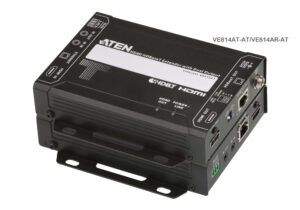
Aten Extender, HDMI, HDBaseT, Transmitter and Receiver with Dual Output - VE814A
R18,462.60
VE814A Out of Stock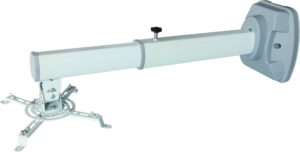
Lexin
In Stock
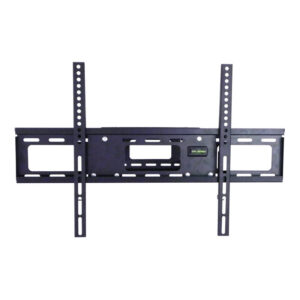
Lexin Short Throw Adjustable Wall Mount Projector Bracket - STO31500
R1,180.69
STO31500 In Stock
Reviews
There are no reviews yet.